Exporting photon map for flux analysis
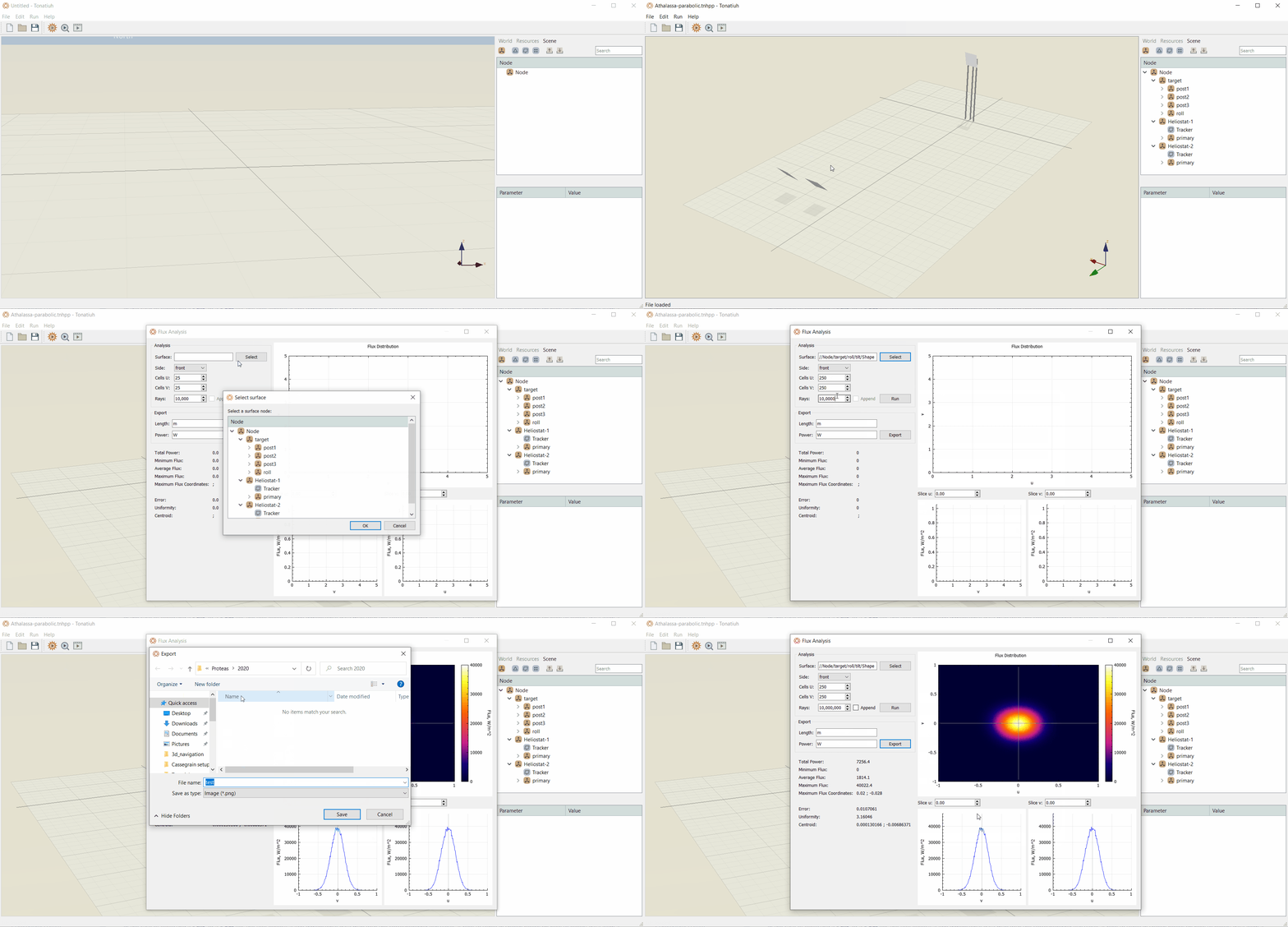
Apart from viewing the flux distribution interactively on the Graphical User Interface, the user can export the data using the Export button as shown in Figure 1. This will bring up a window where the user can select the export file format between *.png, *.jpg, *.txt, and *.dat formats.
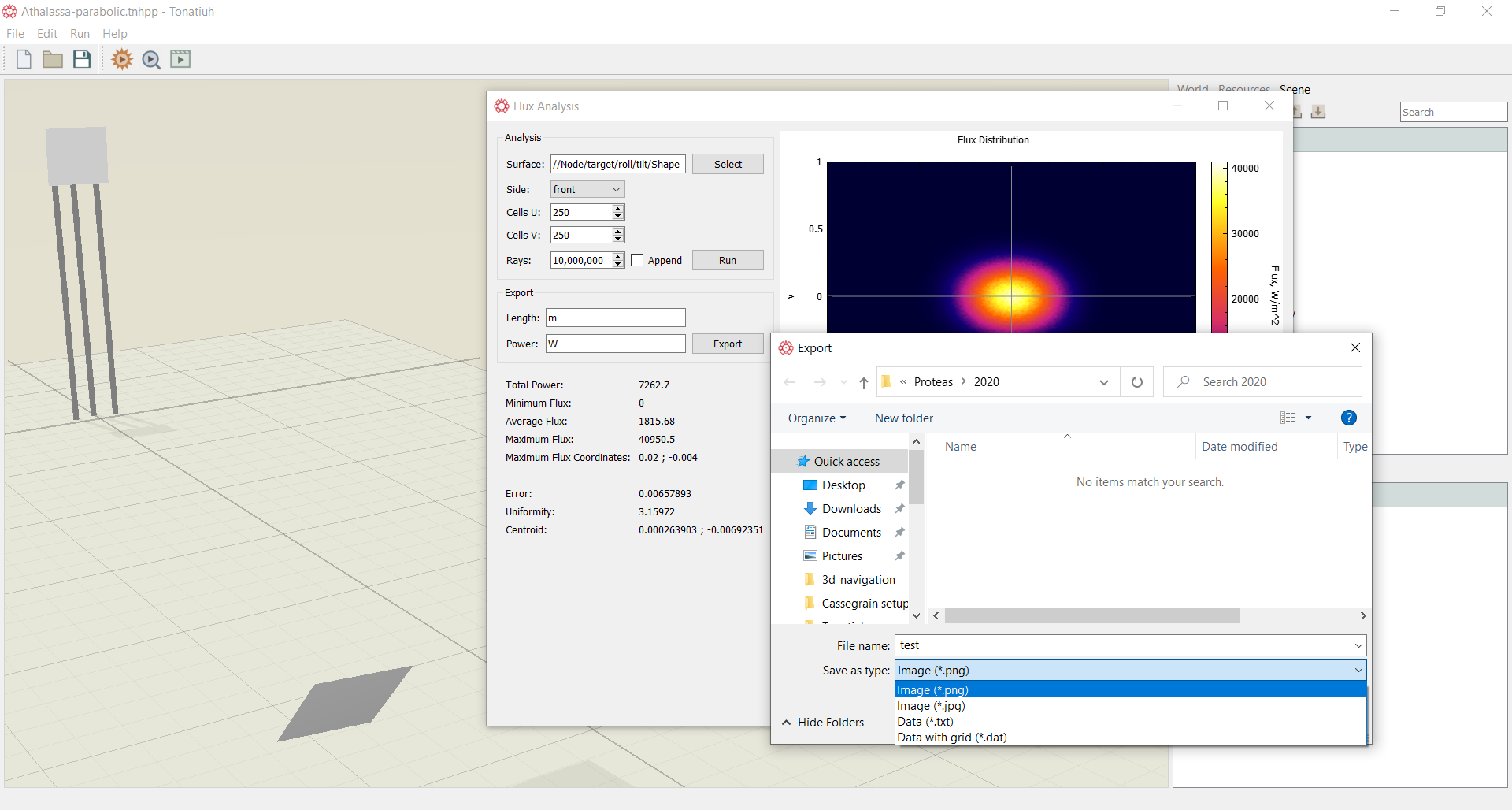
In the case of exporting a *.txt, or a *.dat file, the tool exports a two dimensional data map with the corresponding flux value. A how to video in shown below on how to export data from a flux analysis: