-
Notifications
You must be signed in to change notification settings - Fork 1
3D GUI Navigation
kmilidonis edited this page Mar 28, 2022
·
5 revisions
Navigating the scene within the main graphics window of the program can be performed with a combination of keyboard keys and mouse movements. Below, all key and mouse combinations for navigating through the GUI window are shown.
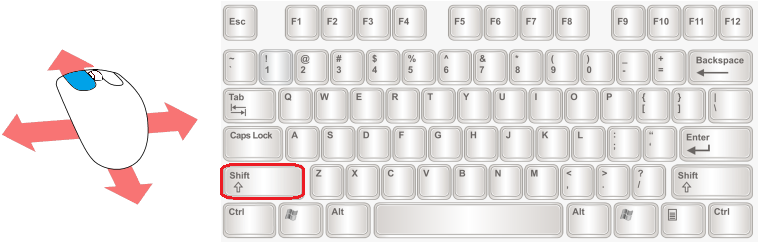
Move (pan, keep screen plane): Left Mouse Button + Drag + Left Shift key
Tonatiuh++ MCRT ray-tracer Wiki
Wiki
Getting started
Functionalities
- Tracking systems
- Scripting capabilities
- Field creation from external files
- Accurate component representation
- Design of complex surfaces through functions
- Procedural design of heliostat fields
- Flux analysis
- Materials
- Computer Aided Design (CAD) files import
- Atmospheric transmission
Relevant Papers