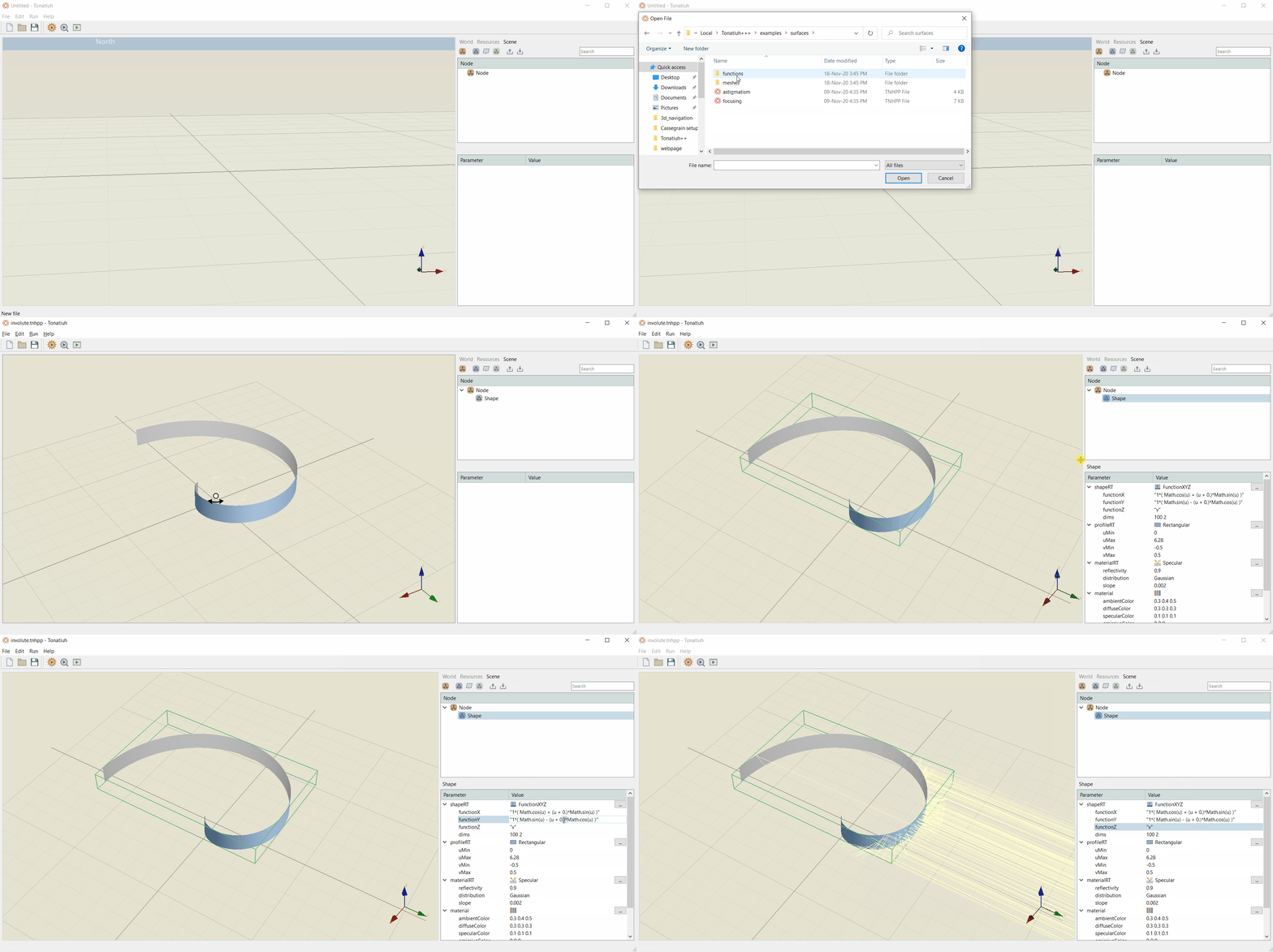
A FunctionXYZ surface
Figure below shows the creation of a FunctionXYZ surface. To recreate this surface, select the FunctionXYZ parameter from the shapeRT drop down menu.
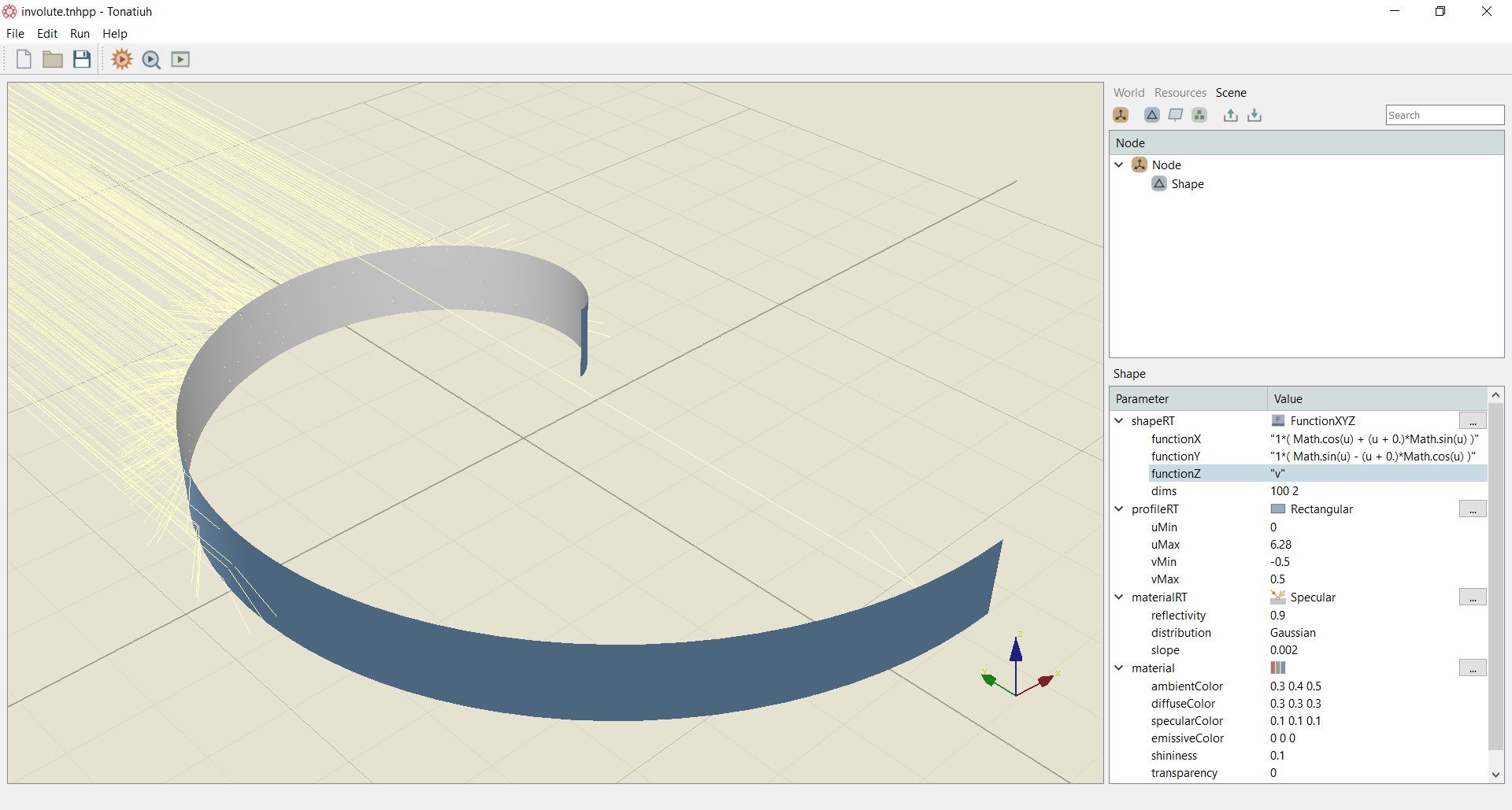
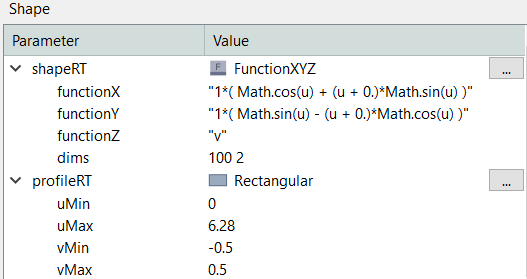
Below the FunctionXYZ, fill the appropriate functionX, functionY and functionZ that define the surface. For the example shown above use the equations shown in the Figure below. For the profileRT of the surface choose Rectangular and set the parameters as shown in Figure below.
The above example is included in the examples folder of the Tonatiuh++ installation directory. A how to video in shown below on how to recreate the above surface.