Repository navigation
Traccar Scope API
Traccar Scope uses two services. Traccar receives tracker data and stores original positions. The Traccar Scope API provides application accounts, vehicle settings, telemetry profiles, reports, and other application features.
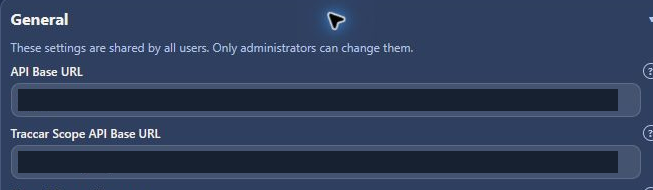
Administrators manage the application connection under Settings → General. The Traccar Scope API Base URL normally uses /traccar-scope-api; the API service listens internally on port 5124. The separate Traccar API Base URL connects the browser to Traccar.
Users sign in with their Traccar Scope account. Traccar connection credentials are configured separately in General settings.
| Component | Name |
|---|---|
| Backend service/container | traccar-scope-api |
| Application PostgreSQL database | traccar_scope_api |
| .NET project | backend/TraccarScope.Api/TraccarScope.Api.csproj |
| Published assembly | traccar_scope_api.dll |
| Configuration section | TraccarScopeApi |
| Browser API prefix | /traccar-scope-api |
Fresh combined deployments initialize the application database and required core tables automatically. Existing database volumes retain their data and do not rerun PostgreSQL first-install scripts.
The one-time development rename from the former traccar_react_api database is documented in the archived API naming migration record. The migration is complete and must not be rerun. Existing encrypted provider credentials continue to use the original key ring; a product rename is not a key rotation.
For a manual deployment alongside an existing Traccar server, see Install Traccar Scope Manual Deployment. The repository includes an automated full-stack install guide; the step-by-step Wiki installation page is the user-facing walkthrough.
The API needs a PostgreSQL connection and a persistent shared credential-encryption key ring. A new installation also needs first-administrator bootstrap credentials; remove those after creating the administrator. The combined installer supplies this setup.
Configure Traccar application credentials in Settings → General, email provider accounts in Email Alerts, SMS provider accounts in SMS Test, and Bouncie authorization in its connection view. Saved provider accounts are the source of delivery credentials and webhook secrets. Saving account changes applies without an API restart. Select a default account before using the corresponding delivery feature.
Hosting, the API's internal Traccar upstream address, optional read-only developer diagnostics credentials, delivery caps, and development access remain server configuration because they are not application preferences. See the API environment configuration guide for supported names and defaults.
After an upgrade, sign in again because the application session cookie name changed. If the application API connection fails, ask the administrator to check the API service, reverse-proxy route, database connection string, and credential-encryption key ring. See Troubleshooting for other connection checks.