Repository navigation
Compression
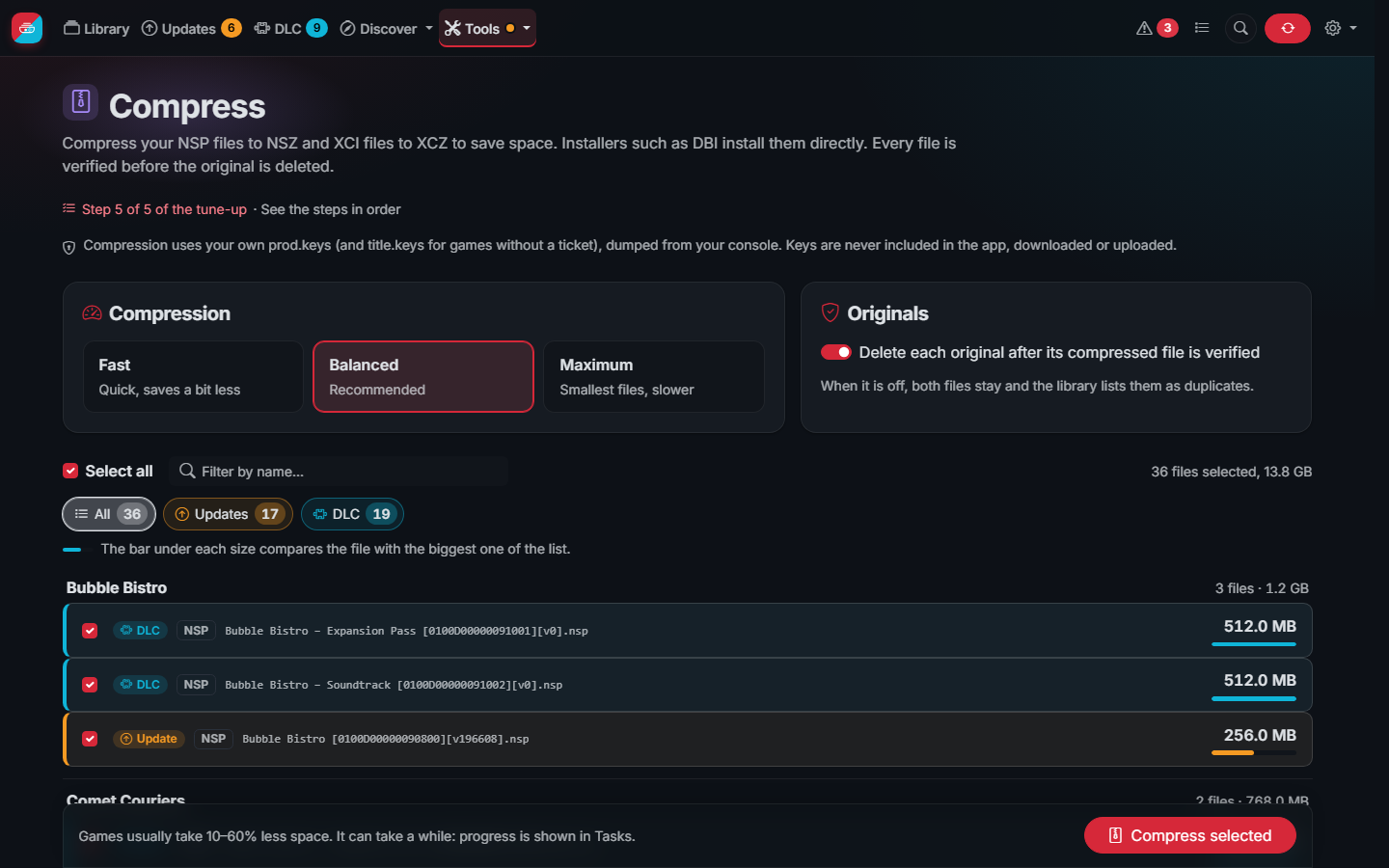
The Compress page turns NSP files into NSZ files and XCI files into XCZ files. They take 10 to 60% less space and are
installed directly by installers such as DBI. It uses your prod.keys (and title.keys for games without a
ticket).
Every file is handled safely:
- The files inside the NSP are checked against their content IDs, so damaged files are not compressed.
- The NSZ is written next to the NSP under a hidden temporary name.
- The NSZ is decompressed again and every file (also tickets and certificates) must give back the original SHA-256, and none may be missing.
- Only then is the NSZ renamed and, if you choose so, the NSP deleted.
Nothing can be lost even with a wrong key: the data is decrypted and encrypted again with the same key, so the original comes back byte for byte (a wrong key only compresses worse).
XCZ files are written in blocks of 1 MB, as nsz does, so they can be read without decompressing them whole; NSZ files are one stream, which saves a bit more. The Tasks page shows the step of each file and, at the end, what each one takes now and what was saved.
Which level. Fast saves a bit less, Balanced is the best value for most libraries and Maximum gives the smallest files at a much slower pace (about 10 times slower than balanced, each file on one core); the difference between balanced and maximum is usually a few percent. A file compresses well when its game has much uncompressed data (videos, textures); games already compressed by their makers save little, and the page shows an estimate for each file from what your earlier compressions saved.
Which installers. DBI and Tinfoil install NSZ and XCZ directly. For a tool that only takes NSP, decompress the NSZ below on the same page.
Games without a ticket. Some NSP have no ticket, and then their title key must be in title.keys. Without it the
game cannot be decrypted, so it cannot be compressed: the task says so in your language, with how to fix it (add the
title.keys of your console in Settings, or use a copy of the game with its ticket), and the original stays as it
is.
Speed: in Settings › Compression choose the processor threads per file and how many files are worked on at once, or press Measure this server: for about half a minute it compresses parts of your biggest games with several settings and chooses the fastest. The disk usually sets the speed more than the processor, so several files with few threads each often beat one file with many. An NSZ is one zstd stream per file, compressed on about one core whatever the threads: they speed up game cards (XCZ, in blocks), and more files at once is what uses more cores.
The file check (on its own, before deleting copies, or in automations) reads every NCA, decompressing NSZ and XCZ files the way nsz does it, and compares its SHA-256 with its content ID. Tools such as NSC_Builder rewrite the header of the NCA files (to remove the title rights, or when converting a card to NSP): the content ID no longer matches, yet the game installs and plays like the original. Such an NCA is then checked by the hash tree of its data, the one stored in its header, like hactool does: when every hash matches the file is fine (rewritten, not damaged), else it is damaged. The romfs of an update cannot be checked on its own (it patches the game), the rest of the update is.
Compression runs in the background as a task, can be cancelled and uses at most half of the processors. Update patches are compressed too. Like nsz, an XCZ keeps only the secure partition, the one installers use.
NSZ files can be decompressed back to NSP on the same page, for tools that do not read NSZ. Every file inside the NSP (NCA, ticket, certificate) is the original byte for byte; the container around them can differ in a few kilobytes of padding, which installers do not read. The format is the one of nsz, written in Go for this project: nothing else needs to be installed. How it was tested on a console, and how it handles the problems known in nsz, is in NSZ compatibility.
A complete pack is one NSP (or NSZ, when its files are compressed) with a game, its latest update and all its DLC,
for installers that take several titles at once. Older updates and the delta fragments of the update are left out.
Make one from the Complete pack button of a game page, or many at once in Compress › Make complete packs: tick
the games and choose whether the separate files are deleted. The pack is written under a hidden name, every file in it
is checked, and only then it gets its name (Game [TitleID][v65536][+2 DLC] (pack).nsp) and the separate files go.
Compress › Split multi-title files does the opposite with the packs of this app and the "SuperNSP" files of other
tools: each game, update and DLC gets its own NSP (or NSZ), named like the files of the shops, next to the original.
Nothing is decompressed or changed: each title keeps its NCA files, its ticket and its certificate as they are, since
each one carries its own metadata (CNMT). Every part is checked before the original is deleted, and the original stays
when it holds anything no title claims. Splitting needs your prod.keys, to read that metadata.
A game card dump (XCI or XCZ) with several games, like a collection of games on one cartridge, splits into one XCI (or XCZ) per game, with its update and DLC: the files of a game card are made for a game card, and turning them into NSP would mean signing them again. Each part keeps the header of the original card.
Both run as tasks that can be paused and resumed, also after a restart.
The screenshots show the demo mode: the games, publishers and covers are made up.