Repository navigation
Troubleshooting
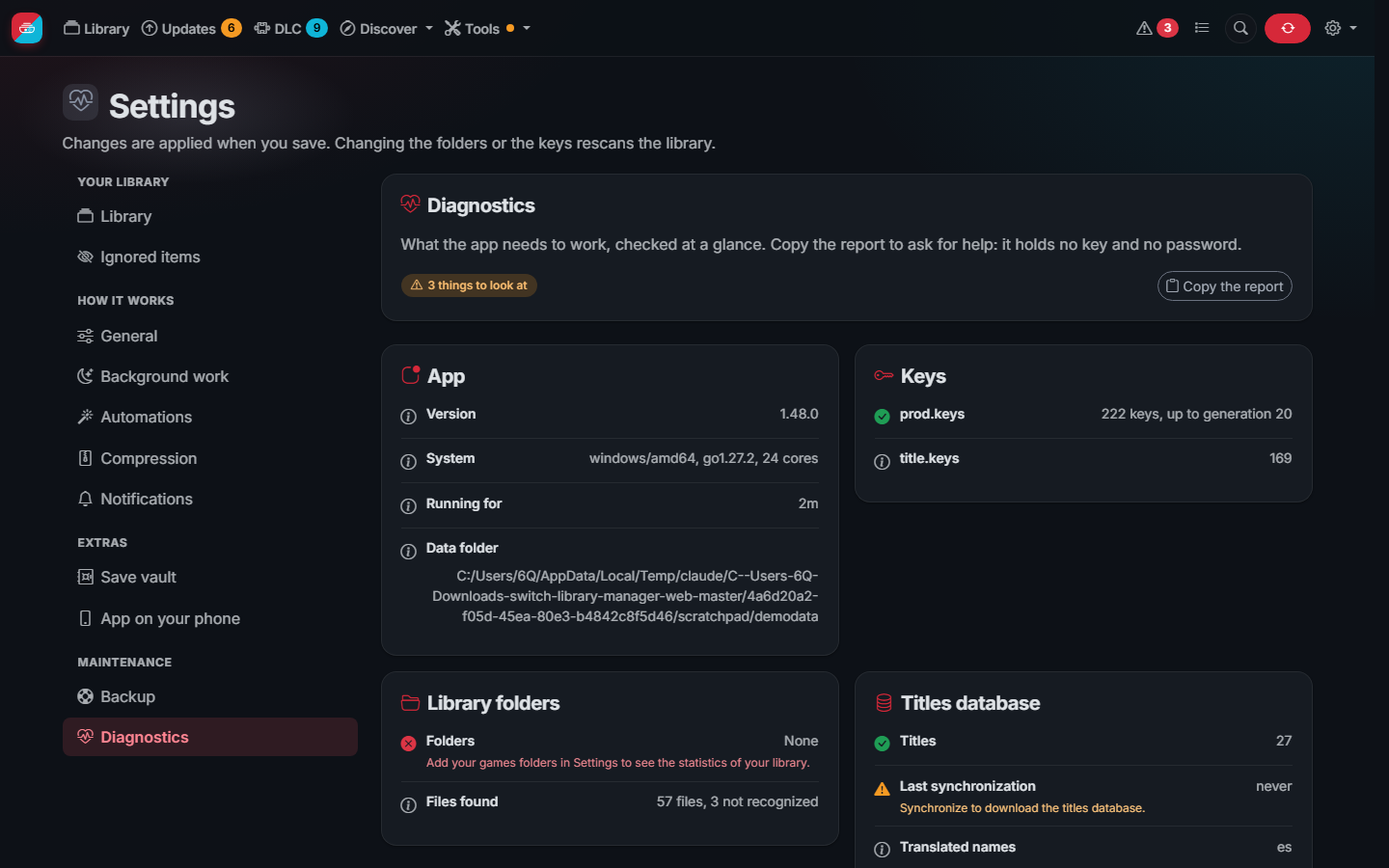
Diagnostics (in the footer and in Settings) checks at a glance the keys, the library folders, the titles database, the free space, the automatic copies and the protection, and tells what to do about what is wrong. Copy the report to ask for help: it holds no key and no password.
The web interface does not open. Check that the port is published (-p 3000:3000, or the WebUI port on Unraid) and
open http://<address of the server>:3000. docker logs switch-library-manager-web shows why the app stopped, if it
did.
"The data folder is not writable". Set PUID and PGID to the owner of the folders on the host (on Unraid
99 and 100).
Keys not found. Put prod.keys in the data folder, or set its folder in Settings, and save the settings. The
first step of the checklist and the Settings page tell you whether the keys were found.
A game is missing or shown as an issue. Open Issues: it explains every file that could not be added, for
example a key missing from an old prod.keys or a damaged file.
No covers. Covers are downloaded from the Nintendo servers during the scan. If your network blocks them, the placeholder is shown and the next scan tries again.
A file is "identified by file name only". The app could not read it with your keys (no keys, or a key missing for a newer firmware) and recognized it by its name. It works, but cannot be checked or compressed until the keys can read it.
A file is "damaged". Its content does not match its content ID: the copy is broken. Get it again; until then the app never deletes the other copies of that title because of it. A file whose NCA header was rewritten by another tool is told apart and is not damaged.
A file was "cut short". A copy or a download stopped halfway. Issues can delete these files once they have not changed for some minutes.
A file "cannot be read" ("invalid NCA magic"). Its contents cannot be decrypted: a damaged copy, a format the app does not know, or a file encrypted with keys other than yours (some files shared with strange names are not real dumps). Check it on your computer; to remove it, its row in Issues has a Delete button.
The NSP has no ticket and title.keys does not have its title key, so it cannot be decrypted to compress it; the
original is kept. Add the title.keys dumped from your console in Settings, or get a copy of the game with its
ticket.
The Tasks page shows a task that ended long ago. Before 1.50.0, with several tabs of the app open, the browser could run out of connections to the server and the page stopped updating. Update the app; meanwhile, reload the page.
Safari on iPhone closes the Library ("a problem repeatedly occurred"). Before 1.50.1 going from page to page could use too much memory on iOS. Update the app.
The first scan is slow. On a NAS with thousands of files the first scan reads every file; the next ones only read
what changed. scan_workers in settings.json sets how many files are read at once (more for fast network storage,
1 for a single slow disk).
Covers or the titles database do not download. A firewall, a DNS filter or a VPN may block the Nintendo servers or GitHub. The app keeps working with what it has and tries again on the next synchronization.
Reporting a problem. Use the issue tracker. Set
debug to true in settings.json and attach the log, but never your keys.
Synchronizations, scans, compressions, file checks and the other tasks run on the server: the browser, the phone or the computer where you started them can be closed or turned off. They only stop when the app itself stops (its Docker container or its program), and a stopped file check goes on where it was the next time.