Home
Avid Angler is a Retail World of Warcraft fishing addon for player-driven fishing controls, catch tracking, equipment helpers, fishing guides, and Midnight Anglin' Score support.
It brings the main parts of a fishing session together in one place: casting and reeling controls, a visible fishing HUD or button, gear and lure helpers, catch history, fishing guides, and Midnight progression tools.
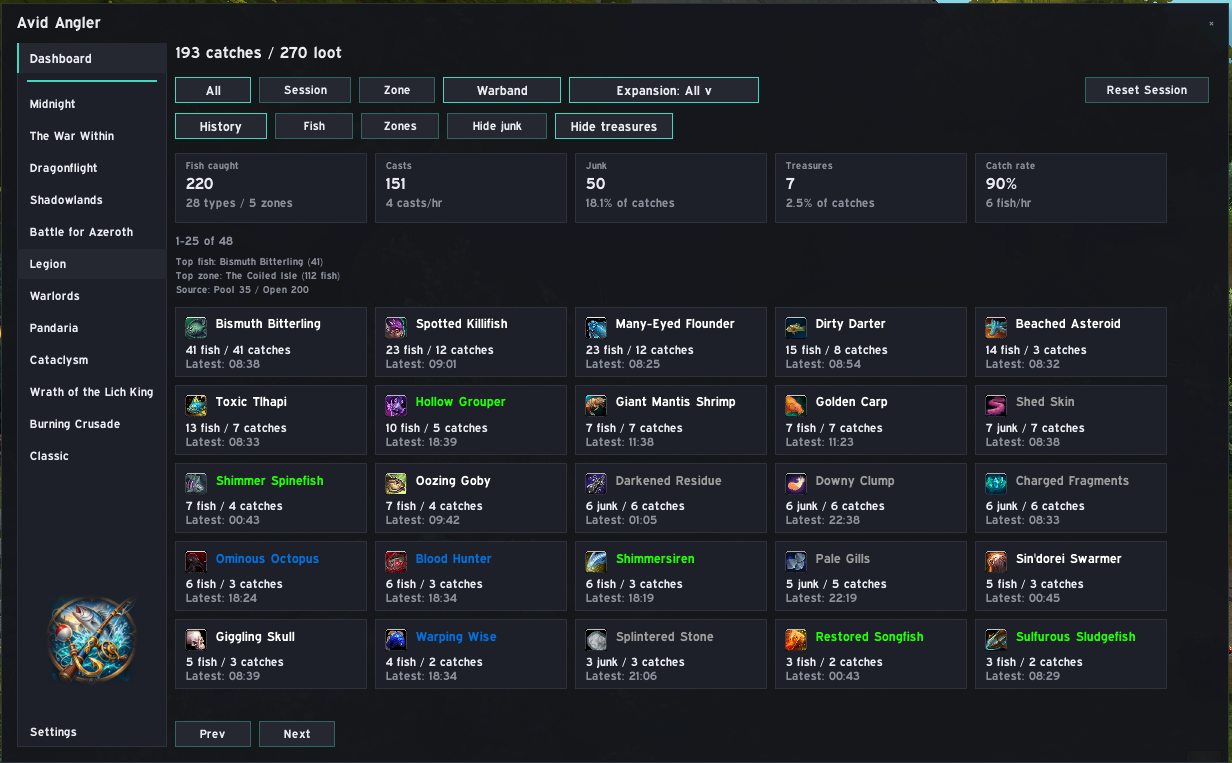
| Page | Use it for |
|---|---|
| Getting Started | First-run setup, opening the addon, and the basic fishing flow |
| Casting and Fishing Controls | One-key fishing, double right-click, Auto Loot, Soft Interact, and comfort options |
| HUD and Fishing Button | Choosing and using the visible fishing control |
| Lures, Bobbers and Precast | Lures, bobbers, toys, extra items, and precast macros |
| Fishing Gear | Saving, equipping, and restoring your fishing equipment set |
| Catch Tracking and History | Session and all-time catches, history filters, and reset behaviour |
| Dashboard | Summary cards, current status, fish and zone analytics |
| Midnight Fishing Guide | Midnight fish, pools, lures, accessories, and collectibles |
| Midnight Anglin' Score | Score views, ranks, opportunities, score watch, and notifications |
| Grand Line | The Midnight Grand Line crafting chain |
| Settings | Settings pages and setup wizard options |
| Slash Commands | Commands available in chat |
| Troubleshooting | Common problems and fixes based on current addon behaviour |
| FAQ | Short answers to common questions |
| Item | Current value |
|---|---|
| Game | Retail World of Warcraft |
| Interface | 120100 |
| Version | 1.0.0-Release |
| Dependencies | None required |
| SavedVariables | AvidAnglerDB |
- Keeps fishing player-driven: casting and reeling still require your input.
- Provides a choice of visible HUD or compact fishing button.
- Tracks catches, sessions, fish, zones, and fishing history.
- Helps with fishing gear, lures, bobbers, toys, and precast actions.
- Includes Midnight fishing guides and Midnight Anglin' Score tools.
- Uses a first-run setup wizard, with all options available again later in Settings.
If this is your first time using the addon, start with Getting Started.