Repository navigation
Calendar Integration
Connect your company calendar to:
- see recorded meetings and server events together in the Calendar view,
- turn summary action items into follow-up events. Each one is a draft you edit, and nothing reaches the server until you click Approve.
Credentials stay on this device.
| Server type | Examples |
|---|---|
| CalDAV | SOGo, Nextcloud, Zimbra, Kerio and other CalDAV servers |
| Microsoft Graph | Microsoft 365 / Outlook.com |
| Exchange EWS | On-premises Exchange |
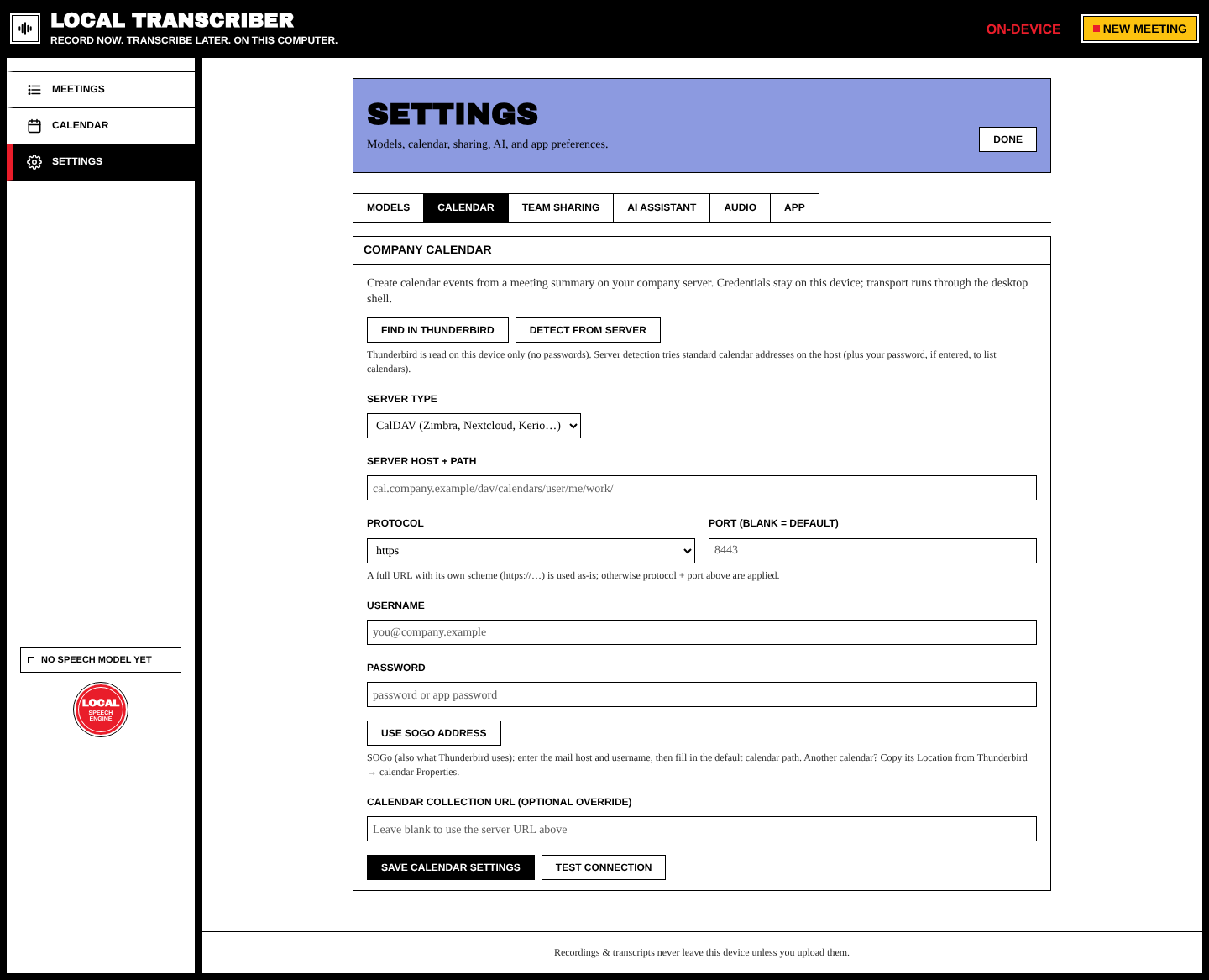
Your mail settings (IMAP/SMTP) don't include calendars, so there are shortcuts to find the right address:
- Find in Thunderbird reuses the calendars Thunderbird already knows. It reads them on this device only, without passwords.
- Detect from server tries the usual calendar addresses on your host and lists your calendars. It uses your password, if you entered one, to list them.
- Use SOGo address fills in the default SOGo calendar path from your mail host and username. For another calendar, copy its Location from Thunderbird → calendar Properties.
Or fill the fields in yourself:
| Field | Notes |
|---|---|
| Server type | CalDAV / Microsoft Graph / Exchange EWS |
| Server host + path | e.g. cal.company.example/dav/calendars/user/me/work/
|
| Protocol / Port | A full URL that includes https://… is used as it is. Otherwise the protocol and port are added (leave the port blank for the default). |
| Username / Password | Use an app password if your server supports them |
| Calendar collection URL | Optional override. Leave it blank to use the server URL. |
Press Save calendar settings, then Test connection.
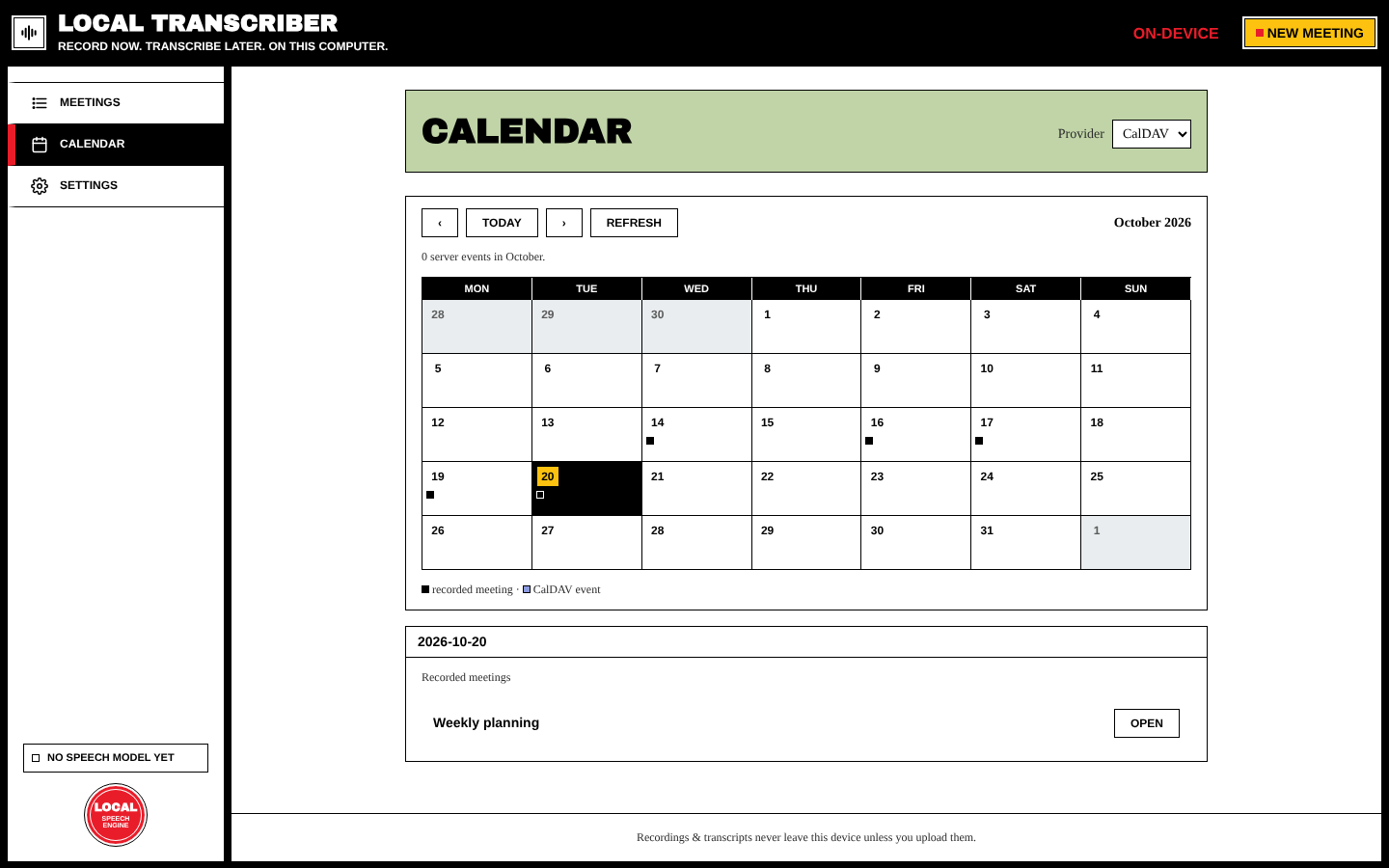
Calendar in the sidebar shows a month. Each day lists your Recorded meetings and the Server events from your calendar. Each month is kept on your device, so it opens instantly and still works offline.
- Summarize the meeting (see AI Summaries).
- Tick action items in the summary.
- In the Calendar event section, press Prepare calendar events. You get one editable draft per item, or you can prepare a custom event.
- Edit the title, start, end, location (optional) and description.
- Press Approve & create on server (or Approve & create N events for several drafts). Only then is anything sent to your calendar. Created events are listed under Events created from this meeting.
A meeting can have several follow-up events.