Repository navigation
Website Tour
A section-by-section guide to the Local Transcriber landing page. It's a single page of full-width bands under a sticky navigation window.
The screenshots use sample release data (version 0.1.20). The live site always shows the newest real release from GitHub.
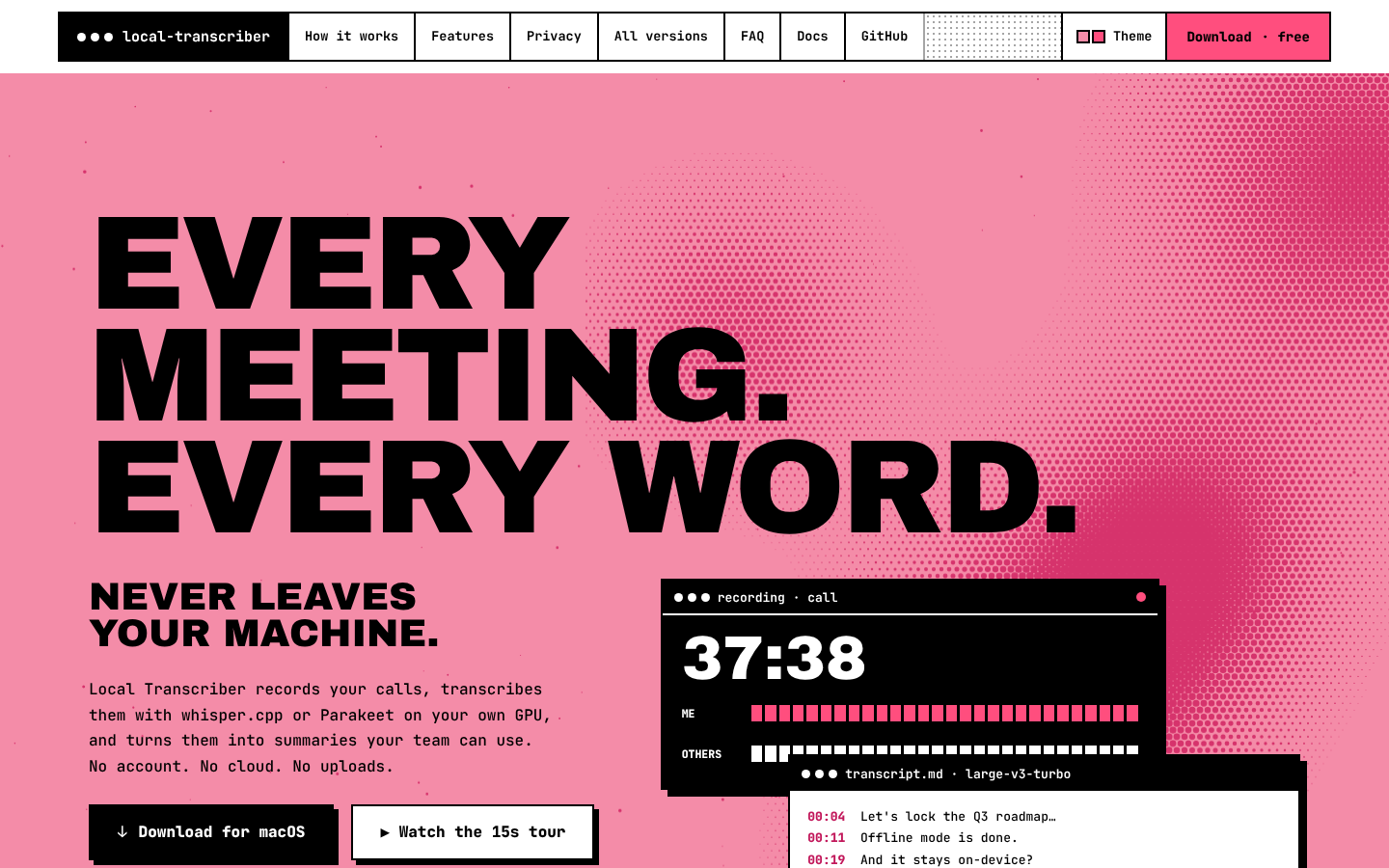
| Element | What it does |
|---|---|
| Navigation window | Brand · How it works · Features · Privacy · All versions · FAQ · Docs (this wiki) · GitHub, then Theme and Download · free. It stays at the top and highlights the section you're reading. On phones and tablets only the brand, Theme and Download stay. |
| Hero | "Every meeting. Every word." over an animated halftone field that follows the pointer. Download for links straight to the recommended installer; Watch the 15s tour jumps to the tour. Tags list the essentials and the current version (live from GitHub). |
| App windows | A recording window, a transcript and a summary, stacked like the app. |
| Ticker | No account · No cloud · No uploads · MIT · whisper.cpp · Parakeet · Ollama · platforms. |
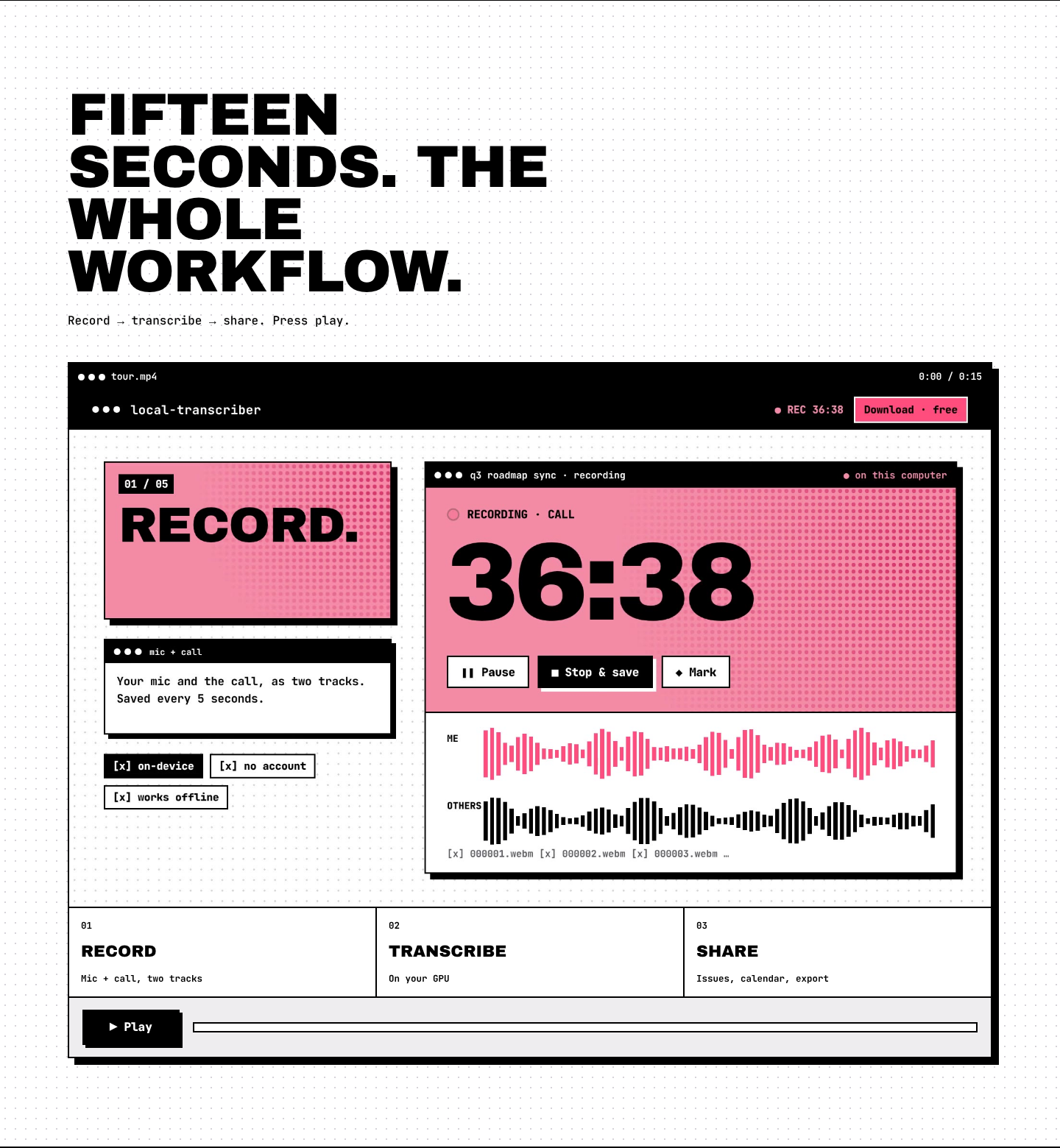
The showreel in a player window. Play starts it; the three phases (Record → Transcribe → Share) light up as the video reaches each scene, with a progress bar and timer. The scene start times live in data-at on #phases in index.html — update them if the showreel is replaced.

Three steps: 01 Record, 02 Transcribe, 03 Share.
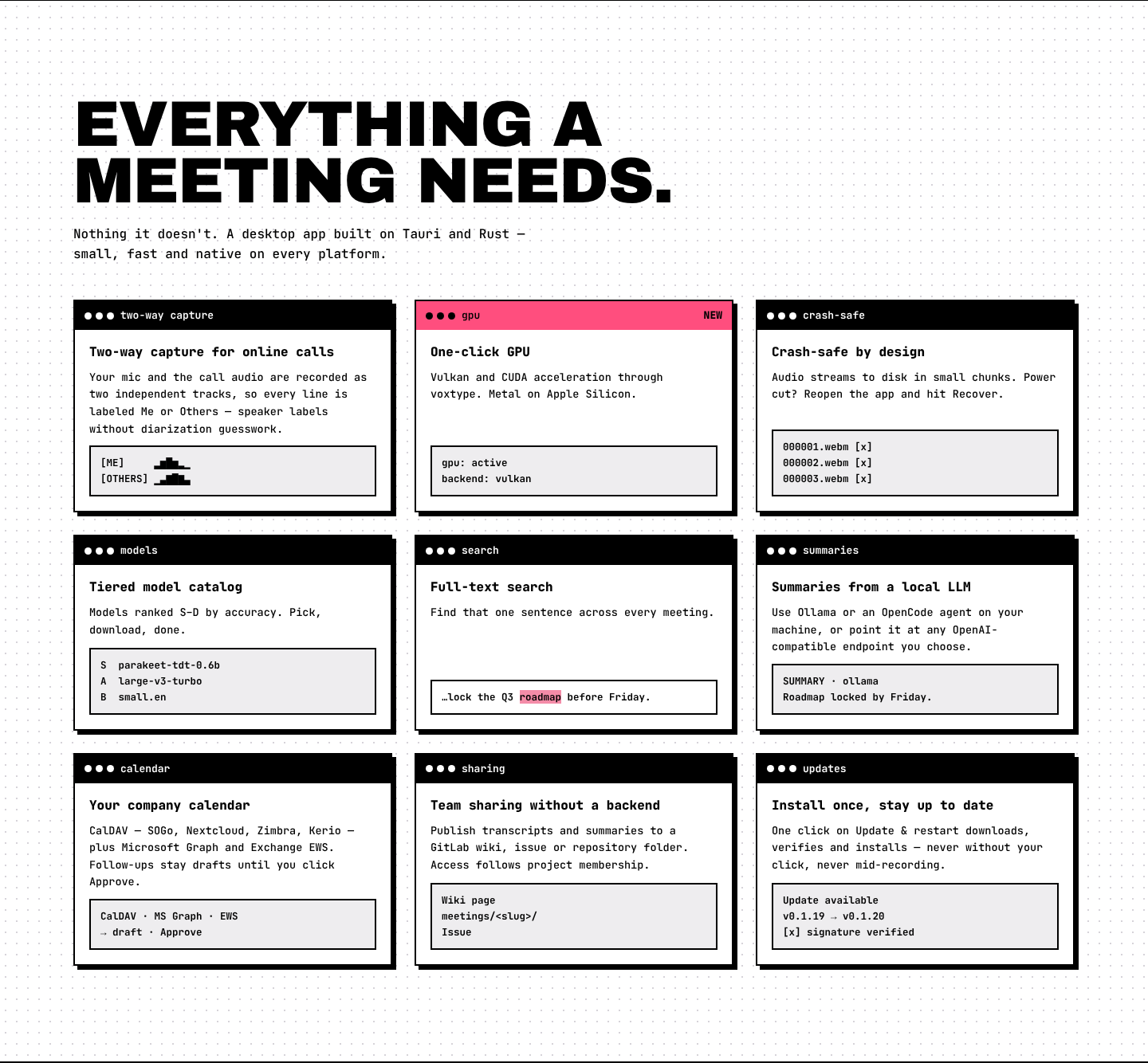
Nine windows: two-way capture, one-click GPU, crash-safe recording, the tiered model catalog, full-text search, local LLM summaries, company calendar, team sharing through GitLab, and in-app updates. The version numbers on the updates window (previous → newest) come live from GitHub.
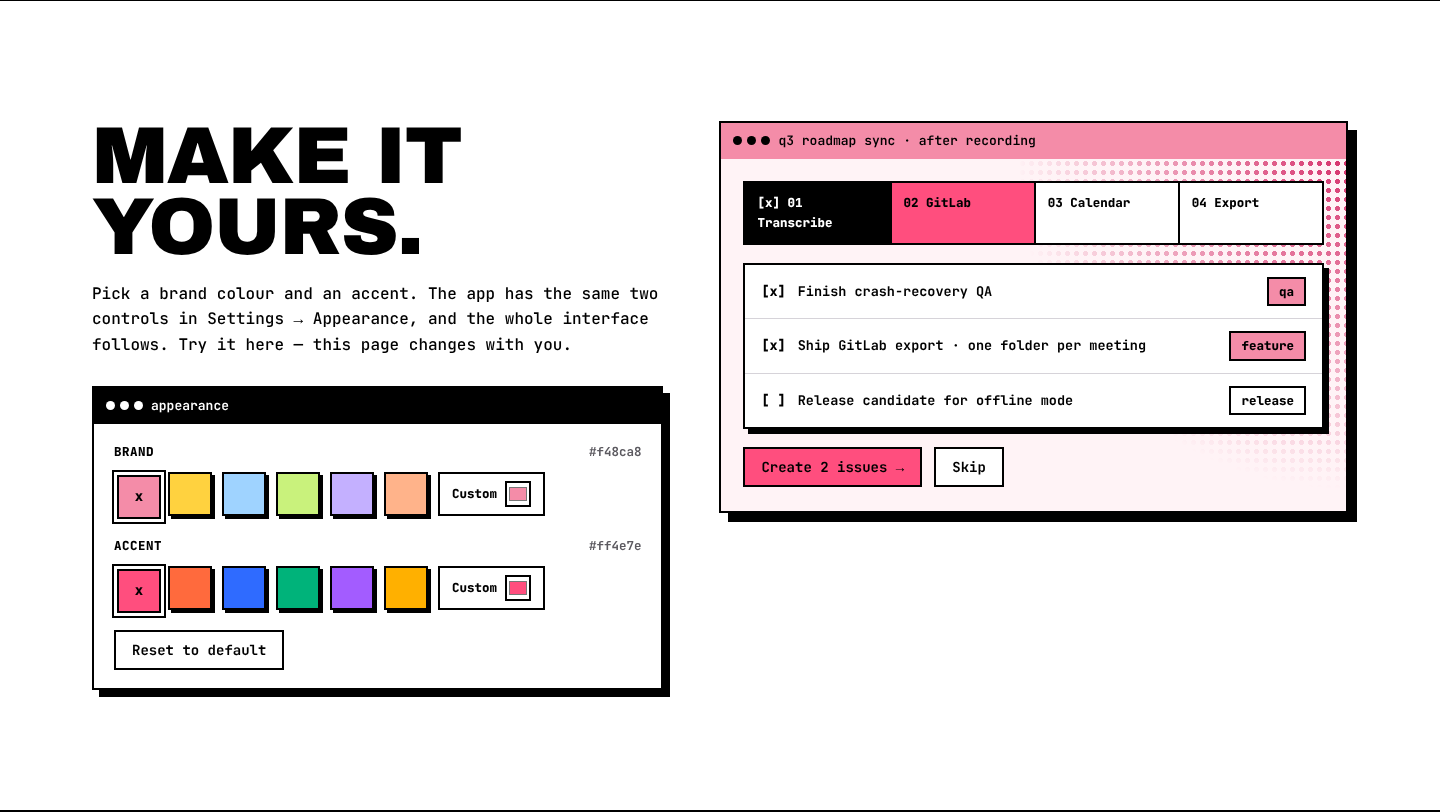
Brand and accent swatches (plus a custom colour) recolour the whole page and the app preview next to them — the same two controls as the app's Settings → Appearance. Theme in the navigation opens the same picker anywhere on the page. The choice lasts for the current visit only; nothing is saved on the device.
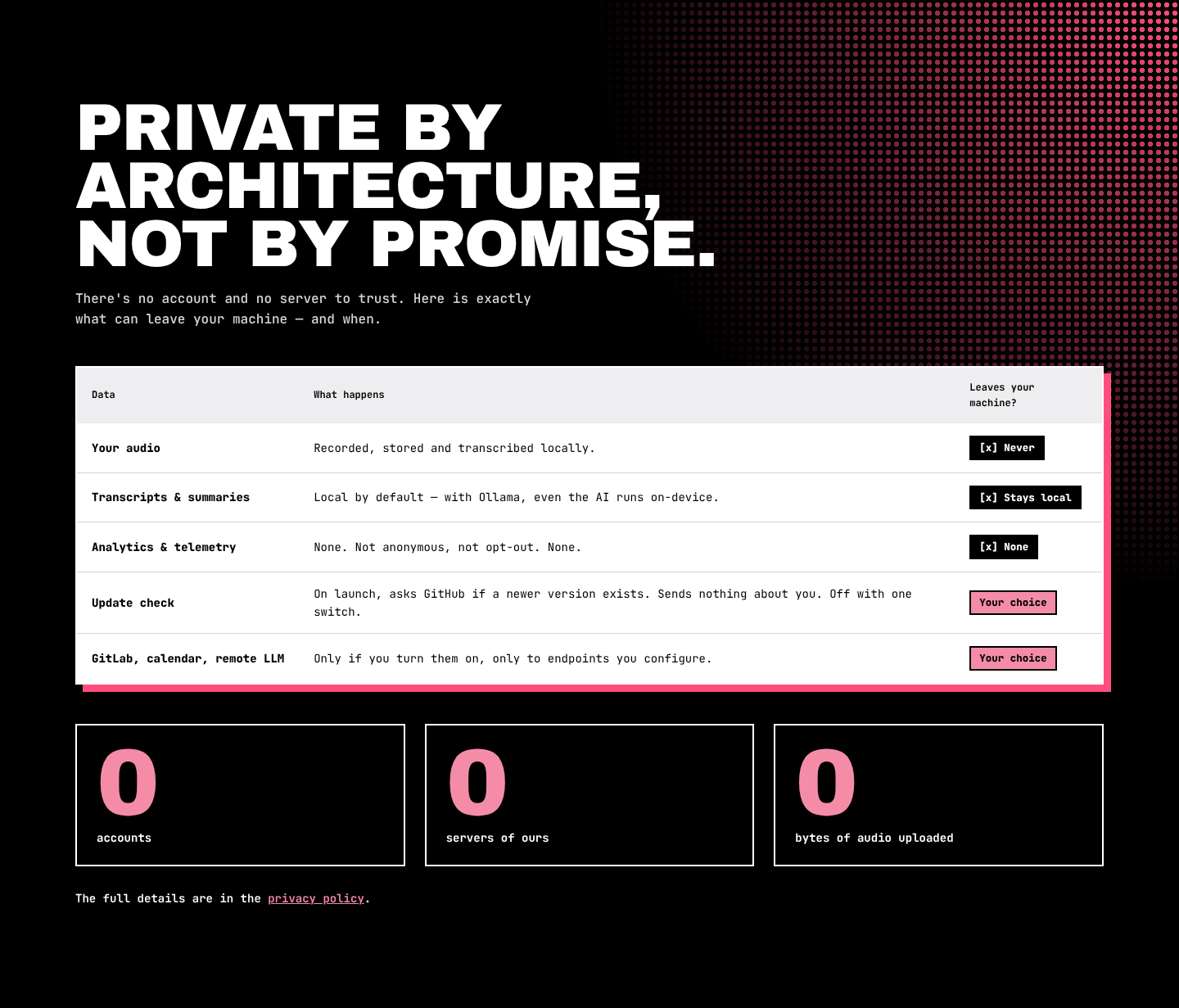
A table of exactly what can leave the user's computer, and when, plus "0 accounts · 0 servers of ours · 0 bytes of audio uploaded". Details: Privacy.

- Release row: newest version and release date. The lamp turns grey while loading or when offline.
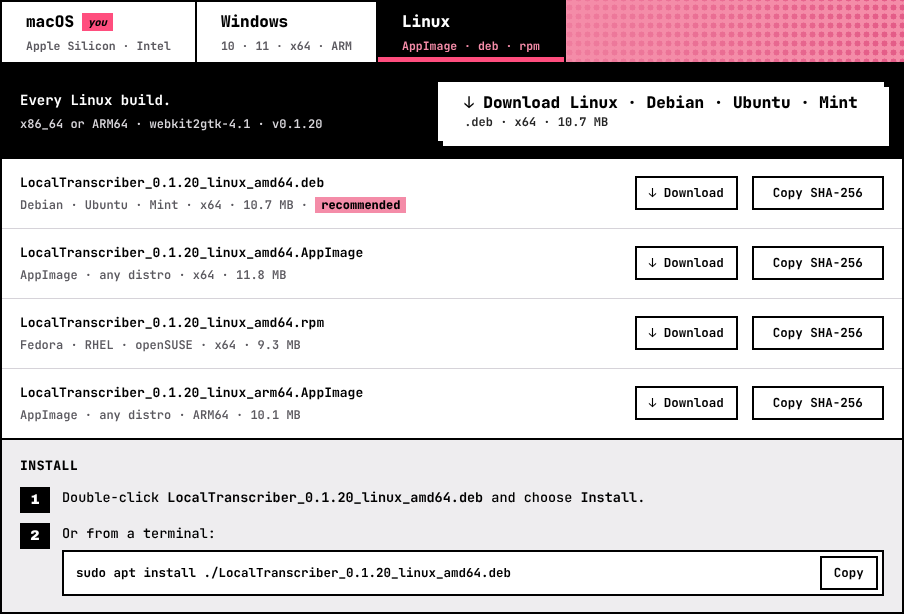
- Platform tabs: macOS / Windows / Linux. Your platform is tagged you. Use the arrow keys to move between tabs.
- Lead strip: what we detected ("We think you're on a Mac with Apple Silicon") and the big download button for the recommended file (picked by OS and CPU).
- File rows: every file for that platform in the newest version, with package, architecture, size, Download and Copy SHA-256.
- Install: numbered steps for the recommended file. Commands have a Copy button.
- Side windows: install once, transcription built in, verify (the right checksum command for the selected OS) and the download counter.
- On a phone: a note explains the app runs on a computer, with Send me the link (share sheet, or copy).
Per-platform views:
| macOS | Windows | Linux |
|---|---|---|
 |
 |
 |

The total number of downloads across every release, installs and in-app updates alike, as counted by GitHub. It's hidden if GitHub can't be reached. See Analytics and Download Counts.
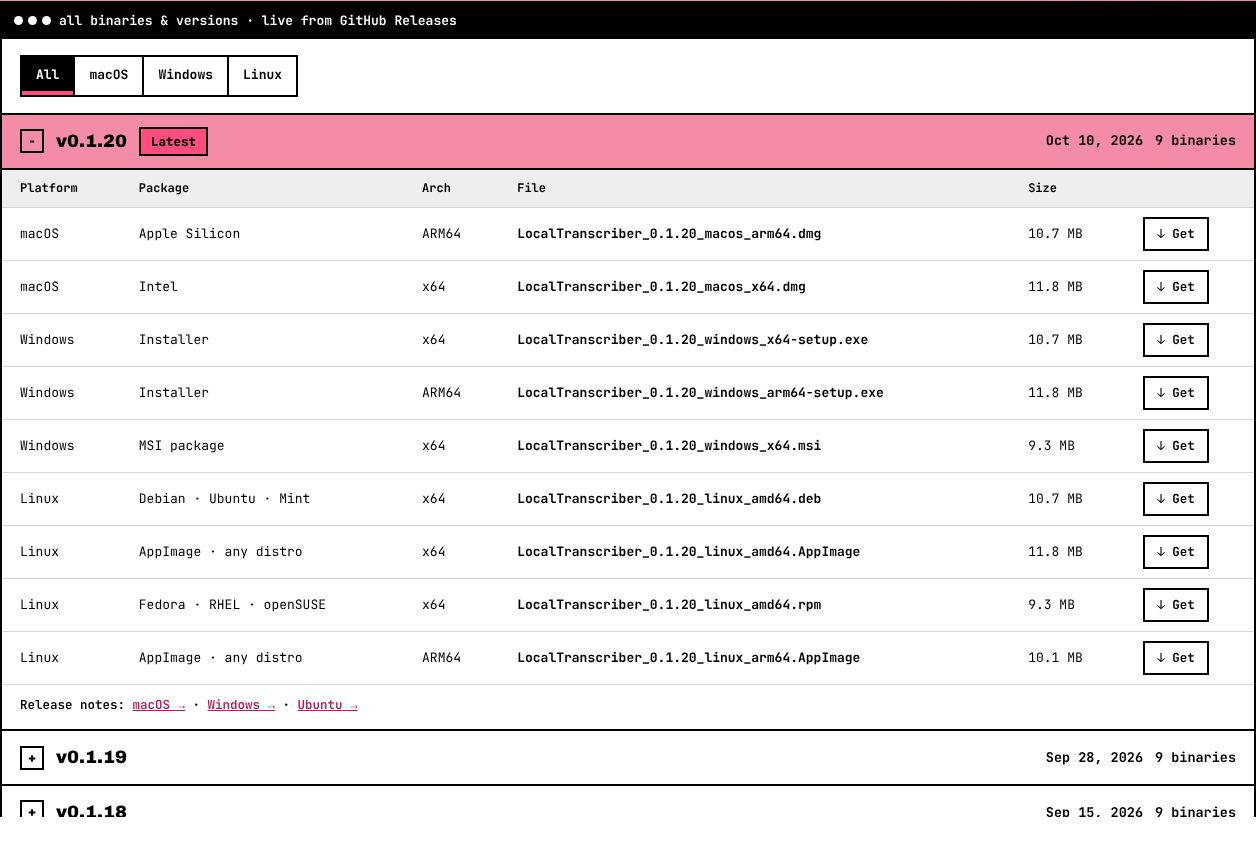
Every version, newest first. The latest one is expanded. Each version lists every binary (platform, package, architecture, file, size, Get) and links to each platform's release notes. Use All / macOS / Windows / Linux to filter.

Commands to clone and build the app, and to plug in your own GPU engine.

A notice appears, and every button links to the GitHub Releases page instead.
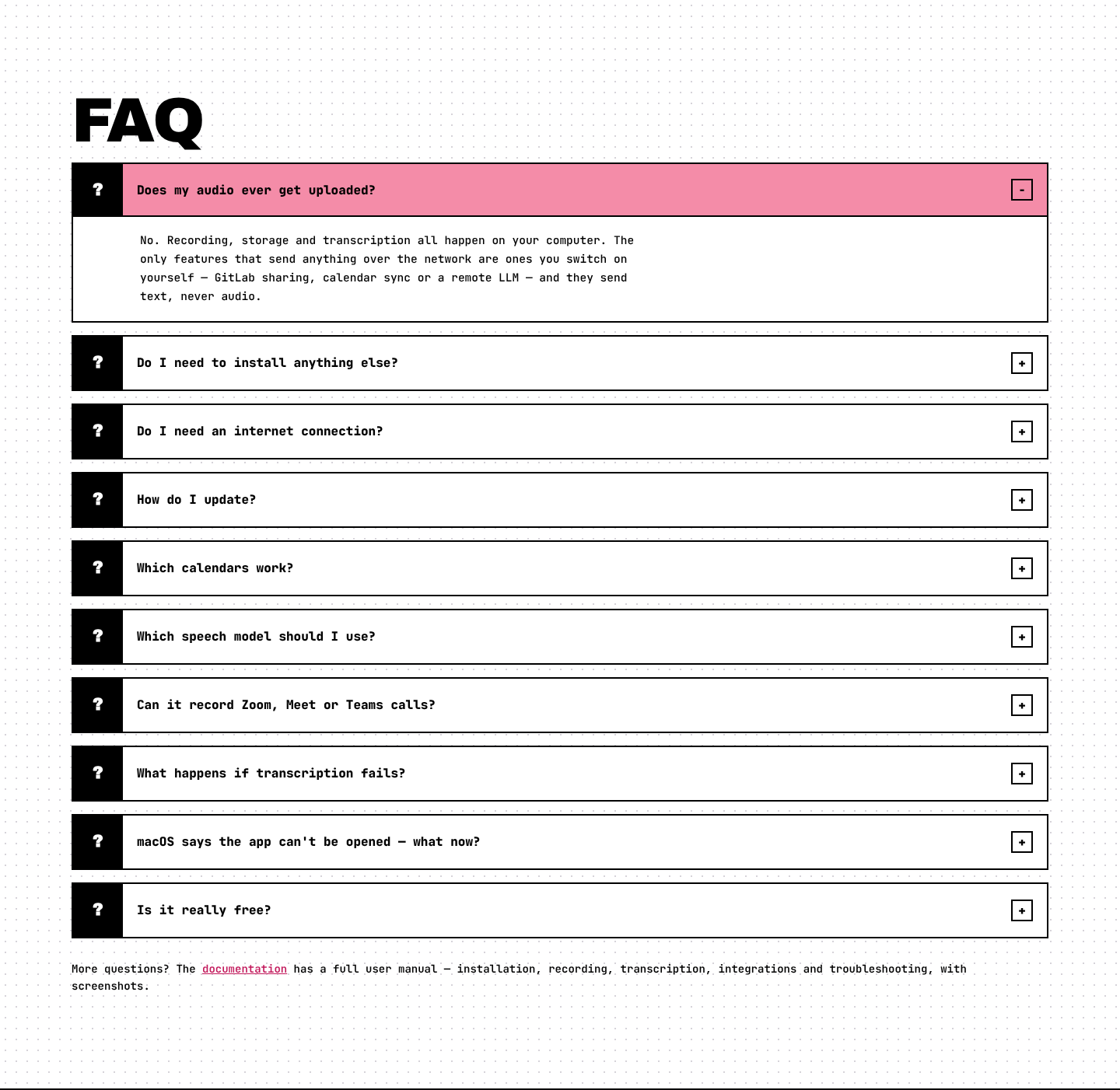
Ten questions that expand when clicked, followed by a link to this documentation. The same answers are in FAQ.

Copyright and the MIT license, then Download · Releases · Docs · Source · Privacy · Legal notice.
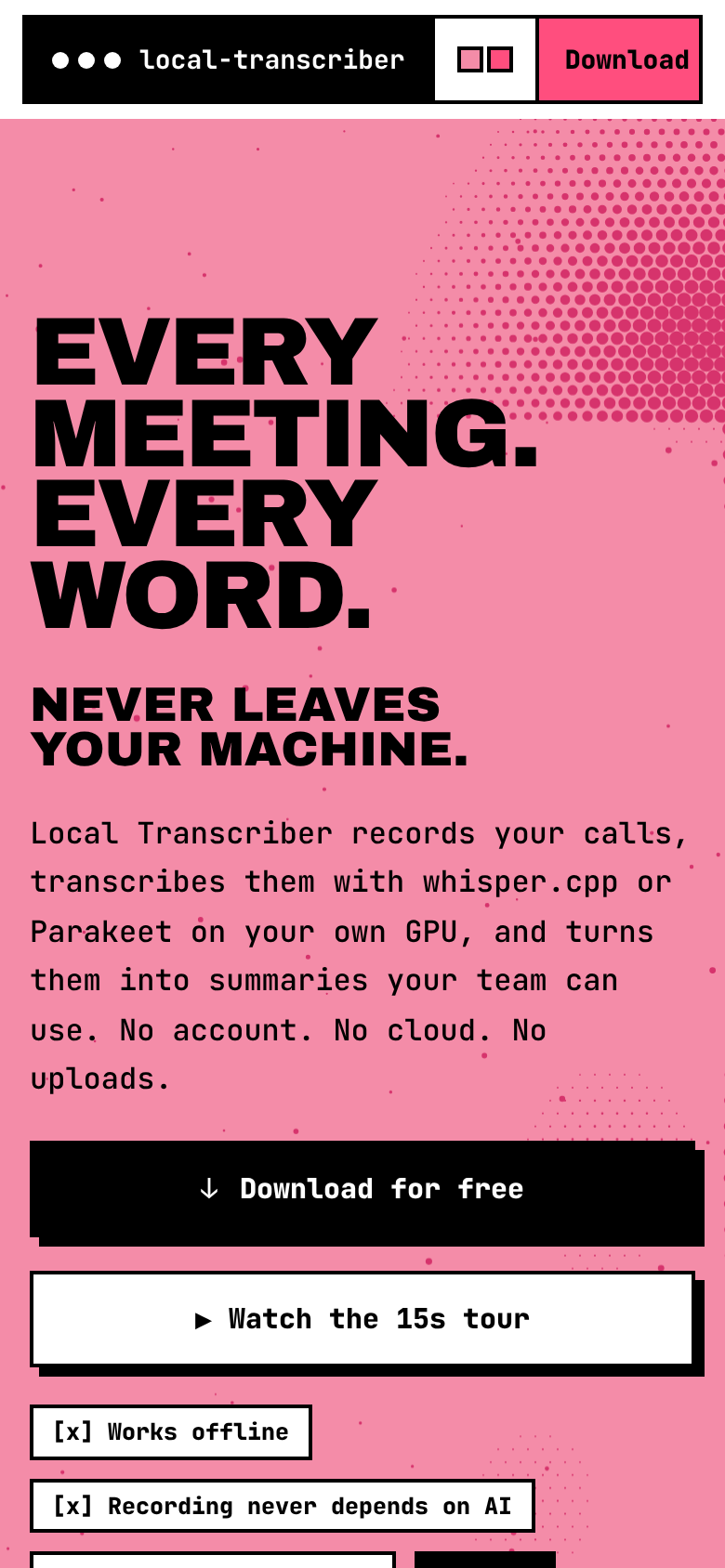
The layout adapts to phones, tablets, laptops and ultrawide screens. The page never scrolls sideways.