Repository navigation
Meetings List and Search
Meetings in the sidebar opens My Meetings, the home screen of the app.
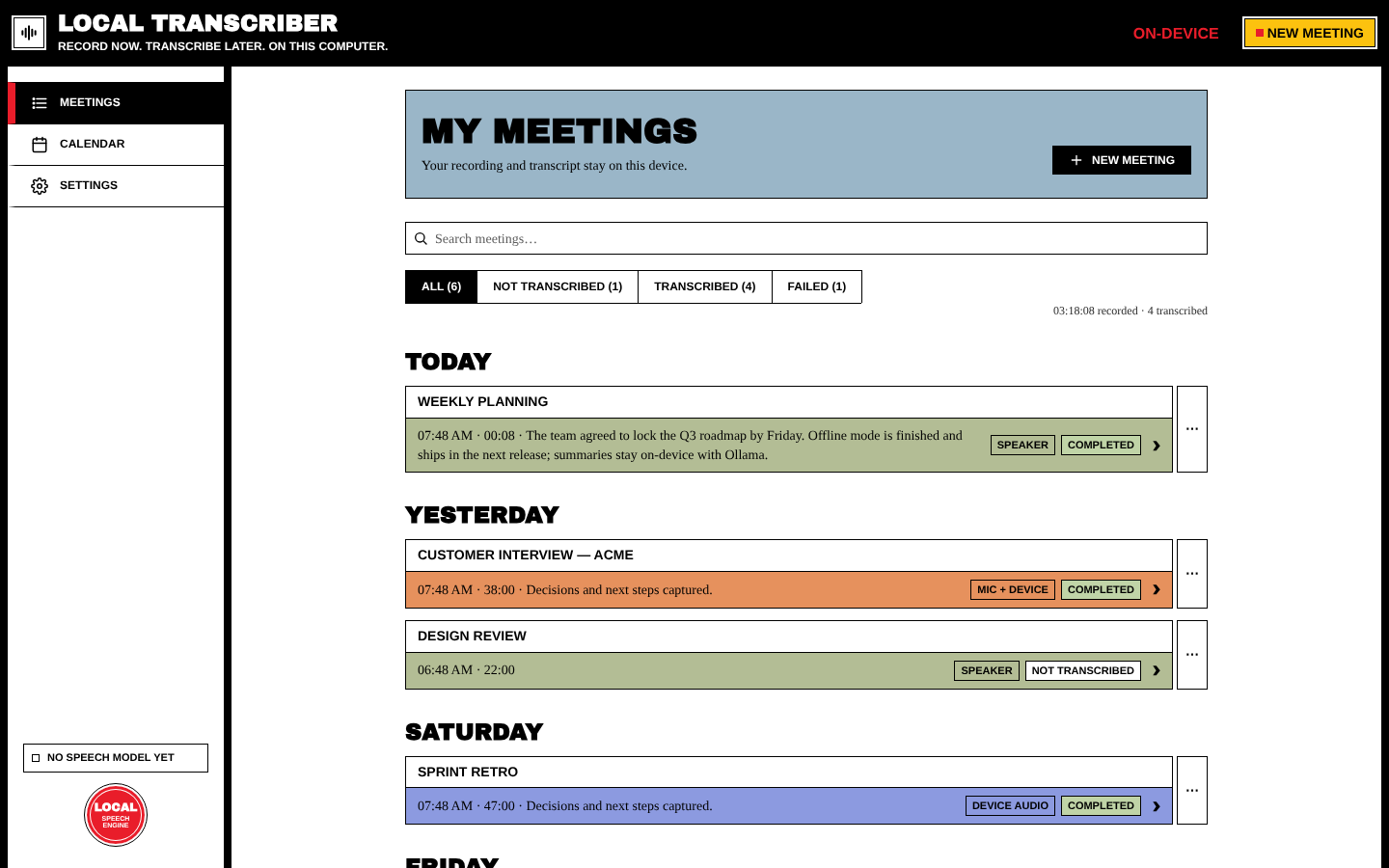
- Meetings are grouped by day (Today, Yesterday, weekday names, then dates), newest first.
- Each row shows the title, start time, duration, the first line of the summary (if there is one), the mode label and the transcription status label. The row color matches the recording mode.
- Above the list: total recorded time and how many meetings are transcribed.
- After 50 meetings, Show more (N older) loads the next batch.
| Filter | Shows |
|---|---|
| All | Every meeting |
| Not transcribed | Not transcribed yet, or transcribing now |
| Transcribed | Transcription finished |
| Failed | The last transcription failed (open the meeting to retry) |
A filter only appears when at least one meeting matches it. The number in brackets is the count.
Type in Search meetings… to search every meeting at once:
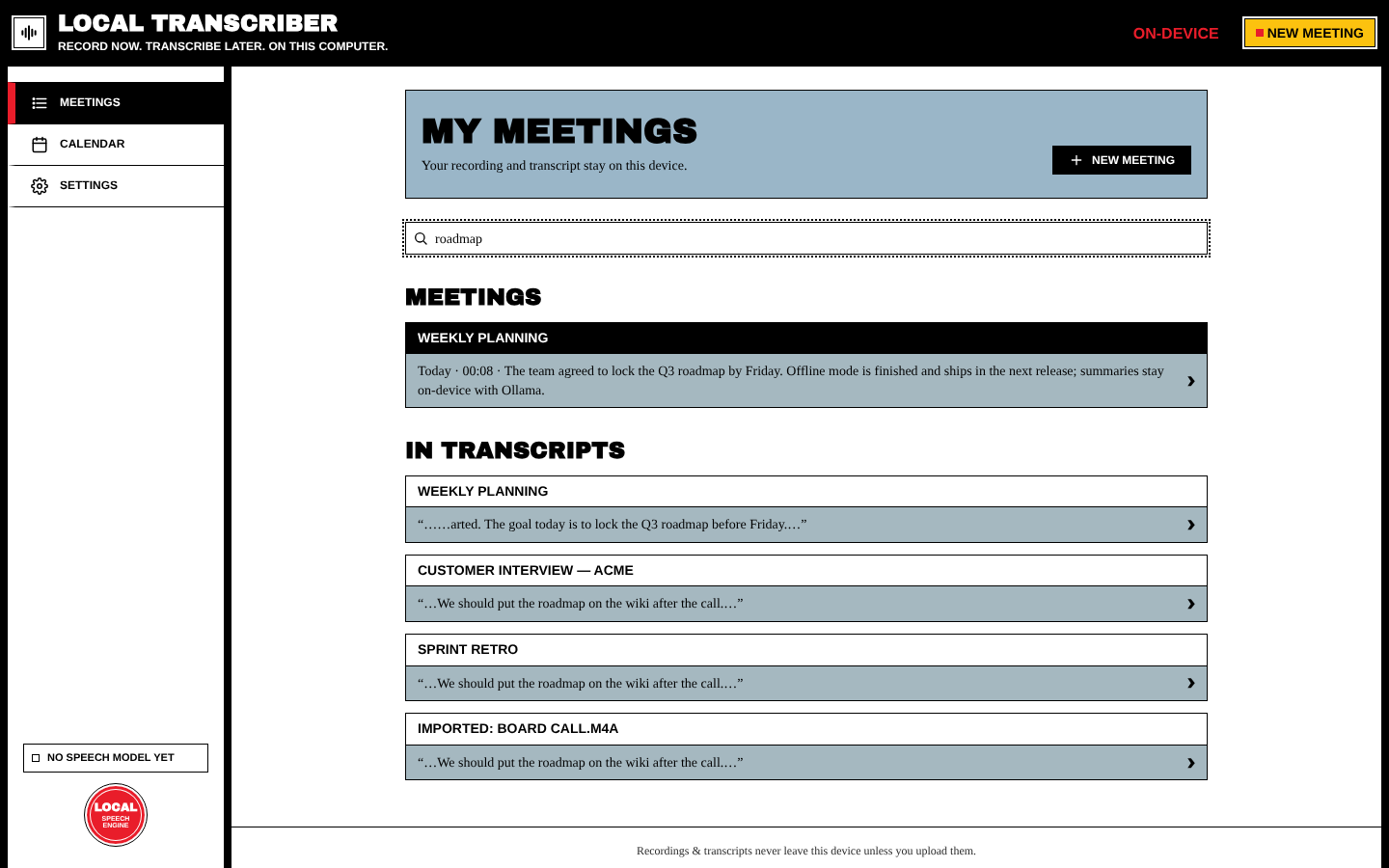
- Meetings lists meetings whose title or summary matches.
- In transcripts lists matching sentences from every transcribed meeting, with a snippet of each.
Clicking a transcript result opens the meeting with the search already applied. Your search stays in place when you come back to the list.
Click ⋯ at the end of a row:

-
Rename edits the title in place (Save / Cancel,
Escto cancel). - Delete asks you to confirm, then removes the meeting and all its local data.
| Banner | Meaning |
|---|---|
| An unfinished recording was found. | The app stopped during a recording. Recover Recording or Delete. See Recording a Meeting#crash-recovery. |
| Set up on-device transcription | No speech model yet. One click downloads it. |
| Transcription engine not found | No engine is available. Recording still works. See Troubleshooting. |
| Your meetings list could not be loaded. | The app's database can't be read (for example, it was written by a different build). Start with a fresh database moves the old one to a backup folder (it isn't deleted) and restarts. Finished meetings are also in your Local Transcribe documents folder. |