Repository navigation
AI Summaries
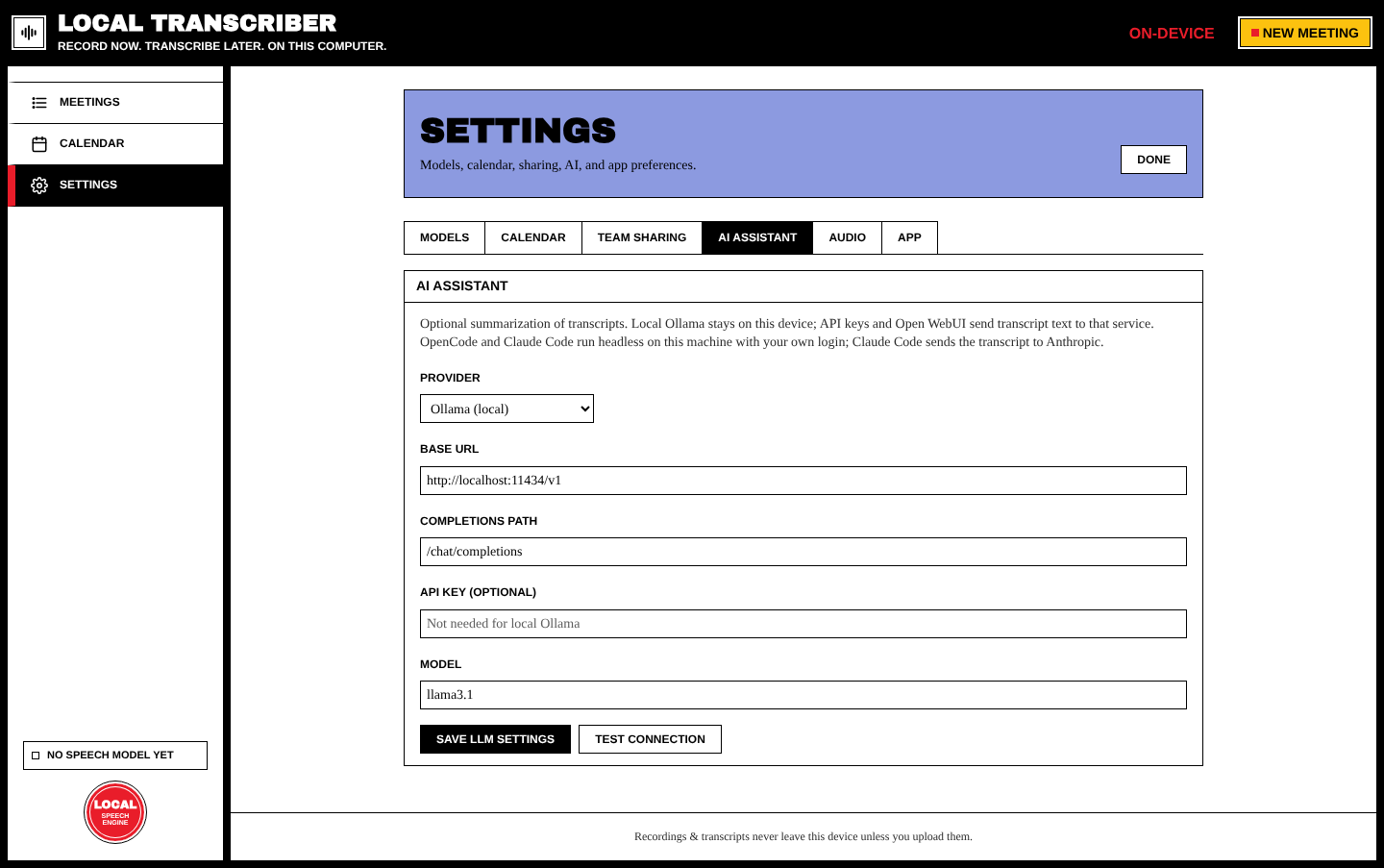
Local Transcriber can turn a transcript into a summary, key points and action items using a large language model (LLM). This is optional. Choose a provider in Settings → AI assistant.
| Provider | Where the transcript goes | Notes |
|---|---|---|
| Ollama (local) | Stays on this computer | Recommended for privacy. Install Ollama, run ollama pull llama3.1, keep the default base URL http://localhost:11434/v1. |
| OpenAI-compatible API | The provider you configure | Any endpoint that supports /chat/completions. Needs an API key. |
| Open WebUI | Your Open WebUI server | Use its API base URL and key. |
| OpenCode (local agent) | The model provider behind your OpenCode login | Needs the desktop app and the OpenCode CLI. It runs opencode run headless; enter a provider/model id (see opencode models). No URL or key needed. |
| Claude Code | Anthropic | Runs headless on this machine with your own login. |
| Custom | Wherever you point it | Set every field yourself. |
⚠️ This is the one feature that sends transcript text off your device, unless you use local Ollama. Audio is never sent.
| Field | Example |
|---|---|
| Provider | Ollama (local) |
| Base URL | http://localhost:11434/v1 |
| Completions path | /chat/completions |
| API key (optional) | Not needed for local Ollama |
| Model | llama3.1 |
Press Save LLM settings, then Test connection. It sends a one-word test message.
On a transcribed meeting, press Summarize with LLM (or Re-summarize). The summary is saved with the meeting, shows up in the meetings list and in search, and can be uploaded to GitLab.
From the action items you can create GitLab Sharing#action-items--issues or Calendar Integration.