Advanced Settings
The Advanced page covers history retention, whether runs are saved, LLM prompt provenance capture, model memory behavior, long-term memory, and spoken feedback.
You choose how long transcription history is kept from a single dropdown:
| Option | Behavior |
|---|---|
| 1 day | Keeps history for one day. |
| 7 days | Keeps history for seven days. |
| 30 days | Keeps history for thirty days. |
| 90 days | Keeps history for ninety days (default). |
| Forever | Keeps history indefinitely. |
| Until app closes | Discards history when the app exits. |
The first four options are Duration retention; the last two switch the retention mode.
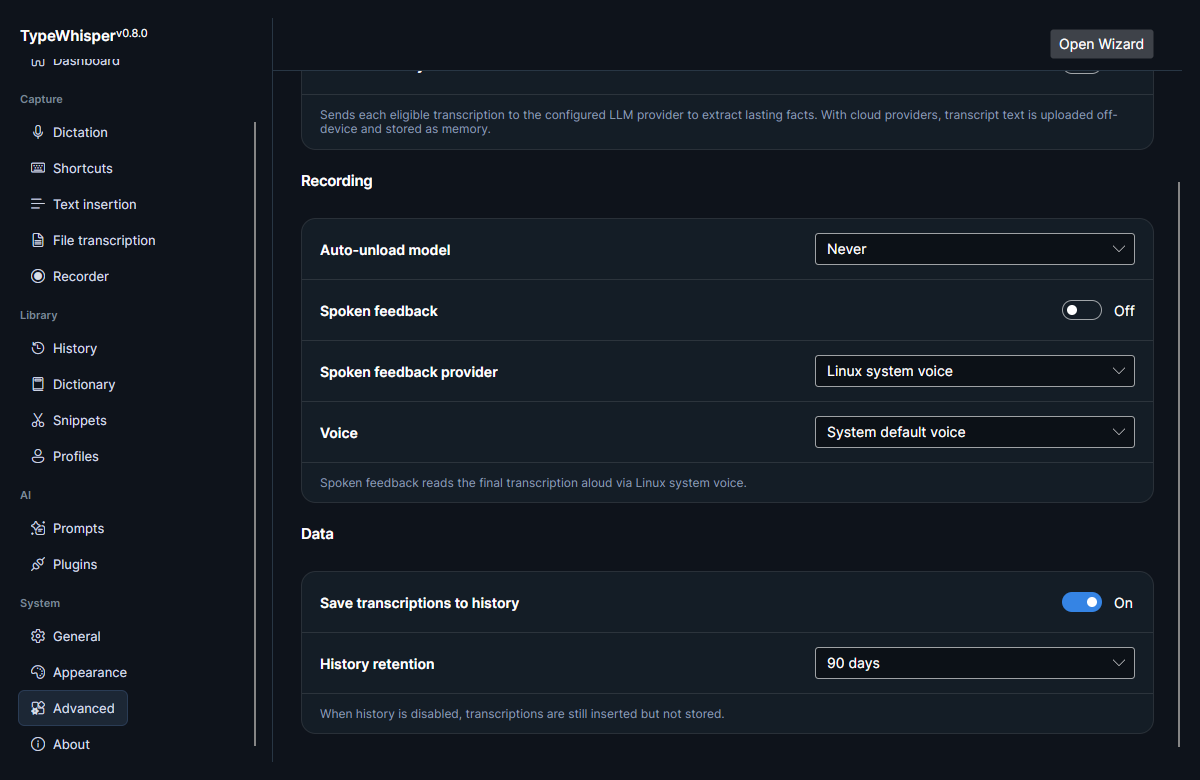
Use the Save to history toggle to skip storing runs you do not want kept. With this off, transcriptions are still inserted into the active app as usual — they are simply not stored in history.
See History for searching and managing stored transcriptions.
The Capture LLM prompt provenance toggle records, for each entry, the exact prompt, provider, injected memory context, and response sent to the LLM, so you can review it later in the History Inspect panel. It is off by default because capturing full prompts and injected context is more sensitive than storing the plain transcript, and it requires history saving (the provenance is attached to the stored entry). With it off, nothing extra is recorded and the Inspect panel tells you the capture is off.
Privacy: when capture is on, the stored history entry contains the full prompt text and any injected memory context — including anything sent to a cloud LLM provider. Treat that history like any other record of sensitive text.
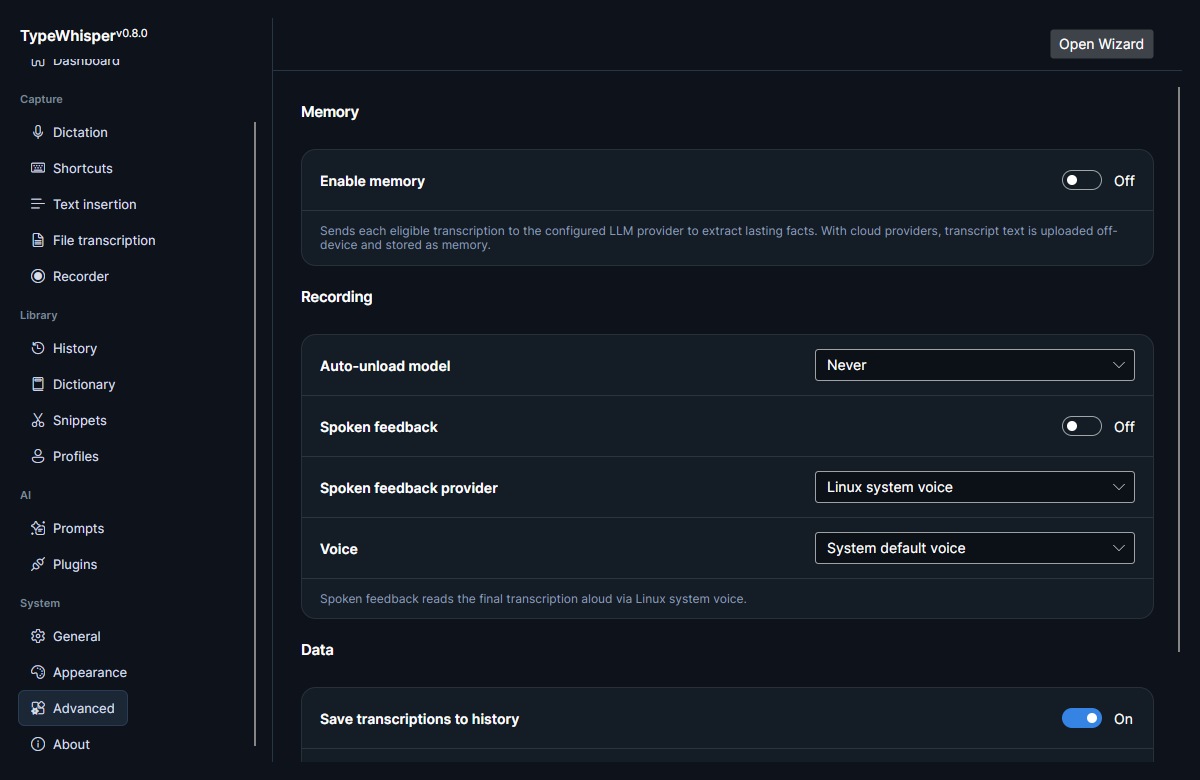
TypeWhisper can unload the active model after an idle period to free resources. Auto-unload model is a dropdown of fixed choices — Never, 30 seconds, 1 minute, 5 minutes, 15 minutes (default Never, which keeps the model loaded).
The Auto-unload model control is shown in the Recording section of the screenshot at the top of this page.
The Memory enable toggle turns on optional long-term memory. It is gated: it only becomes available when you have both a memory storage plugin and an available LLM provider.
The Enable memory toggle is shown in the Memory section of the screenshot at the top of this page.
When enabled, eligible transcriptions are sent to the LLM to extract durable facts that future prompt actions can recall as context. See Memory for details.
Privacy: with a cloud LLM provider, your transcript text is uploaded off-device to that provider and stored as memory. Use a local provider to keep memory extraction on-device.
You can have TypeWhisper speak feedback aloud.
| Control | What it does |
|---|---|
| Spoken feedback toggle | Turns spoken feedback on or off. |
| Provider | Selects the TTS provider. Defaults to the bundled Linux system TTS. |
| Voice | Selects the voice for the chosen provider. |
Spoken feedback requires a system TTS backend — espeak-ng, espeak, or speech-dispatcher installed. If none is present, the controls are disabled and a note tells you what to install.
The Spoken feedback toggle, provider (Linux system voice), and voice selectors are shown in the Recording section of the screenshot at the top of this page.
- History — searching and managing stored transcriptions, and the Inspect panel the provenance capture feeds.
- Memory — how long-term memory extraction and recall work.
| Date | Change |
|---|---|
| 2026-06-17 | Initial version. |
| 2026-06-17 | Added Advanced settings screenshots. |
| 2026-06-17 | Corrected auto-unload to a fixed dropdown and history retention to its real Duration options; added memory privacy caveat, spoken-feedback prerequisite, and save-to-history insertion note. |
| 2026-07-08 | v0.12.0: documented the opt-in Capture LLM prompt provenance setting (feeds the History Inspect panel, requires history saving) and its privacy caveat. |