Dictionary
The Dictionary holds corrections and terms that TypeWhisper applies to your transcriptions, plus built-in term packs you can toggle on and off. Dictionary corrections and vocabulary boosting run as part of the dictation post-processing pipeline.
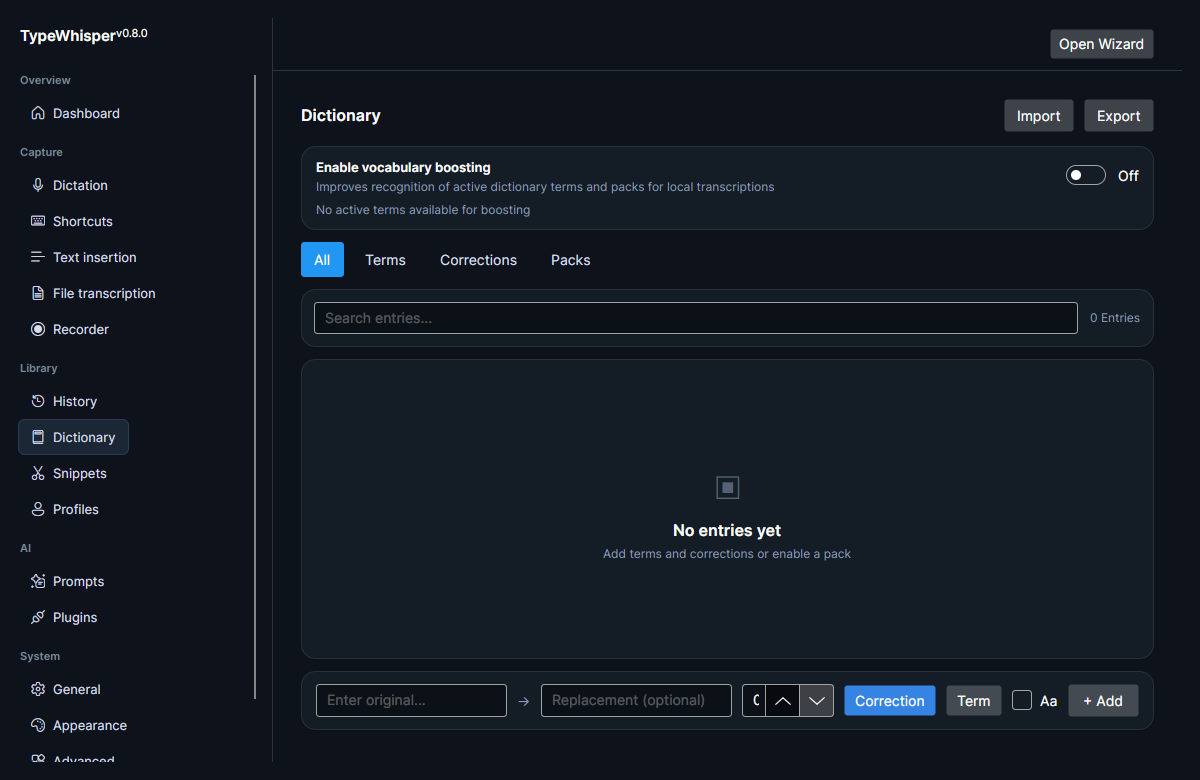
There are two kinds of entry, which is what the All / Terms / Corrections tabs filter on:
- Corrections rewrite recognized text. Each has an Original and a Replacement, and any occurrence of the original in a transcription is replaced.
- Terms are single entries (Original only, no replacement) that boost recognition of that word or phrase. They do not rewrite text; they help the engine recognize the term in the first place.
You add either kind from the add-entry row by choosing Correction or Term.
Each entry supports the following:
| Attribute | Description |
|---|---|
| Starring | Mark an entry as starred. Starred entries sort first. |
| Priority | An integer from 0 to 999. Entries sort starred-first, then by priority (high to low), then alphabetically. |
| Case-sensitive | Match the original exactly by case (off by default). |
| Enabled | Per-entry toggle; disabled entries are not applied. |
| Source | How the entry originated: Manual, Import, CorrectionSuggestion, or AutoLearned. |
| Times applied | How many times the entry has been applied to transcriptions. |
| Times corrected | How many times the entry has been corrected. |
Entries sourced from CorrectionSuggestion and AutoLearned come from edits you make in History. They are only saved here automatically when Auto-learn approved history corrections is enabled on the Dictation settings page — that toggle is off by default, so without it your history edits are reviewed inline in History rather than saved here automatically.
There is a second, separate way entries land here automatically: Learn corrections from other apps, also on the Dictation settings page and also off by default. With it on, typing over a dictated word in the app you dictated into is enough — TypeWhisper observes the edit through AT-SPI and saves the correction here silently, without a review step.
Each learned batch raises a brief toast showing what was learned, with an Undo action that removes that batch from the dictionary again. Anything learned this way is an ordinary correction entry, so you can also star, disable, edit, or delete it here at any time.
Learning is deliberately conservative: password fields are excluded (failing closed when the field's role can't be determined), change-of-intent rewrites are rejected, and edits that would introduce a line break are never learned. See Dictation for the full behavior and for the accessibility-bridge setup that Chromium/Electron and Qt apps need.
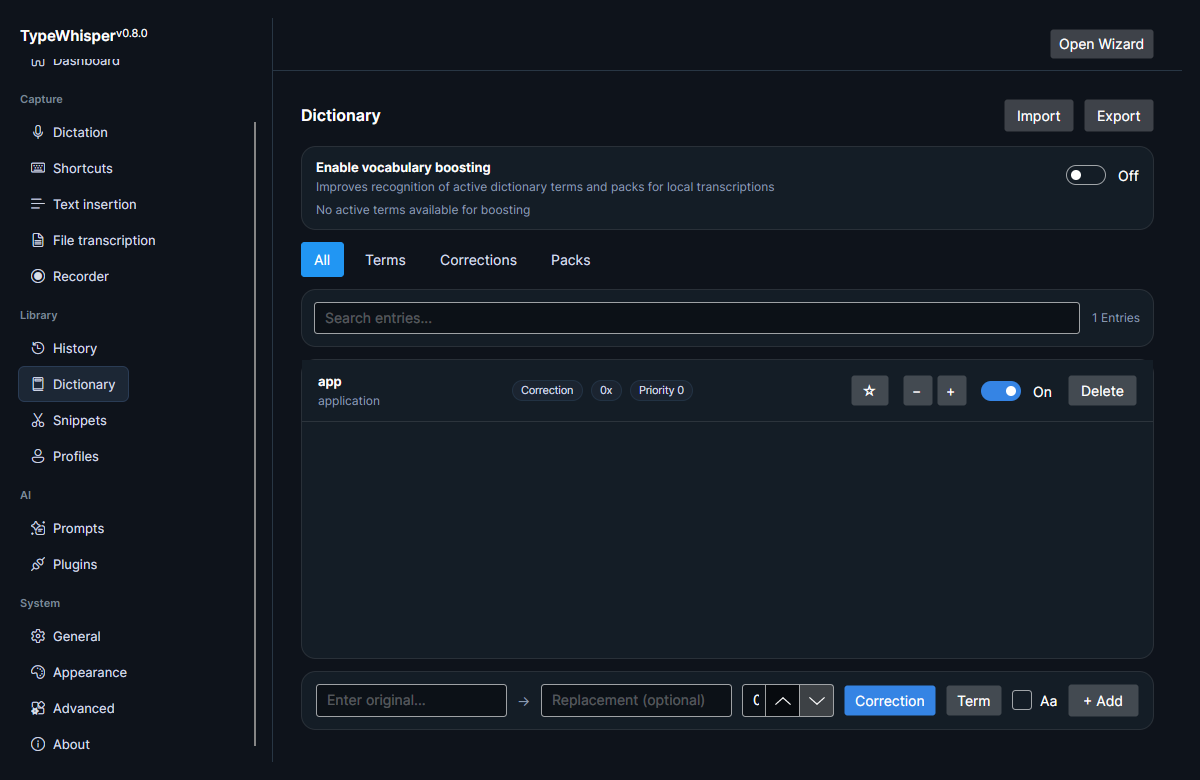
You can export all dictionary entries to CSV and import entries from CSV (duplicate entries are skipped on import). This makes it easy to back up your vocabulary or move it between machines.
TypeWhisper ships built-in term packs that you can enable or disable with toggles. Turn on the packs relevant to your vocabulary to improve recognition of those terms.
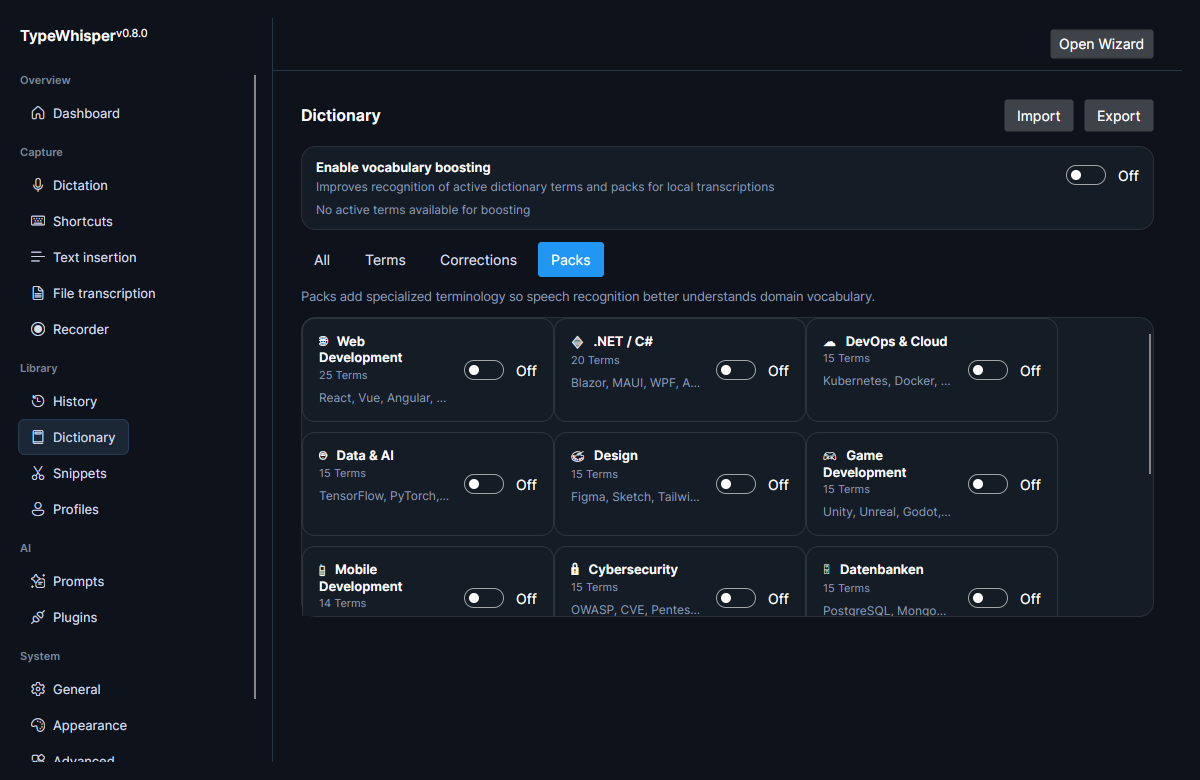
Vocabulary boosting from the dictionary is applied in the dictation post-processing pipeline, so your terms and corrections shape the text after transcription. This works alongside dictionary corrections during the same post-processing stage. Next to the boosting toggle, a status line reports how many terms are eligible — e.g. "N active term(s) available for boosting" (or "No active terms available for boosting" when there are none).
- History — where correction suggestions are generated and auto-learned into the dictionary.
- Dictation — the Learn corrections from other apps setting that feeds this page automatically.
- Snippets — reusable text expansions that complement dictionary terms.
| Date | Change |
|---|---|
| 2026-06-17 | Initial version. |
| 2026-06-17 | Added Dictionary and term-packs screenshots. |
| 2026-06-17 | Added correction entry-detail screenshot; documented the auto-learn requirement. |
| 2026-06-17 | Fixed the entry source label (CorrectionSuggestion, not Correction); added the correction-vs-term distinction, CSV import/export, per-entry case-sensitive and enable toggle, the active-terms boosting status, and the 0–999 priority / sort order. |
| 2026-07-27 | v0.13.0: documented corrections learned automatically from edits made in other apps, and the Undo action on the learned-correction toast. |