Other Plugins
Beyond transcription engines and LLM providers, TypeWhisper for Linux bundles plugins that run actions, post-process text, store memory, provide companion behavior, and speak text back. This page covers those categories.
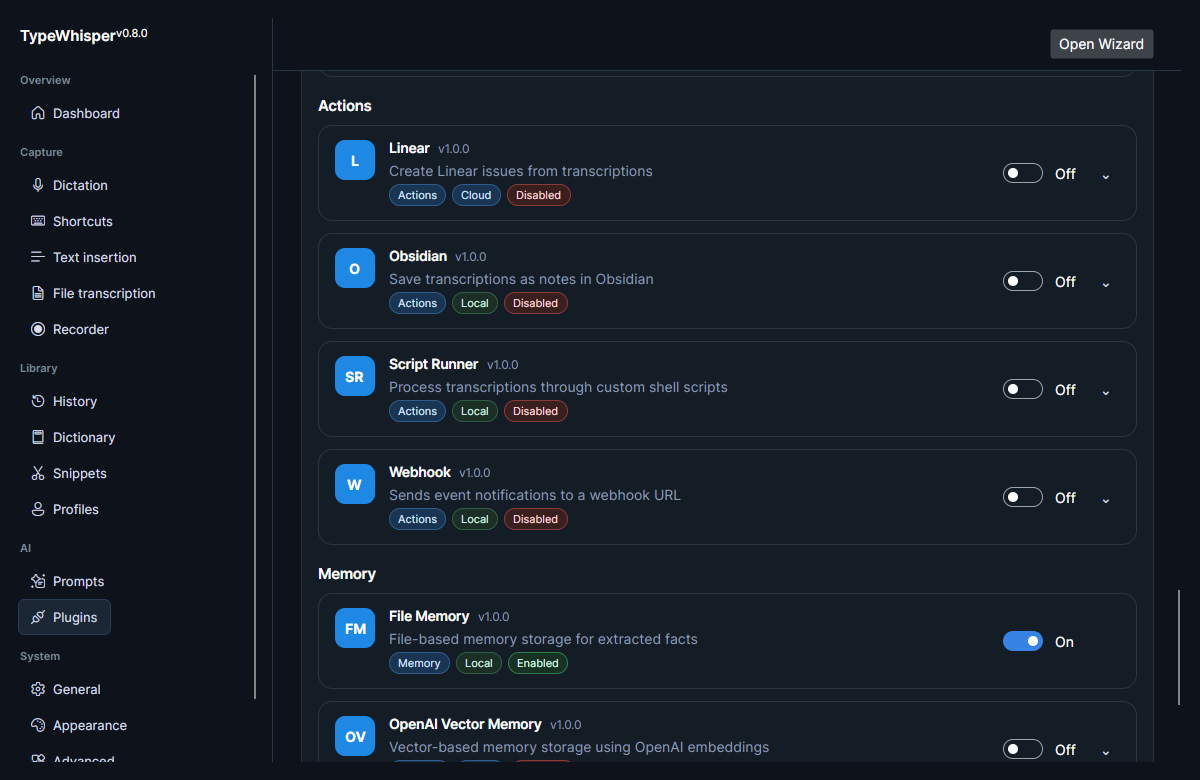
Action plugins run custom actions from transcriptions or prompt results.
| Plugin | Description |
|---|---|
Linear |
Creates a Linear issue from the transcription via a Linear API key, using a configured default team (and optional default project). |
Obsidian |
Saves the transcription as a note into a configured Obsidian vault path and subfolder (default TypeWhisper), either appending to a daily note or writing a new file from a filename template. |
Post-processing plugins transform text after transcription.
| Plugin | Description |
|---|---|
Script |
Runs a user-editable list of scripts through a selectable shell (bash/sh/pwsh, default bash), feeding the text on stdin and using each script's stdout as the new text, with a 5-second per-script timeout. |
Memory storage plugins persist and recall extracted memory entries. When one is enabled alongside a configured LLM provider, eligible transcriptions are mined for durable facts that future prompt actions can recall as context — see Memory.
| Plugin | Description |
|---|---|
FileMemory |
Local JSON storage. |
OpenAiVectorMemory |
Embedding-backed recall. |
Companion plugins observe app/plugin events and react.
| Plugin | Description |
|---|---|
Webhook |
POSTs (or PUTs) the transcription-completed event to one or more configured webhook URLs — each with its own custom headers and optional profile filter — and keeps a recent delivery log. |
TTS provider plugins add spoken-feedback voices that read text back. They implement ITtsProviderPlugin and expose a set of selectable voices.
| Plugin | Description |
|---|---|
Supertonic TTS |
Local, on-device synthesis. Downloads its model assets on demand and runs with ONNX Runtime — no API key. |
OpenAI |
Cloud TTS via the OpenAI API (the same plugin that provides OpenAI transcription and ChatGPT prompts). |
xAI |
Cloud TTS via the xAI Grok APIs (the same plugin that provides xAI transcription and LLM prompts). |
The Webhook and Script plugins own user-editable collections and expose per-plugin collection settings under:
PluginData/<plugin-id>/
This keeps their entries surviving plugin reinstalls and lets the host edit them through the settings UI. See Plugins for more on the plugin model and where plugin data lives.
- Memory — how memory storage plugins feed long-term recall.
- Plugins — plugin categories, deployment, and known gaps.
| Date | Change |
|---|---|
| 2026-06-17 | Initial version. |
| 2026-06-17 | Added Actions / Memory plugins screenshot. |
| 2026-06-17 | Replaced one-line plugin descriptions with source-verified behavior (Linear, Obsidian, Script, Webhook); added TTS providers section. |