Recorder
The Recorder page is for capturing longer sessions to WAV and transcribing them after recording stops. It writes a transcript sidecar text file alongside each recording and keeps a list of your saved recordings.
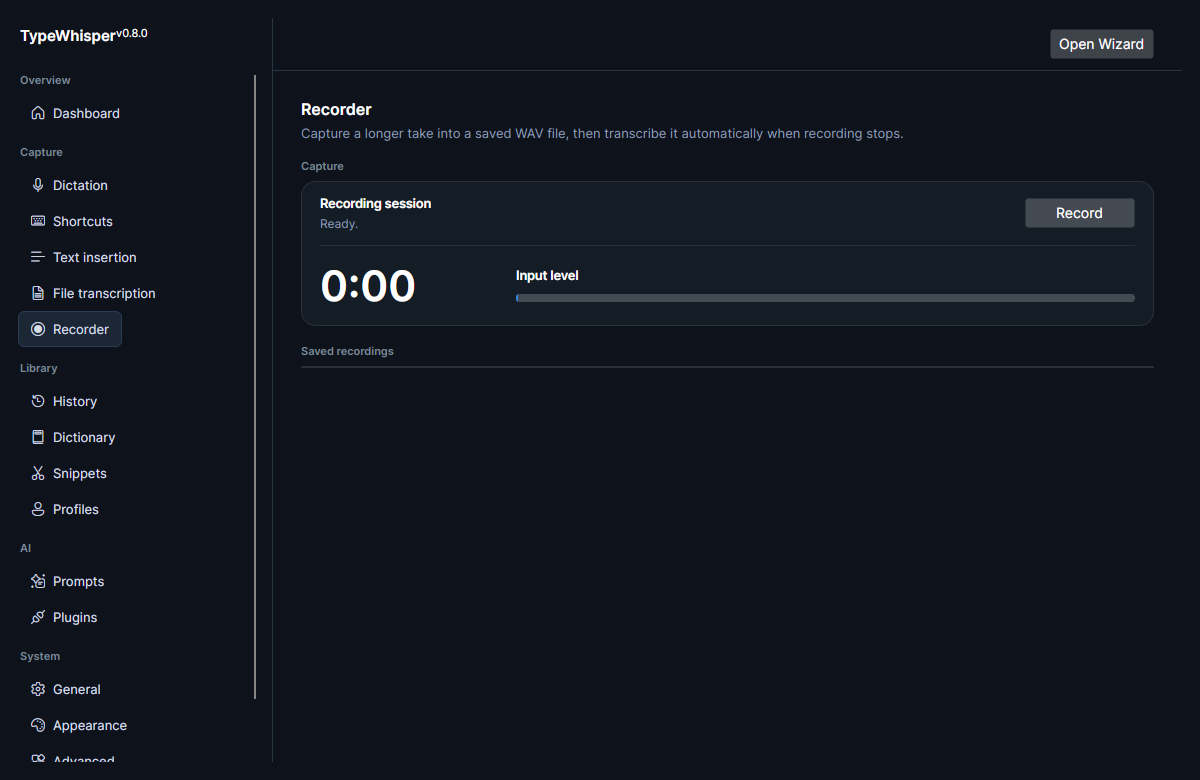
Use the Recorder to save a longer WAV capture. While recording, the page shows a live elapsed timer and an input-level meter so you can confirm audio is coming through. When you stop recording, the capture is transcribed using the same selected transcription model that the rest of the app uses, so a recorded session goes through the same engine as your dictation and File transcription workflows.
If no microphone is available when you press Record, the page reports "No microphone available" and nothing is captured.
Whenever transcription returns text, the Recorder writes a transcript sidecar .txt file alongside the captured WAV, so the recording and its text live together. If no model is loaded (or transcription fails), the recording is still saved and the status reads "Saved (no model loaded)" — only the WAV is kept in that case.
Captures are written to collision-safe paths and committed atomically, so two recordings finishing close together can't overwrite each other. If a save does fail, the status says so — "Could not save recording", or "Saved, but transcript could not be written" when only the sidecar failed — instead of reporting success.
The Recorder keeps a list of your saved recordings, reloaded each time the app launches. Each entry shows the file name, a preview of its transcript, and a timestamp, with Copy (enabled when a transcript exists) and Delete actions. Deleting a recording removes both its WAV and its .txt sidecar.
Unlike dictation captures (dictation-*.wav), which are deleted automatically on startup and shutdown, recordings (recording-*.wav) persist on disk until you delete them. For where audio and other data live on disk, see Data and file paths.
Pausing media playback while you record is a dictation setting, not a Recorder control — see Dictation.
- File transcription — import existing audio files instead of recording new ones.
- Data and file paths — locations of audio captures and other app data.
| Date | Change |
|---|---|
| 2026-06-17 | Initial version. |
| 2026-06-17 | Added Recorder screenshot. |
| 2026-06-17 | Removed unused screenshot placeholders. |
| 2026-06-17 | Corrected sidecar (always written) and audio-cleanup (recordings persist) claims; moved media-pause note to Dictation; documented saved-recordings list, timer/level meter, and no-mic / no-model behaviors. |
| 2026-07-27 | v0.13.0: noted collision-safe atomic capture writes and the new save-failure statuses. |