Snippets
Snippets let you expand short triggers into longer text, with placeholders that fill in dynamic values like the current date or your clipboard contents. They can be scoped per profile and triggered in different ways.
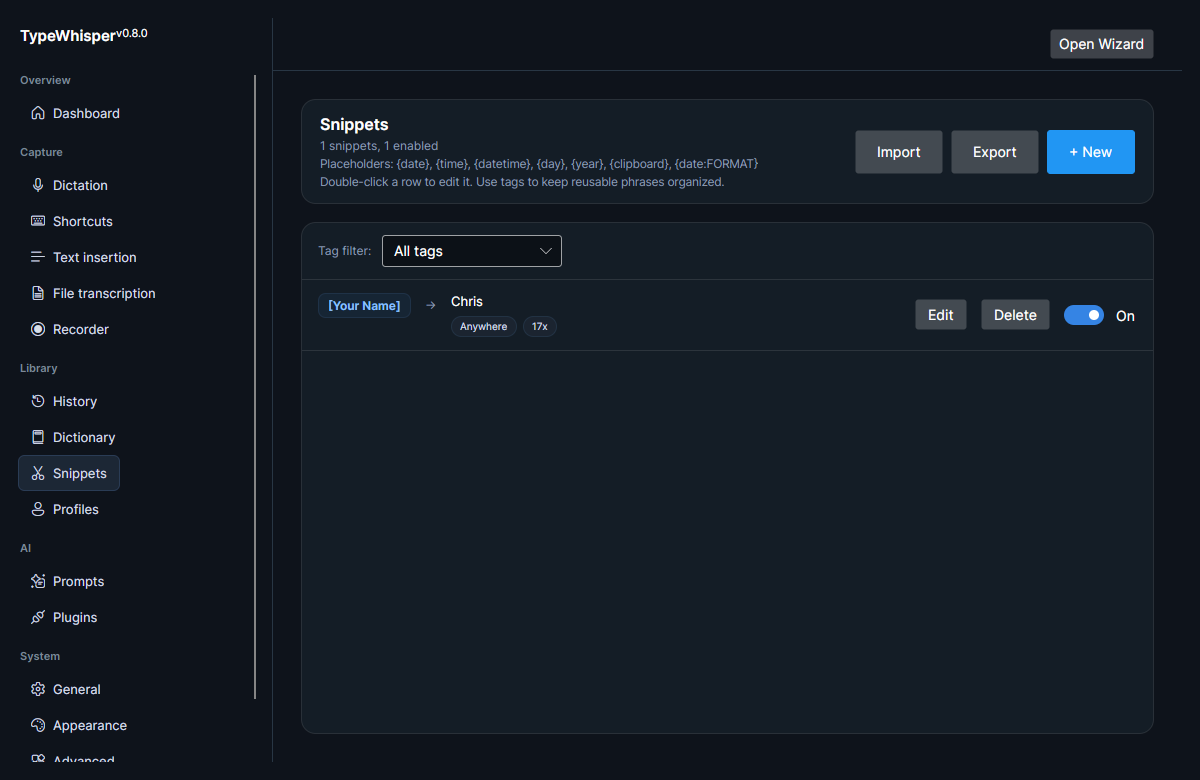
Snippet bodies support placeholders that are replaced when the snippet expands:
| Placeholder | Expands to | Default format |
|---|---|---|
{date} |
The current date. | yyyy-MM-dd |
{time} |
The current time. | HH:mm |
{datetime} |
The current date and time. | yyyy-MM-dd HH:mm |
{clipboard} |
The current clipboard contents. | — |
{day} |
The current day name. | — |
{year} |
The current year. | — |
{date}, {time}, and {datetime} accept an optional .NET format string as {name:format}. For example, {date:dddd} expands to the full weekday name, and {time:hh:mm tt} to a 12-hour clock time.
Each snippet uses one of two trigger modes:
| Mode | Behavior |
|---|---|
| Anywhere | The trigger fires when it appears anywhere in the dictated text. |
| Exact Phrase | The trigger fires only on an exact phrase match. |
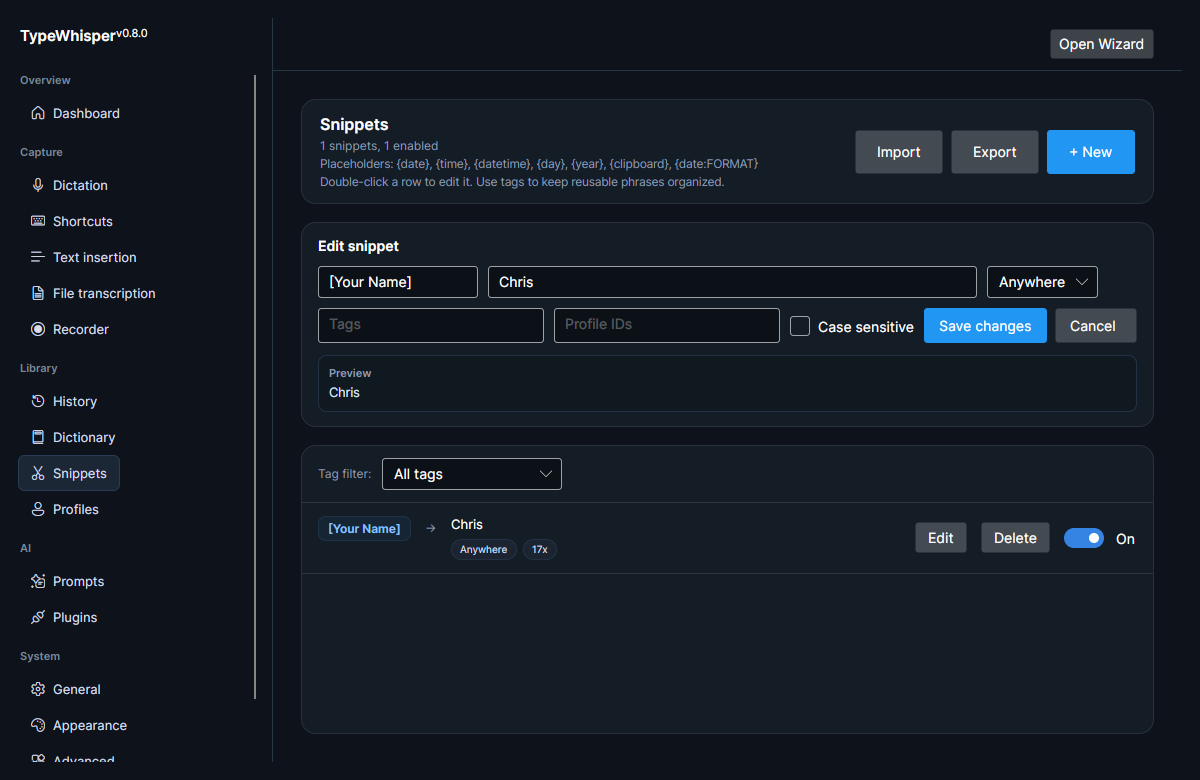
The editor offers a few additional aids and per-snippet controls:
- Live preview — shows the replacement with its placeholders expanded as you type.
- Conflict warning — if a snippet's trigger matches an enabled dictionary term or correction, the editor warns you so the two do not collide.
- Enable toggle — each snippet can be individually enabled or disabled; disabled snippets are not expanded.
- Usage count — each snippet tracks how many times it has been applied.
Snippets can carry tags. The tag filter on the Snippets page lets you narrow the list to snippets that have a given tag.
Snippets can be exported to and imported from JSON, so you can back them up or share them between machines (duplicate snippets are skipped on import).
Snippets can be scoped per profile by profile id, so a snippet only applies within the profile you assign it to. Leave a snippet unscoped to keep it available more broadly, or tie it to a specific profile to keep context-specific expansions separate. See Profiles for how profiles match the active application or URL.
Per-profile scoping is the Profile IDs field in the snippet editor shown above — enter one or more profile ids to limit the snippet to those profiles.
- Profiles — how profiles are matched and how snippet profile scoping ties in.
| Date | Change |
|---|---|
| 2026-06-17 | Initial version. |
| 2026-06-17 | Added Snippets list and editor screenshots. |
| 2026-06-17 | Documented date/time/datetime format strings and defaults, tags and the tag filter, JSON import/export, the dictionary-conflict warning, and the per-snippet enable toggle, usage count, and live preview. |
| 2026-06-17 | Removed unused screenshot placeholders. |