Installation
TypeWhisper for Linux ships as four prebuilt release formats and can also be built from source or installed as a user-level desktop app. Pick the format that fits your distribution and root preference.

Tagged releases on GitHub Releases ship four formats for linux-x64. All four bundle the self-contained .NET runtime and the Linux plugins.
| Format | Filename | Where it installs | Install command / notes |
|---|---|---|---|
| AppImage | TypeWhisper-<version>-x86_64.AppImage |
Anywhere — run the file directly | Portable, no install step. chmod +x and double-click or run from a terminal. |
Debian / Ubuntu .deb
|
typewhisper_<version>_amd64.deb |
/opt/typewhisper with a /usr/bin/typewhisper wrapper |
sudo apt install ./typewhisper_<version>_amd64.deb. Recommends libpulse0, pulseaudio-utils, playerctl, xdotool. |
Fedora / RHEL .rpm
|
typewhisper-<version>-1.x86_64.rpm |
/opt/typewhisper with a /usr/bin/typewhisper wrapper |
sudo dnf install ./typewhisper-<version>-1.x86_64.rpm. Recommends pulseaudio-libs, pulseaudio-utils, playerctl, xdotool. |
| Tarball | typewhisper-linux-x64-<version>.tar.gz |
User-local: ~/.local/share/TypeWhisper + ~/.local/bin/typewhisper symlink |
No root required. Extract, then ./install.sh (or ./install.sh --uninstall to remove). |
Every release format bundles the self-contained .NET runtime and the Linux plugins, so you do not need .NET installed to run TypeWhisper. The .NET 10 SDK is only needed if you are building from source.
Optional desktop helpers (pactl, playerctl, wtype / ydotool / xdotool, wl-copy / xclip, pw-play / paplay / aplay, espeak-ng) are not bundled — install them through your distribution. See Requirements for what each helper enables.
You need the .NET 10 SDK to build from source. See Requirements for the full list.
-
Clone the repository:
git clone https://github.com/csmashe/typewhisper-linux.git cd typewhisper-linux -
Build:
dotnet build
-
Run from source:
dotnet run --project src/TypeWhisper.Linux
To install a clickable launcher with an icon for the current user, run:
./scripts/install-linux-app.shThis script:
- publishes
src/TypeWhisper.Linuxas a self-contained Linux app - bundles Linux plugins into the published output
- installs the app into
~/.local/share/TypeWhisper - creates
~/.local/share/applications/typewhisper.desktop - registers the application icon under the user icon theme
To remove that user-level install:
./scripts/uninstall-linux-app.shBy default, uninstall removes only the app payload and preserves your data — Audio/, Data/, PluginData/, Plugins/, and your settings all survive. This means an in-place reinstall or update does not cost you your recordings, history, plugin API keys, or user-installed plugins.
To delete that data as well, pass --purge (or --all):
./scripts/uninstall-linux-app.sh --purgeThe tarball installer behaves the same way — ./install.sh --uninstall keeps your data, and ./install.sh --uninstall --purge removes it too. See Data and file paths for exactly what lives where.
Regardless of which package format you choose, two pieces still need per-distro setup steps:
- The Wayland typing backend —
ydotoolon GNOME/KDE Wayland,wtypeon wlroots compositors. -
Wayland global hotkeys — the keyboard
uaccessudev rule for the evdev backend (one admin prompt, no logout; installed by the Enable keyboard access action).
On first launch, the Setup Wizard opens automatically and can run those per-session setup steps for you.
See Wayland notes for the per-distro steps, and Global hotkeys for hotkey setup. Once installed, head to the Quick Start for a first-run walkthrough.
| Date | Change |
|---|---|
| 2026-06-17 | Initial version. |
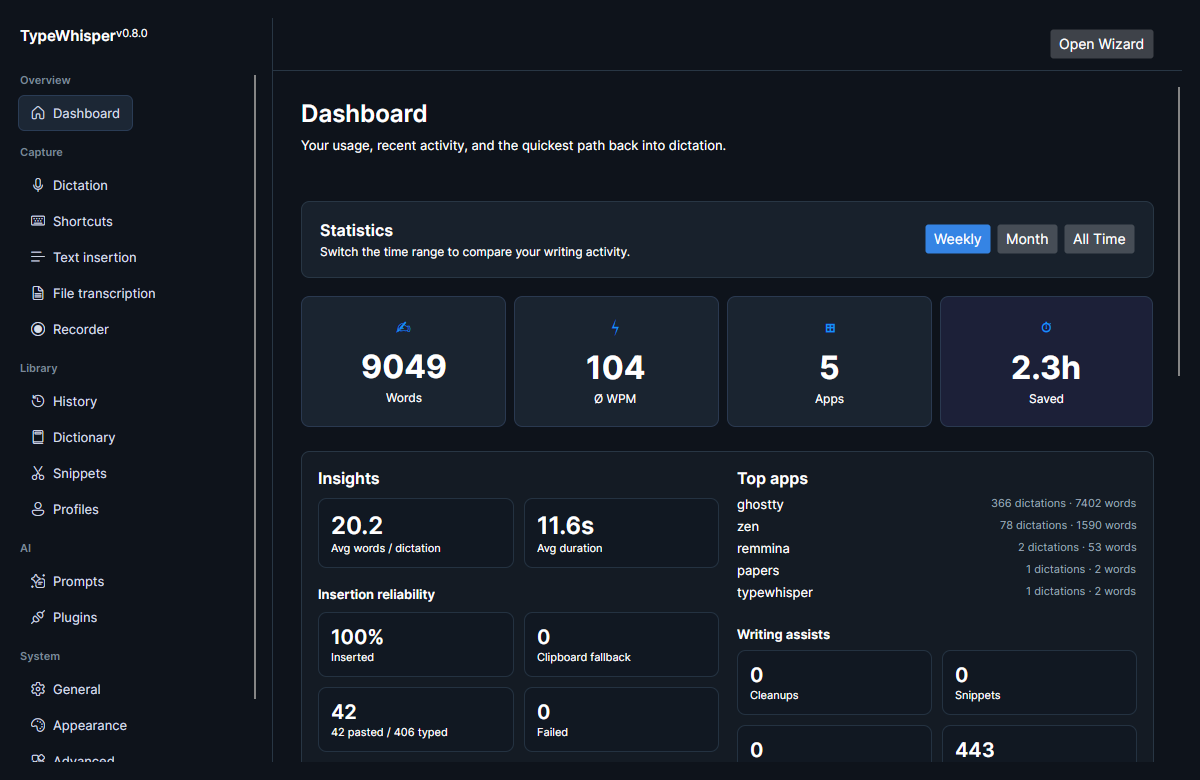
| 2026-06-17 | Added main-window screenshot. |
| 2026-06-17 | Added application-icon image. |
| 2026-06-17 | Linked the Setup Wizard page. |
| 2026-06-17 | Corrected sound-feedback helpers to pw-play / paplay / aplay. |
| 2026-06-23 | v0.10.0: Wayland global hotkeys now use the keyboard uaccess udev rule instead of input-group membership. |
| 2026-07-27 | v0.12.1: documented that uninstall and in-place reinstall preserve user data by default, with --purge to remove it. |