Repository navigation
Home
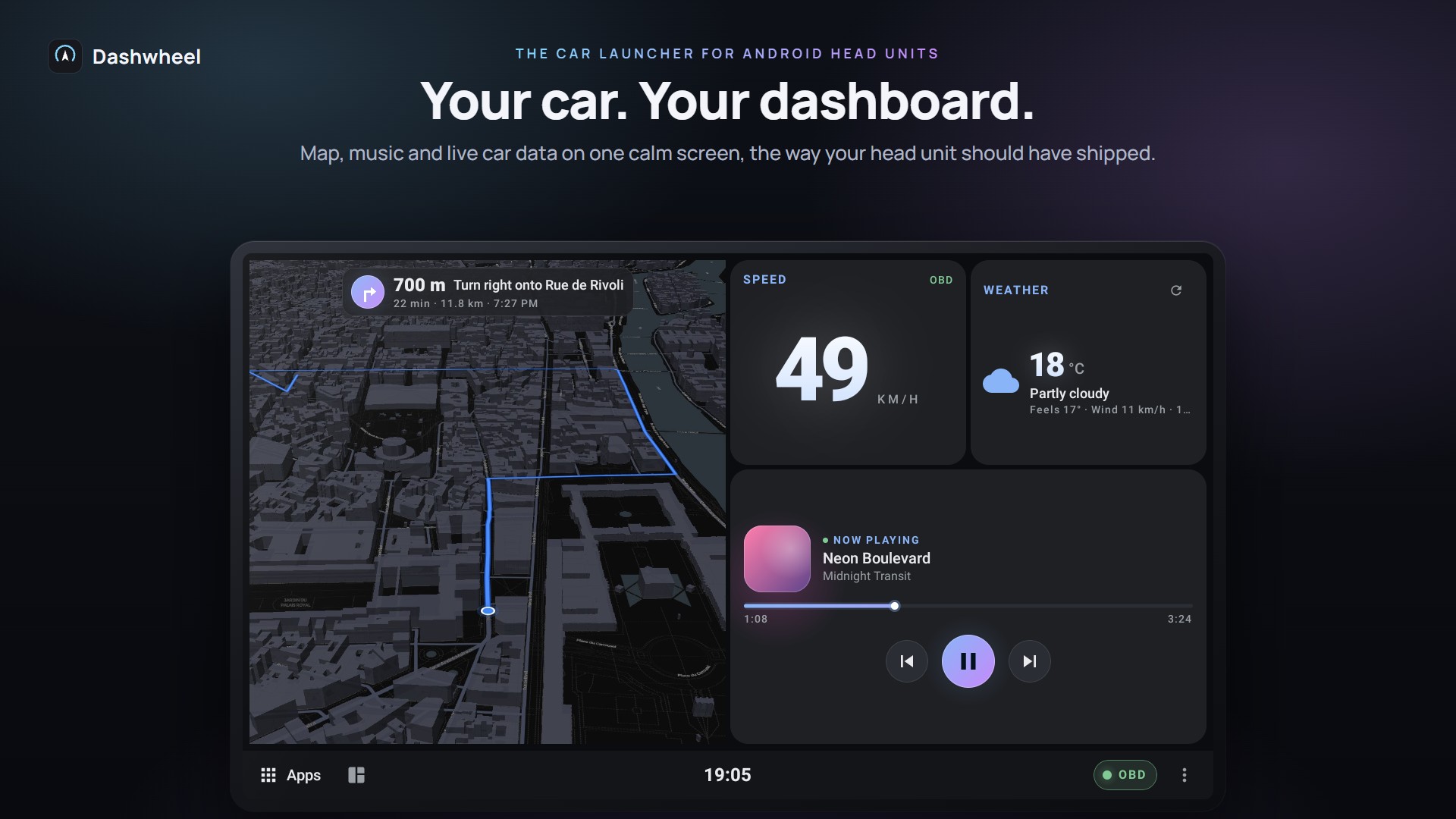
Dashwheel is a car launcher for Android head units: map, music and live car data on one calm screen. It is free and open source (GPL v3), built with Jetpack Compose, and made first for 1280×720 head units (ROCO K706 / QF / FYT units, Android 10+). It also runs on upright screens and phones.
Download the latest release: Dashwheel-<version>.apk for the head unit, dashwheel-companion.apk for the phone. A Google Play edition without the root features is on its way: see Installation and Updates.
| Installation and Updates | Installing the APKs, first-run setup, the tour of the basics, updates from GitHub |
| Second Screen (Raspberry Pi) ‐ experimental | A Raspberry Pi drives a second monitor in the car: a cluster or an app streamed from the head unit |
| Root and PMPatch3 | What works with and without root, with or without PMPatch3 |
| Tested Hardware | Head units, car, adapters, phones and Pi parts actually tried |
| Troubleshooting | When something doesn't show up |
The dashboard
- Dashboards and Tiles: three dashboards to start, up to seven, all at once in the overview, free 12×7 grid, tile panel, templates you try on your own screen, Moments (Home follows the drive), side rail and tabs, upright screens
- Widgets and Designs: 45+ widgets (the Now tile, drive history...), 60+ designs
- Themes and Skins: 14+ themes, eleven whole-design skins (Panorama, after the C4 Picasso's cabin), day and night by the car, the sun or set times
- Apps on the Dashboard: apps in a window, inside a tile, or side by side; root and PMPatch3
The car
- Car Data (OBD and CANbox): ELM327 OBD over Bluetooth, a USB cable or the phone, Deep OBD, the head unit's own car data, gear
- AI Mechanic and Gemini: fault codes explained, start-up briefing, Gemini Live, the assistant that knows the car
- Car Care and Servicing: car profile, registration scan, particle filter, warm-up, battery, servicing planner, LPG tank, fuel prices
- Reverse View: Dashwheel's own reversing screen with steering lines and parking radar
- My Car Picture: your own car (photo or 3D) in the tiles and alerts, live in 3D on the Car problems card
On the road
- Navigation and Directions: the built-in map, Google Maps / Waze next turn, Maps inside a tile
- Hands-Free and Steering Wheel: spoken alerts with one switch each, steering-wheel button map, volume that follows speed, Dashwheel's own volume bar
- Alerts and ROM Pop-ups: your own call, door, radar, tyre and climate alerts instead of the unit's pop-ups
Phone and screens
- Phone Link and Companion: notifications, messages, calls, the phone's GPS for the car, where's my car, drive log, typing from the phone
- Second Screen (Raspberry Pi) ‐ experimental: a second, non-touch monitor driven by a Raspberry Pi
More
- Boot Logo (K706 only), Demo Mode, Languages and Units (nine languages, Russian included)
- Building from Source: toolchain, CI, release signing
Dashwheel moves fast and is tested on one real car (a 2011 Citroën C4 Picasso with a ROCO K706 unit). Pages use these labels:
- Stable: in daily use on the car.
- Car-tested: tried in the car, may still have rough edges.
- Emulator only: works on the emulator, not yet confirmed in a car.
- Experimental: off by default or clearly marked in the app; expect changes.
Dashwheel is free, has no ads and collects no data, and it always will. It's made by one person in their spare time, tested on a real car, with every new feature checked from the driver's seat.
If it makes your drives nicer, a coffee on Ko-fi keeps it going: it pays for test hardware (like the Raspberry Pi and screen behind the second screen) and the hours spent on new features and fixes.

Can't donate? A ⭐ on the repository, a bug report or a photo of Dashwheel in your car helps just as much.
Getting started
Dashboard
Car
Road
Phone and screens
More