Repository navigation
Phone Link and Companion
Dashwheel Companion (dashwheel-companion.apk in every release) runs on the driver's phone. The phone shares its connection with the head unit through its hotspot; the two talk over Wi-Fi.
Settings → Connections → Pair a phone shows a QR code. Scan it in the companion and confirm. The link is end-to-end encrypted (shared secret, ECDH P-256, AES-256-GCM). Either side can revoke it.
Start in the car: the companion can start sharing by itself when the phone connects to the car's Bluetooth.
| Feature | |
|---|---|
| Notifications and messages | Shown in the Notifications widget; read aloud; quick or voice replies; mark read / clear on the phone |
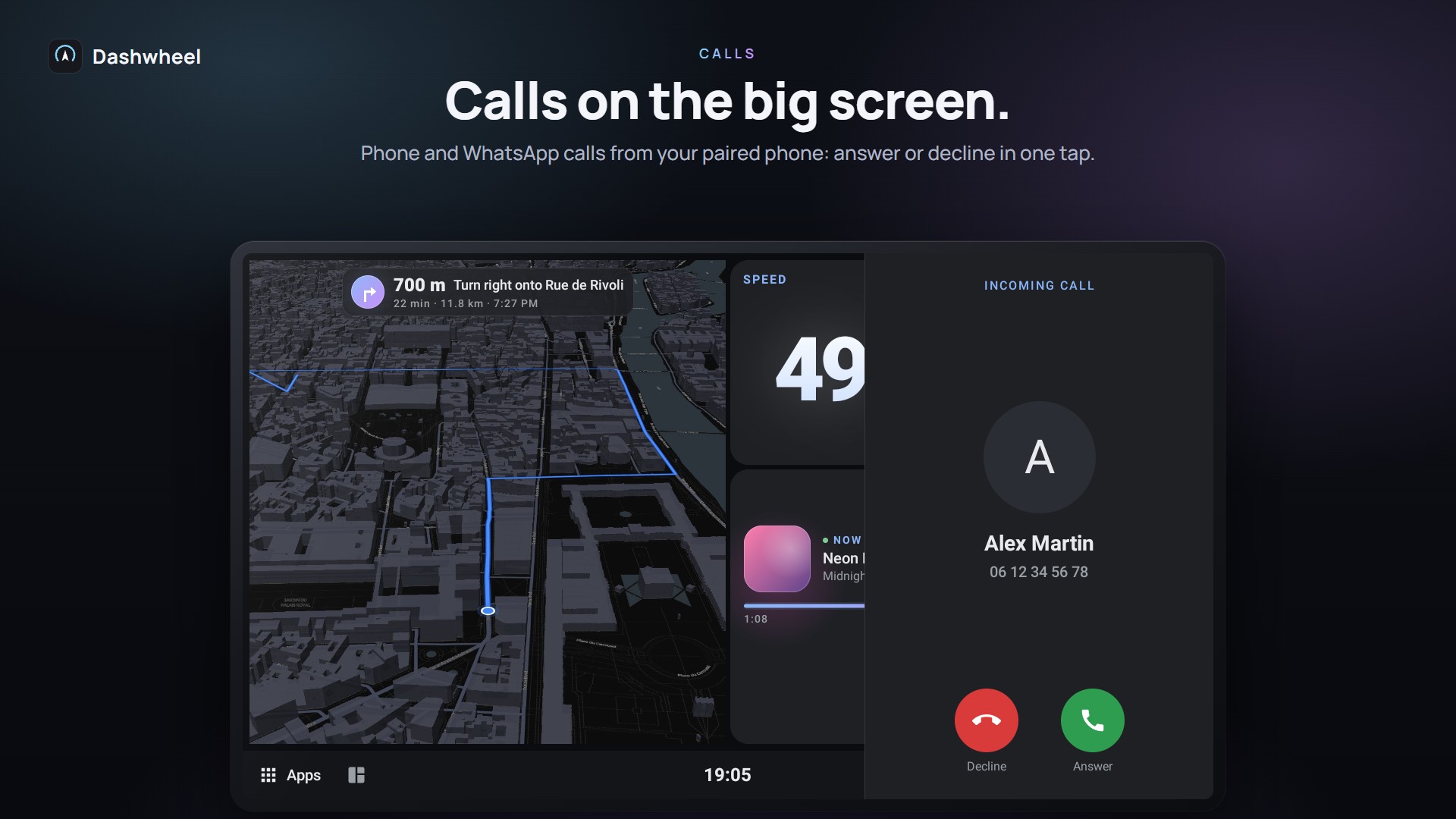
| Calls | Phone calls and app calls (WhatsApp, Signal, Telegram…): caller card with Answer / Decline, then Hang up, over any app. Sound stays on the unit's Bluetooth hands-free, so pair the phone with the unit too |
| Phone favourites, agenda, destination | Favourites for quick dial, the phone's agenda, send a place to the car's navigation |
| Where's my car | Every stop and the saved parking spot go to the phone: Map and Walk there |
| Parking timer | Set on the car's Parking timer tile; the phone reminds you 10 minutes before the end and when it runs out |
| Share my arrival | The car texts a favourite contact your arrival time, through the phone |
| Drive log | Each drive with distance, time, speeds and eco score; the last 100 on the phone (Drives tab) |
| Type from the phone | The phone types into the selected text field on the head unit (or Send to car from any app's share / text menu) |
| Registration scan | Car tab: scan the car's registration document; the plate, VIN, first registration and the next roadworthiness test go to the car, the photo stays on the phone. See Car Care and Servicing |
| Car picture | Build My Car Picture from photos and send it (photos are turned upright and resized, so camera pictures and HEIC go through) |
| Phone's GPS for the car | The phone finds its position in seconds where the unit takes minutes: while linked, its position stands in for the unit's, in Maps, Waze and every tile. Companion: Setup step Position for the car (location allowed all the time). Car: Settings → Connections → Use the phone's GPS, on by default, with the phone's satellites in use. The unit's own GPS takes back over 4 s after the phone stops sending, or when its fix is too wide. Needs root or the unit's ADB on the car side. Status: not yet tried on devices |
| OBD through the phone | OBD through this phone → Choose the adapter: the phone holds the Bluetooth OBD adapter and passes it on, so calls and Android Auto on the unit's Bluetooth no longer get in the way. The car waits 15 s for the phone and lets go at once when the link drops; a phone that stops reading is noticed within seconds and dialled again. See Car Data (OBD and CANbox) |
| Unit log | Settings → System → Lab → Unit log on the car sends its log to the phone, to share as a bug report |
| Second screen pairing | Pair a car scans the Raspberry Pi's code: Second Screen Setup and Pairing |
| Updates | GitHub edition: updates itself from GitHub (Setup tab). The Play edition (com.dashwheel.companion) updates through Google Play |
Companion tabs: Home, Drives, Car, Setup.
On Android 13+, a sideloaded app's Notification access is a restricted setting: App info → ⋮ → Allow restricted settings first. The companion shows this step.
Android 15+ phones (Galaxy S25 and others): companions before 2026-10-04 refused the car on their own hotspot; update the companion. The companion only answers the car on its own hotspot, never on another Wi-Fi or mobile data.
Status: link, notifications and calls car-tested; where's my car, typing and the companion updater not yet confirmed in the car.
Getting started
Dashboard
Car
Road
Phone and screens
More
