Repository navigation
AI Mechanic and Gemini
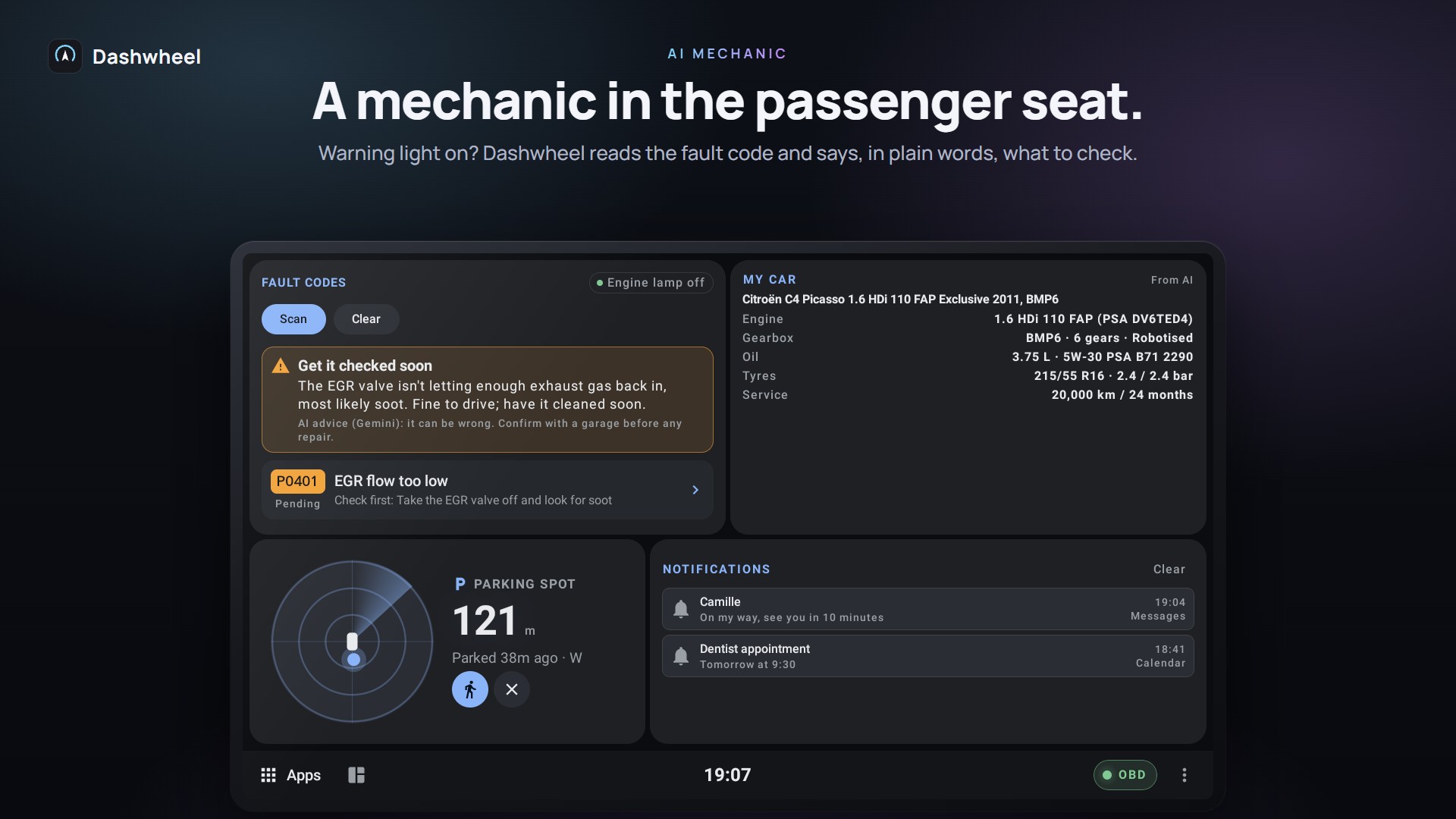
Dashwheel uses Google Gemini (a free API key from Google AI Studio works). Set it in Settings → Car → AI mechanic (or Settings → System → Your API keys, which lists every key you can bring, with where to get it and a QR code for the phone), where Answers language picks the language of its answers. There is no shared key: each driver uses a free key of their own. On the free tier Google may use the requests to improve its models outside the EU / UK / Switzerland, so Dashwheel sends no personal data: only fault codes, readings and the car model.
- When the OBD adapter connects, Dashwheel scans fault codes by itself.
- Each code is explained in plain words: severity (OK / soon / stop), meaning, symptoms, causes, what to check first, repair steps, rough cost, whether it's DIY, and whether you can keep driving.
- New codes are spoken once, by name; answers are cached per car and language. A fault the car already reported only counts as new again after 3 days unseen or once the codes are erased, so the dashboard set to come up for a new fault doesn't jump back at every scan.
- Ask a question by voice from a code's detail sheet or Car problems; the answer is spoken and shown. On a Peugeot, Citroën or DS the AI also hears the warnings the car shows on its own dashboard, a bulb out included, not only the engine's codes.
- Offline rules speak on their own: coolant ≥ 110 °C, low battery while running or parked.
Status: car-tested (codes and explanations); voice question not yet tried with the unit's microphone.
At the first start after a break of 30+ minutes: a servicing appointment first, then weather (and ice), fuel range, new faults, servicing due, the next calendar event. It speaks exceptions only and no longer greets. Switch: Settings → Sound and voice → Start-up briefing.
Settings → Car → My car: give your car's make, model, engine and year and the AI fills in oil, tyres, battery and the service plan. This feeds Car Care and Servicing.
- ⋮ → Gemini Live, a bar button, or a steering-wheel button opens Gemini Live in a side panel over the dashboard; a call or reverse gear closes it. It opens the Gemini app's Live mode, which only a root shell can start (see Root and PMPatch3).
- Gemini that knows the car (Settings → Pop-ups → Gemini): Dashwheel's own voice assistant over the Gemini Live API. It sees every live reading and can switch dashboards, open apps, start navigation, set the volume and run wheel actions. Needs your API key, no root. Status: not yet tested in the car.
| Say | What happens |
|---|---|
| "Call Marie" | Calls a phone favourite or a recent caller through the linked phone, only after you said yes to the name; with several matches it asks which one |
| "Take me home", "take me to work" | Guides to your saved places, in every language of the app |
| "Add a fuel stop" | With Google Maps guiding, the cheapest station ahead is asked for as a stop on the way (check the map shows it); otherwise it offers to guide you there |
| "Find parking" | Guides to a car park near the destination |
| "Tell Marie I'm on my way" | Sends your arrival time through the phone, after you confirm |
| "Start the parking timer", "40 litres at 1.62" | Starts or stops the parking timer; logs a fill-up |
Nothing is dialled or sent in demo mode. Status: emulator-tested.
Getting started
- Installation and Updates
- Root and PMPatch3
- How to Root Your Head Unit
- Supported Head Units
- Tested Hardware
- Troubleshooting
Dashboard
Car
Road
Phone and screens
More
