Repository navigation
Black screen
What to try when the tube shows nothing, or when only some games go black. Most of this comes from the GroovyArcade wiki, adapted to where FliperOS keeps each thing, so it hasn't all been tried here.
If the picture rolls or tears at a frequency the monitor can't take, turn the monitor off first. A 31 kHz signal can damage a 15 kHz tube.
The system usually booted even with a black tube. From another computer on the same network:
-
SSH, on from the first boot:
ssh fliperos@fliperos.local. -
The web panel, at
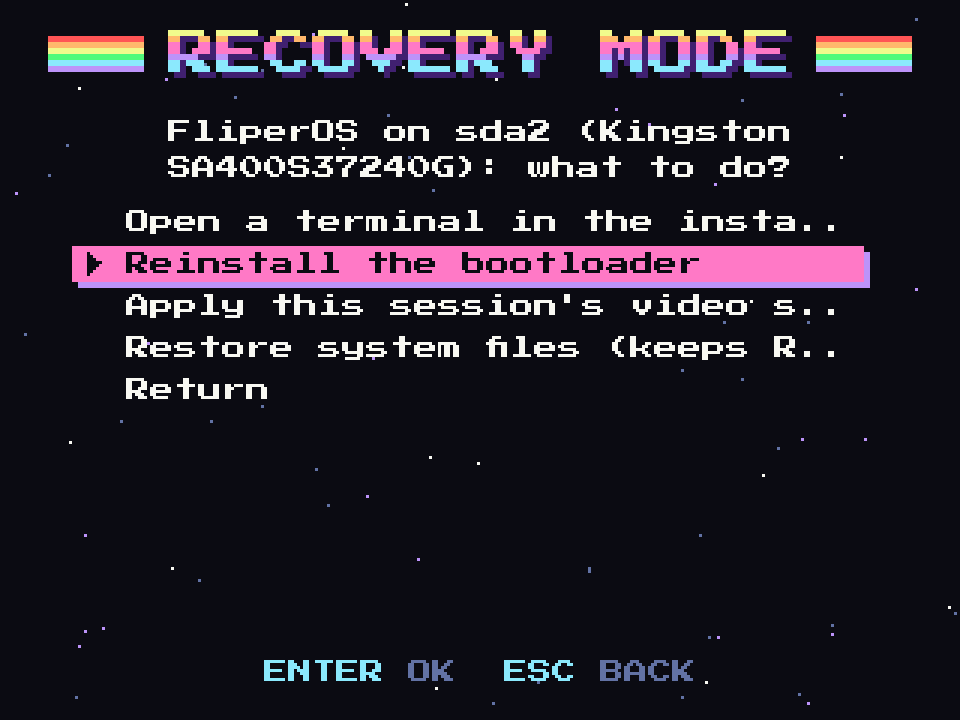
http://fliperos.local, has a terminal page (Web panel). - Recovery Mode on the media, when the disk doesn't boot (Install).
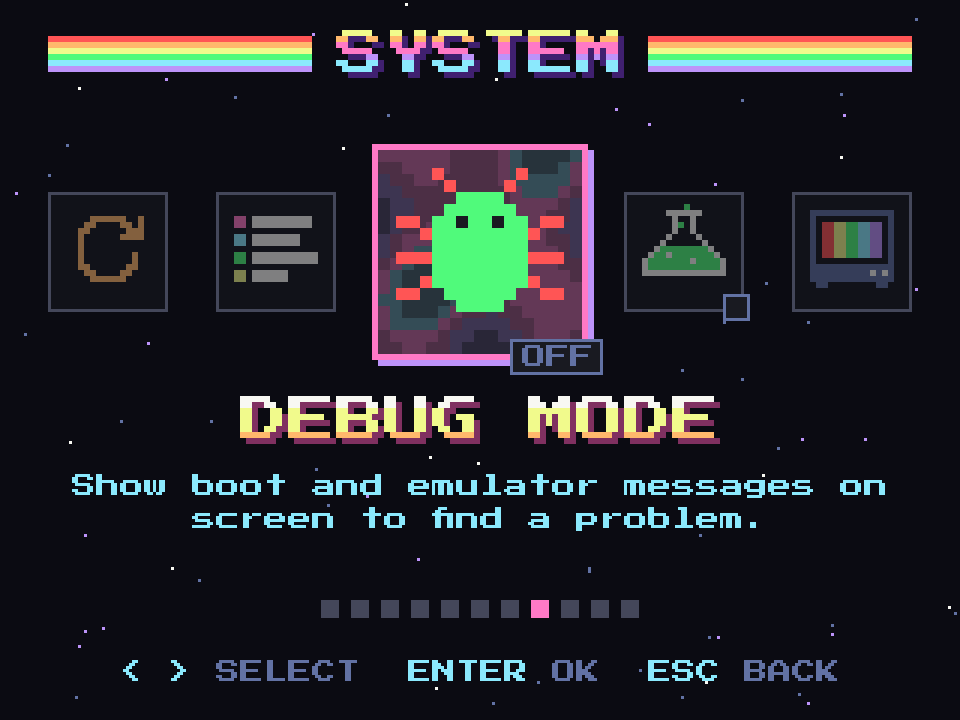
Debug mode in the Setup shows the boot messages instead of the splash (Installed system).
This lists each video output, whether something is connected, its EDID and its modes, then the card, the driver and what FliperOS saved:
for c in /sys/class/drm/card?-*; do
  echo "${c##*/}: $(cat "$c/status"), EDID $(wc -c < "$c/edid") bytes"
  cat "$c/modes"
done
cat /proc/cmdline
lspci -nnk | grep -A3 -E 'VGA|Display'
grep -E '^(driver|connector|detection|monitor|kernel_video)=' /etc/fliperos/fliperos.conf
The name in connector= must be the output your monitor is plugged into. If you moved the cable, Setup > Video Setup > Test the video outputs finds it again.
The Setup writes this line, so use it whenever you can see its menu. Without a picture, change FLIPEROS_CMDLINE in /etc/default/fliperos-boot. FliperOS has no text editor for the terminal, so these commands use sed.
To replace a part of the line, here the mode:
grep FLIPEROS_CMDLINE /etc/default/fliperos-boot
sudo sed -i 's/video=VGA-1:640x480iS/video=VGA-1:640x240S/' /etc/default/fliperos-boot
To add a parameter:
sudo sed -i 's/^FLIPEROS_CMDLINE="/&amdgpu.dc=0 /' /etc/default/fliperos-bootThen write it to the bootloader and restart:
sudo fliperos-limine-update
sudo reboot
The next save in Video Setup rewrites the video= part.
| Situation | Try |
|---|---|
| At the installation | Another entry of the boot menu: EDID progressive, then EDID interlaced, which force every output on. To choose on a 15 kHz-only tube, see Install |
Interlaced modes may be the problem (black at 640x480iS) |
Change video=VGA-1:640x480iS to video=VGA-1:640x240S. In the Setup it is Video Setup > Resolution
|
| Black after moving the cable or booting without it | Force the output on, with an e at the end of the mode: video=VGA-1:640x480iSe
|
| Through a converter | Interlaced modes often fail: see Converters |
AMD with DVI-I that has no radeon driver (R9 285, 380, 380X) |
The line needs amdgpu.dc=0: on kernel 6.18 amdgpu's new display code has no analog output. FliperOS adds it by itself; an ISO up to 0.19 doesn't at the installation, so add it by hand there. See Video cards
|
| Ryzen 2200GE with random black screens | Disable legacy boot (CSM) in the BIOS. Reported by GroovyArcade on this APU |
| Motherboard VGA on an APU or Intel | It may be a DisplayPort bridge chip, which limits low clocks and interlace. See Video cards |
| You changed the video card | FliperOS notices at boot and offers the output test: see Changing the video card |
With two video cards, the frontend may be opening on the wrong one. Set up FliperOS with only the card you will use, and disable the other in the BIOS or pull it out. To try it without opening the case, until the next boot:
lspci | grep VGA
echo 1 | sudo tee /sys/bus/pci/devices/0000:XX:00.0/remove    # XX from the line above
For monitors on two cards, see Multiple monitors.
Some modes are below what the card or the converter generates. dotclock_min tells Switchres the lowest clock to use. Modes under it get a wider picture with the same lines, which looks the same on a CRT.
On AMD cards the GroovyArcade wiki says 8 MHz is often needed, and lists 12 and 25 as other common values. The NVIDIA low resolution test finds this value by itself; on other cards it is by hand.
Set the same value in both files: /etc/switchres.ini for Switchres and the programs that use it, /etc/fliperos/mame/mame.ini for GroovyMAME. For 8 MHz:
sudo sed -i -E 's/^([[:space:]]*dotclock_min[[:space:]]+).*/\18.0/' /etc/switchres.ini
sed -i -E 's/^([[:space:]]*dotclock_min[[:space:]]+).*/\18.0/' /etc/fliperos/mame/mame.ini
The Setup keeps a value of yours. It only replaces its own (0, 25, or a step of the NVIDIA test). To see the mode a game gets:
switchres 320 240 60 -cTo test a resolution with a real game, the GroovyArcade wiki has tables of games by resolution and frequency. Each program's own log is /opt/fliperos/logs/<program>.log.
Off-centre, too large or too small: Monitors. Flickering menus: the Interlaced hacks in Emulators.
Open an issue with the output of the commands in What the system sees, your monitor, and how it is connected, converter included.