Repository navigation
Power and volume buttons
The cabinet's power button closes the game before it powers off, and the volume keys work on any screen.
A short press of the power button (the motherboard's, or a panel key programmed to send KEY_POWER) depends on what is on screen:
| On screen | The button |
|---|---|
| A game opened from a frontend | Closes the game; the frontend comes back |
| A Fightcade match | Closes the match's emulator; the lobby comes back |
| An emulator opened from the desktop's Games menu | Closes the emulator; the desktop comes back |
| A game list, the Fightcade lobby, the desktop, the FliperOS menu, the shell, the install media | Powers the machine off |
| RetroArch or GroovyMAME as the default launcher | Powers the machine off: there is no frontend to go back to |
From inside a game it takes two presses to power off.
- For 3 seconds after a press the next ones don't count, so a second press too early (or a board that reports one press through two devices) can't close the game and power off at once.
- The game closes the normal way, so it saves: RetroArch writes its saves, and GroovyMAME its high scores, NVRAM and settings, as with Esc.
- A game that doesn't close is killed by the next press.
- Holding the button for 4 seconds still cuts the power: that is the motherboard, not FliperOS.
In the FliperOS frontend, Tab > POWER CLOSES GAME turned off makes the button do nothing while a game is open (FliperOS frontend).
The volume keys of a keyboard, or of a panel encoder programmed to send them, work on any screen: an emulator, the frontend, the desktop, the console.
- Each press is 5 %, on the card of Setup > Audio Setup.
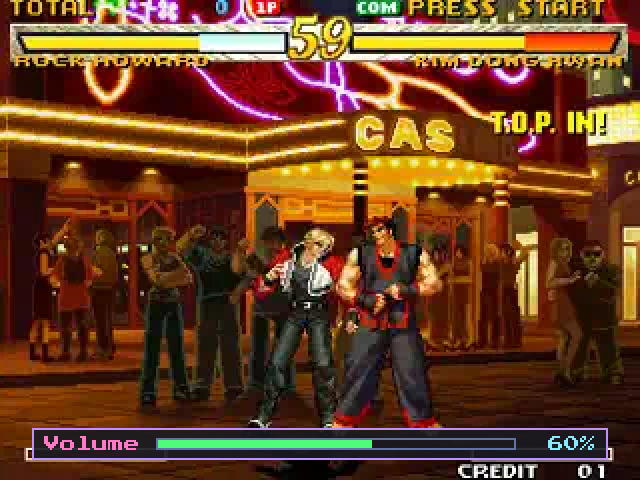
- Over a game, a volume bar shows for 2 seconds, without taking the controls (On-screen menu).
- The volume is saved at every press, because cabinets are usually switched off at the wall.
A keyboard, panel or controller plugged in after the cabinet started works too.
No program holds the power off or the reboot for long: a service that doesn't stop is killed after 10 seconds, instead of systemd's 90. The session on the screen has the same 10 seconds.
Only a pending FliperOS update applied at power off gets more time: up to 20 minutes (Updates and versions).
-
systemd-logindignores the button (HandlePowerKey=ignorein/etc/systemd/logind.conf.d/fliperos.conf), and triggerhappy, which also reads the volume keys, runsconfig/fliperos-powerkeyonKEY_POWER(config/fliperos-power.triggers). - The script finds the open game through the
FLIPEROS_POWERKEYvariable thatfliperos-sessiongives what it opens:frontend(the game is whatever runs below it),game(an emulator opened from the desktop) orgames:FILE(the game is the PIDs listed inFILEand what runs below them). Fightcade, whose emulators are not its children, and the FliperOS frontend, whose other children (the video player, the scraper) are not games, useFILE.holdin it means the button does nothing while that game is open. - The game gets
SIGTERM, the same as closing it normally; GroovyMAME closes on it at once through FliperOS's SDL quit fix. - The volume keys: triggerhappy calls
fliperos-setup --volume up|down|mute(config/fliperos-volume.triggers). The LXDE panel only handles the mouse, so the volume doesn't change twice. - Shutting down:
DefaultTimeoutStopSec=10sin/etc/systemd/system.conf.danduser.conf.d(config/fliperos-stop-timeout.conf). The update at power off has its own unit, with 20 minutes.
See also: Audio and Network Setup, Installed system.