Repository navigation
Controller light
Setup > Joysticks > Controller light sets the colour of the controllers that have a light: DualSense, DualShock 4, some 8BitDo, and the ring of the 8BitDo Ultimate 2.
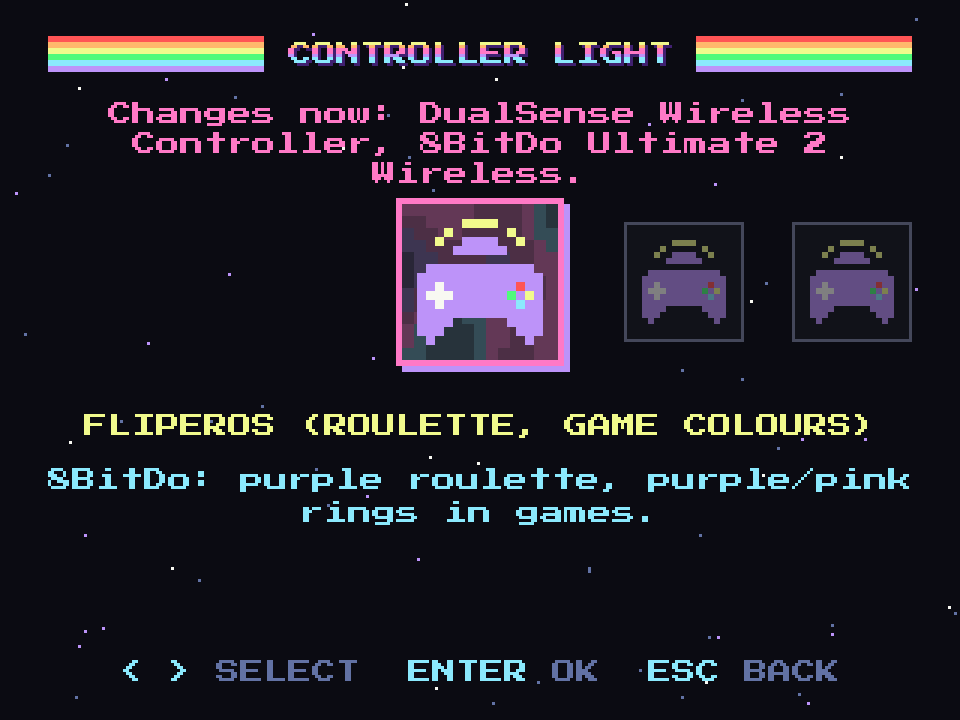
| Choice | The light |
|---|---|
| FliperOS (default) | FliperOS purple; on the Ultimate 2, a roulette (below) |
| A colour of the list | One of 8 colours |
| Other colour | Any colour, typed as RRGGBB
|
| Off | The light as the controller sets it |
The screen says which of the connected controllers change.
- In the menus, a purple light runs over pink around its ring, like a roulette.
- While a game is open, the left ring turns purple and the right one pink; the roulette comes back when the game closes.
- The pad only takes settings over its USB cable or its 2.4G dongle: over Bluetooth it keeps the colour saved by cable.
- A pad with no profile at all gets profile 1 "FliperOS" with the 8BitDo app's defaults, and its profile button has to be pressed once.
- DualSense, DualShock 4 and the other 8BitDo pads go through the kernel's colour LEDs; the Ultimate 2 through its own protocol over hidraw (
config/fliperos-padcolor-8bitdo; its left ring is LEDs 0 to 11). -
config/fliperos-padcolorapplies the colour (apply LED,hidraw NAME,all,list) and, withlaunch PROG…, switches to the game colours while a game runs. The setting ispadcolor=infliperos.conf:fliperos,RRGGBBoroff.