Repository navigation
Room Panel
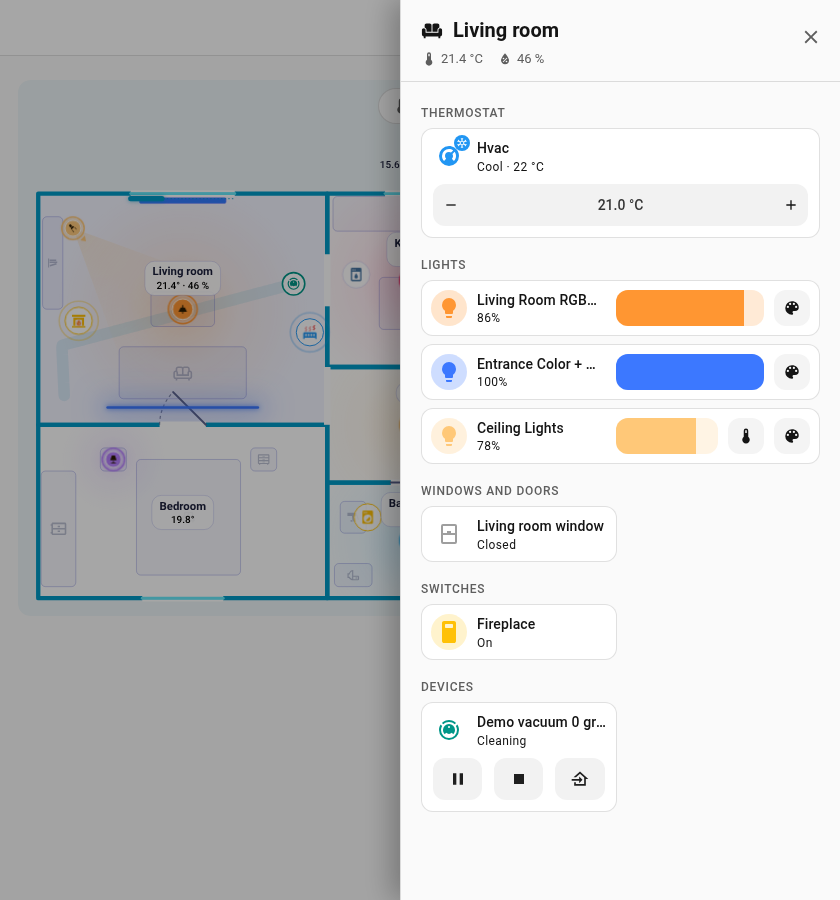
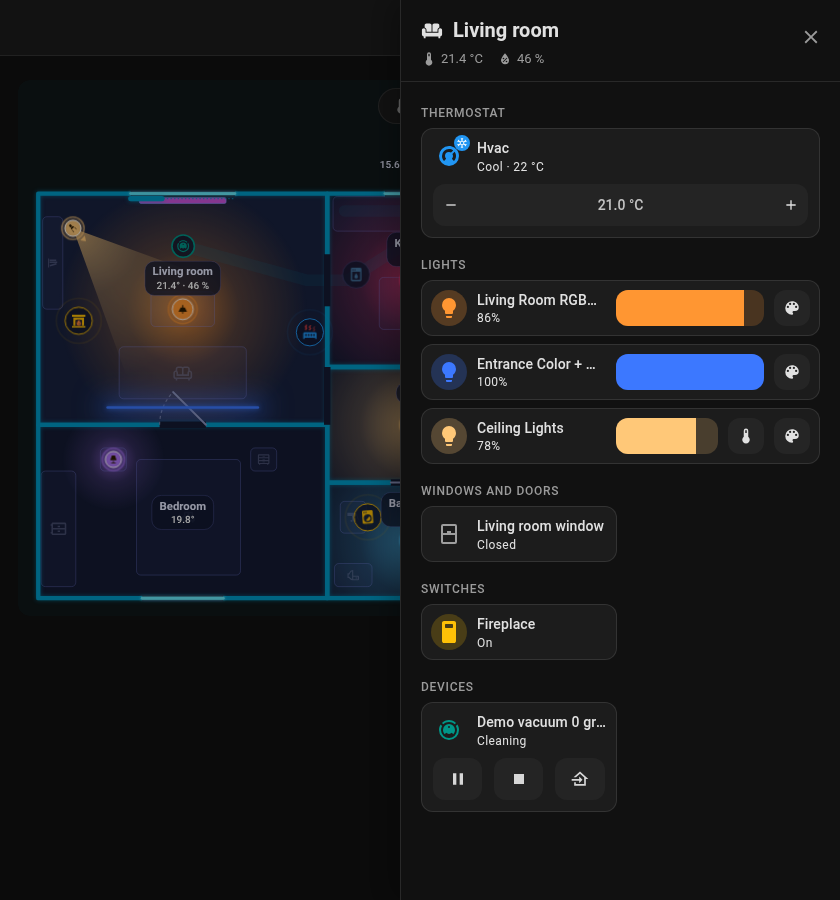
Tap a room on the card and an off-canvas panel slides in from the right edge of the screen. It looks like an area dashboard of Home Assistant: the theme background, a header with the room icon, name, temperature and humidity, and Home Assistant cards in two columns. Close it with the cross, Esc or a click outside.
| Dark theme | Light theme |
|---|---|
![]() |
![]() |


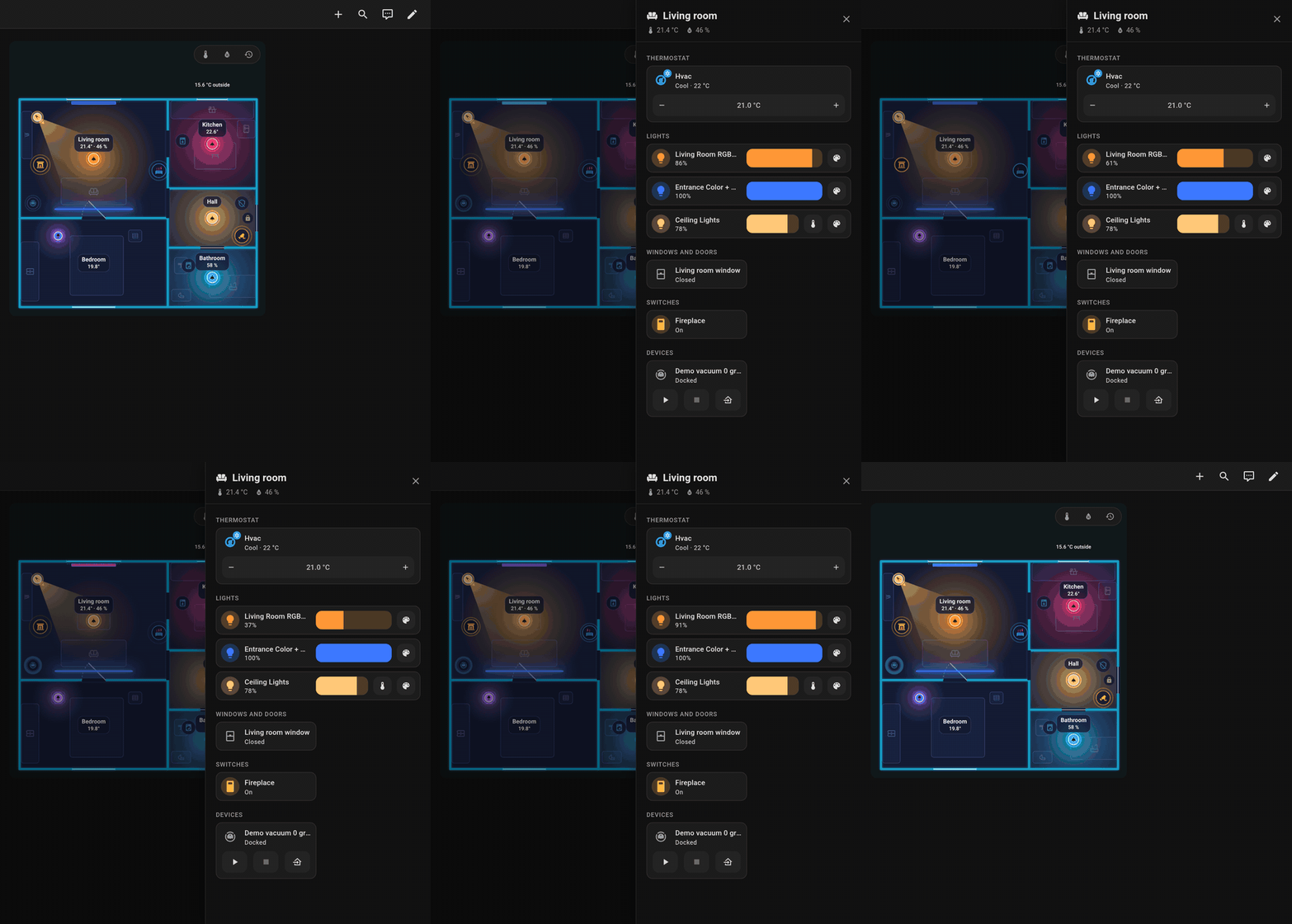
Opening the panel, setting a light's brightness and closing it.
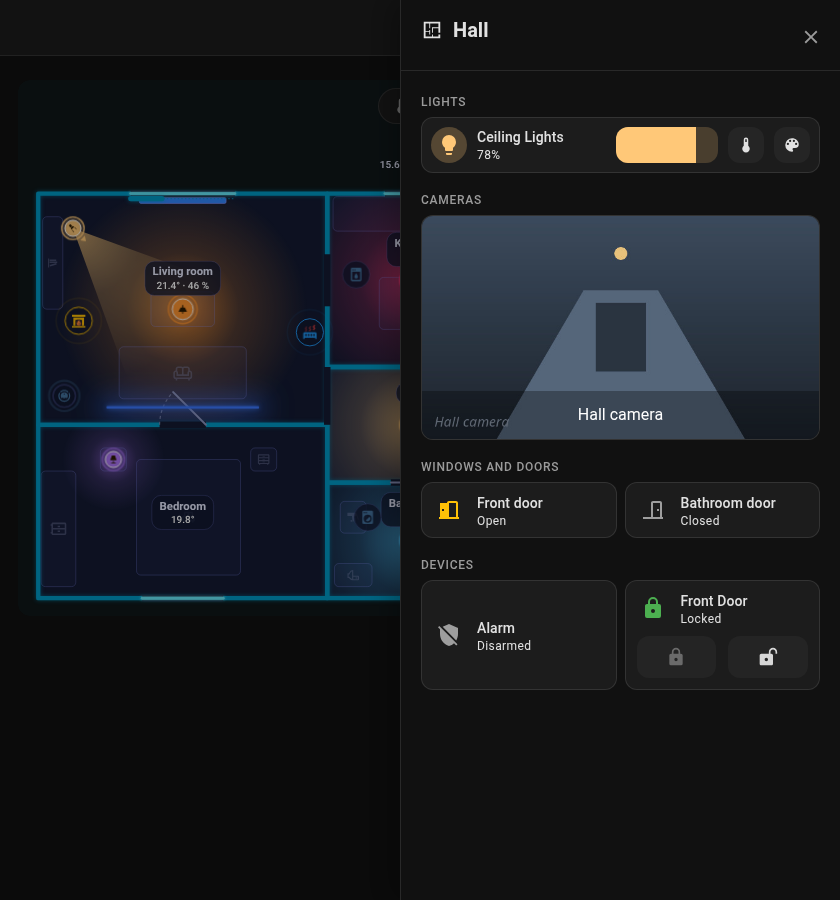
The panel is built from Home Assistant's own cards, each placed like on a dashboard, so your theme styles them as well (including card-mod / UIX themes). Every section has a heading card with an icon, in the subtitle style of dashboard section headings. A tap on a card opens the details, the icon toggles what can be toggled. Thermostats, lights with controls, cameras and blinds take the full width, the rest sits two in a row.
| Section | What goes there |
|---|---|
| Thermostat |
climate entities as a tile with the target temperature control |
| Lights | Lights placed in the room. A tile with the brightness bar next to the name; a tap on the icon switches the light |
| Cameras | Cameras of the room as a picture across the panel (a snapshot refreshed every few seconds); a tap opens the live picture in their details |
| Windows & doors | Openings of the room with a contact, and their blinds (and covers among the extra entities) with open / stop / close next to the name and a position slider below; the contact shows only when it last changed, the icon shows whether it is open |
| Switches |
switch and input_boolean
|
| Media | Media players and remotes (TVs, speakers, players); a player that can set its volume gets a volume slider next to the name; the tile takes the full width |
| Robots | Robot vacuums with start / stop / home, lawn mowers; the tile takes the full width with the buttons next to the name |
| Devices | Appliances (a lock gets lock commands) |
| Sensors | Sensors of the room, including the PIR and water leak sensors placed in it; binary sensors (presence, motion, leak) show only when they last changed, the icon shows the state |
| Other | Everything else |
Only items that are placed in the room and the entities in sheet_extra are shown. Home Assistant areas are not added automatically. The robot vacuum appears in the room with its dock.
-
sheet_extra: extra entities of a room (a field in the room's form, one per line, a leading-is fine; Add an entity under the field picks one). An entry can also be a template that lists entity ids, see Rooms. Each entity gets the card of its section above (a light its light card, a camera its picture, a cover the blind controls, the rest a tile). -
sheet_hide: trueon any item (light, appliance, window, door, lock, robot) leaves it out. - The room
iconappears in the header.
rooms:
- id: living_room
name: Living room
icon: mdi:sofa
temperature: sensor.living_room_temperature
sheet_extra:
- climate.living_room
- camera.living_room
- switch.tv_plugBack to Card.
Documentation site | Repository | Issues | Support: Ko-fi · PayPal · Bitcoin
English
- FNS Floorplan – help
- Installation
- Quick start
- Editor overview
- Rooms
- Doors and windows
- Items
- Rules
- Look
- Card
- Room panel
- Robot vacuum
- History and check
- Plan format
- Websocket API
- FAQ and troubleshooting
- Changelog
- The card is not found after the installation
- "Custom element doesn't exist" or a configuration error appears
- Icons are missing
- Some texts are not translated
- A light does not glow in the colour I expect
- The card shows the old version after an update
- The card is slow or choppy
- Saving says the plan changed meanwhile (conflict)
- The plan is empty
- A rule does not apply
- The sidebar entry is missing
- Something else does not work
- The card says it is waiting for the integration
- Support
Česky
- FNS Floorplan – nápověda
- Instalace
- Rychlý start
- Přehled editoru
- Místnosti
- Dveře a okna
- Položky
- Pravidla
- Vzhled
- Karta
- Panel místnosti
- Robotický vysavač
- Historie a kontrola
- Formát plánu
- Websocket API
- Časté otázky a řešení potíží
- Změny
- Po instalaci se karta nenajde
- Občas se objeví „Custom element doesn't exist“ nebo chyba konfigurace
- Chybí ikony
- Některé texty se nepřekládají
- Světlo nesvítí v barvě, kterou čekám
- Po aktualizaci karta zobrazuje starou verzi
- Karta se seká nebo je pomalá
- Při ukládání se hlásí, že se půdorys mezitím změnil (konflikt)
- Půdorys je prázdný
- Pravidlo se neuplatní
- V postranním menu chybí položka
- Něco jiného nefunguje
- Karta hlásí, že čeká na integraci
- Podpora
Deutsch
- FNS Floorplan – Hilfe
- Installation
- Schnellstart
- Editor-Übersicht
- Räume
- Türen und Fenster
- Elemente
- Regeln
- Aussehen
- Karte
- Raum-Panel
- Saugroboter
- Verlauf und Prüfung
- Planformat
- Websocket-API
- Häufige Fragen und Fehlerbehebung
- Änderungen
- Die Karte wird nach der Installation nicht gefunden
- „Custom element doesn't exist“ oder ein Konfigurationsfehler erscheint
- Symbole fehlen
- Einige Texte werden nicht übersetzt
- Ein Licht leuchtet nicht in der erwarteten Farbe
- Die Karte zeigt nach einem Update die alte Version
- Die Karte ruckelt oder ist langsam
- Beim Speichern heißt es, der Plan habe sich inzwischen geändert (Konflikt)
- Der Plan ist leer
- Eine Regel greift nicht
- Der Seitenleisten-Eintrag fehlt
- Etwas anderes funktioniert nicht
- Die Karte meldet, dass sie auf die Integration wartet
- Unterstützung
Polski
- FNS Floorplan – pomoc
- Instalacja
- Szybki start
- Przegląd edytora
- Pomieszczenia
- Drzwi i okna
- Elementy
- Reguły
- Wygląd
- Karta
- Panel pomieszczenia
- Odkurzacz
- Historia i kontrola
- Format planu
- Websocket API
- FAQ i rozwiązywanie problemów
- Lista zmian
- Karta nie jest znaleziona po instalacji
- Pojawia się „Custom element doesn't exist” lub błąd konfiguracji
- Brakuje ikon
- Niektóre teksty nie są przetłumaczone
- Światło nie świeci w kolorze, jakiego oczekuję
- Karta pokazuje starą wersję po aktualizacji
- Karta działa wolno lub się zacina
- Zapis zgłasza, że plan w międzyczasie się zmienił (konflikt)
- Plan jest pusty
- Reguła nie działa
- Brakuje pozycji w pasku bocznym
- Coś innego nie działa
- Karta pisze, że czeka na integrację
- Wsparcie