Choosing the Right Folder
Most linking problems come from picking the wrong folder in the Android picker. This page shows what the picker looks like and which folder to choose for each emulator. The screenshots come from an AYN Thor.
The picker opens on the last folder you visited. Tap ☰ at the top left to see every place you can pick from:
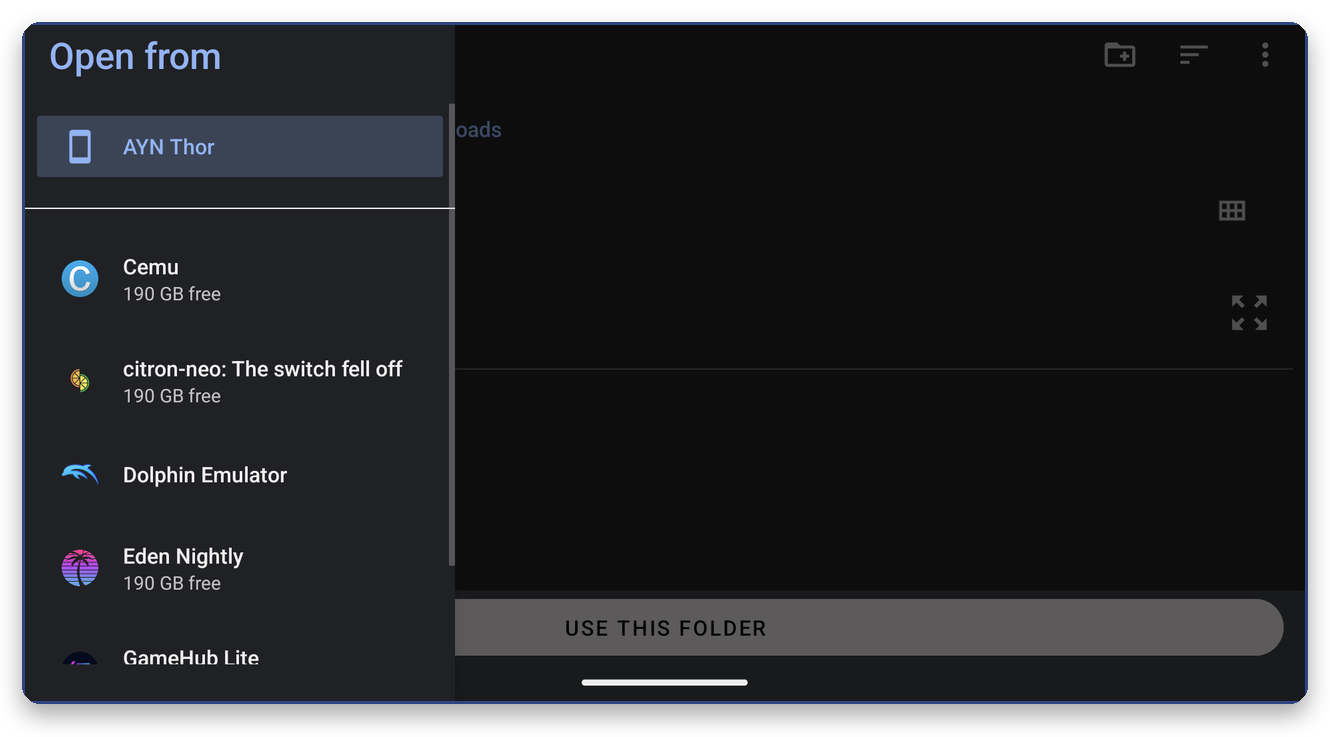

-
Your device (here AYN Thor) is the normal internal storage:
RetroArch,ROMs,Download… - Below it, some emulators add their own entry through Android's Storage Access Framework (a DocumentsProvider) (Eden Nightly, Dolphin Emulator, Cemu, citron…). Such an entry opens the emulator's private folder, which Android otherwise hides. Whether an entry holds your saves depends on the emulator, so check the table below.
| Emulator | Open | Then pick |
|---|---|---|
| Eden | its Eden Nightly entry (or Eden) | the entry's top folder, the one that shows nand, sdmc, config
|
| Dolphin | its Dolphin Emulator entry | the top folder (it contains GC), or GC itself |
| RetroArch | your device, not the RetroArch entry |
RetroArch or RetroArch/saves
|
| Citra MMJ | its Citra MMJ entry | citra-emu |
| Azahar / Lime3DS | your device | the user folder chosen in the emulator's setup (it contains sdmc) |
| melonDS, Pizza Boy, Linkboy | your device | the folder with the .sav files |
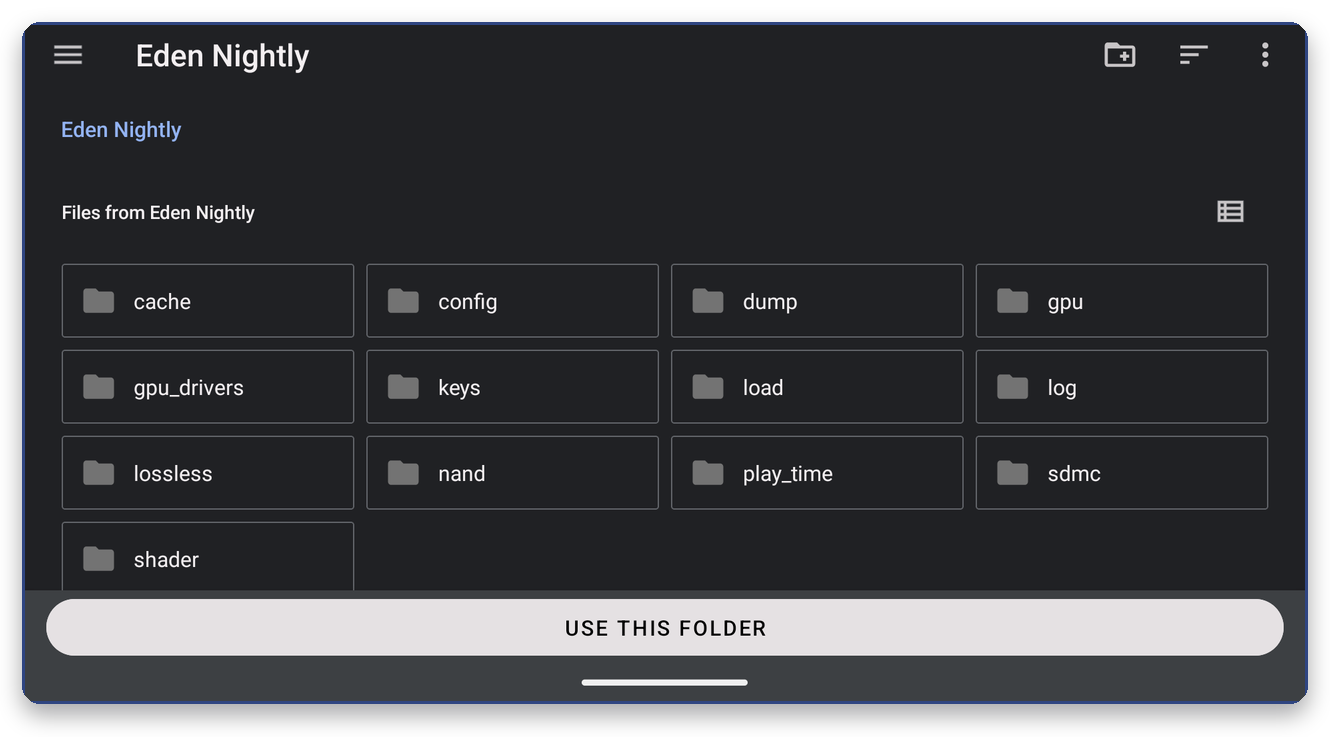
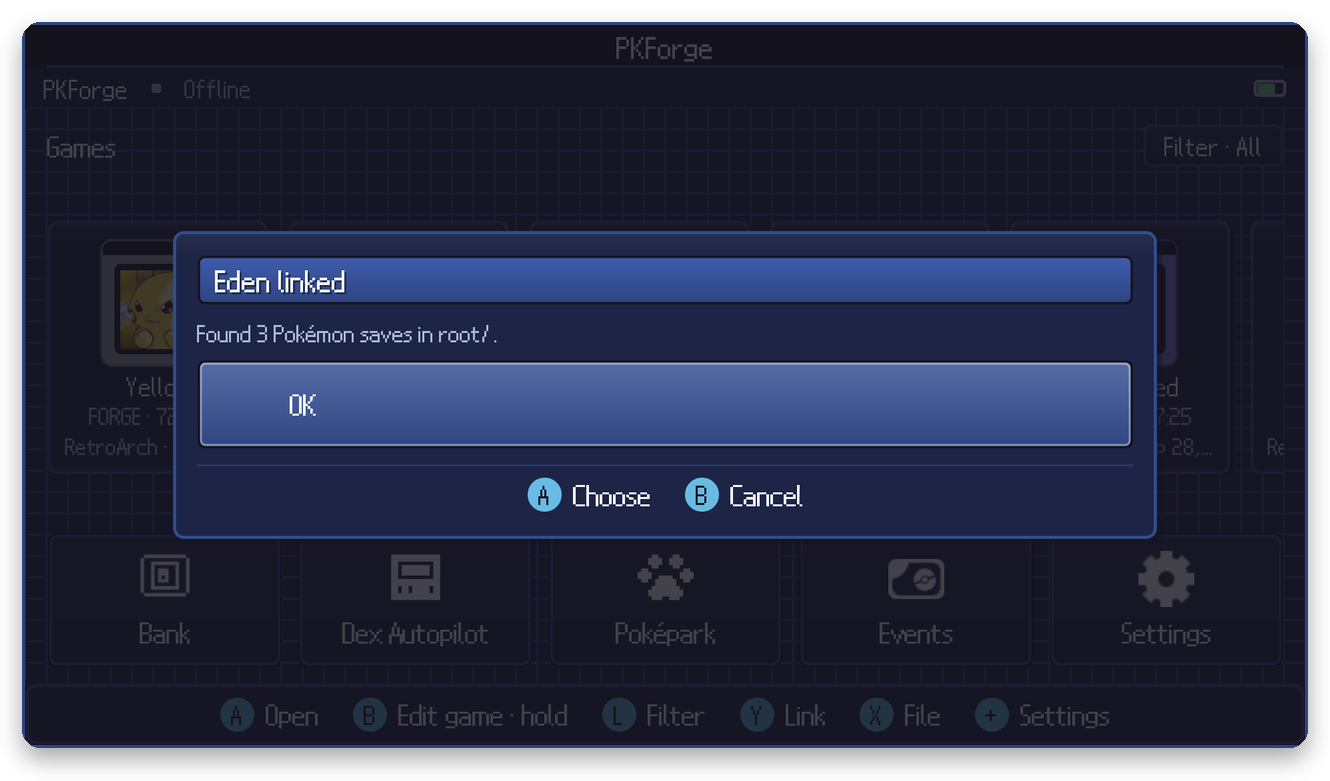
Open Eden Nightly and press Use this folder right away, at this level: cache, config, nand, sdmc… are all visible. PKForge finds the saves inside nand on its own.

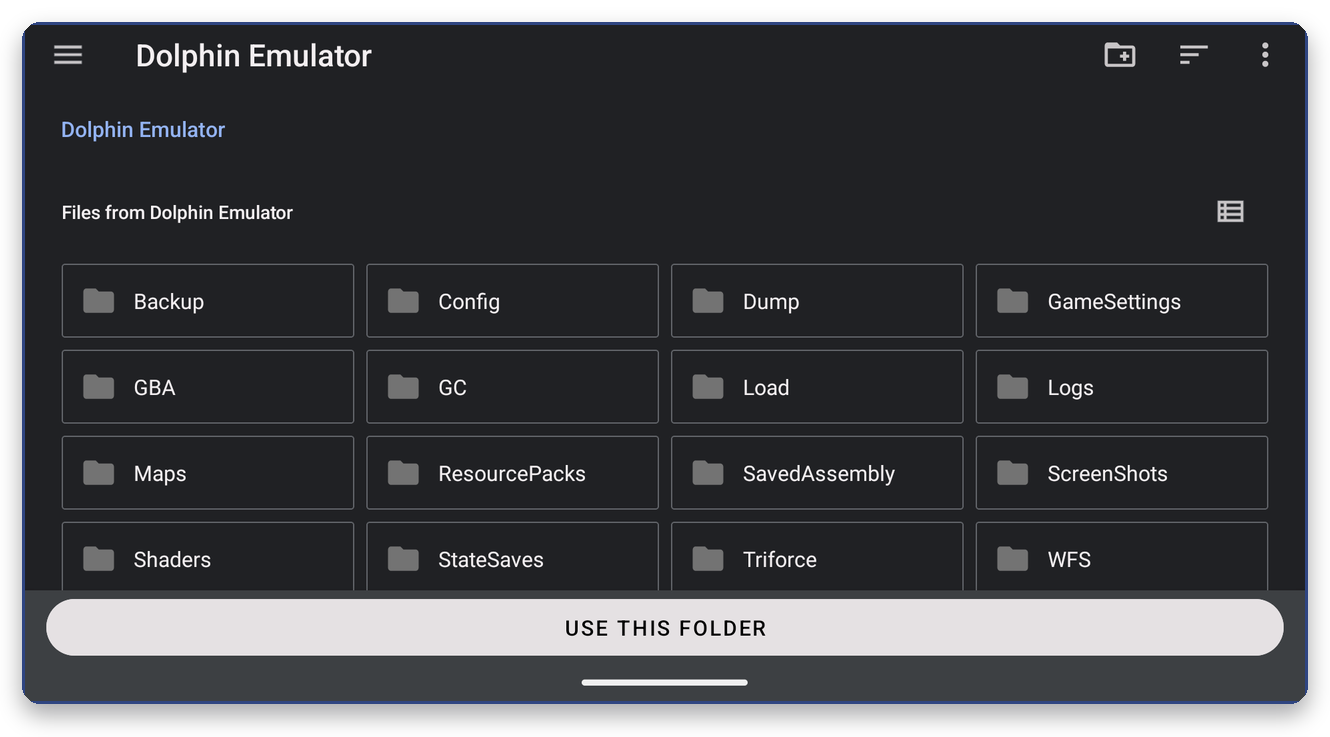
Open Dolphin Emulator. Press Use this folder here, or open GC first. StateSaves holds save states, which PKForge never uses.

The RetroArch (AArch64) entry opens RetroArch's internal files (cores, assets, shaders…). Your saves are not in there. Open your device instead, then RetroArch, and pick saves (or RetroArch itself):

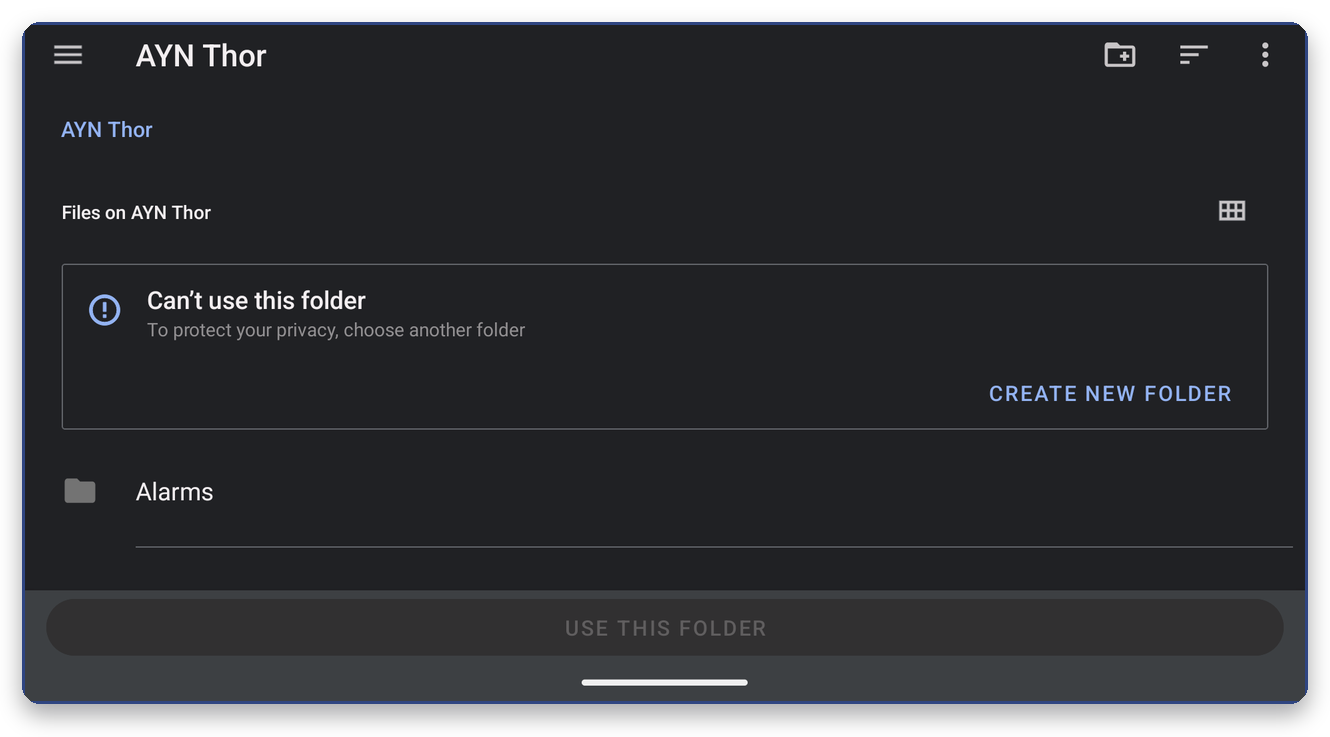
Android does not allow picking the top of your storage or the Download folder itself. Open the folder that holds the saves and pick that one.
| Picked | Result | Pick instead |
|---|---|---|
| The RetroArch entry in the side menu | "No saves found" | Device, then RetroArch/saves
|
| A save file instead of a folder | The picker only accepts folders | Its folder, or Single save file |
| The ROMs folder, for an emulator that saves elsewhere | "No saves found" | The emulator's save folder (see its page) |
states / StateSaves
|
Nothing found: save states are not supported | The battery save folder |
A single game's folder deep inside nand
|
Works for that game only | Eden's top folder, to get every game |
Still stuck? Settings > Misc > Scan report shows what PKForge saw in the folder.