The Bank
The Bank is PKForge's own storage, outside every save: a place for your whole collection, like Pokémon HOME. Open it from the Bank tile on Home.

- Boxes of 30, and new boxes appear as you fill them.
- Pokémon keep their original bytes: a Gen 3 Pokémon in the Bank is still a Gen 3 Pokémon. Conversion only happens when you send one to a game of another generation.
- It works offline and lives in PKForge's private storage.
From any save, + on a Pokémon:
- Send to Bank moves it (it leaves the save);
- Copy to Bank leaves the original where it is.
Multi-select does the same for many Pokémon at once. See The box view.
Top strip: page arrows and the box counter, then Boxes, Export, Import, Search and Living dex. Footer: A grab, Y mark, X actions, L / R box, + menu.
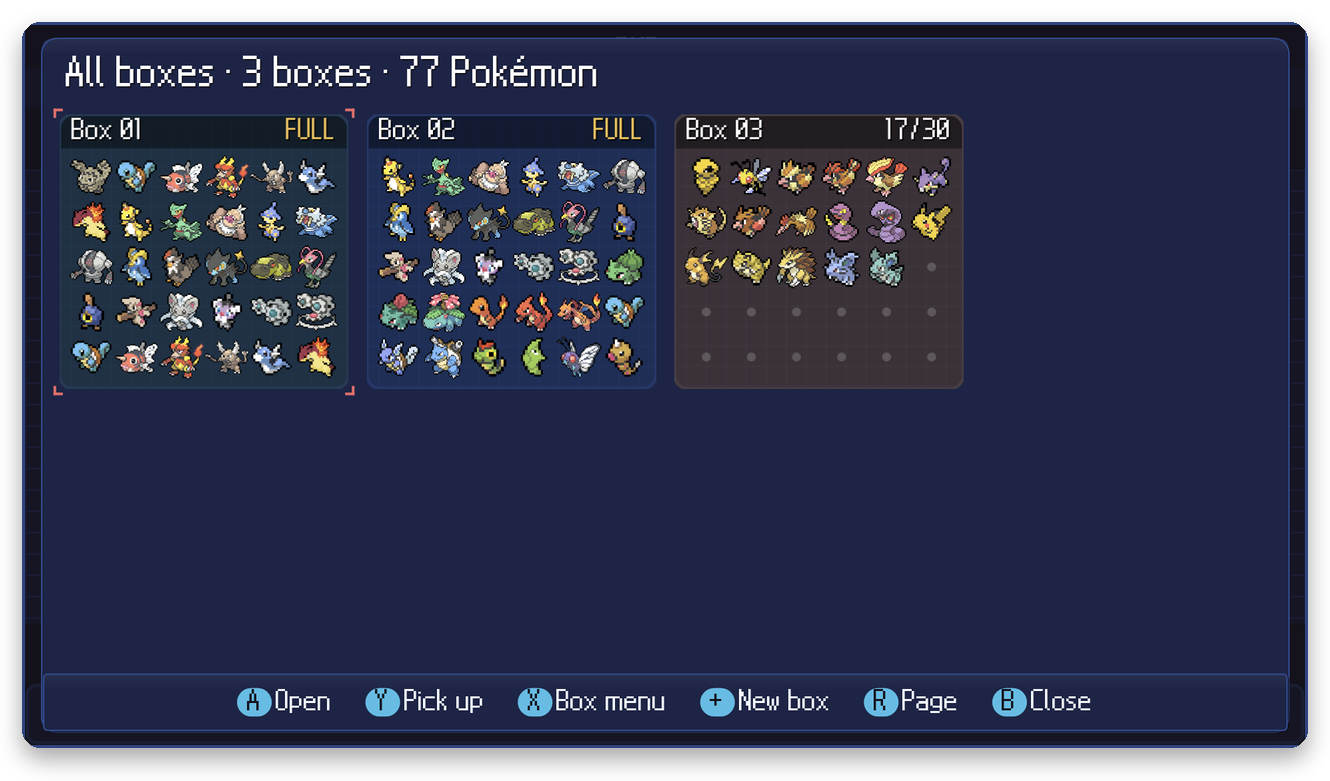 |
Boxes shows every box at once. Carry a box with Y to reorder, X for rename, wallpaper, insert and delete. |
 |
Search by name or nickname, with filters (shiny, generation, source game, type, legendary / mythical, eggs, level, gender, held item) and twelve sort keys. + turns the results into marks. |
 |
Living dex tracks all 1025 species across the Bank and your saves, normal and shiny, per generation, per game, with forms. |
+ on a Pokémon: summary, edit, evolve, send to Poképark, duplicate, send or copy to a game, move, export, release.


X (Actions) works on the marked Pokémon, or on the cursor when nothing is marked: move to another box or position, duplicate, export, send to a game, release, mark by range / box / filter, sort, compact the Bank, rename, wallpaper or delete a box.
+ > Send to game… (moves it) or Copy to game… (keeps it in the Bank), then pick the game. PKForge shows a preview before anything is written. See Moving Pokémon between games.
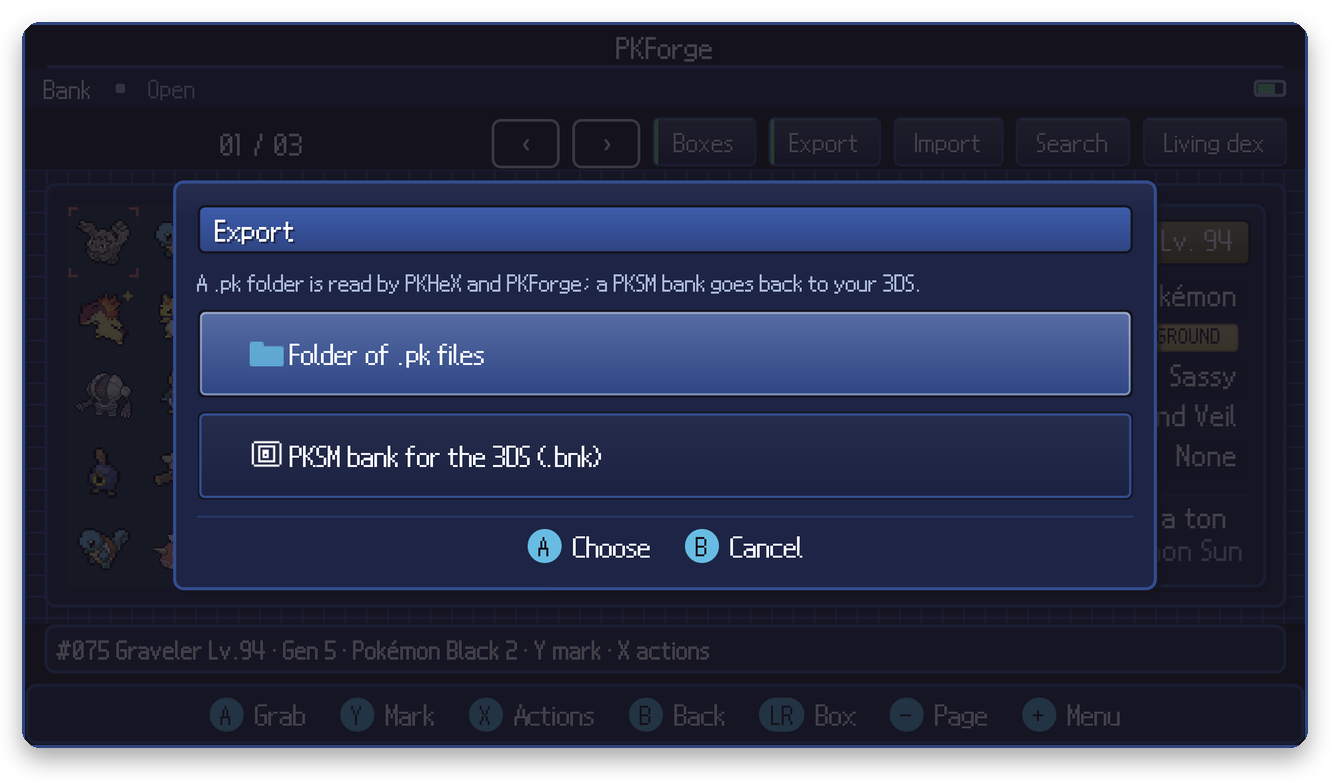
- Folder of .pk files: every Pokémon as a file, readable by PKHeX and PKForge. Use this for backups.
- PKSM bank for the 3DS (.bnk): take your collection to PKSM. PKSM cannot hold Scarlet / Violet, Brilliant Diamond / Shining Pearl or Legends Pokémon, so those are left out.

-
PKSM bank, dumps zip or .pk files: from a 3DS, copy
/3ds/PKSM/banks/(or/3ds/PKSM/dumps/) off the SD card to your device, then pick the files. - Folder of .pk files.
- Scan a .pk QR (from + on an empty Bank slot) imports a Pokémon shown as a QR code by another PKForge.
Important
The Bank is deleted if you uninstall PKForge. Export it to a folder of .pk files first.