Editing a Pokemon
There are two ways in: the editor panel next to the box, for quick changes, and the summary, for the full picture.

Move up and down the fields, press A on one to change it, and Save changes to write. The panel covers:
| Group | Fields |
|---|---|
| Identity | Species, nickname, level (with EXP to the next level), friendship, gender, shiny |
| Build | Nature (with its +/− effect and a live stat preview), ability, held item, ball |
| Battle | Moves 1–4, stats, IVs and EVs (with caps, before/after stats, EV total and Hidden Power) |
| Trainer | Original trainer |
Below the fields, a grid of buttons opens the deeper editors:
| Button | What it edits |
|---|---|
| Legalize | Finds the closest real, legal version of this Pokémon (offline). See Legality. |
| Make mine | Sets you (the save's trainer) as the owner. |
| Showdown · Export .PK · QR | Share the Pokémon as a Showdown set, a .pk file or a QR code. |
| Met / origin | Origin game, met location, level and date, egg data, language, fateful encounter, trainer IDs, with Suggest buttons. |
| Move details | PP and PP Ups, relearn moves, a legality verdict per move, Suggest moves. |
| Move shop | Legends: Arceus purchased and mastered moves. |
| Potential | Tera type, Hyper Training, ability capsule / patch, Awakening Values (Let's Go), Grit (Legends: Arceus). |
| Cosmetics | Markings, favorite, contest stats, height / weight, Dynamax level, Gigantamax, Alpha. |
| Awards | Pokérus, ribbons and marks, title ribbon. |
| Form & shiny | Form, form argument, mint, shiny style, raw PID / EC. |
| Trainers | OT gender, handler, languages, friendship, memories. |
| Tech records | Give all learnable TRs / TMs, or clear them. |
Only the editors that apply to the game are shown.
+ > Summary opens the full-screen summary. Left / Right turn pages, L / R go to the previous / next Pokémon, X opens the editor, B closes.
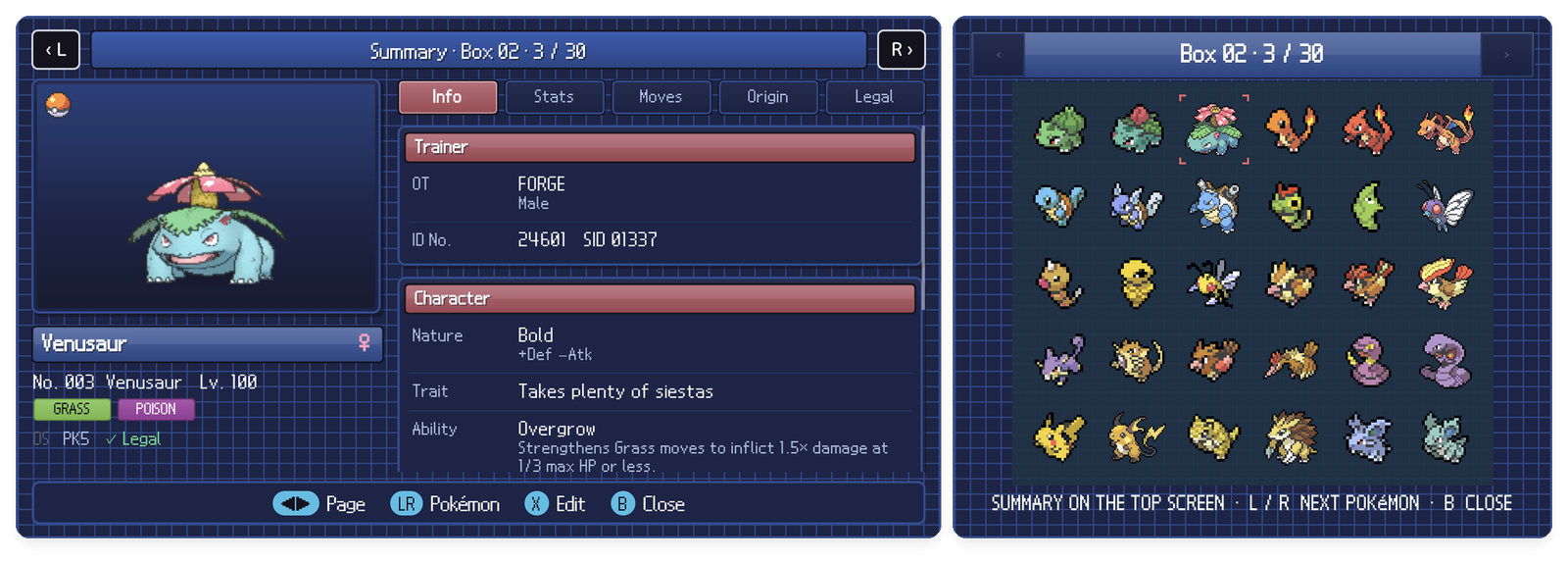
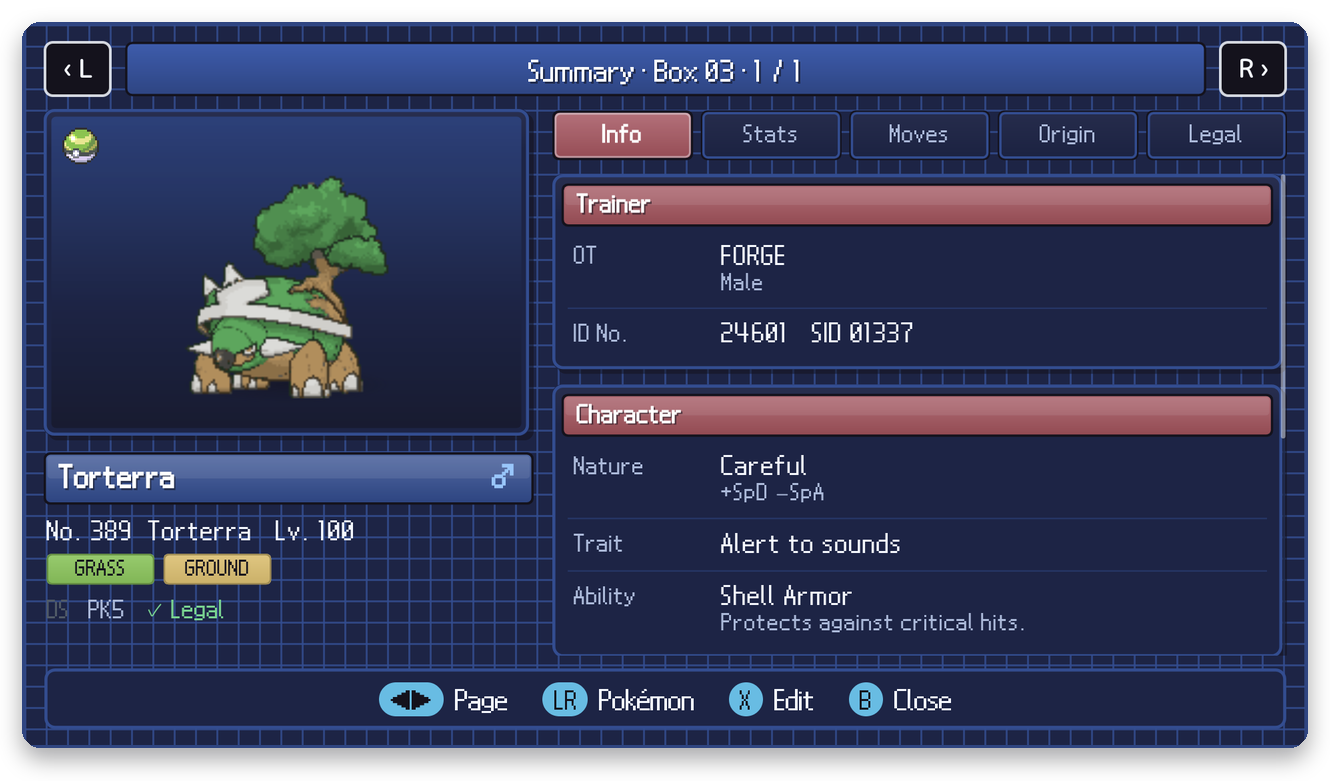
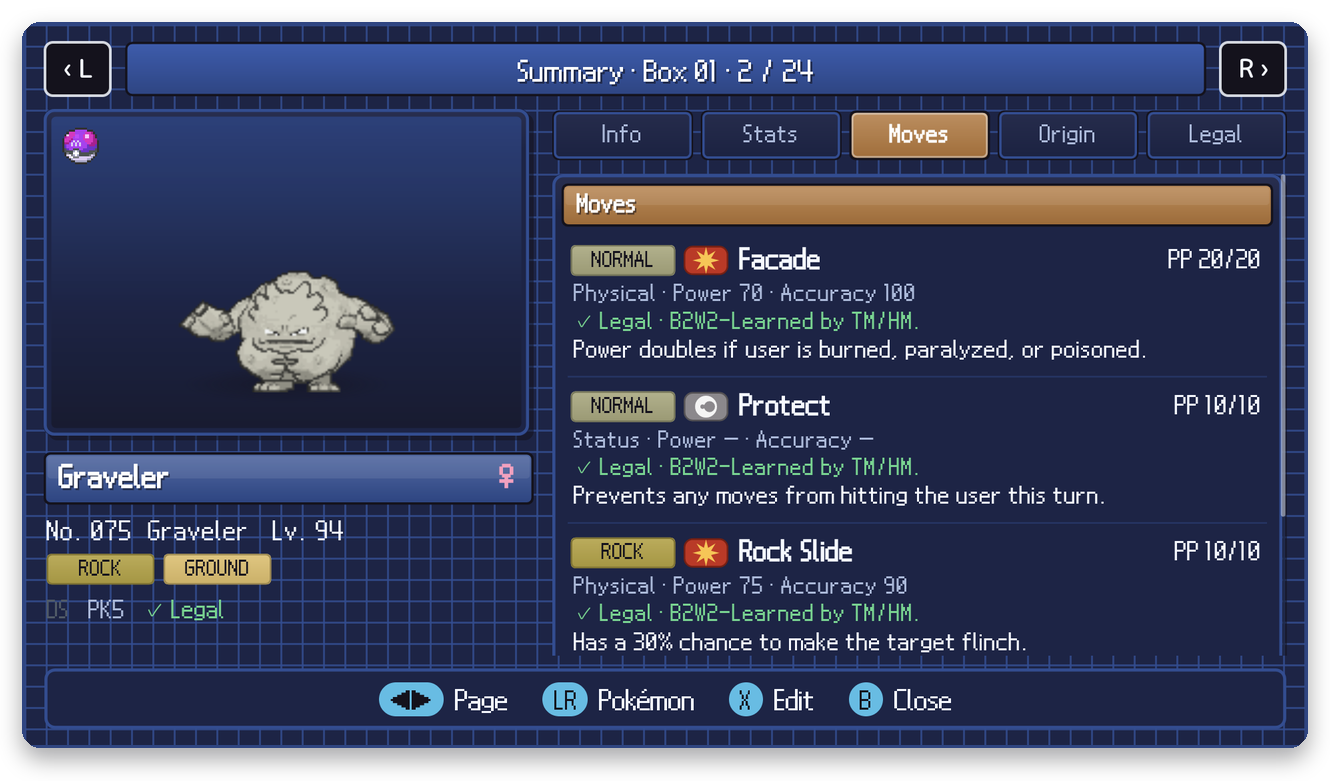
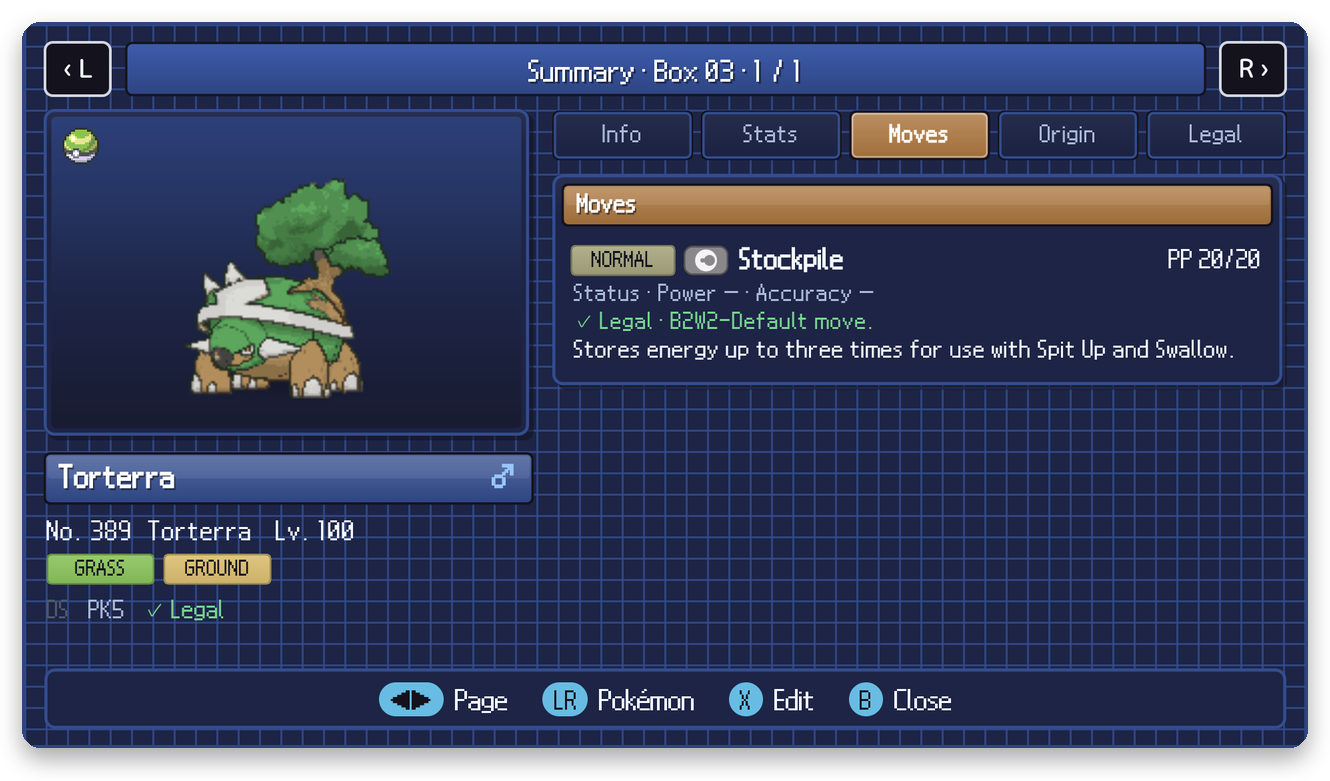

Info (trainer, nature, characteristic, ability), Stats (radar, base / IV / EV / stat table), Moves (type, category, power, accuracy, PP, and whether each move is legal and where it comes from), Origin (game, met location and date, language, format, PID, ribbons) and Legal (the full verdict).
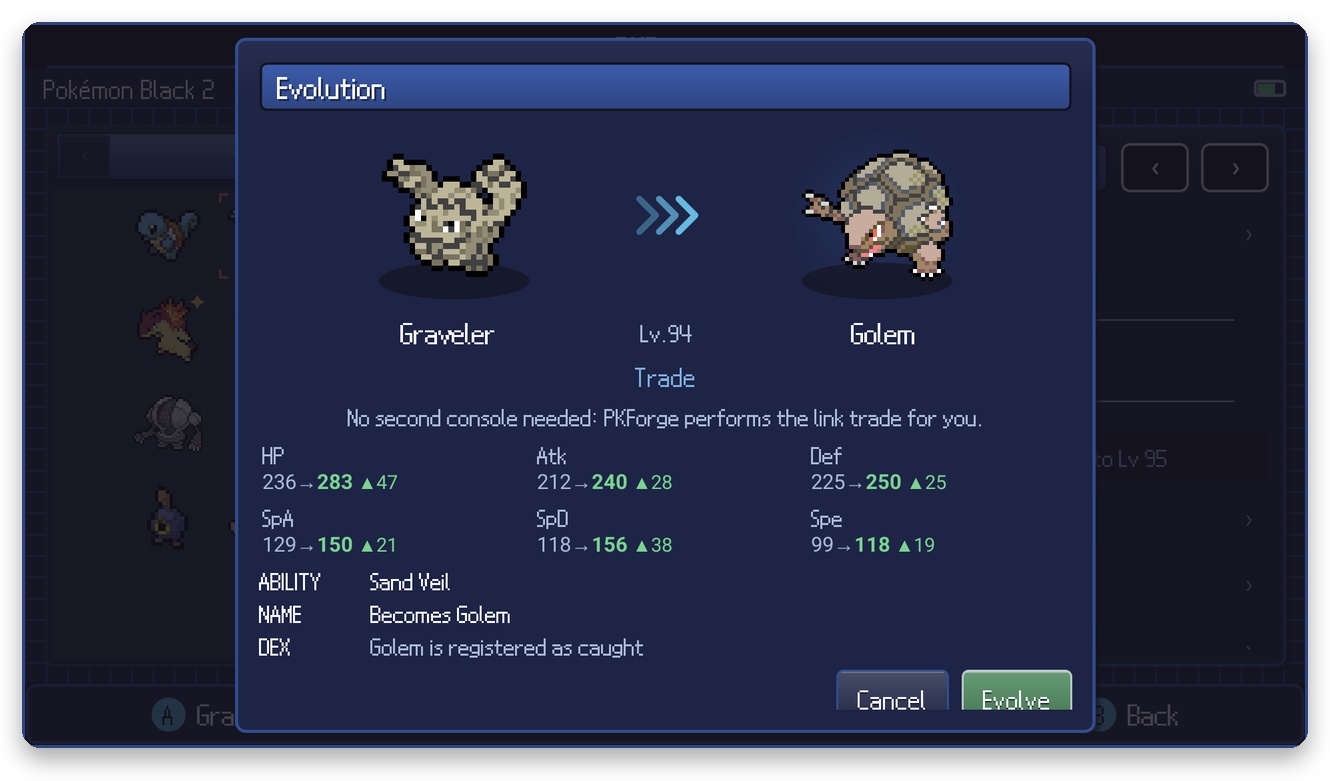
+ > Evolve… shows every evolution the Pokémon has, with the stat changes, the new ability and the Pokédex entry. Trade evolutions work too: PKForge performs the link trade for you.
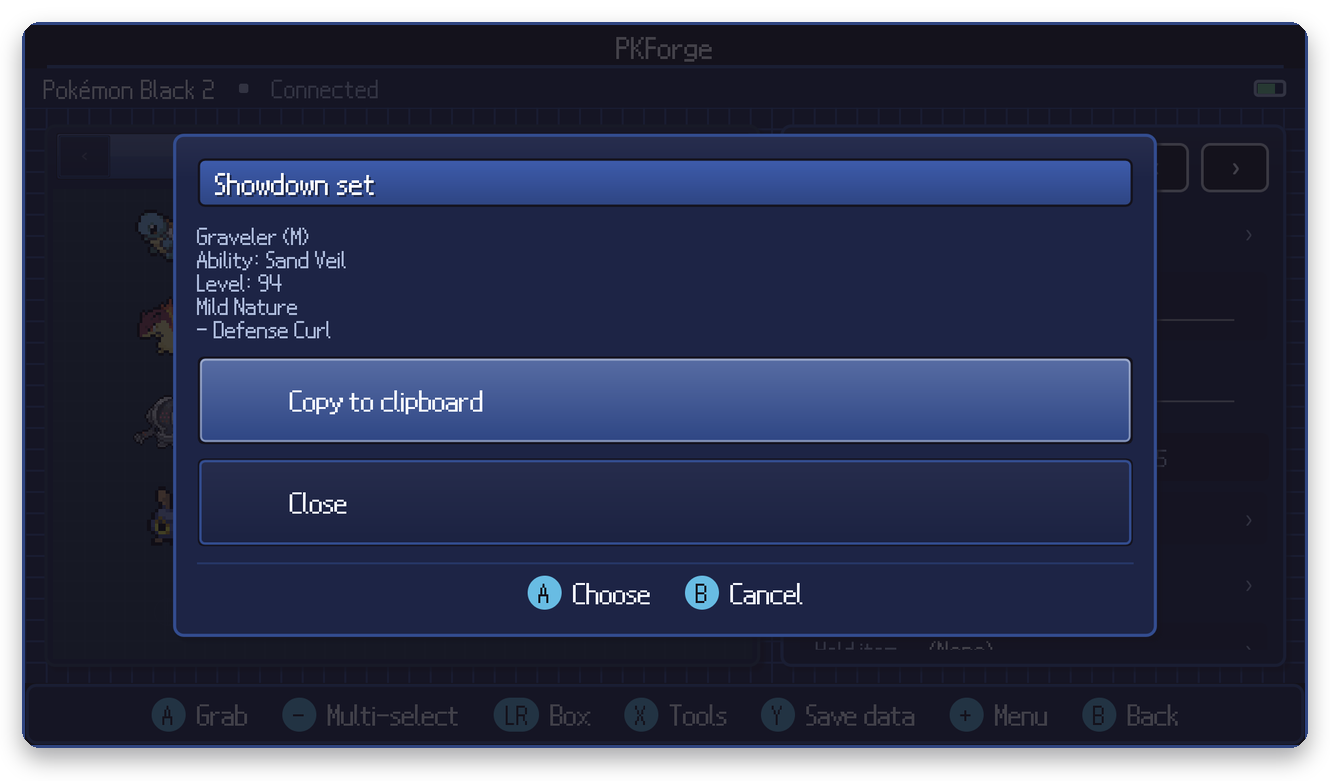
- Show as Showdown set copies the set as text or shows it as a QR code.
-
Export .pk file saves the Pokémon as a
.pk*file through Android's share sheet (PKHeX and PKForge can import it). - Show as .pk QR encodes the Pokémon's bytes so another PKForge can scan it into its Bank.