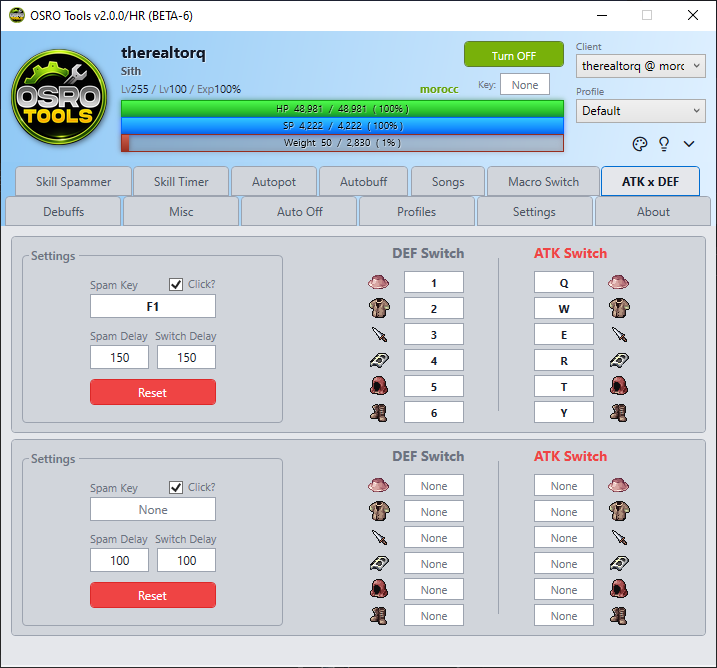
atk def
The ATK x DEF tab allows you to configure an Attack gear set and a Defense gear set. You can quickly switch between them using a single hotkey. This is helpful for surviving large hits.
You can configure up to six equipment slots for both your DEF Switch and ATK Switch.
- Put your individual armor and weapon pieces on your in-game hotbar.
- Open the ATK x DEF tab in OSRO Tools.
- Click the boxes under DEF Switch or ATK Switch to match the hotkeys you set in the game.
- Leave a slot blank if you do not want to swap that piece of gear.
- Click the box next to Spam Key and press the hotkey you want to use to trigger the swap.
- Enter a Switch Delay (ms). This is the delay between equipping each piece of gear. A longer delay prevents the game from ignoring rapid gear swaps.
- Check the Click box if you want OSRO Tools to send a mouse click at the same time.
- If your gear swaps fail, increase the Switch Delay slightly until the server can process them properly.