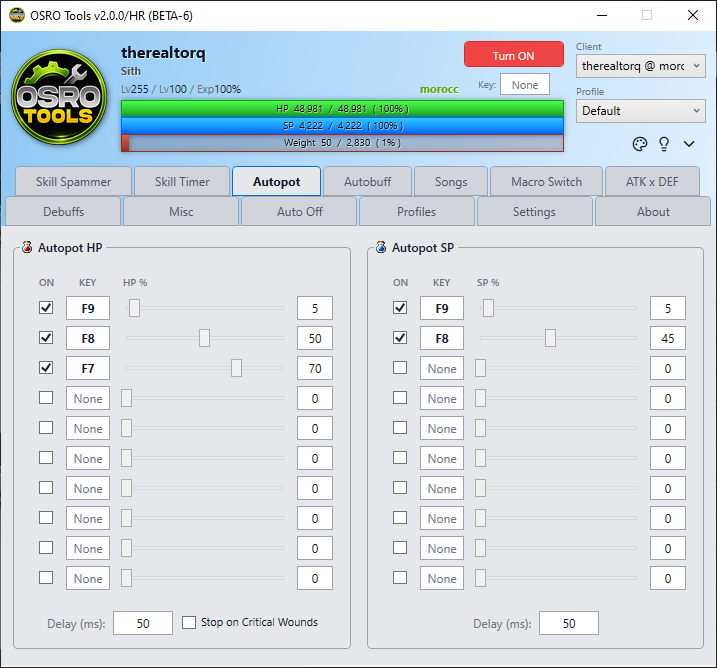
autopot
The Autopot tab automatically presses potion hotkeys when your HP or SP drops below a certain amount. This keeps your character alive without manual button pressing.
OSRO Tools does not use items from your inventory directly. You must place the potion on your in-game hotbar. OSRO Tools will then press that hotbar key for you.
- Put your potion on a hotbar key in the game, like F1.
- Open the Autopot tab in OSRO Tools.
- Click the first key box and press F1 on your keyboard.
- Move the slider to set your HP limit. For example, set it to 70%.
- Check the box on the right to enable the row.
When your HP drops below 70%, OSRO Tools will rapidly press F1 until you heal above 70%.
- You can configure multiple rows. For example, set a cheap potion to 80%, and a strong potion to 40% for emergencies.
- The SP section works the exact same way, but it monitors your blue SP bar.