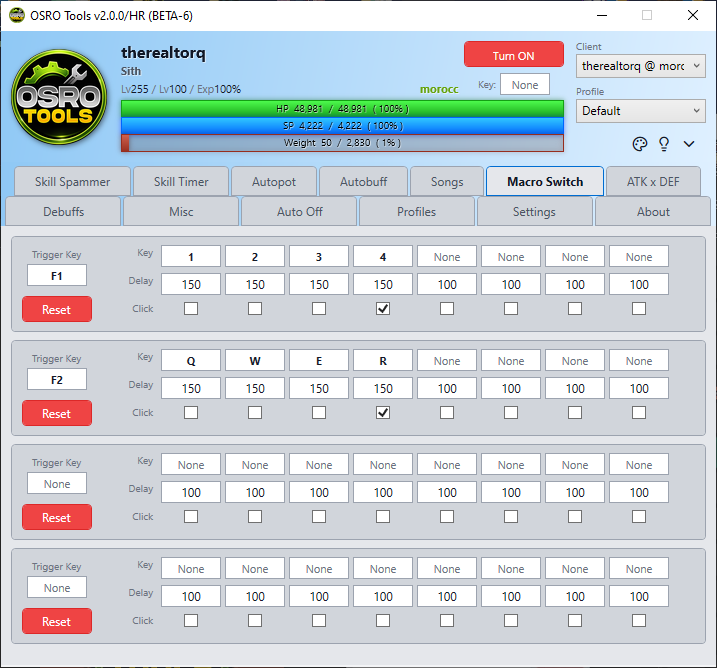
macro switch
The Macro Switch tab lets you build custom multi-step sequences that activate with a single button press.
You can create multiple macro rows. The left side controls how the macro starts.
- Open the Macro Switch tab in OSRO Tools.
- Click the box under Trigger Key and press your desired hotkey.
The right side controls what the macro actually does. It will run the steps in order from left to right.
- Click the Key box in the first step and assign a hotkey.
- Enter a Delay in milliseconds. This tells the macro how long to wait before running the next step.
- Check the Click box if you want the macro to send a mouse click during this step.
- Repeat for the remaining steps.
- To add more visible steps or rows, change the rows configuration in the Settings tab.