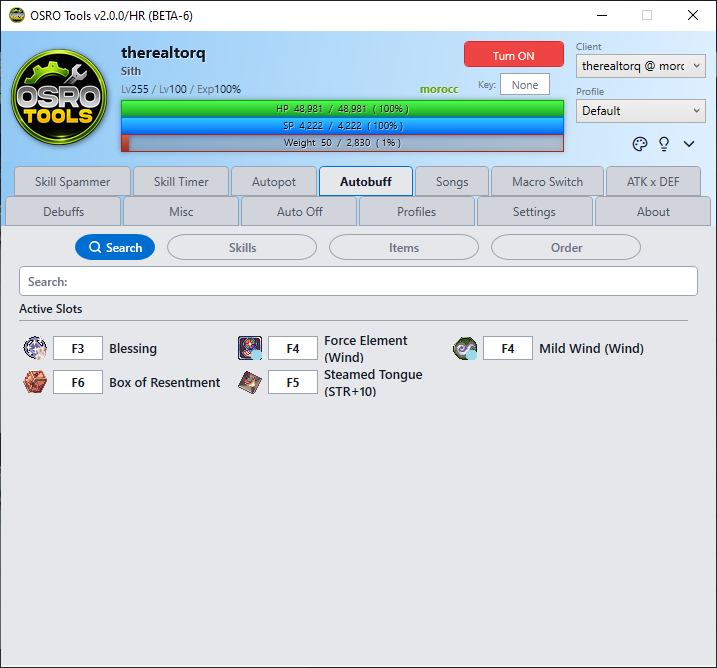
autobuff
The Autobuff tab ensures you never forget to use your buffs. It watches your character and recasts them exactly when they run out.
OSRO Tools reads the game memory to look at the buff icons on your screen. It only presses the buff key when the icon disappears. This saves your SP and items.
- Put your buff skill or item on your in-game hotbar, like F3.
- Open the Autobuff tab in OSRO Tools.
- Click the Search sub-tab to find your buff quickly. You can also browse the Skills and Items sub-tabs manually.
- Once you find the buff, type your hotkey (e.g., F3) into the box next to it.
- Verify the buff is listed in the Order sub-tab.
Whenever that buff icon is missing from your character, OSRO Tools will press the key to apply it.
- Use the Order sub-tab to change which buff is cast first. This matters if multiple buffs run out at the exact same time.