Repository navigation
Installing Bunny Loader
Bunny Loader is an Android app that opens Terraria with mods. It does not replace the game and does not change it: it starts the copy of Terraria you bought from Google Play inside its own app, loads the mods you chose, and lets you play. This page takes you from nothing to the Bunny Loader home screen.
You need an Android phone or tablet with Android 7.0 or newer and a 64-bit processor, which almost every phone from the last several years has. You also need Terraria from Google Play installed on the same phone, since Bunny Loader only opens the game you own; if it is missing, Bunny Loader tells you so when you press Play and offers a button that opens the Play Store. Finally, keep about 300 MB free: the app is around 240 MB, and mods and saves take a little more.
The official builds of Bunny Loader are shared on the Bunny Loader Discord. Download the APK file on your phone, then open it from your notifications or your file manager.
The first time you install an app from a file, Android asks you to allow it: tap Settings, turn on Allow from this source for the app you opened the file with, and go back. Android then shows the install screen; tap Install. Bunny Loader appears in your app list like any other app.
Warning
Only install Bunny Loader from the official builds. A modified APK can do anything a mod can, and more, with your phone, and it cannot update the official app later.
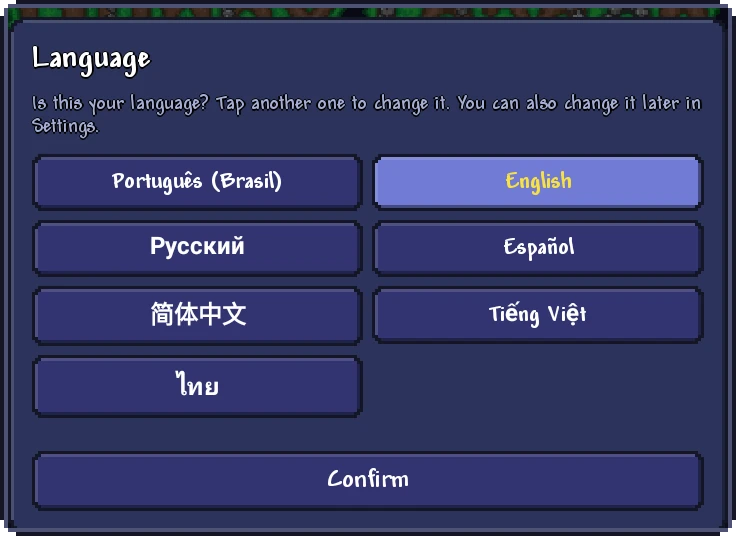
The first time it opens, Bunny Loader asks which language to use. It suggests your phone's language; tap another one if you prefer, and then Confirm. You can change it later in Settings, and the choice also applies to the Mod Menu inside the game.
After that you are on the Home screen, and the big green Play button at the bottom opens the game. The Launcher tour explains the rest of the app, and Installing mods shows how to add your first mod. Your characters and worlds from Terraria are not shared with Bunny Loader automatically; Saves and backups explains how to bring them over.
To update, download the new APK and install it over the one you have. Android keeps everything: your mods, your settings, your characters and your worlds. The first time the game opens after an update, Bunny Loader may take a little longer, because mods that ship their source code are compiled again for the new version.
If Android refuses with App not installed, the new file was signed by someone else than the one you have: one of the two is not an official build, or comes from a different developer. Android only updates an app with a file signed by the same key. In that case, back up your saves first (see Saves and backups), uninstall the old app, and install the new one.
Test versions are published as a separate app, Bunny Loader Beta. It installs next to Bunny Loader instead of replacing it, with its own mods, its own settings and its own saves, so you can try a new version without touching the one you play with. Each of them also has its own copy of BL Editor if you make mods: see Setup on your phone.
