Repository navigation
World Generation
When a player creates a world, the game does not build it all at once. It runs a list of steps called passes, in order, each with one job: "Terrain" shapes the ground, "Shinies" scatters the ores, "Piles" drops the small rubble on the floor of caves, "Tile Cleanup" fixes what the others left behind, and so on, more than a hundred of them. The message on the loading screen is the message of the pass that is running.
A mod takes part in this list. It can add passes of its own, for an ore or a
structure, change or turn off the game's passes, and touch up the world once
it is finished. All of it is done in a ModSystem, as in
tModLoader. The passes run when a world is created (Hardmode has a list of
its own, further down), and existing worlds are not generated again, so to
see your changes, create a new world.
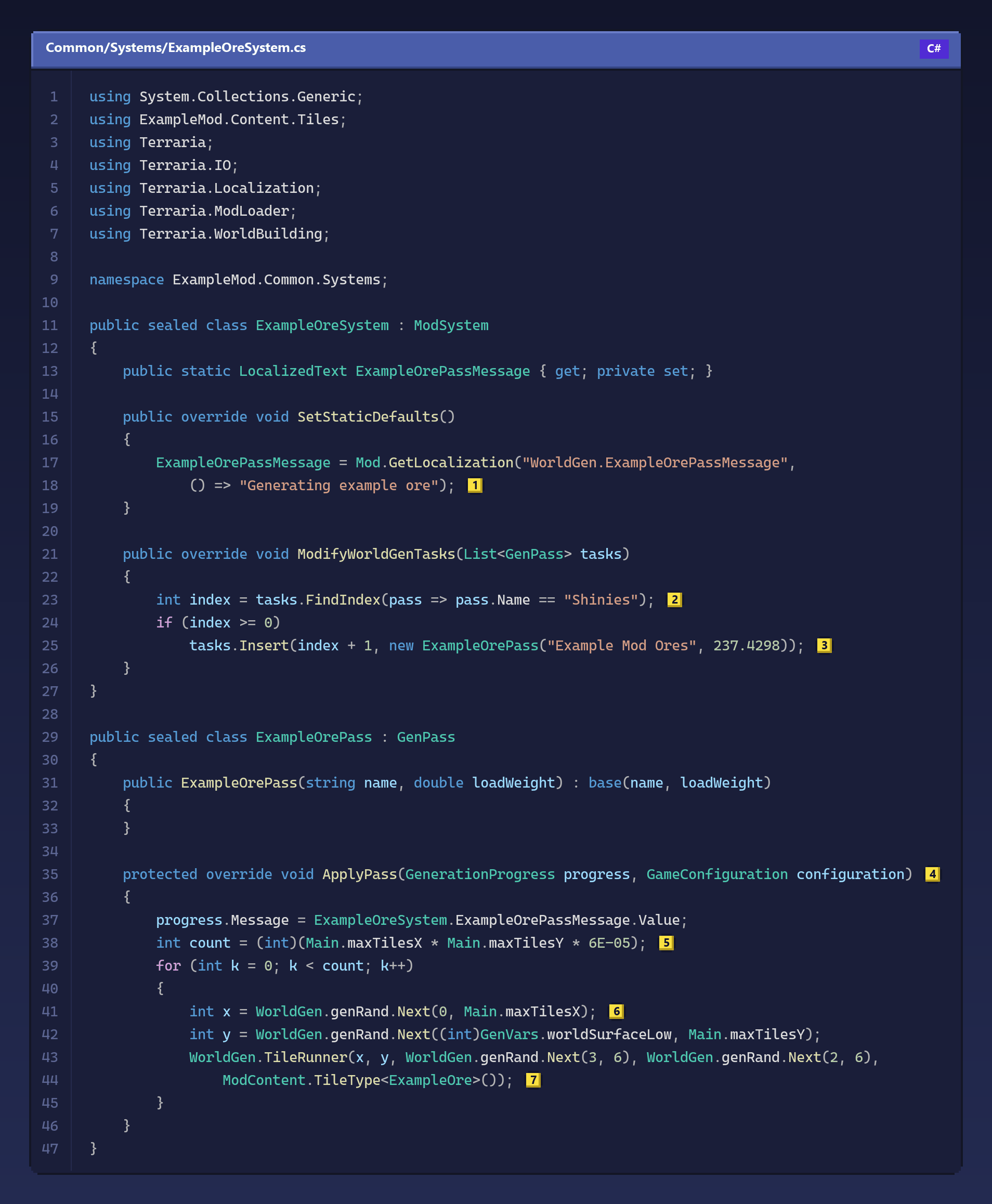
The Example Mod adds its ore right after the game's own ores. This is its system, a little shortened:
Copy this code
using System.Collections.Generic;
using ExampleMod.Content.Tiles;
using Terraria;
using Terraria.IO;
using Terraria.Localization;
using Terraria.ModLoader;
using Terraria.WorldBuilding;

namespace ExampleMod.Common.Systems;

public sealed class ExampleOreSystem : ModSystem
{
    public static LocalizedText ExampleOrePassMessage { get; private set; }

    public override void SetStaticDefaults()
    {
        ExampleOrePassMessage = Mod.GetLocalization("WorldGen.ExampleOrePassMessage",
            () => "Generating example ore"); // (1)
    }

    public override void ModifyWorldGenTasks(List<GenPass> tasks)
    {
        int index = tasks.FindIndex(pass => pass.Name == "Shinies"); // (2)
        if (index >= 0)
            tasks.Insert(index + 1, new ExampleOrePass("Example Mod Ores", 237.4298)); // (3)
    }
}

public sealed class ExampleOrePass : GenPass
{
    public ExampleOrePass(string name, double loadWeight) : base(name, loadWeight)
    {
    }

    protected override void ApplyPass(GenerationProgress progress, GameConfiguration configuration) // (4)
    {
        progress.Message = ExampleOreSystem.ExampleOrePassMessage.Value;
        int count = (int)(Main.maxTilesX * Main.maxTilesY * 6E-05); // (5)
        for (int k = 0; k < count; k++)
        {
            int x = WorldGen.genRand.Next(0, Main.maxTilesX); // (6)
            int y = WorldGen.genRand.Next((int)GenVars.worldSurfaceLow, Main.maxTilesY);
            WorldGen.TileRunner(x, y, WorldGen.genRand.Next(3, 6), WorldGen.genRand.Next(2, 6),
                ModContent.TileType<ExampleOre>()); // (7)
        }
    }
}
The text at (1) is what the loading screen will show during the pass. It is a translatable text, created once when the mod loads, with the English text as a fallback for languages that have no translation.
ModifyWorldGenTasks receives the game's list of passes, and whatever the
list looks like when the method ends is what the game runs. At (2) the
system looks for the "Shinies" pass by name, and at (3) it inserts its own
pass right after it. The check on index matters: other mods edit the same
list, and a pass you expect may have been moved or removed, so never use an
index you have not just looked up.
The pass itself is a class that extends GenPass. Its constructor takes the
pass's name and its weight, which is how much of the loading bar the pass
takes; the game adds up the weights of all passes to know how far along it is.
The work happens in ApplyPass (4). The number of ore veins at (5) is
proportional to the area of the world, so a large world gets more ore than a
small one with the same density. Every random number comes from
WorldGen.genRand (6): it is the generator seeded with the world's seed,
so the same seed always gives the same world, which is what players expect
when they share one. WorldGen.TileRunner at (7) turns a rough blob of
the ground around that spot into the given tile, the same way the game spreads
its own ores.
GenVars.worldSurfaceLow is the highest the surface gets, so this ore can
appear anywhere from there to the bottom of the world. To keep something
underground, use Main.rockLayer (where the caverns begin) or
Main.UnderworldLayer (where the Underworld begins) as limits.
For a short pass, a whole class is more than you need. PassLegacy takes the
work as a method instead:
tasks.Insert(index + 1, new PassLegacy("My ore", (progress, configuration) =>
{
    progress.Message = "Generating my ore";
    // the same work as ApplyPass
}, 100));
Give it a weight, the third argument. Without one, the pass takes the weight the game's own table has for that name, and a name the table does not know gets a weight of 1, a sliver of the bar next to the game's passes.
The game also keeps the sum of all weights, and Bunny Loader has two forms of
ModifyWorldGenTasks for it, as tModLoader has had over its versions. With
the form above, the one with only the list, Bunny Loader adjusts the total by
itself after your method returns. The form
ModifyWorldGenTasks(List<GenPass> tasks, ref double totalWeight) leaves it to
you: add the weight of every pass you insert (totalWeight += 100;) and
subtract the weight of every pass you remove. Override only one of the two in
each system.
The list holds the game's real passes, so editing it edits the world
generation itself. Removing an entry or moving it changes the order the game
runs them in. A pass's Name and Weight can be changed; a weight has to be
a number, zero or more. To skip a pass without taking it out of the list, call
Disable() on it (and Enable() to bring it back): it stays where it is, so
other mods that look for it by name still find it, but it does nothing.
If the list you leave cannot be applied, for example because of a negative weight, Bunny Loader writes why in the log and keeps the list and the total it had before your method; the same happens when your method throws an exception. Changes you made to the properties of an existing pass stay.
PreWorldGen runs before the list is edited, at the start of a new world:
the place to reset whatever your mod remembers about the previous one.
PostWorldGen runs once all passes are done, and only if the generation
really finished. It is the place for touches that need the finished world,
such as putting loot in chests. The Example Mod's ChestItemWorldGen puts its
mount and its pet in Frozen Chests; this is the same idea, shorter:
public override void PostWorldGen()
{
    int placed = 0;
    for (int chestIndex = 0; chestIndex < Main.maxChests; chestIndex++)
    {
        Chest chest = Main.chest[chestIndex];
        if (chest.IsNull)
            continue;

        Tile chestTile = Main.tile[chest.x, chest.y];
        if (chestTile.TileType != TileID.Containers || chestTile.TileFrameX != 11 * 36)
            continue;

        for (int slot = 0; slot < chest.maxItems; slot++)
        {
            if (chest.item[slot].type == ItemID.None)
            {
                chest.item[slot].SetDefaults(ModContent.ItemType<ExampleMountItem>());
                placed++;
                break;
            }
        }

        if (placed >= 6)
            break;
    }
}
Main.chest holds every chest in the world, and its empty places are not
null as on PC: test them with IsNull (Values and
objects explains why). Chests are tiles of
the type TileID.Containers, one style next to the other in the same sheet,
each 36 pixels wide; the Frozen Chest is style 11, so its frame starts at
11 * 36. The loop puts the item in the chest's first empty slot and stops
after six chests.
To place single tiles, such as furniture or rubble, use
WorldGen.PlaceTile(x, y, type, mute: true, style: style) and check
Main.tile[x, y].TileType afterwards: placement fails quietly when the spot
does not fit, so the Example Mod's RubbleWorldGen tries again somewhere else
until it succeeds.
Defeating the Wall of Flesh for the first time also changes the world: the
Hallow and more of the world's Corruption or Crimson appear in two great
diagonal strips. A mod takes part in that with ModifyHardmodeTasks:
public override void ModifyHardmodeTasks(List<GenPass> list)
{
    list.Add(new PassLegacy("My Hardmode step", (progress, configuration) =>
    {
        progress.Message = "Updating my ore";
    }));
}
In tModLoader that list has a pass for each part of the change. On the phone,
the game does the whole change in one method, so the list starts with a single
pass, Hardmode Conversion, which runs it. Add your passes before or after
it, or disable it to replace the change with your own; its inner steps are not
separate passes. Hardmode passes receive an empty configuration: check
configuration.IsNull before reading it.
The game's "Tile Cleanup" pass turns every chest it finds into one of the game's own chests. Bunny Loader protects mod chests from that: their types are kept through the pass. If a mod replaces "Tile Cleanup" with a pass of its own, it has to take care of mod chests itself.
The configuration each pass receives holds the game's settings for that
pass. configuration.Get<T>("entry") reads one of them as a C# value, and
throws KeyNotFoundException when the entry does not exist. Each call reads
the settings again, which is slow, so read what you need once, before the
loop of your pass.
Passes run on the game's world generation thread, not on the one that draws
the screen. Do not open interfaces or draw anything from a pass; set
progress.Message and call progress.Set(fraction) with how much of the pass
is done, and the loading screen shows it. An exception thrown by a pass is
written in the log with the pass's name, and the generation goes on.
