Repository navigation
Walls
Walls are the blocks that sit behind tiles: the background of a house, the
stone behind a cave. They are placed from an item, like blocks, and removed
with a hammer. A mod adds a wall with two classes, both written as in
tModLoader: a ModWall, which describes the wall in the world, and a
ModItem that places it.
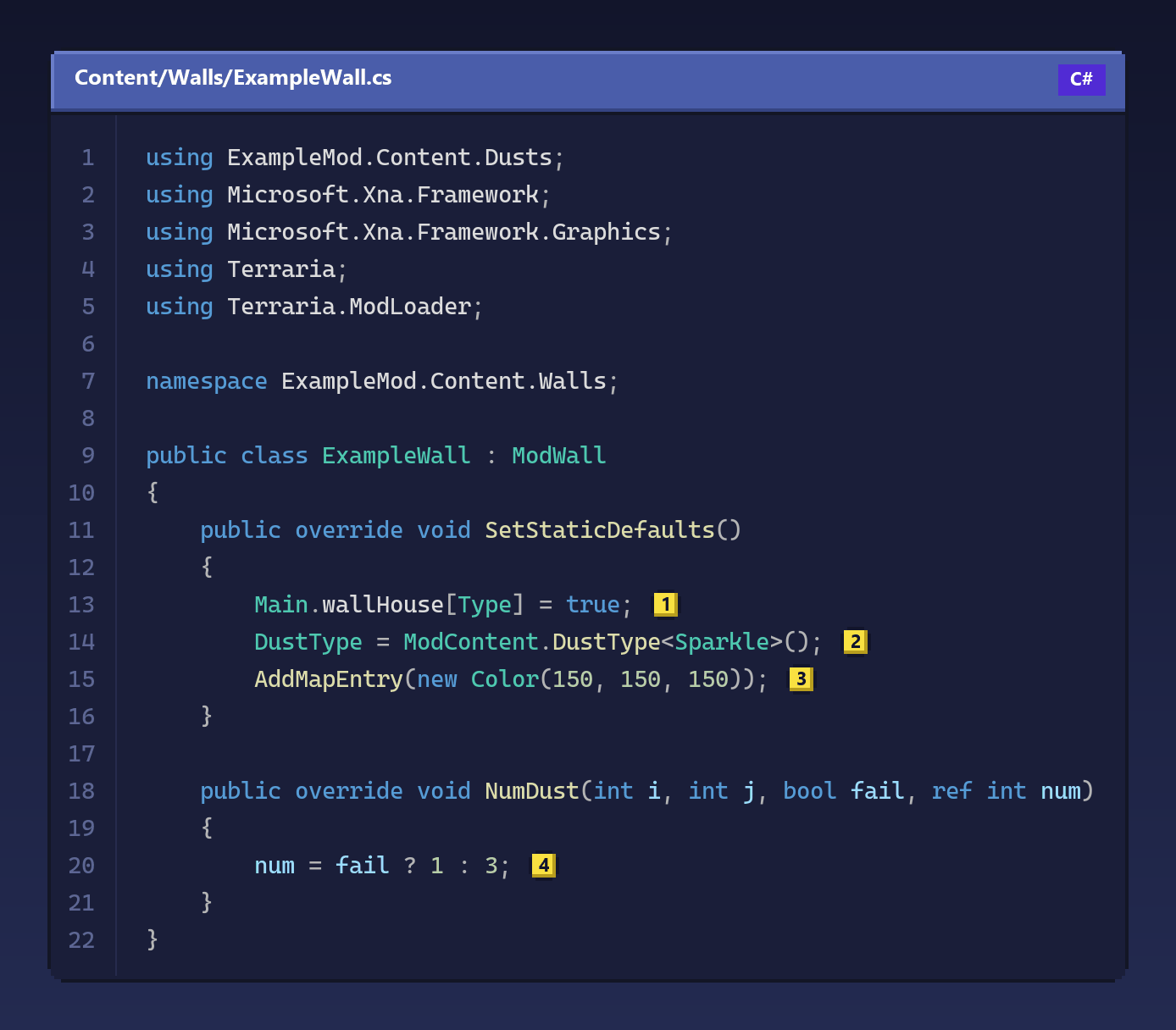
The Example Mod's wall is a plain gray wall that players can build houses with. This is the wall itself, a little shortened:
Copy this code
using ExampleMod.Content.Dusts;
using Microsoft.Xna.Framework;
using Microsoft.Xna.Framework.Graphics;
using Terraria;
using Terraria.ModLoader;

namespace ExampleMod.Content.Walls;

public class ExampleWall : ModWall
{
    public override void SetStaticDefaults()
    {
        Main.wallHouse[Type] = true; // (1)
        DustType = ModContent.DustType<Sparkle>(); // (2)
        AddMapEntry(new Color(150, 150, 150)); // (3)
    }

    public override void NumDust(int i, int j, bool fail, ref int num)
    {
        num = fail ? 1 : 3; // (4)
    }
}
Main.wallHouse at (1) makes the wall count for housing. A room needs a
background wall before a town NPC moves in, and only walls marked like this
count: the game's own walls that players build are marked, the ones that
appear in caves are not. The dust at (2) is what flies off when the wall
is hit, here one of the mod's own dusts, and (3) is the color the wall has
on the map. NumDust (4) decides how many particles: fail is true
when a hit only damages the wall, so a hit throws one and breaking it throws
three.
The picture is found like that of any content class, from the namespace and
the class's name: Content/Walls/ExampleWall.png, next to the code. It is not
a single square but a sheet of pieces, the edges and corners the game chooses
from depending on the walls around each cell, so start from one of the game's
wall sheets or from the Example Mod's.
The item that places it is an ordinary item:
namespace ExampleMod.Content.Items.Placeable;

public class ExampleWall : ModItem
{
    public override void SetDefaults()
    {
        Item.DefaultToPlaceableWall(ModContent.WallType<Walls.ExampleWall>());
    }

    public override void AddRecipes()
    {
        CreateRecipe(4)
            .AddIngredient<ExampleBlock>()
            .AddTile<ExampleWorkbench>()
            .Register();
    }
}
DefaultToPlaceableWall sets up everything a wall item needs: how it is held
and used, that it stacks and is used up, and which wall it places. The two
classes have the same name in different namespaces, which is how the Example
Mod keeps an item and the wall it places together; inside the item's
namespace, Walls.ExampleWall means the wall. Like the game's walls, the
recipe makes four walls from one block.
Wall types are numbers the game gives out when the mods load, and they can
change from one game to the next, so always get them with
ModContent.WallType<T>().
When the wall breaks, it drops the item that places it: Bunny Loader finds the
mod item whose createWall is this wall. When no item places the wall, name
the drop with RegisterItemDrop. The Example Mod's ExampleWallUnsafe is
such a wall, the cave version of the Example Wall, which only world
generation places:
public override void SetStaticDefaults()
{
    Main.wallBlend[Type] = ModContent.WallType<ExampleWall>();
    DustType = ModContent.DustType<Sparkle>();
    AddMapEntry(new Color(150, 150, 150));
    RegisterItemDrop(ModContent.ItemType<Items.Placeable.ExampleWall>());
}
It is not marked as a house wall, so a room built against it does not count,
and Main.wallBlend makes it join the normal Example Wall without a seam, as
if both were the same wall. Breaking it gives the normal Example Wall item.
For finer control, Drop(i, j, ref type) runs for each cell that breaks:
change type to drop something else, or return false to drop nothing.
KillWall(i, j, ref fail) runs when the wall is hit and when it breaks; set
fail to true to keep it standing. NumDust and CreateDust decide the
dust of each hit: CreateDust(i, j, ref type) starts with the wall's
DustType and can change it, or return false for none. KillSound can
silence the hit by returning false; otherwise the wall's HitSound plays.
The Example Mod's ExampleWallAdvanced shows the hooks that make a wall more
than a background:
public override void AnimateWall(ref byte frame, ref byte frameCounter)
{
    if (++frameCounter >= 5)
    {
        frameCounter = 0;
        frame = (byte)(++frame % 2);
    }
}

public override void ModifyLight(int i, int j, ref float r, ref float g, ref float b)
{
    if (!Main.dayTime)
    {
        r = 0.1f;
        g = 0.5f;
        b = 0f;
    }
}
AnimateWall moves the animation of every wall of this type at once:
frameCounter counts updates, and every five of them frame switches between
the two frames of the sheet. ModifyLight makes the wall glow, here green and
only at night; a wall's light also lights the block in front of it.
WallFrame(i, j, randomizeFrame, ref style, ref frameNumber) runs when a
wall is placed or a wall next to it changes, and chooses its piece of the
sheet. The Example Mod uses it to pick one of three variations at random when
the wall is placed (randomizeFrame is true then), and its CreateDust
reads Main.tile[i, j].WallFrameNumber to throw emerald dust from the first
variation. RandomUpdate(i, j, underground) runs now and then for random
cells of the world, for walls that grow or spread.
Bunny Loader only calls these hooks for walls that use them, so a wall that does not costs nothing.
CanPlace(i, j) can stop a player from placing the wall somewhere, and
CanExplode(i, j) returning false keeps bombs from destroying it.
CanBeTeleportedTo(i, j, player, context) decides whether a teleport may
land on the wall; ExampleWallAdvanced only allows it after the Example
Mod's Minion Boss is defeated.
When the Corruption, the Crimson or the Hallow spread, or a player sprays a solution with the Clentaminator, the game converts tiles and walls into their version of that biome. A mod's wall can take part in both directions. The Example Mod adds a hallowed, a corrupt and a crimson version of the game's Desert Fossil wall:
public override void SetStaticDefaults()
{
    WallID.Sets.SpreadsHallow[Type] = true;
    DustType = DustID.Pearlsand;
    AddMapEntry(new Color(157, 76, 152));

    WallLoader.RegisterSimpleConversion(WallID.DesertFossilEcho, BiomeConversionID.Hallow, Type);
    WallLoader.RegisterConversion(Type, BiomeConversionID.Sand, WallID.DesertFossilEcho);
}
WallID.Sets.SpreadsHallow makes the wall part of the Hallow, so it spreads
the biome to the walls around it, as the game's hallowed walls do.
RegisterSimpleConversion says that the Desert Fossil wall becomes this wall
when the Hallow reaches it, and that purification turns it back.
RegisterConversion adds a single direction, here this wall becoming the
Desert Fossil wall again under the Sand Solution. OnWallConverted(i, j, fromType, toType, conversionType) runs after a conversion, both when your
wall appears and when it goes away.
A GlobalWall has most of the same hooks, with the wall's type as one more
parameter, and runs for every wall, the game's included:
public class SturdyGlass : GlobalWall
{
    public override bool CanExplode(int i, int j, int type) => type != WallID.Glass;
}PreDraw(i, j, spriteBatch) and PostDraw(i, j, spriteBatch) work, with one
difference from the PC. The phone draws all the walls on the screen in one
go, so the PreDraw of every visible cell runs before that pass and the
PostDraw of every cell after it, instead of around each cell. Returning
false from PreDraw hides the wall in that cell for that frame.
Main.tile[i, j].WallType is the wall in a cell, and WallFrameX,
WallFrameY and WallFrameNumber are its piece of the sheet.
WallLoader.GetWall(type) returns the ModWall of a type, or null for the
game's walls, and WallLoader.WallCount is the number of wall types, the
game's and the mods'.
Mod walls are saved apart from the world, in <world>.wld.walls.bl, by the
mod and the wall's name, not by number; the .wld file itself keeps only the
game's walls. That is why the numbers can change between games without
breaking the world. If a mod is removed, its walls stay in that file, and the
world shows a placeholder wall in their place until the mod comes back.
AddMapEntry with a function that changes the name by position throws
NotSupportedException, because the phone's map legend only takes fixed
names. A ModWall's own PlaceInWorld is not called yet; GlobalWall's is.
