Repository navigation
Launcher Tour
The launcher is the part of Bunny Loader you see before the game opens. It is where you get mods, turn them on and off, and change how Bunny Loader behaves. This page walks through its four tabs.

The round button at (1) is Play: it opens Terraria with the mods that are turned on. When mods with source code changed since the last time, Bunny Loader compiles them first and shows its progress; the next launches skip that step. The bar at (2) holds the four tabs: Home, Explore, Packages and Settings.
Home is the welcome screen. It has the invitation to the Bunny Loader Discord, where you find news and help with mods, a summary of your collection (how many packages you have installed and how many the catalog offers) and, below, the featured mods.
Explore is the catalog: mods, texture packs and font packs you can download without leaving the app. The buttons on top switch between the three kinds, and you can sort the list. Tap a package to open its page, with its pictures, description and details, and tap Download mod to install it.
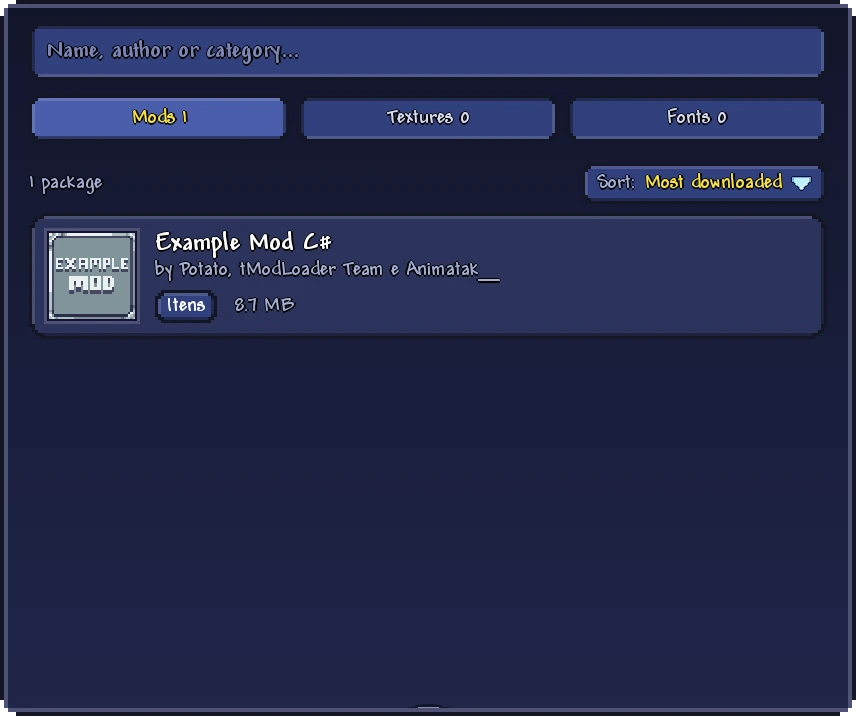
Packages lists everything you have installed, in three groups: Mods, Textures and Fonts. Each package has a switch that turns it on or off; the change takes effect the next time the game opens. At the top, Import package installs a package from a file, such as one a friend sent you, and the search box filters the list by name, author or category.
The order of the list matters. The first enabled package loads first, and when two texture packs change the same picture, the one higher in the list wins. Hold a package and drag it to move it within its group, or use the arrows on its left. Installing mods explains all of this in detail.
Settings gathers everything else, in sections:
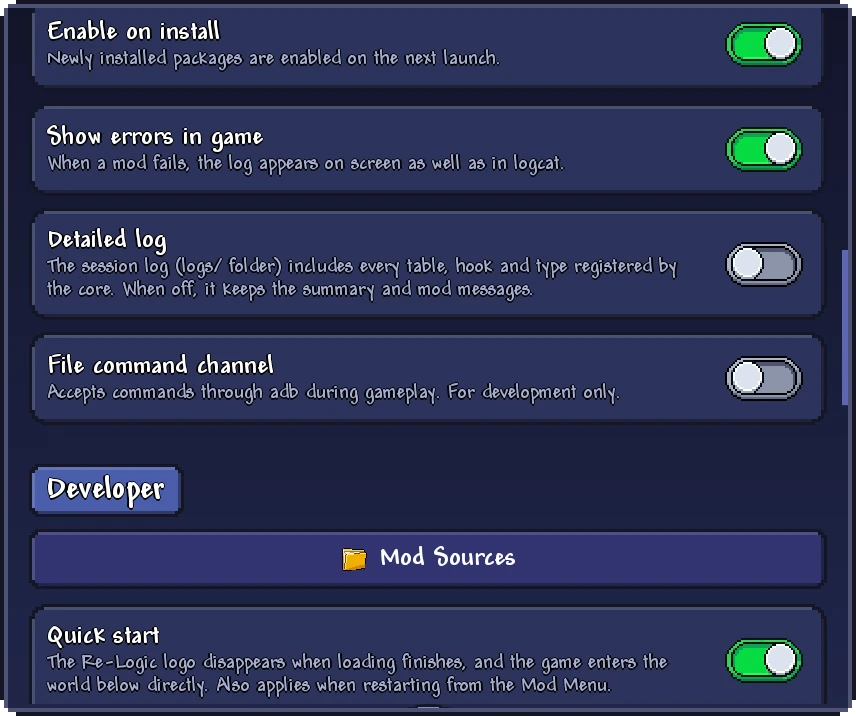
Worlds and characters imports saves from Terraria or from another phone (Saves and backups). Appearance has the language of the app and of the Mod Menu. Mods decides whether new packages are turned on as soon as they are installed (Enable on install) and whether a mod error appears on the screen during the game (Show errors in game). Developer has the tools for making mods: Mod Sources, the projects on your phone, and Quick start, which skips the title screen and enters a world of your choice directly. Its last switches turn the Mod Menu, the in-game editor and the Restart button on and off.
Diagnostics is the place to go when something goes wrong: View report shows what happened during the last game, with a Copy button to paste it when you ask for help (Troubleshooting). About shows the versions of Bunny Loader and of the Terraria it opens, and the licenses.
The launcher dresses itself in scenes from the game's biomes, with its own colors for each one, and it switches to a Halloween theme at the end of October and a Christmas theme in the second half of December.
