Repository navigation
Routing
The routing mode decides what happens to most traffic. Custom rules decide the exceptions: which sites, apps, countries or addresses always go through the proxy, go direct, or are blocked.
Pick one in the connection bar, the menu bar panel, Settings → Routing, or with Shortcuts.
| Mode | Traffic that matches no rule |
|---|---|
| Global | goes through the server |
| Bypass regions | goes direct when it belongs to an enabled region (Iran, China, Russia), else through the server |
| Rules Only | goes direct; only traffic matching a Proxy rule reaches the server |
| Direct | goes direct; only Block rules are used |
Settings → Routing → Traffic that matches no rule can override the mode: Follow mode (default), Proxy, Direct or Block. It also replaces a full config's own fallback.
Bypass regions needs at least one region pack. Enable it in Settings → Routing; V2Mac downloads the geosite and geoip files, checks them, and keeps them up to date (weekly by default, or daily / never, plus Update Now). Iran uses Chocolate4U/Iran-v2ray-rules; China and Russia use Loyalsoldier/v2ray-rules-dat.
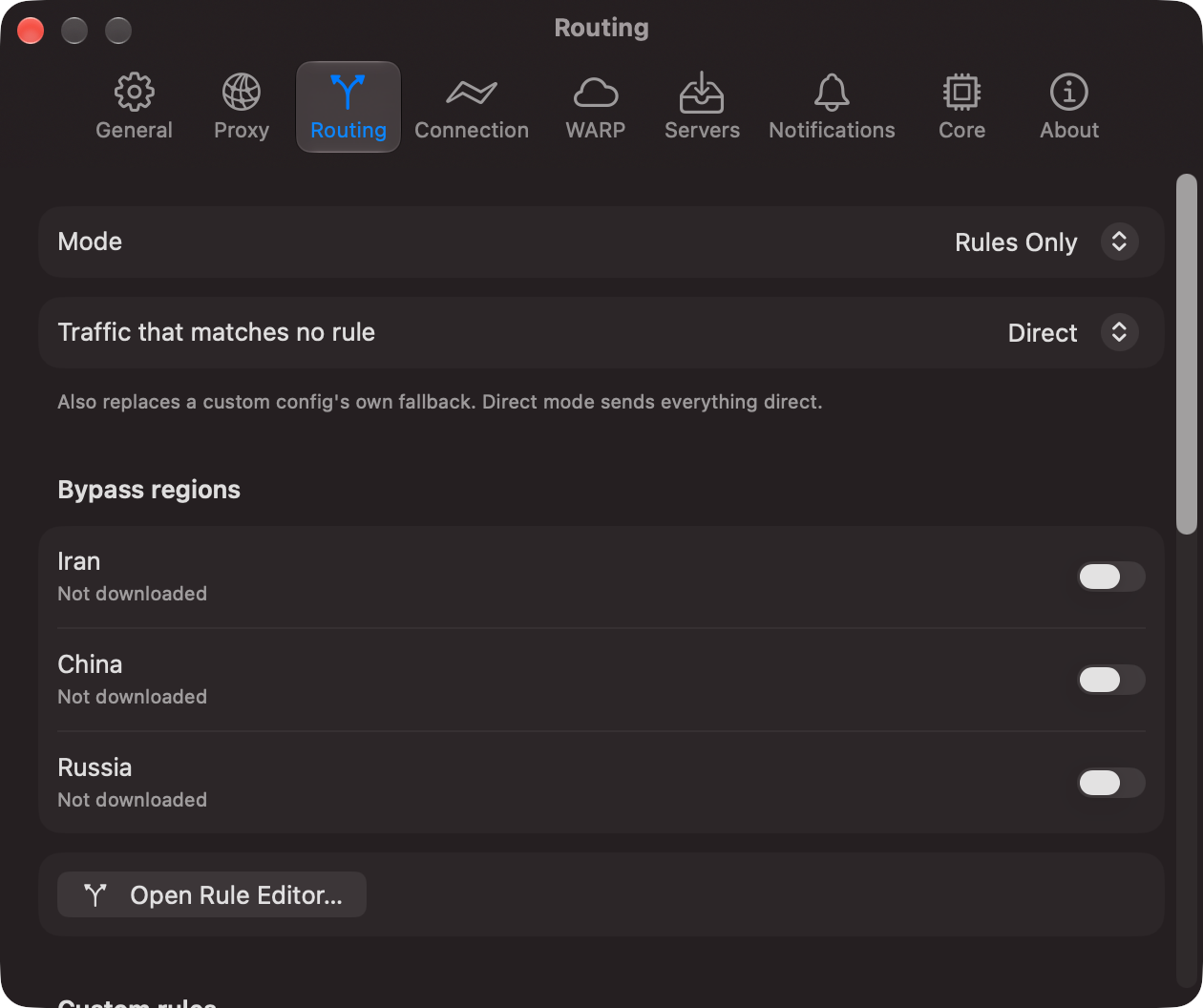
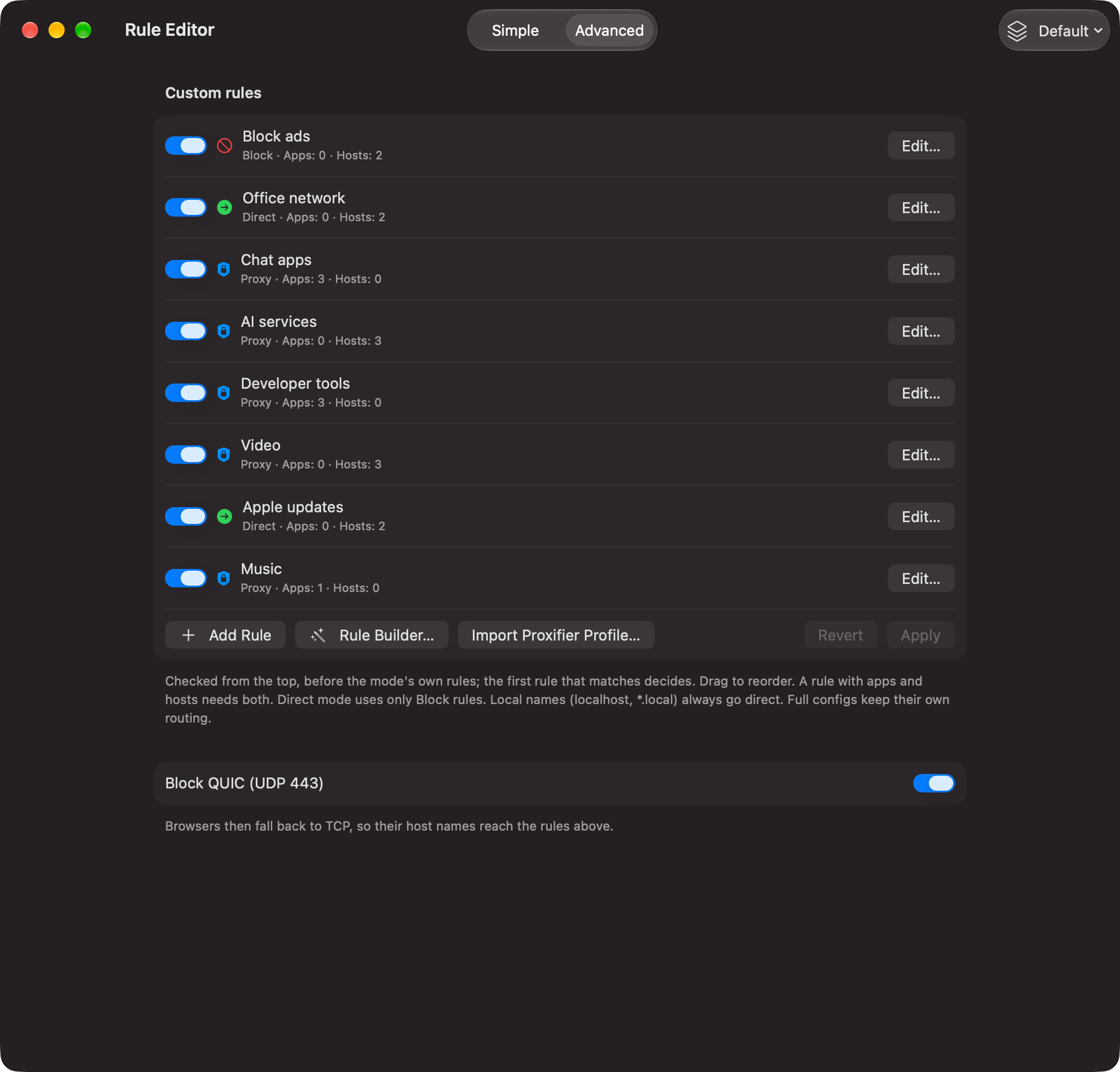
Open the Rule Editor (glass button at the foot of the sidebar) or with Open Rule Editor… in Settings → Routing. Each rule has a name, an on/off switch, an action (Proxy, Direct, Block), the apps it applies to and the hosts it matches. A rule with both apps and hosts needs both to match; an empty field matches everything.
- Block QUIC, when on; then local names (
localhost,*.local,*.test, …) and the local network go direct. - Your rules, from the top down. The first match wins. Drag to reorder.
- The routing mode.
So a Proxy rule beats a bypassed country, and a Direct rule above a broad Proxy rule wins over it.
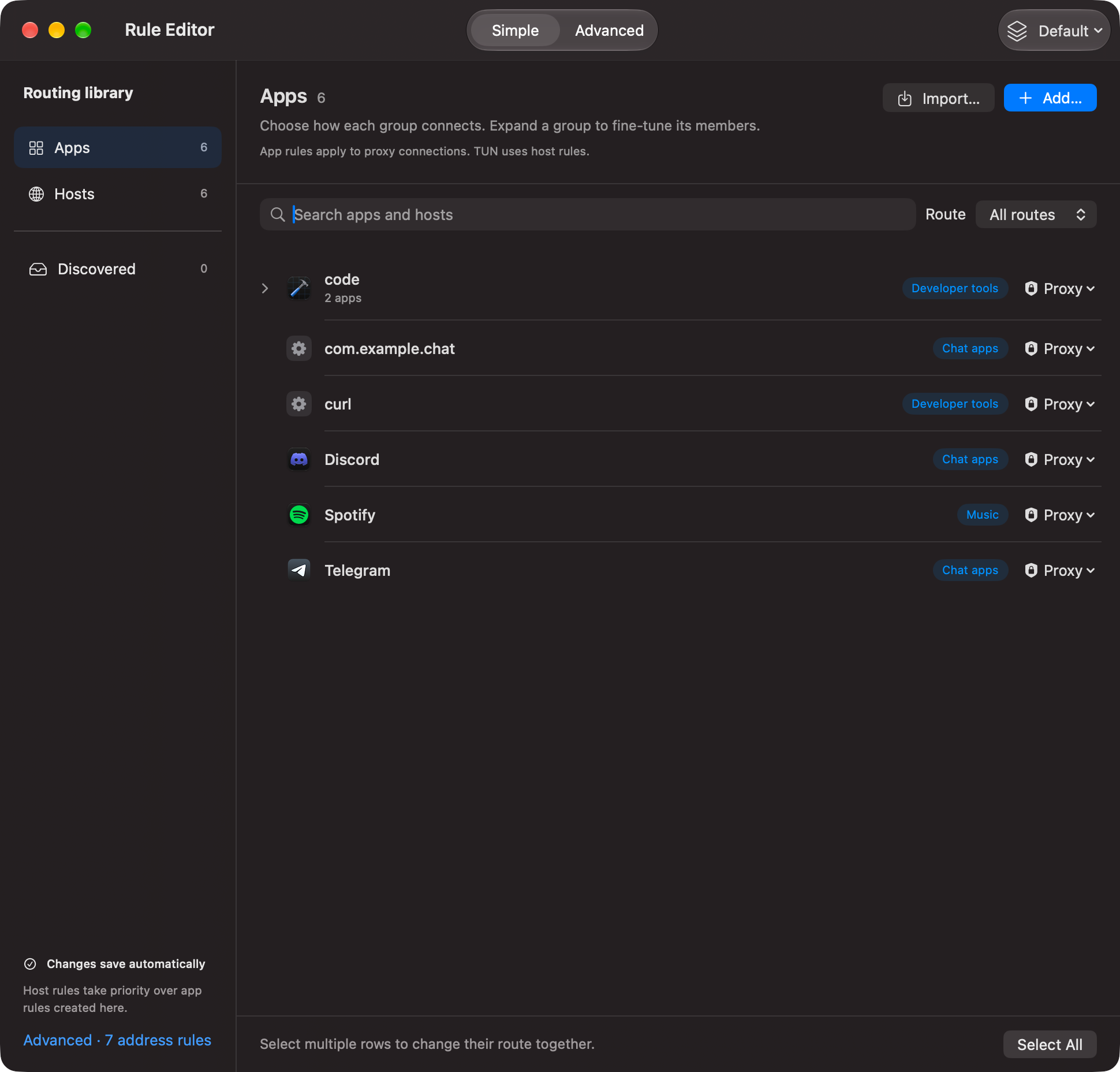
- Simple: one row per app or host with a Proxy / Direct / Block menu. Apps and Hosts manage saved groups; Discovered collects new apps and hosts seen in your traffic, ready to route with one click; select several rows for a bulk change; Add… picks installed apps or adds domains. Changes save automatically.
- Advanced: the ordered rule list with Add Rule, Rule Builder, Import Proxifier Profile and the Block QUIC switch. Click Apply; a running connection restarts.
Rule profiles: keep several named rule sets (home, work, travel) and switch from the toolbar.
Write an app as Telegram.app, a bundle id (com.example.chat), a pattern (*code*), a process name (curl) or a full path.
- App rules work for apps that use the system proxy or connect to V2Mac's port.
- In TUN mode the app is not known, so only host and IP rules apply.
- With System Proxy off, apps you pointed at V2Mac's port yourself skip the rules and use the server (shown orange as App's proxy setting in Connections). With System Proxy on, everything through the port follows the rules.
Separate entries with new lines, commas, spaces or ;. Lines starting with #, // or ! are comments.
| Write | Matches |
|---|---|
example.com, *.example.com, +.example.com, .ir
|
the domain and all subdomains |
full:www.example.com |
only that name |
keyword:shop, *shop*
|
any name containing the word |
regexp:^ads\d+\. |
a regular expression |
1.2.3.4, 10.0.0.0/8, 2001:db8::/32, 10.0.0.1-10.0.0.9
|
an address or range |
geosite:google, geosite:category-ads-all
|
a site list from geosite.dat
|
geoip:de, geoip:telegram
|
a country's or service's addresses |
ext:region-ir-geosite.dat:ir |
a list from a region pack |
DOMAIN-SUFFIX,example.com,DIRECT |
Clash rules (the rule's action decides) |
0.0.0.0 ads.example.com |
hosts file lines |
||ads.example.com^ |
Adblock domain lines |
Anything that is not a rule is listed under the editor and skipped. A geosite: list that does not exist stops the core; the log names it.
V2Mac reads Proxifier profiles, so you can move over without retyping rules.
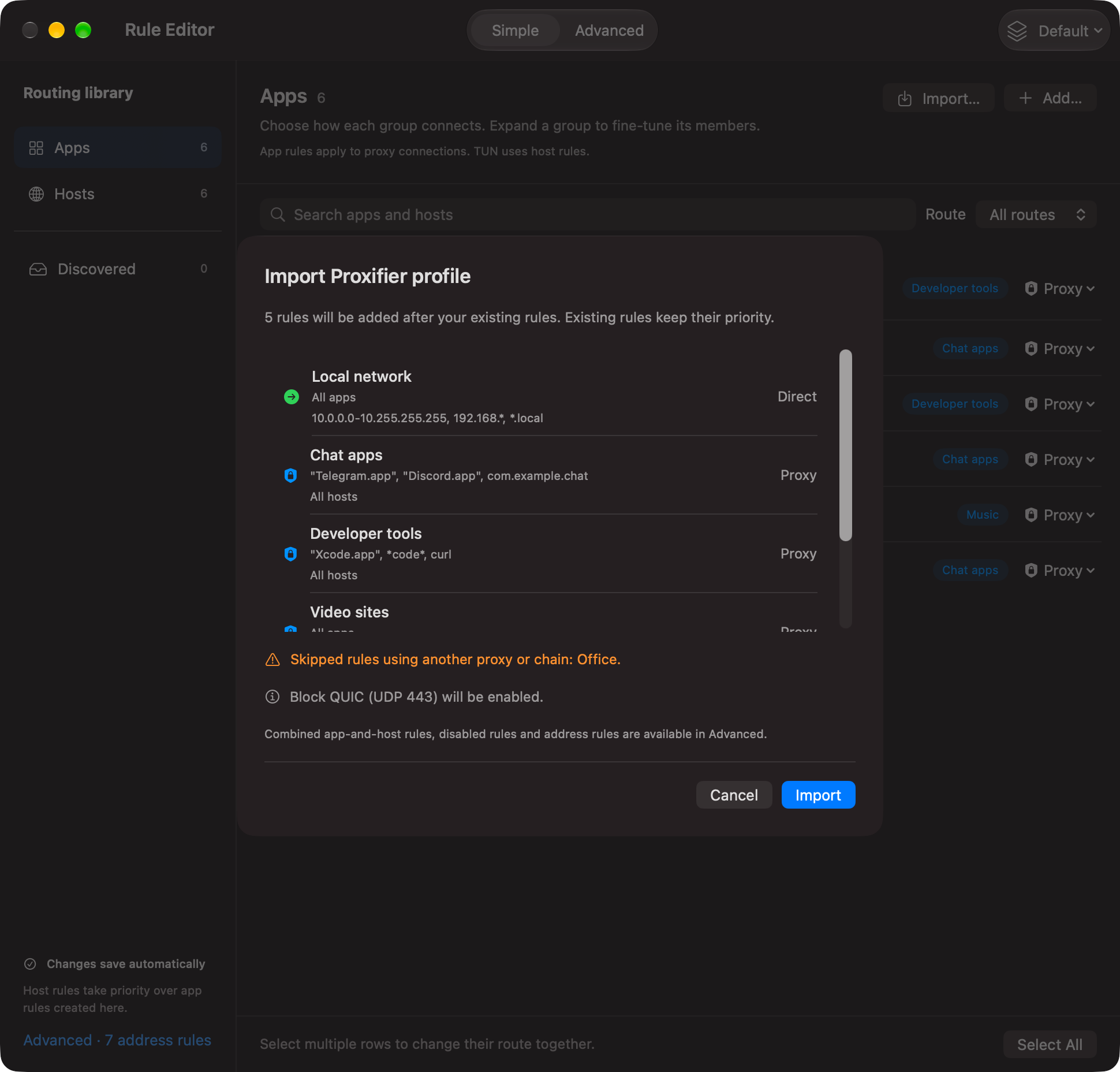
- Open the Rule Editor and click Import… (Simple view) or Import Proxifier Profile… (Advanced view).
- Pick your
.ppxfile (Proxifier keeps each profile as a.ppxfile). - Check the review and click Import. Nothing changes before that.
| In Proxifier | In V2Mac |
|---|---|
| Rule to a proxy on this Mac (V2Mac's port) | Proxy rule |
| Direct / Block rule | the same action |
| Disabled rule | imported, switched off |
| Rule to another proxy or a chain | skipped and named in orange |
| Applications field | the rule's apps ("App.app", bundle ids, *pattern*, process names) |
Target hosts (*.example.com, ranges like 10.0.0.0-10.255.255.255) |
the rule's hosts |
| Block UDP 443 option | Block QUIC turned on |
Imported rules go after your own, so existing rules keep priority. Afterwards everything is an ordinary V2Mac rule you can edit, reorder or turn off.
Differences from Proxifier: V2Mac identifies apps only for traffic that uses the system proxy or its port, not in TUN mode (use host rules there).
The Rule Builder writes rules for you in three steps. Open it with Rule Builder… in the Advanced view.
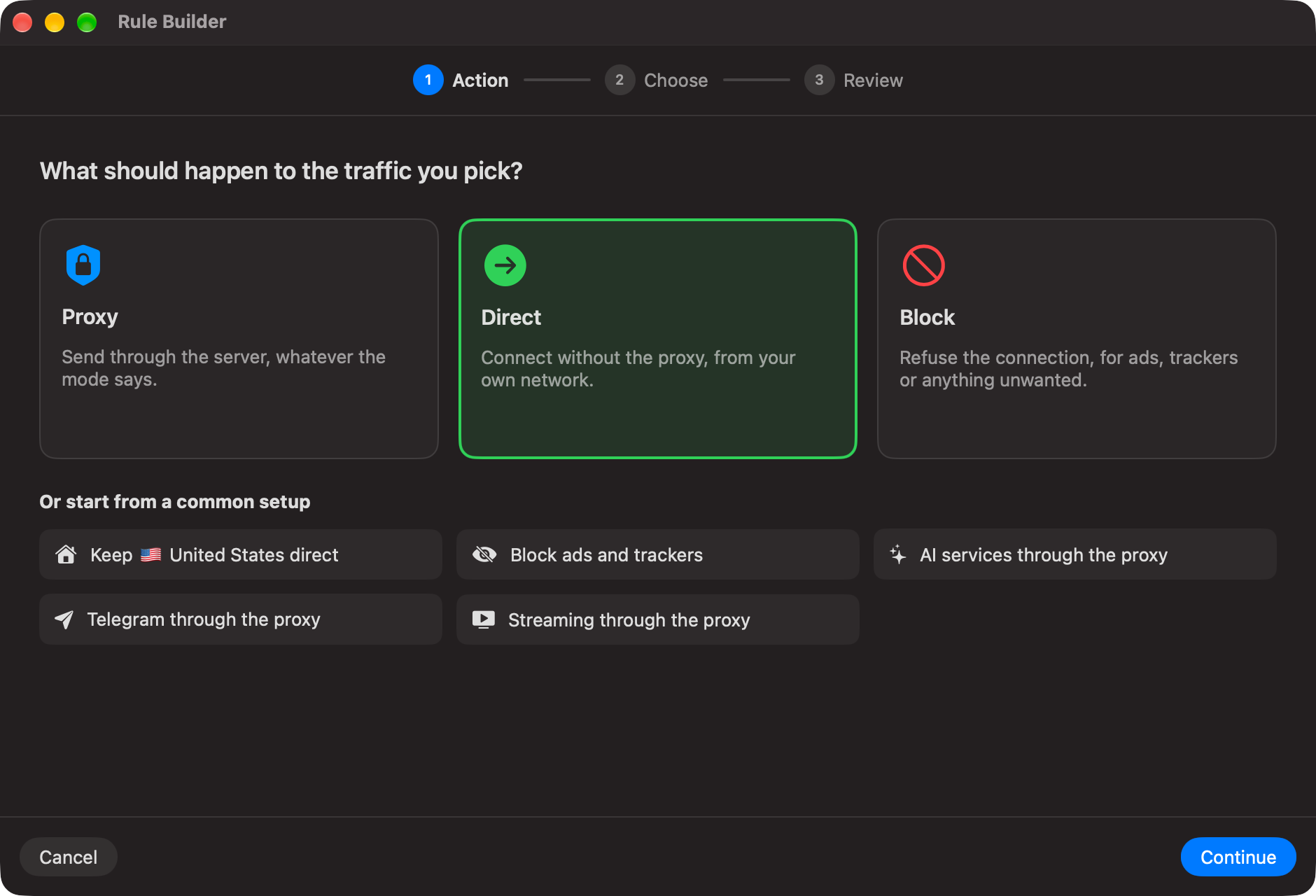
Step 1 — Action. Pick Proxy, Direct or Block, or start from a common setup: keep your own country direct, block ads and trackers, AI services through the proxy, Telegram through the proxy, streaming through the proxy.
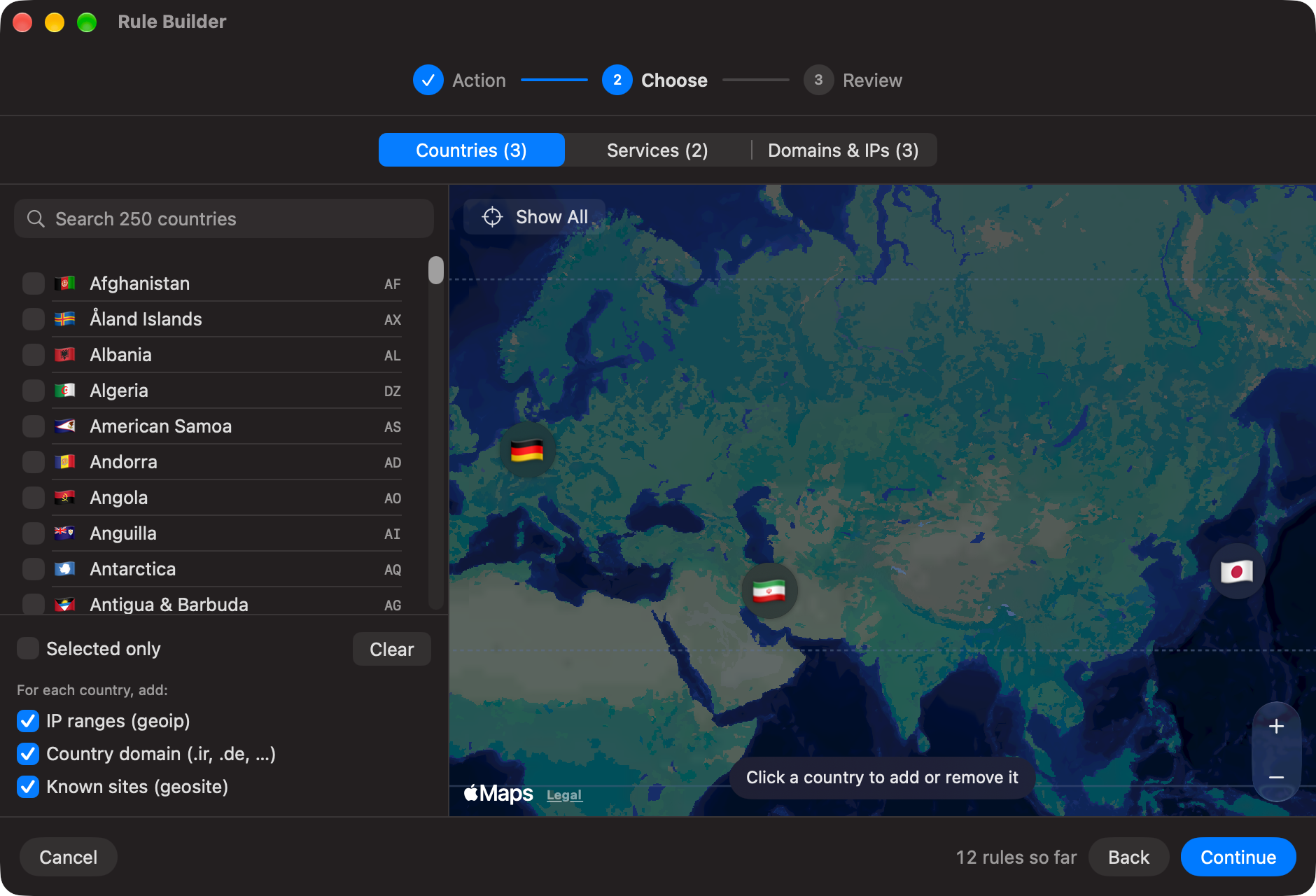
Step 2 — Choose. Three tabs; the counts on the tabs and "N rules so far" in the footer add up as you pick.
-
Countries: search 250 countries or click them on the map (each picked one gets a flag; Show All zooms out). For each country choose what to add: IP ranges (
geoip:ir), Country domain (domain:ir, every.irsite) and Known sites (geosite:category-ir, sites of that country on other domains). Selected only and Clear help with long lists.
-
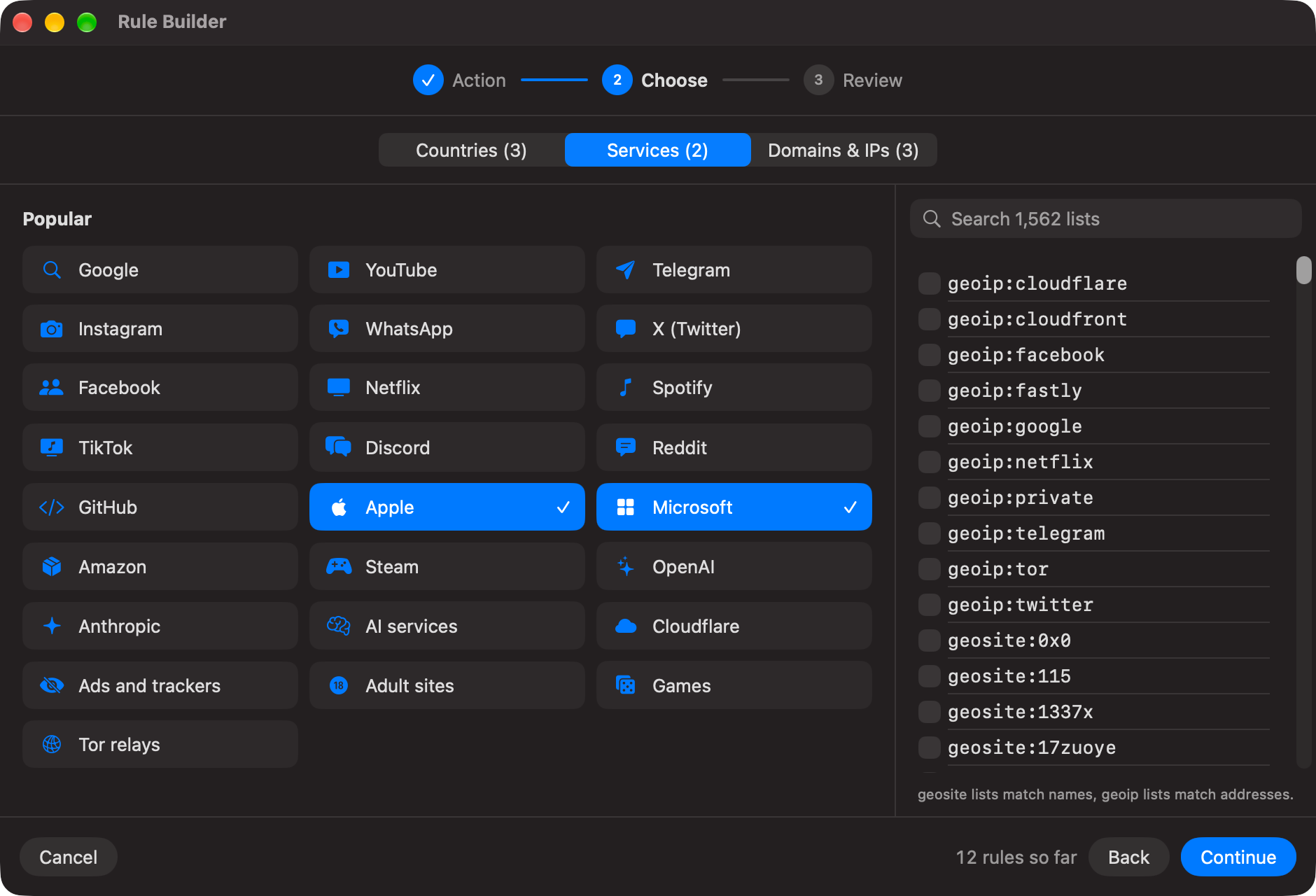
Services: one-click tiles for Google, YouTube, Telegram, Instagram, WhatsApp, X, Netflix, Spotify, OpenAI, Anthropic, Apple, Microsoft, ads and trackers, and more; on the right, search every list in the core's
geosite.datandgeoip.dat. Only lists that really exist are offered, so a rule from the builder never stops the core.
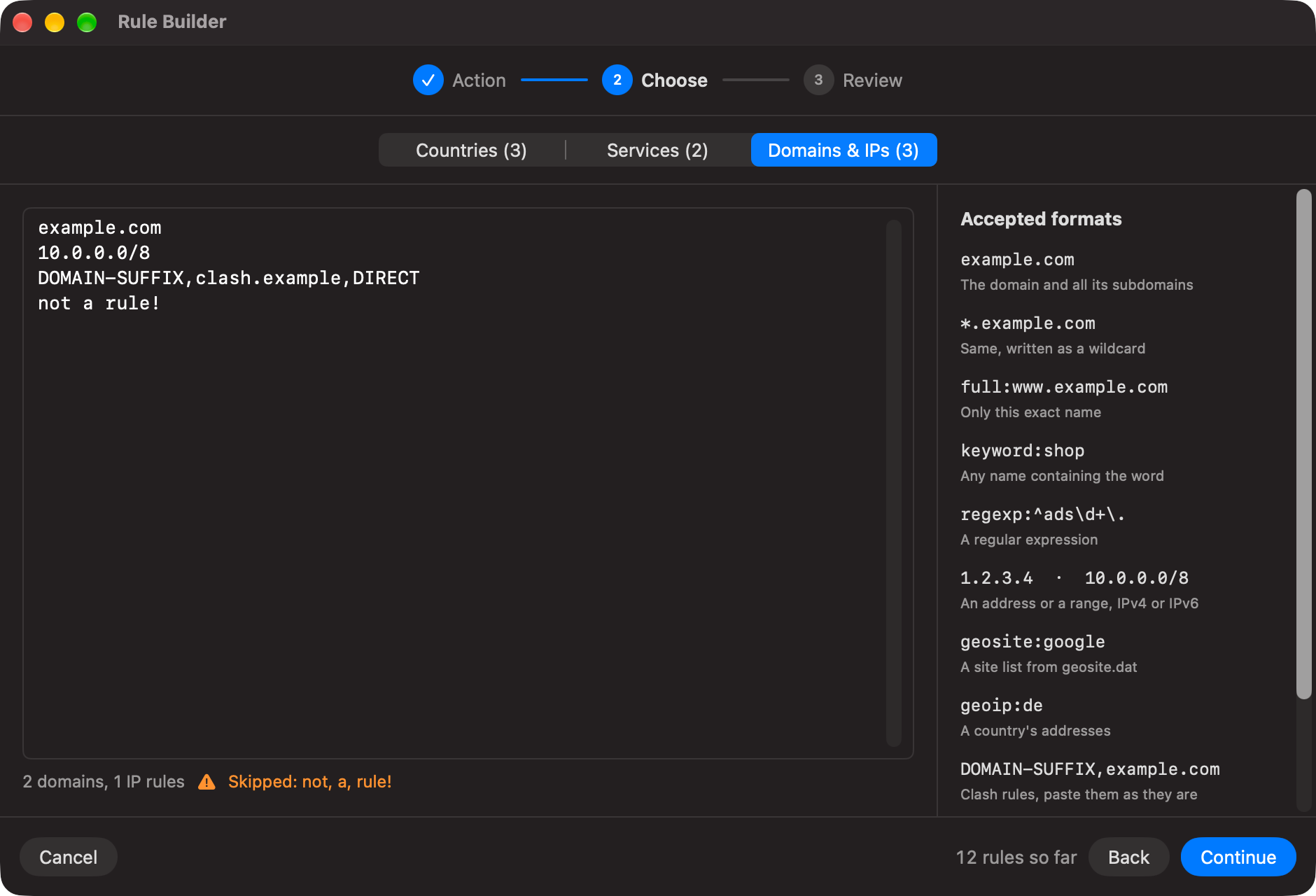
- Domains & IPs: paste anything in the formats of the hosts table above: domains, wildcards, IP ranges, Clash rules, hosts-file or Adblock lines. Each line is checked as you type; lines that are not rules are named and left out.
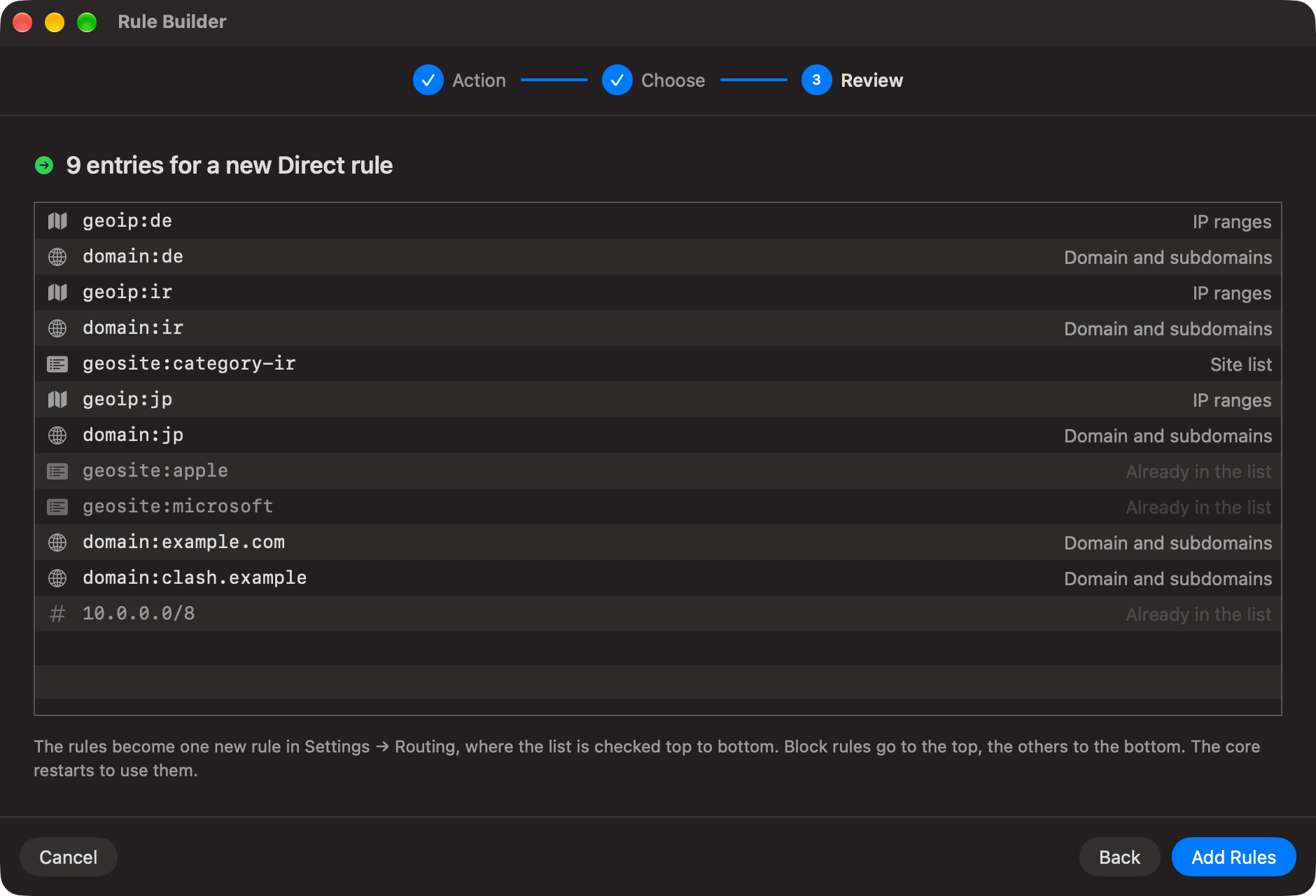
Step 3 — Review. Every entry that will be written, with its kind (IP ranges, domain and subdomains, site list). Entries an existing rule with the same action already has are greyed out as "Already in the list" and not added twice. Add Rules saves them as one new rule named after the date: Block rules go to the top of the list, Proxy and Direct to the bottom. A running connection restarts to use it. Rename, edit or move it later in the Advanced view.
| Goal | Action | Hosts |
|---|---|---|
| Block ads everywhere | Block | geosite:category-ads-all |
| AI services through the proxy, with Iran bypassed | Proxy |
geosite:openai, geosite:anthropic
|
| Keep Apple and Microsoft updates off the proxy | Direct |
geosite:apple, geosite:microsoft
|
| Reach the office network directly | Direct |
10.0.0.0/8, full:intranet.example.com
|
| Only Telegram through the proxy | Proxy (in Rules Only mode) | apps: Telegram.app
|
For a full Xray config, V2Mac's rules and mode run first, then the config's own routing as fallback (purple Config fallback in Connections).