scenario 1
Software Engineer
Male
Boğaziçi Alumni (2016)
Wants to talk about his university's past
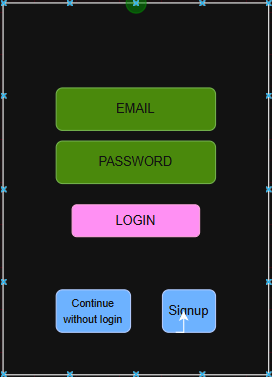
- He wants to login to the platform
- He wants to create a post
- He wants to specify the location of his post to Boğaziçi University, during his study years
- He wants to write about the past condition of the library, all-nighters he pulled there before the exams with his friends
- He wants to upload a past photo of the library
- The user is already registered
- Location informations are already uploaded to the app, addresses can be chosen
- Opens the app and sees the login page.
- Logged in with his account email and password.
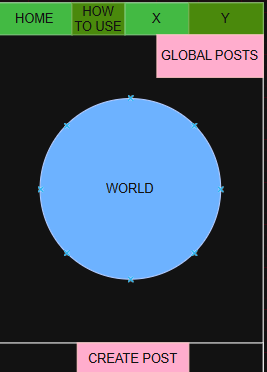
- He will land in the main page.
- He will click on create post button.
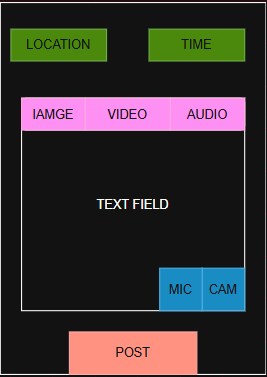
- He lands in the create post page.
- He clicks on location.
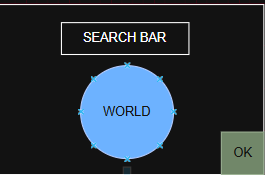
- He sees a page with a globe which he can pinpoint a location and a search bar he can write his location.
- He writes "Boğaziçi Üniversitesi Kuzey Kampüs" on the bar, and chooses the Boğaziçi Üniversitesi Kuzey Kampüs address appears.
- He clicks on done, then returns to the create post page.
- He clicks on time.
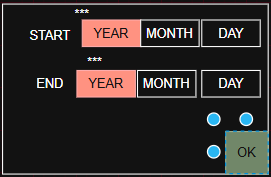
- A pop-up appears allowing him to choose a time as year.
- He doesn't know a specific date, so he ignores the expand button to specify day and month.
- He wants to give a range for the post as the years 2014-2016 since he remembers this photo is either from his 3rd or 4th year.
- He clicks on the give range button, and an end-year input expands below.
- He enters the years, then clicks on done.
- He again returns to the create post page.
- He wants to upload his story as a voice recording, and he also has 2 photos he wants to upload.
- He clicks on the add recording button at the top of the content field, uploads his recording.
- He clicks on the add photos button at the top of the content field, uploads his images.
- He is done, and clicks on the post button.
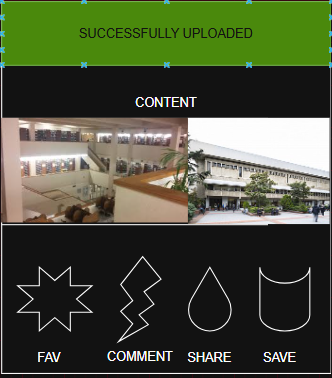
- He is directed to the post as its shared state, and sees a succesfully uploaded pop-up at the top of the post.
1.5.3 User shall login with their registered email and password.
1.3.2. User shall create post with a button on the main page.
1.3.2.1 User shall choose a location at the post creating page.
1.3.2.2 User shall choose a specific time at the post creating page.
1.3.2.3 User shall specify a range for the time for the post.
1.1.2 The application shall allow users to upload pre-recorded historical photographs, videos and audio from the device's gallery.
1.3.2.4. User shall create text content.
1.1.1. The application shall provide an interface for recording audio and video directly within the application.
1.3.3 User shall upload a post after completing necessary fields using a button.
1.3.4 User shall see a succesfully posted page after posting.
1.5.1 The system shall allow access to post creation only for authenticated users.
1.9.1 The system shall store each post together with the identity of the creator.
1.9.2 The system shall ensure that required fields are completed before allowing submission.
1.9.3 The system shall display the created post after successful submission.
1.9.4 The system shall store each created post as a persistent record in the database.
1.9.5 The system shall ensure that each post is uniquely identifiable with a primary key.
1.9.6 The system shall associate each post with the authenticated user through a foreign key reference.
1.9.7 The system shall store uploaded media files (image, audio, video) in a cloud-based object storage service.
1.9.8 The system shall associate each cloud-stored media file with a corresponding database record.