Repository navigation
Home
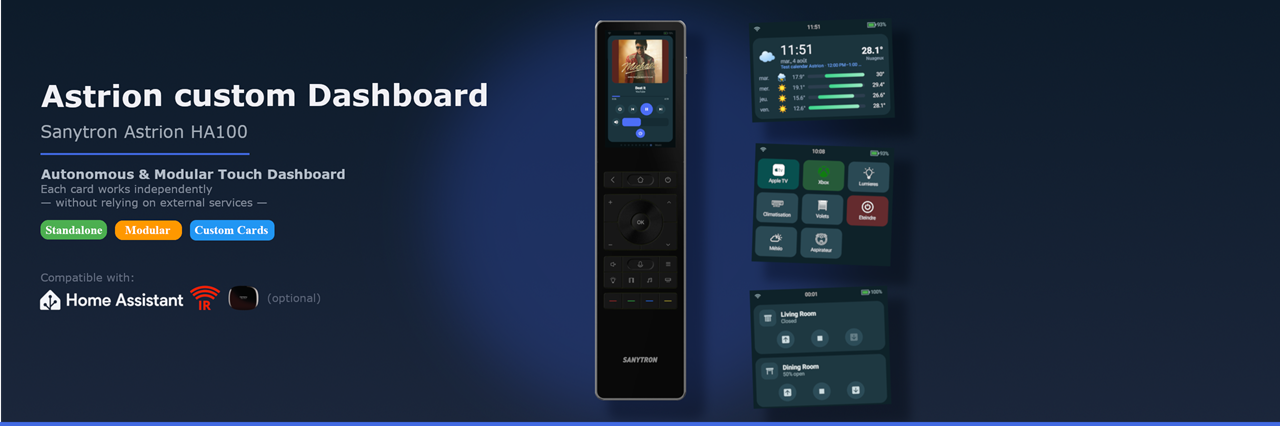
Astrion Custom Dashboard turns the Sanytron Astrion HA100 remote into a dedicated smart-home and AV remote. It replaces the stock launcher with a swipeable dashboard of cards, and you build that dashboard in your browser. It talks to Home Assistant, Harmony, its own IR blaster and Apple TV directly.
This wiki explains how to install it, set it up and get the most out of it.
📺 Your Logitech Harmony died? Start with Coming from Harmony: what you find again, how to move over, what's different.
| 1. Installation | From the stock remote to a working dashboard, in about 15 minutes. |
| 2. The remote's web page |
http://<remote-ip>:8080: connect Home Assistant, add devices, back up, update. |
| 3. The builder | Build pages, cards and key bindings visually, with a live preview. |
| 4. Physical keys & hotkeys | Make every button do what you want. |
- Cards: lights, covers, climate, media, cameras, vacuums, Plex, scenes, remotes… 21 card types (see the sidebar).
- Activities: "Watch Apple TV" turns on the TV, the amp and the Apple TV, switches inputs, binds the volume keys and opens the right page.
- Device control without Home Assistant: Harmony Hub, the remote's own IR blaster with an IR database, network IR extenders, and Apple TV paired directly.
- Dock screen: a night clock with what's playing, while the remote charges.
- Battery-friendly standby: the remote stays responsive without draining overnight.
- Home Assistant integration: each remote becomes a device in HA (battery, button events, "Find my remote"), and several remotes can share a home.
Short step-by-step guides for common setups, see Recipes:
- A complete Apple TV page
- Open an AV popup with one key
- A Harmony-style "All off" button
- One remote per room with Home Assistant
- Show your amplifier's audio/video info
The builder writes dashboard.json for you. If you prefer editing it by hand, the full reference is here:
English · Français · Deutsch · Italiano · Español
- Check the FAQ & troubleshooting.
- Search the issues, or open a new one. Include your app version and, if you can, the logs from
http://<remote-ip>:8080/logs. - Come and chat on Discord: questions, ideas, beta news.
💡 Features marked "Since 1.2.x" in a page need at least that version. The version you run is shown in the remote's Settings › About and on its web page.