Repository navigation
Insights
Insights (navigation rail) shows what and how you read: what you're in the middle of, goals you've set, what you've read lately, and how your reading and your library change over time. It has four tabs.
- Goals at the top, each with a progress ring and whether you're on pace. Add goal opens New reading goal: choose what to track (for example issues or pages), a target, a period (such as this year or this month) and a scope (the whole library, one series, one publisher or one genre). You get a notice when a goal passes 50% and when it's met.
- Continuing and Reading: what you're partway through, with covers, one click from the reader.
- Almost done: series a couple of issues from finished. Dive in: full runs you own and haven't started.
- Recommendations based on series you recently finished (Home's Because you read uses what you recently opened), with a line saying why each one was picked.
- Collection health: gaps in runs you own.
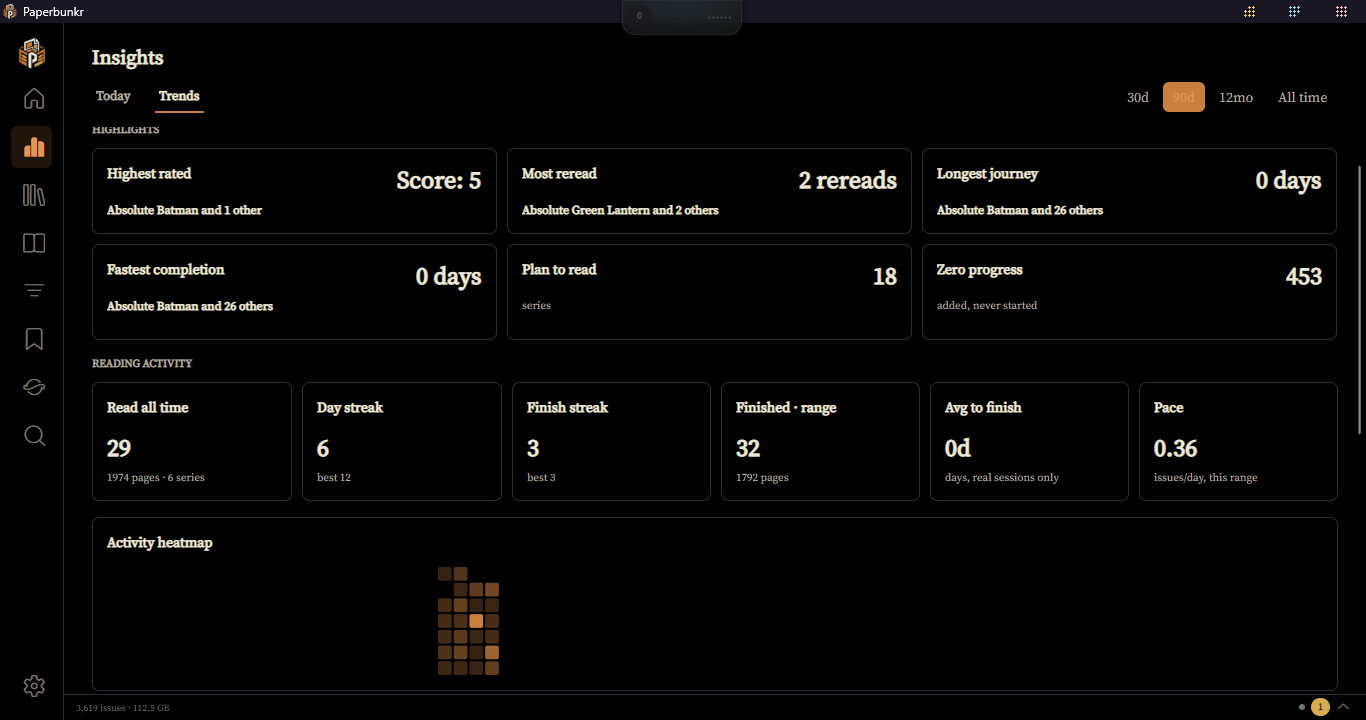
Charts over a range you choose, with Export:
- Finished · range, Pace and Avg to finish, each with a change badge against the previous period of the same length (hidden on All time, or when there isn't enough history yet).
- Backlog burn-down: your unread count over time, from a snapshot taken once a day, and where it's heading. It needs about a week of snapshots before it draws a trend.
- Activity heatmap, Day streak and Finish streak, Reading pace.
- Library growth, Media type, Reading state, Content rating, Publication year, Score distribution, and top publishers, genres, tags, authors and artists.
- Highlights: longest journey, fastest completion, most reread, highest rated.
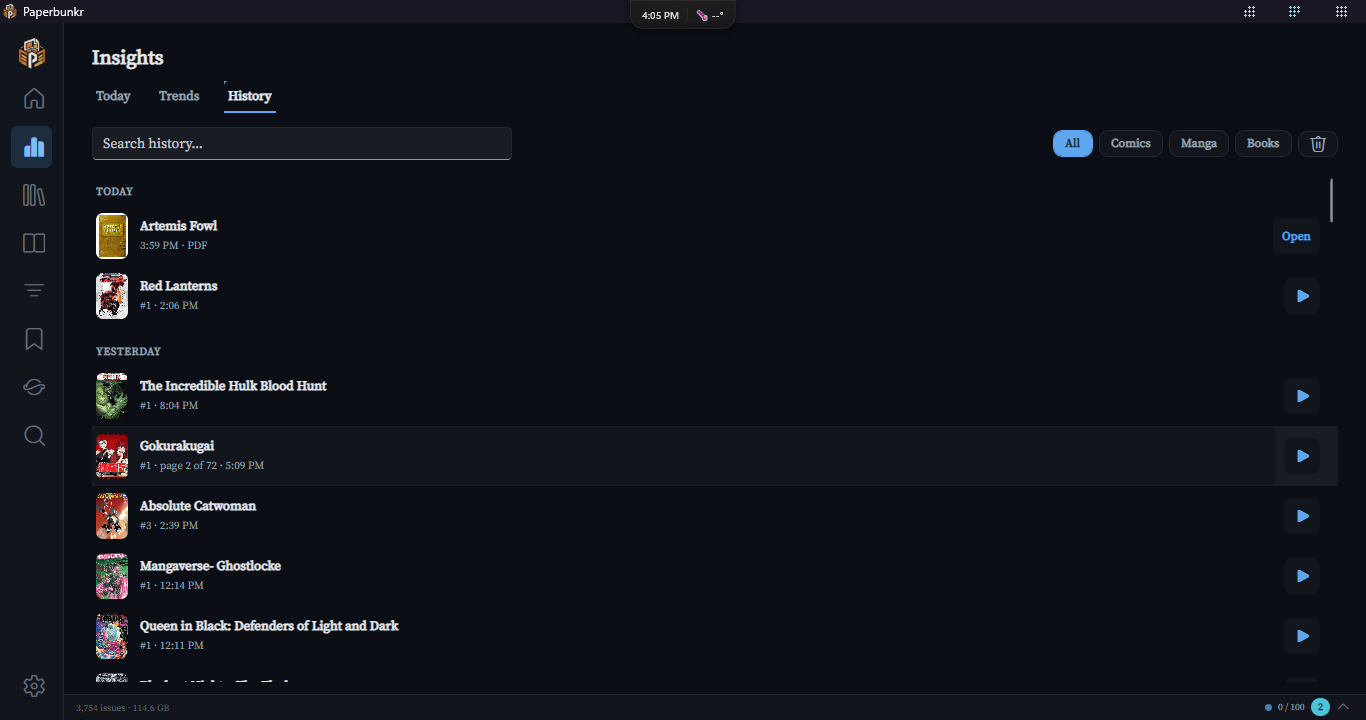
Everything you've been reading, newest first, one row per series (or per book, for a book that isn't in a series), grouped under Today, Yesterday, the day of the week, then the date. Reading a series again moves it back to the top.
- Each row shows the cover, the issue or chapter you last read, how far in you are, and when.
- ▶ picks up where you stopped. If you finished that issue, it opens the next one instead. When there's nothing after it, the row says Caught up. PDFs show Open, because the PDF reader doesn't remember your page yet.
- Click a row to open the series (or book) page. Right-click for the same actions plus Remove from history.
- Search by title, and narrow the list with All, Comics, Manga and Books.
- Something you've since deleted from your library stays in the list, greyed out and marked No longer in library.
- Remove from history and the bin button (Clear all history) only hide entries from this list. Your stats, streaks, goals and Recap still count everything you read. A removed series comes back the next time you read it.
A year-in-review in slides: items finished, pages read, your longest streak, busiest day, top series, writer and artist, highest-rated series and most-reread item. The Recap tab appears only at the end of the year (29–31 December), like a yearly "wrapped".