Repository navigation
Getting Started

After the start-up screen, the main menu shows:
| Item | What it's for |
|---|---|
| GAME MODES | Pick and set up a game |
| CONNECTIVITY | Wi-Fi, and linking devices for multiplayer (Multiplayer) |
| STATS | Games played and all-time stats (Stats) |
| SETTINGS | Brightness, device name, sounds, game defaults (Settings) |
| ABOUT | Firmware version, battery and device details |
The status bar at the top shows the battery level (with a charging icon while plugged in to USB) and the link state when the device is part of a multiplayer session.

GAME MODES shows one tile per mode, in alphabetical order. Under each name it says SOLO or SOLO / MULTI, the latter meaning the mode can be played across linked devices.
- Favourites: press and hold a tile to make it a favourite. Favourites move to the front and show a star in the top-right corner. Press and hold again to remove it.

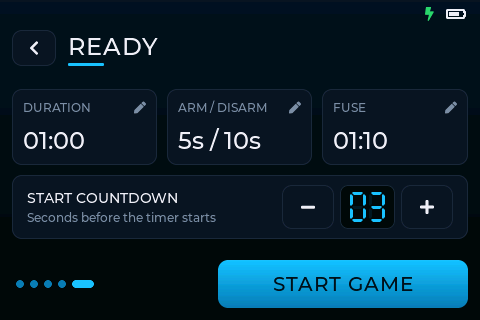
Every mode's setup is a short series of screens, with the step number at the top. BACK goes to the previous step and keeps what you entered.
- GAME DURATION always comes first: minutes and seconds. It starts from the Default game time in Settings.
- PLAYERS (only when this device is hosting a session with other devices joined): pick which devices play. Pick none for a solo game. See Multiplayer.
- The mode's own settings (Game modes).
- READY: a summary of the game. Tap any line to go back and change it. The start countdown can be changed here (it starts from Game start countdown in Settings). Tap START GAME.
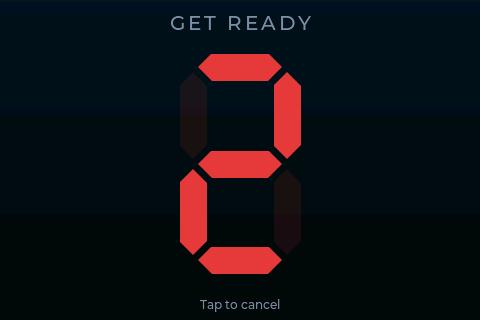

The start countdown fills the screen. Tapping it cancels back to READY. When it reaches zero the game begins.
During a game:
- The game clock is shown at the top and changes colour as time runs low.
- The ✕ button (top left) asks whether to end the game early.
- If the Location beep is turned up, the device beeps at a set interval so it can be found, and keeps beeping on the result screen until you leave it.
When the game ends, the result screen shows the winner and the details. PLAY AGAIN repeats the same setup; GAME MODES returns to the mode list. Every finished game is saved to Stats.
TACT can also be used with an optional handheld controller: a stick and four buttons. See Controller.