Repository navigation
Updating
TACT can update itself over Wi-Fi. New versions are published on the GitHub Releases page.

Open Settings → SYSTEM → Check for updates, or About → CHECK FOR UPDATES.
TACT needs:
- A Wi-Fi network with internet access, joined in CONNECTIVITY (a home network or a phone hotspot). TACT's own network has no internet. TACT remembers the last network it joined (even after being switched off) and reconnects to it when you check for updates; it never joins a new network by itself.
- Not to be in a multiplayer session. End or leave the session first.
- Over 50% battery, or USB power, to install an update.
While it checks, CANCEL goes back. If the update server can't be reached within a minute, TACT says so.

When a newer version is available, TACT shows its version number and download size, and a WHAT'S NEW QR code to its release page. Tap UPDATE to install it, or NOT NOW.


- Making space: the previous version kept on the device is permanently deleted.
- Downloading, with the percentage. CANCEL stops it and nothing changes.
- A 15-second countdown. ABORT still cancels the update at this point.
- TACT restarts into the new version and shows UPDATE SUCCESSFUL.
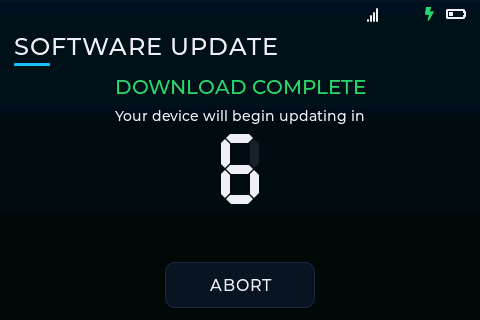

TACT can't be used during the update, which takes about a minute. Your settings, saved Wi-Fi networks and stats are kept.
- If the update can't be downloaded or installed, TACT stays on its current version and shows a QR code to the GitHub page, where you can get the update instead. You can also update with a USB cable: see Updating by USB.
- If a new version doesn't start properly, TACT automatically goes back to the version it was on and shows UPDATE FAILED.
TACT keeps the version it was on before the last update, and deletes it to make space for the next one. To get any other version, scan the QR code on About: it opens the GitHub Releases page, which lists every version.
About also shows when TACT was last updated (UTC date), or Unknown if it was installed over USB.