Repository navigation
Underworld Commandos
In short: Bring the terminal back online: clear a chain of random minigames before the clock runs out. Every step done: mission success.
CLASSIFIED. UNDERWORLD COMMANDOS is played with a clearance code: see Clearance.
Bring a terminal back online, step by step, before the clock runs out. Each step is a different minigame, picked at random; finishing one moves straight on to the next. Finish every step in time and it's MISSION SUCCESS: ALL SYSTEMS OPERATIONAL; if time runs out first, MISSION FAILED.
Every minigame works by touch or with the controller.
- GAME DURATION (at least 30 seconds)
- PLAYERS (when hosting with devices joined)
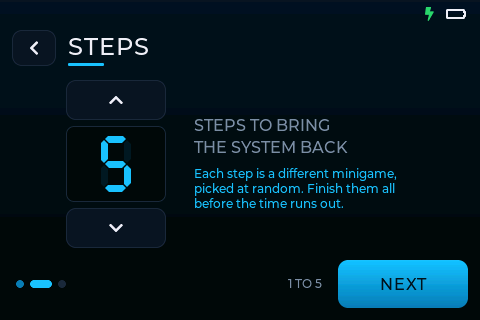
- STEPS: how many minigames to play, 1–5. The same minigame never comes up twice in a game.
- READY
The top of the screen shows the clock and STEP n / N, and under them the current objective. When a step is done, STEP COMPLETE shows for a moment and the next one starts.
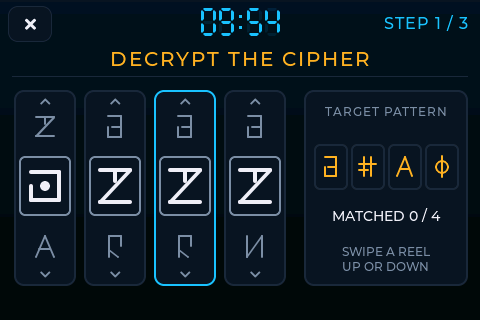
Four reels of symbols. Scroll each reel until its middle symbol matches the target pattern: swipe a reel up or down, or tap its top or bottom (stick: up/down scrolls, left/right picks the reel). A reel turns green when it matches; when all four match, they flash one by one to confirm.
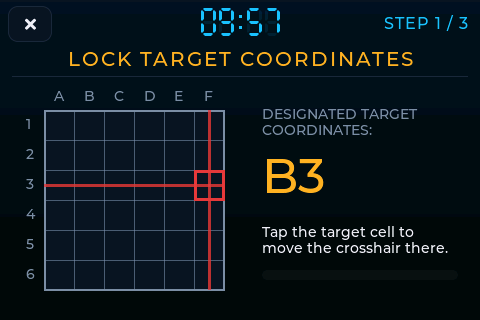
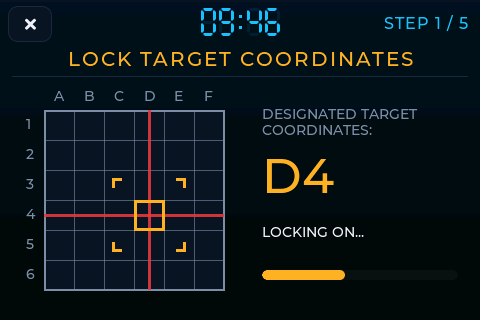
Move the crosshair onto the designated target coordinates (for example D4): tap or drag to a cell, or use the stick. Once it's on the target and your finger is off the screen, brackets close in on the cell over 3 seconds while it locks on. Moving off the target cancels the lock.
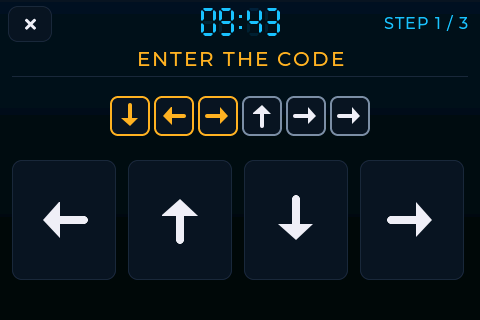
Enter the 5–10 arrows shown, in order, with the on-screen arrows or the stick. Each right arrow turns yellow; a wrong one flashes the code and it starts again.
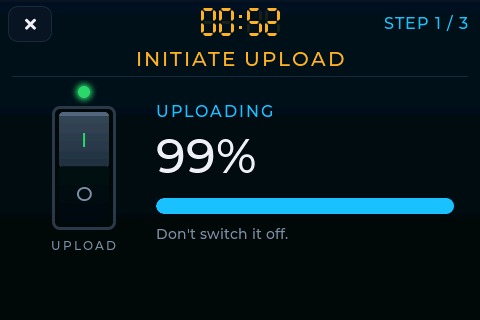
Throw the switch (tap it, push the stick up, or press any controller button), then wait for the upload to reach 100%. It takes between 3 and 15 seconds.

Turn the rotation dial and slide the tilt until the signal reaches 100%, then hold it there for a second. Each control has its own hidden sweet spot and is worth part of the signal; the further off it is, the less it gives. Stick: left/right turns the dial, up/down moves the tilt.
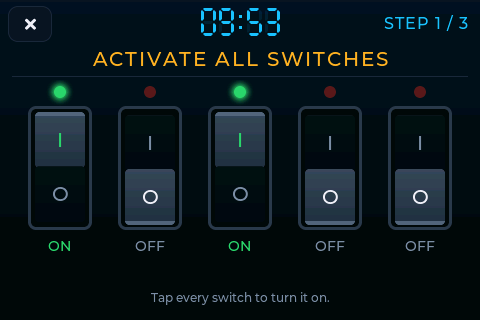
Throw every switch (3 or 5): tap each one, or pick one with stick left/right and throw it with up. A thrown switch shows I and its light turns green.
Sounds (Game sound effects): a ping for each finished step, and a sound for mission success or failure.
The host sets the time and the number of steps; every device then plays its own random steps. Only the host needs clearance. The host's results show each device's outcome and time, with ALL SYSTEMS OPERATIONAL when every device made it.
Missions succeeded, success rate, steps per mission and the fastest mission. Each game records every step's minigame and how long it took. On the phone remote, each device shows its current step, its objective, and the time each finished step took.