Repository navigation
Connecting a Mail Client
This page began as a chapter of the 6.2.10 manual and has been corrected for 6.2.24, then rewritten against the 6.2.28 source on 8 September 2026. The Control Panel's pages are grouped differently now, so the paths below use today's groups; the TLS ports 465, 993 and 995 exist only after you create them on the TCP/IP ports page (a fresh install seeds 25, 587, 110 and 143); and everything added since 6.2.10 is in Changes-Since-6210. Where a value here disagrees with the Settings Reference, which is generated from the code, the reference is right. The page was brought up to 6.3.4 (27 September 2026, schema 6104), on 26 September 2026 - with what 6.3.4 changed in IMAP's answers (§7.1.3) and what a new installation now asks of a password (§7.1). Brought up on 5 October 2026 to 6.3.6 (6 October 2026, schema 6108), for what 6.3.6 changes on this page. 6.3.7, the latest release (17 October 2026, schema 6108), is not yet reflected here.
| Setting | Value | Why, and what goes wrong |
|---|---|---|
| Incoming server (IMAP) |
mail.yourcompany.com, port 993, SSL/TLS |
Implicit TLS: the handshake happens before the greeting. If the port is not configured as SSL/TLS the client hangs waiting for a banner it will never get, then times out. |
| Incoming server (POP3) |
mail.yourcompany.com, port 995, SSL/TLS |
Same. Only use POP3 if you have a reason to — see the comparison in How Email Works. |
| Outgoing server (SMTP) |
mail.yourcompany.com, port 587, STARTTLS |
Port 25 is for other servers, not for your users. Many ISPs block outbound 25 from residential lines, so a client configured on 25 fails away from the office and works in it. |
| User name | The full email address — you@yourcompany.com, not you
|
A bare name works only if you have set Maintenance → Advanced → Default domain (for unqualified logons); without one it never matches an account. hMailServer says so in as many words — see the transcript below. |
| Password | The account's password, or an app password if the account is enrolled in TOTP | Once a TOTP secret exists on an account, the account password stops being a mailbox credential entirely. |
| Authentication | Normal password | The mechanism list the server offers is narrower than you might expect — see §7.1.2. |
| Encryption | Never "none", never "auto-detect" | "Auto-detect" is how a client ends up sending a password in the clear on a port that would have accepted STARTTLS. |
Two mistakes cover most failed client setups: entering the user name without the domain part, and using port 25 for sending. Users send on 587.
Ports 993, 995 and 465 do not exist on a fresh install — a new database is seeded with SMTP 25, SMTP 587, POP3 110 and IMAP 143. Up to 6.3.3 all four were without encryption. Create the TLS ports and pick a certificate before you hand these settings to anybody: Ports Reference and Encryption and Certificates.
A new installation of 6.3.4 is different, and an upgraded server is not. When the installer
(or, on Linux, the unit's first start after --create-database) made the database, the server is
given a self-signed certificate, STARTTLS is offered on 25, 587, 110 and 143, and the Internet
IP range requires TLS for authentication; My computer is left as it was. So from another
machine SMTP AUTH is not offered before STARTTLS and is refused with
530 A SSL/TLS-connection is required for authentication. if it is sent, IMAP LOGIN and
AUTHENTICATE answer BAD A SSL/TLS-connection is required for authentication., and POP3 USER
and AUTH answer -ERR; after STARTTLS every one of them works. Set the client to STARTTLS,
never to "none". The certificate is self-signed, so a client warns about it until it is replaced
with one a client trusts, or ACME gets one (Encryption and Certificates). The full account is
SecureDefaults.md.
flowchart TD
  A["Which port?"] --> B{"Sending or receiving?"}
  B -->|sending| C{"Does the client<br/>support STARTTLS properly?"}
  C -->|yes| D["587, STARTTLS required"]
  C -->|no, or you want no ambiguity| E["465, implicit TLS"]
  B -->|receiving| F{"One device, or many?"}
  F -->|many, or you want folders| G["993 IMAP, implicit TLS"]
  F -->|exactly one, and you know why| H["995 POP3, implicit TLS"]
  D --> Z["Never 25 for a mail client.<br/>Never 143 or 110 without STARTTLS required."]
  E --> Z
  G --> Z
  H --> Z
This is the part that surprises people, and it is worth checking before you blame the client.
| Protocol | Mechanism | Advertised when | Default on a fresh install |
|---|---|---|---|
| SMTP | AUTH LOGIN |
AUTH is enabled on the port |
Yes |
| SMTP | AUTH PLAIN |
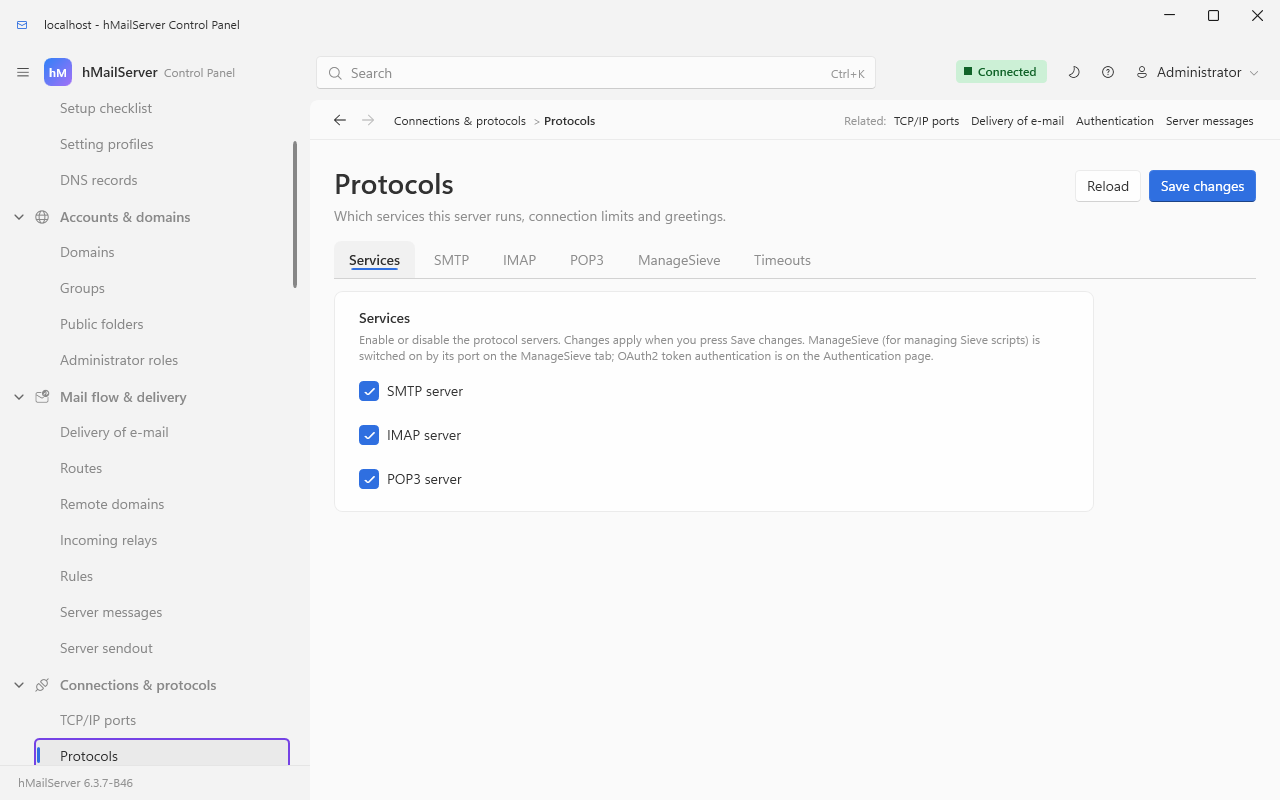
Allow plain-text authentication is on — Connections & protocols → Protocols → SMTP |
No — authallowplaintext is seeded 0
|
| SMTP | AUTH SCRAM-SHA-256 |
always, when AUTH is enabled — it never transmits the password |
Yes |
| SMTP | AUTH SCRAM-SHA-256-PLUS |
on a TLS connection | Yes, on a TLS connection |
| SMTP |
AUTH XOAUTH2 / OAUTHBEARER
|
OAuth2 is enabled, and (by default) over TLS | No |
| SMTP | AUTH EXTERNAL |
the handshake verified a client certificate on that port | No |
| IMAP |
LOGIN command |
unless the port or the IP range requires TLS on a cleartext connection | Yes |
| IMAP |
AUTH=PLAIN, AUTH=SCRAM-SHA-256
|
Allow SASL PLAIN authentication is on — Connections & protocols → Protocols → IMAP |
No — EnableImapSASLPlain is seeded 0
|
| IMAP | SASL-IR |
Allow SASL initial client response is on, same page | No |
| POP3 |
USER/PASS, SASL PLAIN, SASL SCRAM-SHA-256
|
unless authentication is refused on this cleartext connection | Yes |
Two consequences follow, and both look like client bugs when they are not:
- On a default install, an IMAP client that insists on
AUTHENTICATE PLAINwill find noAUTH=capability at all and must fall back toLOGIN. Turn on IMAP SASL under Connections & protocols → Protocols → IMAP, Allow SASL PLAIN authentication, if you need the mechanism. - On a port set to STARTTLS required, or from an IP range with Require SSL/TLS for
authentication, no authentication mechanism is advertised at all until the session is
encrypted, and IMAP additionally advertises
LOGINDISABLED. That is deliberate: a client that took up an offer it could not use would already have put the password on the wire before being refused.
Useful for proving where a failure is. Everything below is what hMailServer sends, taken from the handlers themselves.
IMAP, on a default install, before any TLS port has been created:
* OK IMAPrev1
a001 CAPABILITY
* CAPABILITY IMAP4 IMAP4rev1 IMAP4rev2 CHILDREN IDLE QUOTA QUOTA=RES-STORAGE SORT
 THREAD=ORDEREDSUBJECT THREAD=REFERENCES ACL COMPRESS=DEFLATE NAMESPACE RIGHTS=texk MOVE ID
 SPECIAL-USE CREATE-SPECIAL-USE UNSELECT UIDPLUS ENABLE STATUS=SIZE ESEARCH CONDSTORE QRESYNC
 LIST-EXTENDED SEARCHRES WITHIN UTF8=ACCEPT LIST-STATUS PREVIEW MULTIAPPEND REPLACE SAVEDATE
 METADATA OBJECTID BINARY LITERAL- APPENDLIMIT
a001 OK CAPABILITY completed
a002 LOGIN alice secret
a002 NO Invalid user name or password. Please use full email address as user name.
a003 LOGIN alice@yourcompany.com secret
a003 OK LOGIN completed
a004 SELECT INBOX
* 12 EXISTS
* 2 RECENT
* FLAGS (\Deleted \Seen \Draft \Answered \Flagged)
* OK [UIDVALIDITY 1725778800] current uidvalidity
* OK [UNSEEN 11] unseen messages
* OK [UIDNEXT 43] next uid
* OK [MAILBOXID (F17)] mailbox id
* OK [PERMANENTFLAGS (\Deleted \Seen \Draft \Answered \Flagged)] limited
a004 OK [READ-WRITE] SELECT completed
The NO on line a002 is not a guess: the server checks whether the user name contained an
@ and says the useful thing rather than the generic thing. APPENDLIMIT appears bare before
authentication and with an exact value after it, because the limit depends on the account's
domain. Once the session is authenticated the capability list also gains UNAUTHENTICATE.
SMTP submission on 587, STARTTLS required:
220 MAIL01 ESMTP
EHLO laptop.example.net
250-MAIL01
250-SIZE 20971520
250-8BITMIME
250-PIPELINING
250-CHUNKING
250-BINARYMIME
250-SMTPUTF8
250-ENHANCEDSTATUSCODES
250-DSN
250-STARTTLS
250 HELP
MAIL FROM:<you@yourcompany.com>
530 5.7.0 Must issue STARTTLS first.
STARTTLS
220 Ready to start TLS
Note what is missing from that first EHLO: there is no AUTH line, because the port
requires TLS. After the handshake the client must send EHLO again — the session is reset to
the just-greeted state, and the HELO host name, any credentials and any transaction in progress
are discarded (RFC 3207 §4.2). Then:
EHLO laptop.example.net
250-MAIL01
...
250-AUTH LOGIN SCRAM-SHA-256 SCRAM-SHA-256-PLUS
250 HELP
AUTH LOGIN
334 VXNlcm5hbWU6
eW91QHlvdXJjb21wYW55LmNvbQ==
334 UGFzc3dvcmQ6
c2VjcmV0
235 2.7.0 authenticated.
MAIL FROM:<you@yourcompany.com>
250 2.1.0 OK
RCPT TO:<alice@example.com>
250 2.1.5 OK
DATA
354 OK, send.
...
.
250 2.0.0 Queued (0.412 seconds)
QUIT
A brand-new mailbox contains INBOX and nothing else. Drafts, Sent, Trash and Junk
are created only when Create Drafts, Sent, Trash and Junk for new accounts is switched on
(Connections & protocols → Protocols → IMAP) — the setting is
seeded off, so on a default install every client creates (or fails to create) its own.
That is the usual explanation for "my sent mail is not on the server": the client fell back to
a local folder because it found nothing designated \Sent.
| Fact | Value | Where |
|---|---|---|
| Hierarchy delimiter |
. — so a subfolder of Work is Work.Invoices
|
Connections & protocols → Protocols → IMAP, Folder hierarchy delimiter |
| Personal namespace |
"" with that delimiter |
NAMESPACE response |
| Public folders namespace |
#Public, with the folders themselves under Accounts & domains → Public folders
|
Connections & protocols → Protocols → IMAP, Public folder name |
| Other users' folders namespace | #Users |
Only when ACL (shared folder permissions) is on — it is on by default |
| Default folders created | INBOX only | Create Drafts, Sent, Trash and Junk for new accounts, seeded off |
| Special-use designations |
\Drafts \Sent \Trash \Junk, advertised as SPECIAL-USE and CREATE-SPECIAL-USE
|
Set per folder, or created for you by the setting above |
CREATE-SPECIAL-USE is the capability a client checks before it will send
CREATE Sent (USE (\Sent)). Without it — as older builds were — Apple Mail and Outlook mobile
never ask the server to designate a sent folder and go back to naming one and hoping.
6.3.4. Dovecot's imaptest was run against this server for the first time on 25 September
2026, on the project's Linux test lab, and 31 of its 71 scripts failed. 6.3.4 answers as the
RFCs say where it found the server did not, and the scripted run went from 31 failing to 4 -
the four left, each with its reason in the roadmap row, are \Recent in FETCH FLAGS, the zone
of an APPEND's internal date, \NonExistent, and transport padding after a MIME boundary. The
capability list is unchanged. A client that relied on the old answers may notice these:
| When the client | 6.3.4 answers |
|---|---|
| Names a mailbox that does not exist, or needs a right the account lacks |
NO, where it used to answer BAD; and a failed SELECT or EXAMINE leaves no mailbox selected |
Sends an unknown LIST selection or return option |
BAD |
Fetches BODY[HEADER], BODY[1.MIME] or any other BODY[<section>] without .PEEK
|
Sets \Seen, as every BODY[<section>] without .PEEK now does |
| Appends a message | Stores the literal byte for byte, where it used to add a CRLF after it - so RFC822.SIZE of a newly appended message is two octets smaller than the same message appended before |
Pipelines a command behind an APPEND with a non-synchronising literal |
Answers it; it used to be thrown away, which stopped mbsync after one message |
| Sorts | Uses every criterion; REVERSE reverses only its own; ties go to sequence order; an ASCII string folds ASCII letters only (a string beyond ASCII is compared as before) |
Threads with ORDEREDSUBJECT or REFERENCES
|
Builds the RFC's trees, so either can order messages differently from before |
| Is the first session to be told of new messages | Counts them as \Recent (RFC 3501 2.3.2), where it said * 0 RECENT
|
Puts * on the right of a UID range, or a UID above 2^31 |
* is the highest UID, and the large UID parses |
Reads ENVELOPE
|
NIL for what is missing, and groups, comments and routes parsed |
The fixes were built with clang and run against imaptest on the lab, and the regression suite's
IMAP fixtures pass on the batch they were folded into. The whole list is 6.3.4's entry in the
CHANGELOG, under
What changes on upgrade without a switch.
- IMAP keeps mail on the server; every device sees the same mailbox, folders and read/unread state. Use IMAP.
-
POP3 downloads mail to one device and (usually) deletes it from the server. Only
use it if you have a specific reason. Note that hMailServer advertises
EXPIRE NEVER: nothing deletes a delivered message because of its age, so "leave mail on server" means for good. A second POP3 session on the same mailbox gets-ERR [IN-USE].
The full comparison is in How Email Works.
hMailServer can configure clients for your users automatically, so they type only their address and password.
Enable it in Connections & protocols → Web services & autoconfiguration, or in hMailServer.INI
(AutoconfigEnabled is already 1 by default; giving the web services listener a port is what turns it on):
WebServicesHttpPort=80
WebServicesHttpsPort=443
AutoconfigEnabled=1
Then add DNS records pointing autoconfig.yourcompany.com and
autodiscover.yourcompany.com at your server. Thunderbird and Outlook will find their
own settings.
| URL path | Format | Fetched by |
|---|---|---|
/mail/config-v1.1.xml |
Thunderbird autoconfig XML | Thunderbird and its relatives, on autoconfig.<domain>
|
/.well-known/autoconfig/mail/config-v1.1.xml |
the same document | the same clients, on the mail domain itself |
/autodiscover/autodiscover.xml |
Outlook POX autodiscover XML — POST, and GET is accepted too |
Outlook, on autodiscover.<domain> or the mail domain |
/email.mobileconfig, /mail/config.mobileconfig
|
Apple configuration profile | iOS and macOS Mail |
The domain the answer is built for is taken, in order, from an autoconfig. prefix on the
Host header, then the emailaddress query parameter, then the configured client host name.
Since 6.3.4 the Outlook answer also names, after its three Protocol blocks, one
AlternativeMailbox element (Exchange calls this automapping) for every account that has opened
a folder to the account asked about with a right it can read the folder with - the same owners
the webmail lists under Shared by. Because who delegates to whom is not public, those elements
are answered only to a request that carries HTTP Basic credentials, over HTTPS, for the very
address it asks about, through the same account logon CardDAV and CalDAV use; a request with no
credentials, or signed in as somebody else, gets the settings and nothing more, exactly as before,
and a credential sent over plain HTTP is refused before it is looked at. Two things to know before
expecting Outlook to act on it: Outlook reads AlternativeMailbox for an Exchange account and
ignores it for an IMAP one, and it sends credentials with Autodiscover only after a 401, which
this server never returns for an unauthenticated Autodiscover request - so an Outlook IMAP
profile never sees the element. What puts a delegated mailbox into a client's folder tree is the
IMAP side: the "Other Users" namespace (#Users) that NAMESPACE advertises and LIST fills with the
owner's folders the client may look up, which an IMAP client that lists that namespace shows under
the account. None of this has been measured in Thunderbird or Outlook; the element's shape and
the rule of who may see it are pinned by the regression suite.
sequenceDiagram
    autonumber
    participant U as User
    participant TB as Mail client
    participant WS as hMailServer web services

    U->>TB: Types alice@yourcompany.com and a password
    TB->>WS: GET https://autoconfig.yourcompany.com/mail/config-v1.1.xml
    WS-->>TB: clientConfig XML - host, port, socketType, %EMAILADDRESS%
    Note over TB: Cache-Control public, max-age 3600
    TB->>WS: IMAP connect on the advertised port
    WS-->>TB: OK greeting
    U->>TB: Nothing else
The server does not guess. It reads your actual TCP/IP port rows and picks the best one per protocol, by this ranking:
| Rank | Port configuration |
socketType written |
|---|---|---|
| 100 | SSL/TLS (implicit) | SSL |
| 90 | STARTTLS required on port 587 | STARTTLS |
| 80 | STARTTLS required, any other port | STARTTLS |
| 70 | STARTTLS optional on port 587 | STARTTLS |
| 60 | STARTTLS optional, any other port | STARTTLS |
| 10 | No encryption | plain |
So the way to make autoconfiguration hand out good settings is to have good settings: create 993, 995 and 465 (or set 587 to STARTTLS required) and the XML follows. A protocol with no port at all is simply omitted from the document.
The host name in the answer is AutoconfigClientHost if you set it, otherwise the server's
configured host name (Connections & protocols → Protocols → SMTP, Host name). If both are
empty the endpoint answers
404 rather than publishing a name it cannot vouch for. The Outlook document additionally
carries DomainRequired off, SPA off, AuthRequired on, and the LoginName echoed from the
address in the request.
| Name | Type | Points at | Needed by |
|---|---|---|---|
autoconfig.yourcompany.com |
A / AAAA / CNAME | your server | Thunderbird |
autodiscover.yourcompany.com |
A / AAAA / CNAME | your server | Outlook |
mta-sts.yourcompany.com |
A / AAAA / CNAME | your server | MTA-STS policy hosting, if you use it |
All three are ordinary host records — see DNS for Your Domain. The answers are served over whichever of the two web-services ports you opened; the Thunderbird and Apple documents are happiest over HTTPS, and MTA-STS requires it.
A mail client has nowhere to type a six-digit code. hMailServer's answer is blunt and worth understanding before you enable it:
flowchart TD
  A["Client presents a password"] --> B{"Does the account have<br/>a TOTP secret enrolled?"}
  B -->|no| C["Verify the account password"]
  C -->|matches, and not expired| OK["Signed in"]
  C -->|no match| D["Try the app passwords"]
  B -->|yes| D
  D -->|matches| OK
  D -->|no match| E["Refused. Failure counted<br/>against the per-name lockout<br/>and the per-IP auto-ban"]
Once a TOTP secret exists on an account, the account password is no longer a mailbox credential — an app password is the only one. So the order of operations matters, and the Control Panel puts the tabs in that order on purpose:
- Open the account: Accounts & domains → Domains → your domain → Accounts → the account.
- App passwords tab — create one per device, and write down the generated value; it is shown once.
- Two-factor tab — enrol the secret.
Do it the other way round and every configured client stops working with no way back in. App
passwords work for Active Directory accounts too — the directory holds the password, but an app
password is local by definition, which is what makes second-factor policy possible for a
directory account at all. They are also unaffected by password expiry, so enabling
PasswordPolicyMaximumAgeDays does not silently break configured clients.


Since 6.3.4. A passkey, and single sign-on through the organisation's OpenID Connect or SAML identity provider, sign a person in to the webmail and the Control Deck and nothing else. IMAP, POP3, SMTP submission, CalDAV and CardDAV still take the account's password, or an app password, exactly as above. Minting an app password on the webmail's Security page asks for the account's own password again, so an account that single sign-on or SCIM made - whose password is random and was never told to anybody - needs a password set by an administrator before its person can make an app password for a phone. (Setting a recovery address asks for the account's own password too, so that is no way round it.) A recovery code, set on the same page, stands in for the authenticator's one-time code at the webmail's sign-in and when minting an app password; it is not a mail-client credential either. See Sign-in and Identity.
Since 6.3.4. An account whose messages an administrator has had encrypted at rest (Message Storage) opens its key only with the account's own password. So such an account cannot enrol a TOTP second factor, and an account with one enrolled cannot be switched to encryption at rest; its app passwords are refused; and a client that was signed in when the switch was made is disconnected once, and signs in again with the password. Everything else a client does - IMAP, POP3, search - works as before, because the server reads the mail while the key is open.
Since 6.3.3. The address book the
webmail keeps is served over CardDAV (RFC 6352) on the web-services listener, so a phone
or a desktop client syncs it. A client given the mail address finds it by discovery:
/.well-known/carddav redirects to /dav/, a PROPFIND there answers the principal, the
principal answers the address-book home, and in 6.3.3 the home holds one address book,
Contacts. HTTP Basic as the account - the password, or an application password - over
HTTPS only; the IMAP logon's lockout and auto-ban apply. iOS, macOS Contacts, DAVx5 on
Android and Thunderbird all speak it; the card a client sends is the card it reads back.
Since 6.3.4, the home holds one collection per address book the account can see, and a phone lists each as a book of its own:
| Collection | What it is |
|---|---|
/dav/addressbooks/<address>/contacts/ |
The default book - where a client that has synced since 6.3.3 still finds it |
/dav/addressbooks/<address>/book-<id>/ |
Another book of the account's own, made in the webmail (schema 6079) |
/dav/addressbooks/<address>/shared-<id>/ |
A book another account shares with this one, or with the whole domain - read-only or writable as the share says. A read-only one says so in current-user-privilege-set and answers 403 to a change; deleting the collection gives the share back and deletes nobody's contacts |
/dav/addressbooks/<address>/directory/ |
The organisation's directory: every active account and list of the domain that has not opted out, with title, department, phones and photo. Read-only (schema 6078) |
Contact groups travel too: a card of kind group (KIND:group in vCard 4.0,
X-ADDRESSBOOKSERVER-KIND:group in 3.0) is kept and served like any other, so a group
made on the phone appears in the webmail and the reverse. The webmail's side of all this
is on The Webmail.
Since 6.3.4. The same listener,
the same discovery and the same credentials as CardDAV above, for calendars: CalDAV
(RFC 4791), with /.well-known/caldav redirecting to /dav/ and a principal that answers
a calendar home. Events and tasks both - each collection advertises VEVENT and VTODO,
so a phone's calendar and its reminders list are the same collection.
Several calendars, and shared ones. Every account starts with one, Calendar, at
/dav/calendars/<address>/calendar/, made the first time it is asked for. An account can have more
(schema 6064), each with a name and a colour -
made in the webmail or with MKCALENDAR from the phone, at
/dav/calendars/<address>/<name>/, with the colour carried as Apple's calendar-color so
the phone shows the same one. A calendar the owner shares with another account - or,
since schema 6086, with a group - appears in that account's home as
shared-<id>/, read-only or read-write as the share says; a share can also make the other
account a delegate, who answers the owner's invitations on the owner's behalf.
A repeating event is expanded by the server when the client asks it to be: an iCalendar
module of this project's own reads RFC 5545, and a RRULE is expanded across daylight
saving in any of the 592 zone names it knows. calendar-query with a time range,
calendar-multiget and sync-collection are all answered, with ETags and If-Match as
CardDAV has them.
Invitations by mail (iMIP) are there. An event saved with guests
in the webmail mails each of them an RFC 6047 invitation that Outlook, Gmail and Apple Mail
turn into their own invitation card; an update steps the sequence and a deletion mails a
cancellation. An invitation that arrives is filed into the guest's default calendar as not
yet answered (when it names the account as a guest and was not flagged as spam), a reply
that arrives is filed into the organiser's event, and a cancellation marks the guest's
copy - so a phone syncing either calendar sees the answers without anybody opening the mail.
Since 6.3.6 a stored event is changed only by a sender the server verified - the event's
organiser for a cancellation or an update, the answering attendee or their delegate for a
reply (a signed-in session for this server's own domains, a DMARC pass for exactly the
From: address from outside) - and a cancellation of some occurrences takes those out of the
guest's copy and leaves the rest of the series; anything else is delivered as an ordinary
message (Calendar.md,
Who may change a stored event).
Free-busy is there: the free-busy-query report on a calendar the
account may read answers a bare VFREEBUSY over at most 62 days, and the webmail draws an
availability strip for the guests of a meeting from the same computation. Only colleagues
of the same domain are answered, only the busy times - no title, no place - and a person
can choose in the webmail's settings that nobody sees theirs.
Rooms and equipment (since 6.3.4) are accounts too, and a client finds them the way it finds
a person: every principal says its calendar-user-type - INDIVIDUAL, ROOM, or RESOURCE for
equipment - and the principal-property-search report on /dav/principals/, which is what a
client's room finder sends, answers the domain's rooms and equipment. Apple Calendar searches
for locations this way; Thunderbird has no room finder. A room is booked by inviting its
address, and it answers by itself (Rooms and Equipment). Nobody can sign in as a room, over
any protocol.
What is not there, said plainly because a calendar that silently drops something is
worse than one that never offered it: RFC 6638 scheduling (no schedule-inbox or
schedule-outbox, so a client that schedules through them rather than by mail is not
served), free-busy of a calendar on another server, a per-calendar time zone
(calendar-timezone is not kept), partial calendar-data (a client asking for a subset of
an event's properties is given the whole event), and a time-range filter on a VALARM.
iOS, macOS Calendar, DAVx5 and Thunderbird all sync what is there. The webmail's calendar
and task pages are on The Webmail.
Since 6.3.4. The webmail's Contacts page reads and writes the two files every address book speaks.
From Google Contacts. Open contacts.google.com, tick the contacts (or a
label, or all), choose Export, and either vCard (for iOS Contacts) or
Google CSV - both import. In the webmail open Contacts, press Import and
pick the file. The page reads a vCard file card by card and a CSV by its own
header row (Name, E-mail 1 - Value and so on), adds every address it does
not already hold, and says how many came in and how many it already knew.
From Outlook. Classic Outlook: File, Open & Export, Import/Export,
Export to a file, Comma Separated Values, the Contacts folder. New Outlook
and Outlook.com: People, Manage, Export contacts. Either gives a CSV with
First Name, Last Name and E-mail Address columns, which imports the same
way.
The other direction. Export as vCard downloads contacts.vcf, one vCard
3.0 card per contact, which Google Contacts (Import), Apple Contacts (open the
file) and Thunderbird (Tools, Import) all take; Export as CSV downloads
contacts.csv with the Name,E-mail Address header Outlook's import reads.
A phone that syncs over CardDAV (above) needs none of this: it sees the same address book live.
New in 6.2.28 as a self-service portal; a webmail since 6.3.0; a mail client since 6.3.2.
If the REST listener is running with a certificate and a reachable bind address, your users
can sign in at /portal in a browser and live there: conversations, a search with
operators, labels with colours, rules, snooze, scheduled send and undo send, templates,
signatures and identities, an address book, S/MIME, offline reading, notifications, twenty
languages, and a phone layout that installs as an app - with nothing to configure on their
device. See The REST API and, for the listener itself, Ports Reference §4.2.
(New in 6.3.3: the page is rebuilt to the shape of Gmail and Outlook.com - a reading pane beside the list, a list with sender, subject, snippet and time, a compose window docked at the bottom right, tabs for Primary, Social, Promotions, Updates and Forums or a Focused inbox, mute, pin, block and sweep, drag-and-drop to folders, a right-click menu, and select-all across a whole folder. Contacts sync to phones and desktop clients over CardDAV from the same release.)
(6.3.4, twelve more: the page installs as an
app with the unread count on its icon, takes a share from another app and opens mailto:
links; contacts import and export as vCard or CSV (above); saved searches kept as
folders in the navigation; the reader's own time zone, chosen from the zones the browser
knows, so a message's time is the reader's time; Undo on three more actions - a label
taken off, a signature change, a draft discarded; the blocked-tracker notice counts what it
kept out and names the senders; swipe actions and snooze presets a reader chooses;
three stars (a second in amber, a third in red) as $Star2 and $Star3, which every IMAP
client sees; rows coloured by a rule, Outlook's conditional formatting; @mentions in
the text, completed from the address book, which add the person to the recipients; a
formatted signature with bold, italic, a link and an image; and Report phishing beside
Junk, which sends the message to the domain's postmaster, files it as junk and blocks the
sender, all undoable.)*
(Also 6.3.4: a calendar and task list with several calendars, sharing and invitations by mail; a second account open beside the first in the same page; the last N days kept offline in the browser; OpenPGP in the page beside S/MIME, a domain's own S/MIME authority, password-protected messages to anybody and a message that expires; masked addresses, send-as an address proved by a code, other accounts fetched from Gmail or Outlook.com with OAuth; recover deleted items and recall an unread message sent within the server; Subscriptions, brand logos, Important and inbox sections, emoji, pictures and tables in compose; the organisation's directory and shared address books; and passkeys, a recovery address and codes on the Security page; and a folder of a hundred thousand messages paged, searched and selected whole without the page copying it - built, not yet measured. Every one of them is on The Webmail, with what it does not do.)*
What 6.3.0 added, which is the difference between a page that reads mail and a webmail:
it has addresses, so #/f/<id>, #/m/<id>, #/search and #/compose can be linked to,
Back and Forward work, and a half-written reply survives a reload. It notices new mail by
polling GET /api/v1/me/changes, which hashes the per-folder counts into a token, every
six seconds — and stops dead while the tab is hidden. Folders can be created, renamed and
deleted, judged exactly as IMAP's CREATE, RENAME and DELETE judge them and refused in
IMAP's own sentences; the page does not offer delete for the inbox or for a special-use
folder, because a page has no undo. And inline images display, fetched by the page itself
and handed to the sandboxed frame as data: URLs — pointing the <img> at the download
route cannot work, because the frame's opaque origin makes the browser count the request as
cross-site and the SameSite=Strict session cookie never travels.
It still comes out of the binary rather than out of files beside it, so it is there on a machine that has nothing else, and it fetches no font, no image and no stylesheet from anywhere.
| What the user sees | What the server said | Cause | Fix |
|---|---|---|---|
| "Invalid user name or password" on IMAP, with a hint about the address | NO Invalid user name or password. Please use full email address as user name. |
Bare user name, no default domain configured | Use the full address, or set Maintenance → Advanced → Default domain (for unqualified logons) |
| "Invalid user name or password", no hint | NO Invalid user name or password. |
Wrong password, inactive account, inactive domain, or a TOTP-enrolled account being given its account password | Check the account and domain are active; issue an app password |
| Sending fails with "authentication required" | 530 5.7.0 SMTP authentication is required. |
The client is not logged in for outgoing mail, or is on port 25 | Tick "my server requires authentication"; move to 587 |
| Sending fails on port 25, and the client is then refused everywhere for an hour (6.3.6) | 502 5.5.1 AUTH not permitted on this port. |
Port 25 is Off or a Honeypot (a new 6.3.6 installation's is), and its first AUTH banned the address for AutoBanMinutes
|
Move the client to 587 with STARTTLS; lift the ban under Auto-ban (Ports Reference) |
An IMAP client's FETCH is answered NO [LIMIT] (6.3.6)
|
NO [LIMIT] |
The sections it asked for of one message add up to more than sixteen times the message, each section counted by what it reads or makes; $ written into an element with anything else (1:$) is answered BAD, and a SORT criterion named again is left out |
Fetch the message's parts in fewer, larger sections, or the whole message |
| Sending fails with "must issue STARTTLS" | 530 5.7.0 Must issue STARTTLS first. |
Client encryption set to none on a STARTTLS required port | Set the client to STARTTLS |
| Sending fails, recipient refused | 550 5.7.1 Delivery is not allowed to this address. |
The IP range does not permit this sender/recipient combination | Sign-in & access → IP ranges, the range's Allow delivery and Only after SMTP authentication boxes |
| Client hangs on connect, then times out | (nothing — no session is created) | Implicit TLS expected on a STARTTLS port, or the reverse | Match the port's connection security |
| Connection refused on a TLS port |
HM5113 Error initializing SSL. Certificate not set. in the application log |
The port has TLS selected but no certificate | Pick a certificate on the port |
| Works inside the office, not outside | (nothing) | Outbound 25 blocked by the ISP, or the listener bound to an internal address only | Use 587; bind the port to 0.0.0.0
|
| Repeated logon failures then silence |
NO Too many invalid logon attempts. and a BYE
|
Ten failures on one connection; or the per-name lockout; or the per-IP auto-ban | Sign-in & access → Auto-ban; check the account lockout |
| Sending is slow, then fails after a pause | replies arrive late | The logon or recipient tarpit is on |
LogonTarpitSeconds, SmtpTarpitCount, SmtpTarpitDelaySeconds
|
| A new 6.3.4 installation refuses the password from another machine, and takes it on the server itself |
530 A SSL/TLS-connection is required for authentication. (SMTP), BAD A SSL/TLS-connection is required for authentication. (IMAP) |
The Internet IP range requires TLS for authentication, as a new installation is set up since 6.3.4 | Set the client to STARTTLS (or use 465, 993, 995 once created) |
| An account that is a meeting room or equipment cannot sign in, whatever the password | NO Invalid user name or password. |
A room or a piece of equipment is administered, never signed into | Nothing to fix: its delegates answer for it (Rooms and Equipment) |
| Mail arrives but "Sent" is empty on other devices | — | No \Sent folder exists, so the client kept a local copy |
Create the special-use folders, or turn the setting on |
| Large attachment rejected | 552 5.3.4 Message size exceeds fixed maximum message size |
Domain or server maximum message size, default 20480 KB | Connections & protocols → Protocols → SMTP, Max message size, or the domain's own limit |
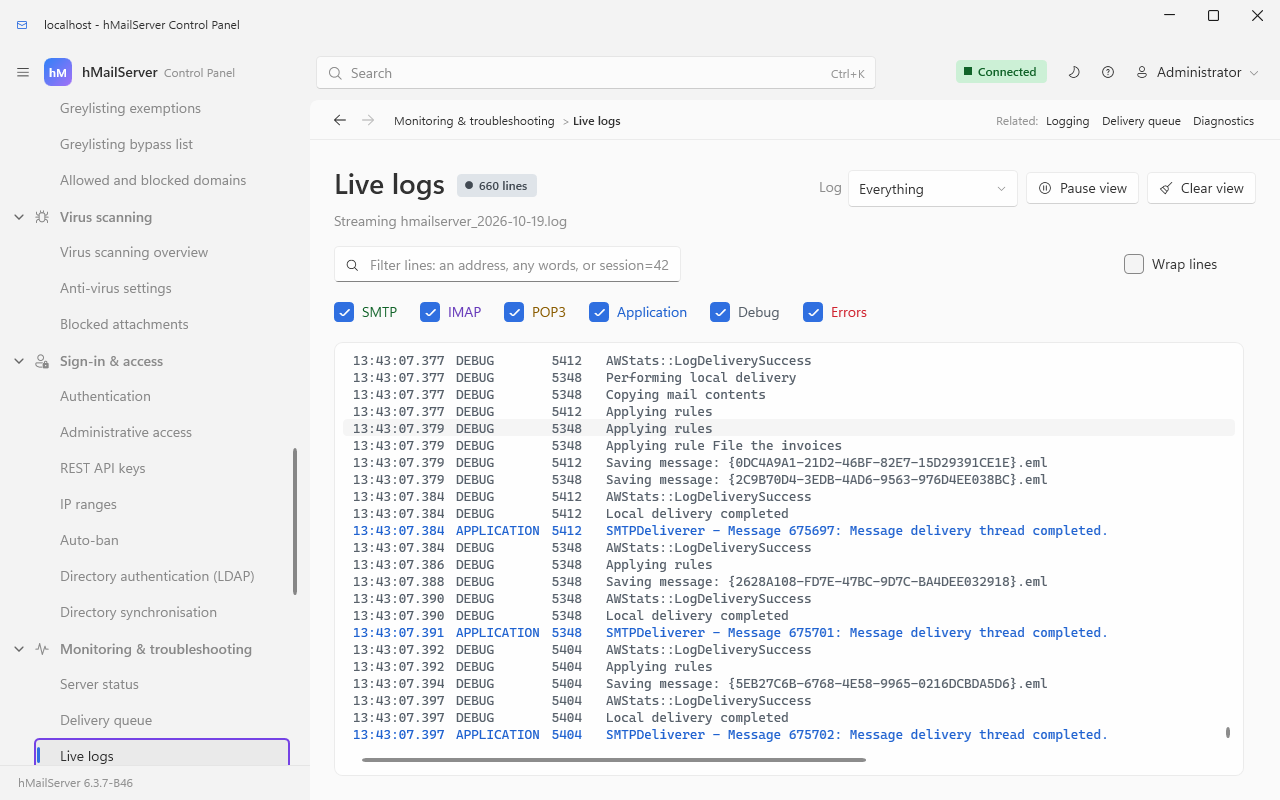
The two Control Panel pages to look at while diagnosing are Monitoring & troubleshooting → Live logs (watch a client connect in real time) and Connections & protocols → TCP/IP ports, whose Listening column says which listeners are actually up.
| Client | What to watch for |
|---|---|
| Thunderbird | Finds autoconfig.<domain> on its own. If it offers "no encryption" it found a plain port — fix the port, not the client. |
| Outlook (desktop) | Uses autodiscover; a stale autodiscover.<domain> record pointing at a previous host is the usual cause of it insisting on the wrong server. It will not use SCRAM — it needs LOGIN or PLAIN. |
| Apple Mail, iOS | Wants \Sent, \Drafts, \Trash and \Junk designated; without them it keeps local copies. CREATE-SPECIAL-USE lets it designate them itself. |
| Anything mobile | Prefers IMAP IDLE — on by default here — over polling. Battery life depends on it. |
| Migration and import tools |
MULTIAPPEND, LITERAL-, BINARY and APPENDLIMIT are all advertised, and since 6.3.4 a command pipelined behind an APPEND is answered (mbsync used to stop after one message) and the literal is stored byte for byte; see Migration for the routes in and out, the migration jobs and PST import. |
Old clients that only do AUTH PLAIN |
Turn on Allow plain text authentication, and require TLS on the port so the credential is never in the clear. |