Repository navigation
DNS for Your Domain
This page began as a chapter of the 6.2.10 manual and has been corrected for 6.2.24, then rewritten against the 6.2.28 source on 8 September 2026. The Control Panel's pages are grouped differently now, so the paths below use today's groups; the TLS ports 465, 993 and 995 exist only after you create them on the TCP/IP ports page (a fresh install seeds 25, 587, 110 and 143); and everything added since 6.2.10 is in Changes-Since-6210. Where a value here disagrees with the Settings Reference, which is generated from the code, the reference is right. DKIM rotation, the reports a domain receives, the Web Key Directory's host and brand logos are new in 6.3.4 (27 September 2026, schema 6104), and are marked so; the page was brought up to 6.3.4 on 26 September 2026. Brought up on 5 October 2026 to 6.3.6 (6 October 2026, schema 6108), for what 6.3.6 changes on this page. 6.3.7, the latest release (17 October 2026, schema 6108), is not yet reflected here.
This is the most important chapter in this document. A perfectly configured mail server with wrong DNS delivers nothing but spam-foldered mail.
Add these records at your DNS provider. Replace yourcompany.com and 203.0.113.10
with your own.
flowchart TD
  A["A / AAAA<br/>mail.yourcompany.com"] --> B["MX<br/>yourcompany.com"]
  B --> C["PTR<br/>set by your ISP"]
  C --> D["SPF<br/>TXT at yourcompany.com"]
  D --> E["DKIM<br/>TXT at dkim._domainkey"]
  E --> F["DMARC p=none<br/>TXT at _dmarc"]
  F --> G["Read the reports<br/>for two to four weeks"]
  G --> H["DMARC p=quarantine, then p=reject"]

  D -.-> I["TLS-RPT<br/>TXT at _smtp._tls"]
  E -.-> J["MTA-STS<br/>TXT at _mta-sts plus an HTTPS host"]
  J -.-> K["TLSA / DANE<br/>_25._tcp.mail.yourcompany.com"]
  A -.-> L["autoconfig and autodiscover<br/>host records"]
Solid arrows are the order to do them in. Dotted branches are optional hardening you can add at any point afterwards.
| Record | Without it | Symptom you will actually see |
|---|---|---|
| A / AAAA | Nothing resolves your host name | Everything fails; the MX points at nothing |
| MX | No server on the internet knows where to send your mail | Inbound mail bounces as "no mail server for this domain". Some senders fall back to the A record, most do not |
| PTR | Your IP does not identify itself | Google and Microsoft refuse or spam-folder outbound mail. hMailServer's own PTR spam test would also score you, if the receiver runs one |
| SPF | Nobody knows which servers may send as you | Outbound mail scores badly; anybody can forge your domain. DMARC cannot pass on the SPF side |
| DKIM | Your mail carries no proof it is yours | Mail forwarded through a mailing list fails everything, because forwarding breaks SPF and only DKIM survives it |
| DMARC | No policy, and no reports | You are flying blind: you cannot tell whether your own mail passes, and you never learn who is forging you |
| MTA-STS | Senders may be downgraded to plaintext | An attacker on the path can strip STARTTLS from the conversation and read the mail |
| TLS-RPT | Nobody tells you when TLS to you fails | A broken certificate silently costs you mail from strict senders |
| TLSA | No DNSSEC-anchored proof of your certificate | Same exposure as no MTA-STS, for the senders that prefer DANE |
mail.yourcompany.com. IN A 203.0.113.10
Add an AAAA record too if the machine has a public IPv6 address, and only if it does: an
AAAA pointing at an address that does not answer costs you delivery from every sender that
prefers IPv6. hMailServer resolves both families when delivering, so the same rule applies to
the hosts it connects to.
yourcompany.com. IN MX 10 mail.yourcompany.com.
The 10 is a priority; with one server the number is arbitrary. An MX record must
point at a host name, never at an IP address. The host name must have its own A/AAAA record
and must not be a CNAME.
The name in your MX is also the name that matters everywhere else on this page: it is what MTA-STS matches against, what TLSA records hang off, and what the certificate on port 25 should be issued for.
10.113.0.203.in-addr.arpa. IN PTR mail.yourcompany.com.
You cannot set this yourself — ask your ISP or hosting provider. Without it, Google and Microsoft will reject or spam-folder your mail.
The PTR should name the same host as your HELO/EHLO, which hMailServer takes from
Connections & protocols → Protocols → SMTP, Host name (HELO/EHLO greeting) — falling
back to the Windows computer name when it is blank.
Forward and reverse should agree: mail.yourcompany.com → 203.0.113.10 → mail.yourcompany.com.
This is one of the few records the Control Panel's DNS records page will not check for
you, and it says so rather than pretending: the server's public IP is not knowable from inside
the panel.
yourcompany.com. IN TXT "v=spf1 mx a:mail.yourcompany.com ~all"
This says: "the servers in my MX records, and this host, may send my mail; treat everything else as suspicious."
-
~all— soft fail. Start here. It is what the Control Panel suggests, and it is the right answer while you still do not know every system that sends as you. -
-all— hard fail, reject anything else. Correct once the DMARC reports have shown you the full list for a few weeks.
If you also send through another service (a newsletter platform, say), include it:
"v=spf1 mx include:sendgrid.net -all"
Three rules worth knowing before you edit this record:
-
Exactly one SPF record per name. Two records beginning
v=spf1is a permanent error at every receiver — worse than having none. The Control Panel's DNS records page checks for precisely this and tells you what it found. - RFC 7208 §4.6.4 caps the DNS-querying mechanisms at ten (
include,a,mx,ptr,exists,redirect). Exceeding it is also a permanent error, and a long chain ofinclude:records reaches it faster than you would expect. - SPF does not survive forwarding. That is not a bug in your record; it is why DKIM exists.
In the other direction, hMailServer can check SPF on incoming mail — but it is
off by default as a scored test (usespf is seeded 0, with a score of 3 when it fails).
Turn it on under Spam filtering → Anti-spam settings. The record you publish is
for other people's servers; the check you enable is for yours. See Stopping Spam.
The exception is worth knowing: DMARC checking is on by default, and the DMARC test evaluates SPF and DKIM itself, for its own alignment decision, whether or not either is enabled as a test of its own. So SPF is being evaluated on your inbound mail from the day you install — it just does not add a score of its own until you switch the test on.
The server can also record what it found: ReceivedSpfHeaderEnabled writes an RFC 7208 §9.1
Received-SPF field, and AuthenticationResultsEnabled writes an RFC 8601
Authentication-Results field. Both default to 0, and both are written only for mail
arriving from outside — never onto a message one of your own authenticated users handed you.
DKIM adds a cryptographic signature proving the message came from you unaltered.
hMailServer generates the key for you. In the Control Panel, open your domain's DKIM
tab and click Generate key pair…. It asks where to save the private key (a Save dialog
proposing <selector>._domainkey.<domain>.pem), creates an RSA-2048 key there, fills in
the path, and shows you the exact DNS record to publish — with a Copy DNS value button.
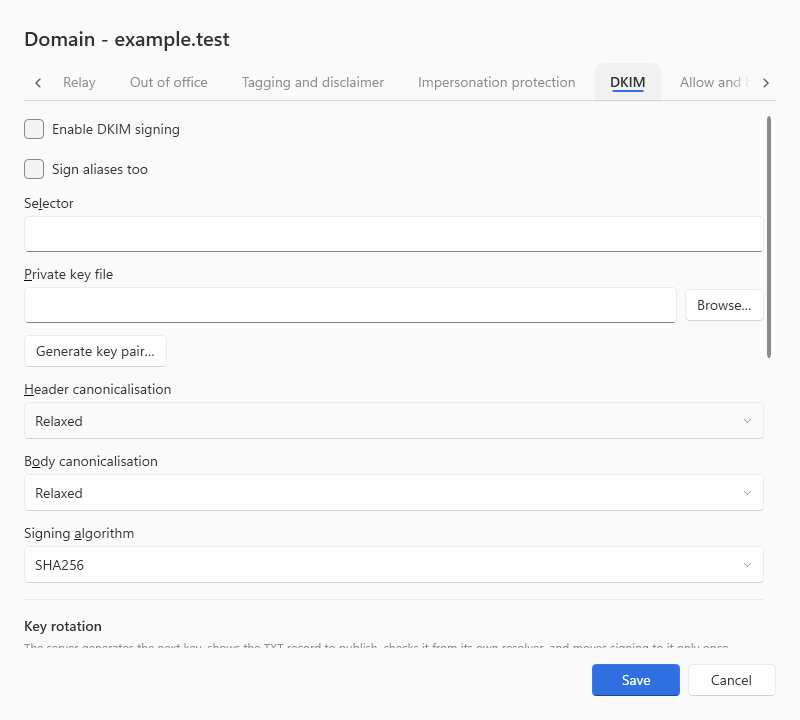
You will get something like:
dkim._domainkey.yourcompany.com. IN TXT "v=DKIM1; k=rsa; p=MIIBIjANBgkq..."
dkim is the selector — the default the generator uses when you leave the box blank, and yours
to change. The p= value is the key's SubjectPublicKeyInfo, base64-encoded; the panel derives
it from the private key file on disk, so the record it shows you always matches the key the
server will actually sign with.

Publish that TXT record. hMailServer signs every outgoing message from that domain — once, on the first delivery attempt, before the message is split between local and external delivery.
hMailServer also supports Ed25519 DKIM (RFC 8463) — shorter keys, modern crypto — alongside RSA. Signing picks the algorithm from the key file itself: an Ed25519 private key produces
a=ed25519-sha256, anything elsea=rsa-sha256. The Control Panel's generator makes RSA keys, so an Ed25519 key is one you supply. Verification acceptsrsa-sha1,rsa-sha256anded25519-sha256.
Two more DKIM facts that matter operationally:
- A second selector and key can be configured per domain (schema 6007), which is what makes
key rotation possible without a gap: publish the new selector, let it propagate, switch
signing to it, then retire the old record. Up to 6.3.3 you do those four steps by hand.
Since 6.3.4, a rotation policy per domain does them
for you, on a schedule or on Rotate now: it generates the new key under a dated
selector (
s20260915), shows the TXT record to publish, checks it from the server's own resolver every fifteen minutes, switches signing only once the record has carried exactly that key for a propagation period, keeps the old selector published for a retention period, and then tells you its record may go. It never edits DNS - publishing and removing the records stays yours - and it is off on every domain until switched on (Control Panel domain dialog, DKIM tab; the Deck;/api/v1/domains/{domain}/dkim/rotation). -
DKIMSignatureValiditySecondscontrols whether anx=expiry is emitted. It defaults to0— no expiry — while honouring an expiry another signer published is on. Publishing one of your own is a promise about mail already in flight.
_dmarc.yourcompany.com. IN TXT "v=DMARC1; p=none; rua=mailto:dmarc@yourcompany.com"
Start with p=none: "don't change how you treat my mail, but send me reports." Read the
reports for a few weeks, confirm all your legitimate mail passes SPF and DKIM, then
tighten:
p=quarantine     ← failures go to spam
p=reject         ← failures are refused outright
Do not start at
p=reject. If something you had forgotten about sends mail as your domain, you will silently lose it.
The Control Panel's DNS records page pre-fills rua= with the domain's postmaster address, and
omits the tag entirely when the domain has none — it will not invent a mailbox, because a
record asking the world to mail reports somewhere that does not exist is worse than no tag.
Whatever address you use must exist and must accept mail from strangers.
Reading the reports. Up to 6.3.3 the reports land in that mailbox as gzip attachments and
nobody opens them unless you do. Since 6.3.4, name the
mailbox as the domain's report mailbox (the domain dialog's Reports received tab,
report_mailbox over REST) and the server reads what arrives there itself: DMARC aggregate
reports and TLS-RPT reports, gzip, zip or plain, XML or JSON, parsed into the database and
charted on the Control Deck's DMARC page - who sends as the domain, from where and with what
result, per source and per day - and answered by hmctl dmarc and
GET /api/v1/domains/{domain}/dmarc-reports/summary. The mailbox must be in a domain this
server hosts, and only that mailbox is an intake. Nothing read there acts on any mail; it is
for you to read before you move from p=none to p=quarantine.
This is hMailServer's own evaluator, applied to mail arriving at your server — and it is the same decision every DMARC-checking receiver makes about mail leaving it.
flowchart TD
  A["Message arrives"] --> B["Find the DMARC record<br/>for the From header domain"]
  B -->|none| Z["No DMARC verdict"]
  B --> C{"SPF passed, and the envelope<br/>sender domain aligns with<br/>the From domain?"}
  C -->|yes| P["DMARC pass"]
  C -->|no| D{"Any DKIM signature that verified,<br/>whose d= aligns with the From domain?"}
  D -->|yes| P
  D -->|no| E["DMARC fail"]
  E --> F{"Which policy applies?"}
  F -->|the domain itself| G["p= applies"]
  F -->|a subdomain that does not exist, with np= published| H["np= applies"]
  F -->|a subdomain, with sp= published| I["sp= applies"]
  G --> J{"pct sampling"}
  H --> J
  I --> J
  J -->|in sample and reject| K["Refused"]
  J -->|in sample and quarantine| L["Quarantined"]
  J -->|out of sample| M["Next less strict action"]
Alignment is relaxed unless the record says adkim=s or aspf=s: relaxed compares
organizational domains, so mail.yourcompany.com aligns with yourcompany.com; strict
requires an exact match. Only one of the two sides needs to pass — which is exactly why
DKIM is what saves forwarded mail, and why a mailing list does not break a domain that signs.
hMailServer can also send aggregate reports for the domains it hosts, but the sender address is empty by default, which means the statistics are collected and then discarded:
DmarcRptFromAddress=dmarc-reports@yourcompany.com
DmarcRptOrganizationName=Your Company
DmarcRptSchemaVersion=1
Schema 1 is RFC 7489 Appendix C and is the default because essentially every report processor
deployed today parses that and nothing else; 2 is the RFC 9990 (DMARCbis) schema. A mail
server must not start mailing third parties because somebody turned DMARC checking on, so
nothing is sent until you name the mailbox.
MTA-STS tells other servers that mail to you must be encrypted, preventing an attacker from stripping TLS. hMailServer can host the policy itself:
WebServicesHttpsPort=443
MtaStsHostingEnabled=1
MtaStsPolicyMode=enforce
MtaStsPolicyMaxAge=604800
Point mta-sts.yourcompany.com at your server and publish:
_mta-sts.yourcompany.com. IN TXT "v=STSv1; id=20260908120000"
The id is yours to choose; any value is as correct as any other. Its only job is to change
whenever the policy changes, so senders refetch instead of trusting their cache — which is why
the Control Panel suggests a timestamp.
The policy file itself is served, not uploaded. There is nothing to put on a web server: with
the HTTPS listener running, https://mta-sts.yourcompany.com/.well-known/mta-sts.txt answers
with a document built from your settings and your live MX records:
version: STSv1
mode: enforce
mx: mail.yourcompany.com
max_age: 604800
The mx: lines are derived from the domain's actual MX records unless you override them with
MtaStsPolicyMx, so the policy always matches what receivers will connect to. mode may be
enforce, testing or none; anything else falls back to enforce.
Three constraints, all from the RFC and all enforced here:
- HTTPS only. RFC 8461 §3.3. A policy on plain HTTP is a policy senders ignore.
- No redirects. Senders must not follow them, so the Control Panel's checker does not either — a policy behind a redirect is a policy nobody sees.
- The certificate on
mta-sts.yourcompany.commust be valid for that name.
Start at mode: testing. It gives you TLS-RPT reports without losing mail while you find out
whether every sender can actually reach you over TLS.
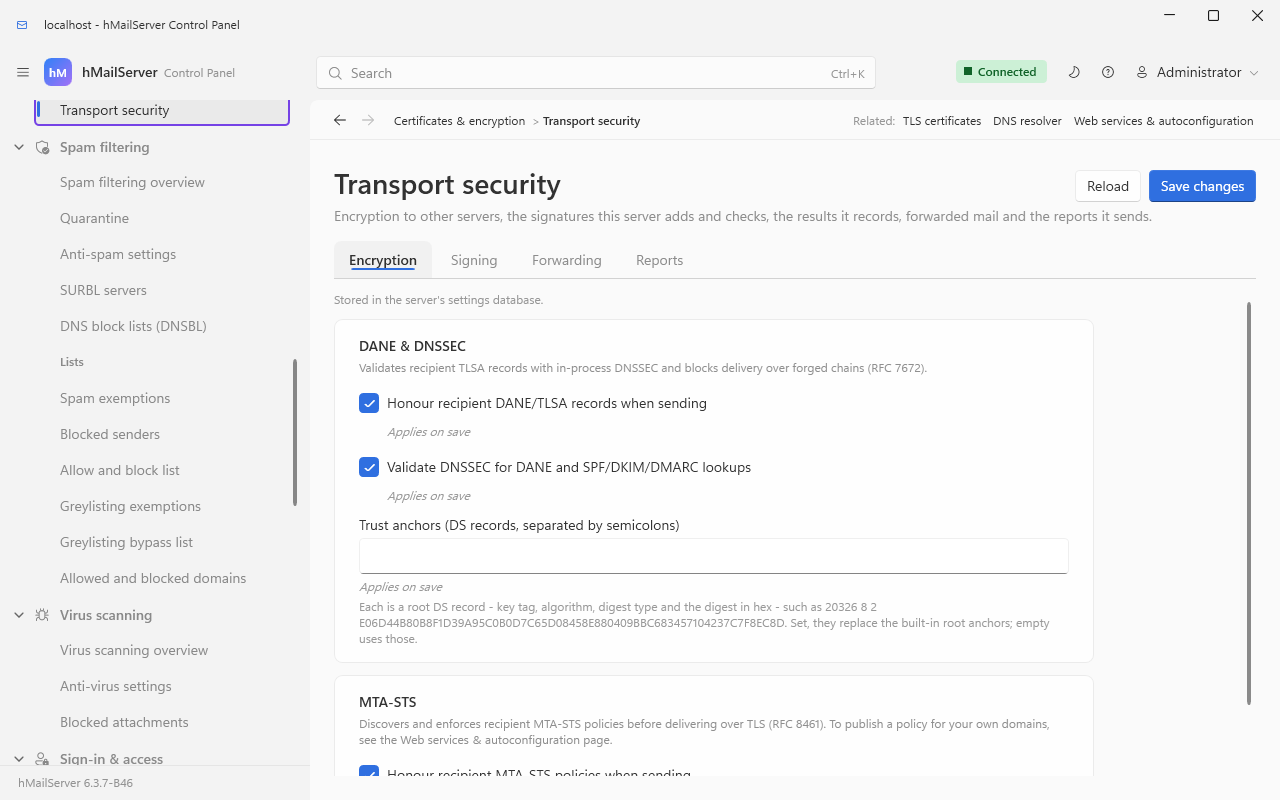
Going the other way, hMailServer honours other domains' MTA-STS policies when delivering:
MtaStsEnabled defaults to 1.
_smtp._tls.yourcompany.com. IN TXT "v=TLSRPTv1; rua=mailto:tlsrpt@yourcompany.com"
This record asks other servers to tell you when TLS to your server failed — an expired
certificate, a name mismatch, a downgrade. It costs nothing and it is the only warning you
will get before an MTA-STS policy in enforce mode starts costing you mail.
It is independent of the reports hMailServer sends about other people, which need their own sender address and are inert until you set one:
TlsRptFromAddress=tlsrpt@yourcompany.com
TlsRptOrganizationName=Your Company
Until that key has a value, each completed day of collected data is discarded unsent — the same shape as the DMARC reporter, and for the same reason.
The reports other servers send about your domain go to the rua= address above; since
6.3.4, name that address as the domain's report mailbox (§8.6) and they are read
and summarised for you beside the DMARC ones.
DANE is the other way to promise encryption, anchored in DNSSEC rather than in an HTTPS policy file. It is only meaningful if your zone is DNSSEC-signed.
_25._tcp.mail.yourcompany.com. IN TLSA 3 1 1 <sha256 of the certificate public key>
The name is _<port>._tcp.<the MX host> — port 25, because that is where mail arrives. Publish
it for every host named in your MX records, and re-publish before you rotate a certificate,
never after.
hMailServer is a full DANE client: when delivering, it looks up TLSA records for each MX
host, requires the DNSSEC chain to be sound before trusting them, and refuses to deliver in the
clear to a host that published them. DaneEnforcementEnabled defaults to 1, and
DnssecValidationEnabled — the validating resolver behind it — also defaults to 1. Since
6.3.6 an MX or TLSA lookup that cannot tell - no answer, SERVFAIL, a signed zone's answer
without its signatures or its proof of absence, a delegation that nothing proves unsigned - is
indeterminate: the host is not used, and a delivery with no host left is deferred with
4.7.0 and a reason naming the lookup; a name is read as unsigned only when the resolver can
prove it lies below an unsigned delegation (one more DS query per unsigned domain, remembered
for five minutes). So the server's resolver must answer DNSSEC queries - one that strips
signatures, or a firewall that drops DNS answers longer than 512 octets, leaves mail to every
domain the server cannot prove unsigned deferred, which the application log says once in ten
minutes - or DaneEnforcementEnabled is set to 0 (Encryption and Certificates, What DANE
actually does).
Publishing TLSA for your own server is done at your DNS provider; the Control Panel's DNS records page does not generate it, because the value depends on the certificate you are serving and on a zone the panel cannot sign.
Not policy records — just names pointing at the same machine:
autoconfig.yourcompany.com.    IN  CNAME  mail.yourcompany.com.
autodiscover.yourcompany.com.  IN  CNAME  mail.yourcompany.com.
mta-sts.yourcompany.com.       IN  CNAME  mail.yourcompany.com.
The server answers on any of these, and on the mail domain itself: it recognises a request
arriving on autoconfig.<domain>, mta-sts.<domain>, mail.<domain> or www.<domain> and
resolves it back to the hosted domain. See Connecting a Mail Client §7.2 for what each
client fetches.
openpgpkey.<domain>, for the Web Key Directory - since 6.3.4. When the server publishes your accounts' OpenPGP public keys (the server's, the
domain's and the account's own switches, all off by default), a correspondent's mail client looks them up at
https://openpgpkey.<domain>/.well-known/openpgpkey/<domain>/hu/<hash> - the advanced
method, which clients try first. That needs an A/AAAA (or CNAME) record for
openpgpkey.<domain> pointing at this server, and a certificate valid for that name on the
web services listener's HTTPS port. The direct method (https://<domain>/.well-known/...)
works only when the domain's own web server is this one. Keys are served over HTTPS only.
See Encryption for People.
BIMI is read, not published. Since 6.3.4, the webmail shows the logo a
sender's domain publishes in its BIMI record as the avatar of that sender's mail, only for
mail this server judged dmarc=pass and only from a domain whose DMARC policy enforces.
This server does not publish a BIMI record for your domains; that is a TXT record at
default._bimi.<domain> you would write yourself, with your own logo.
Give DNS an hour to propagate, then verify. hMailServer has an MX query tool built in (Monitoring & troubleshooting → MX query):
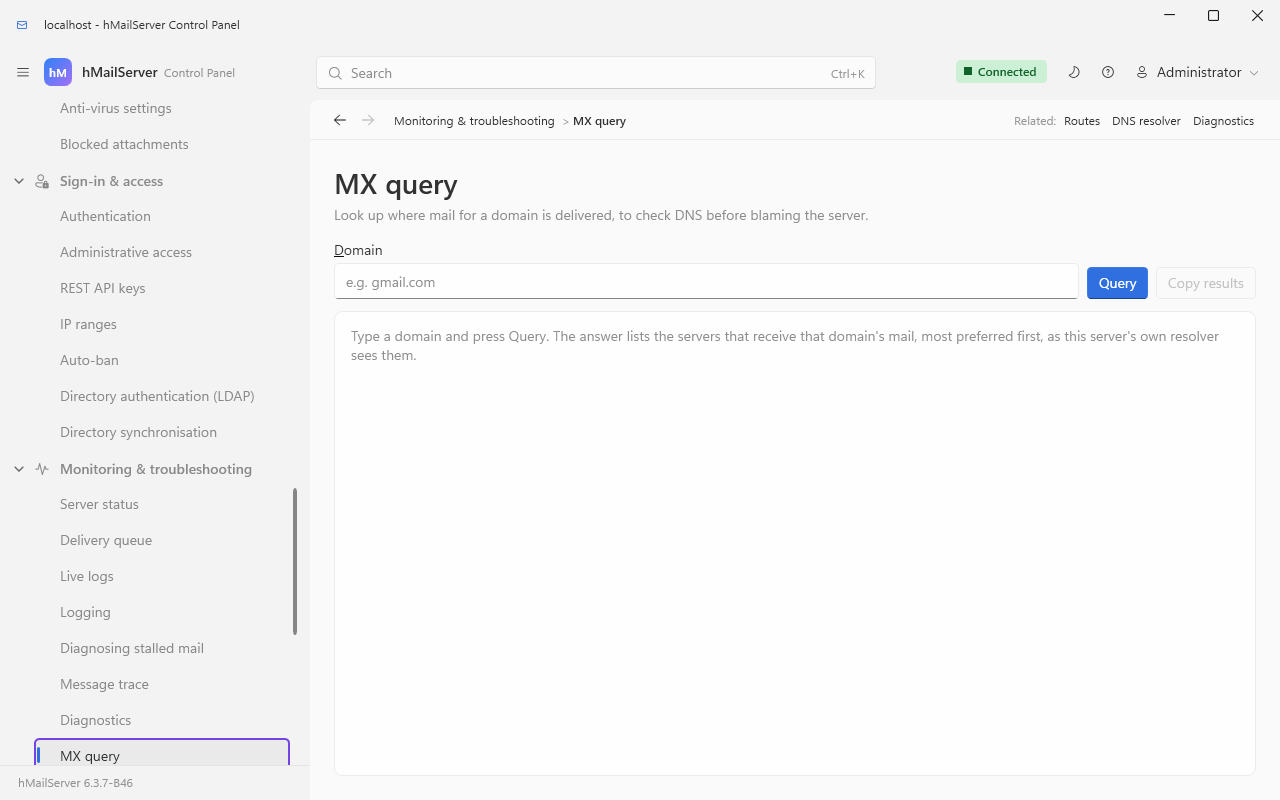
The Control Panel also builds the records for you: Set up this server → DNS records lists, per domain, the exact SPF, DKIM, DMARC, MTA-STS and TLS-RPT records to publish — type, host and value in separate boxes with their own copy buttons — and a Check button per record that says whether what is actually published matches.
A companion page, Set up this server → Setup checklist (once External setup, still a search alias), lists everything this server needs done outside it — these DNS records, the key and CA files, the trusted lists — and the state of each one, so nothing sits half-finished without saying so.
The DNS records page keeps four outcomes apart on purpose, because they need four different responses:
| Verdict | Meaning | What to do |
|---|---|---|
| Not published | The lookup succeeded and there is no such record | Publish it |
| Published but different | A record exists and does not match — and the page shows you what is there | Compare the two; you cannot fix a difference you cannot see |
| Published and correct | Byte-for-byte agreement | Nothing |
| Lookup failed | The resolver could not answer | A resolver or network problem, not a DNS-content problem. Retry |
Switching DKIM signing on is gated on that check passing, deliberately: signing with a key whose public half is not published makes every message fail DKIM at every receiver.
Resolve-DnsName yourcompany.com -Type MX
Resolve-DnsName yourcompany.com -Type TXT
Resolve-DnsName dkim._domainkey.yourcompany.com -Type TXT
Resolve-DnsName _dmarc.yourcompany.com -Type TXT
Resolve-DnsName _mta-sts.yourcompany.com -Type TXT
Resolve-DnsName _smtp._tls.yourcompany.com -Type TXT
Resolve-DnsName 10.113.0.203.in-addr.arpa -Type PTR
What a healthy set looks like:
Name                         Type   TTL   NameExchange
----                         ----   ---   ------------
yourcompany.com              MX     3600  mail.yourcompany.com

Name                         Type   TTL   Strings
----                         ----   ---   -------
yourcompany.com              TXT    3600  {v=spf1 mx a:mail.yourcompany.com ~all}
dkim._domainkey.yourcompany… TXT    3600  {v=DKIM1; k=rsa; p=MIIBIjANBgkq…}
_dmarc.yourcompany.com       TXT    3600  {v=DMARC1; p=none; rua=mailto:dmarc@yourcompany.com}
And the MTA-STS policy, fetched the way a sending server fetches it:
Invoke-WebRequest https://mta-sts.yourcompany.com/.well-known/mta-sts.txt -MaximumRedirection 0 |
Select-Object -ExpandProperty ContentThey tell you what the rest of the internet sees, which is not always what your own resolver sees:
- https://mxtoolbox.com/SuperTool.aspx — MX, SPF, DKIM, DMARC, blacklists
- https://www.mail-tester.com — send it a message; it scores your setup out of 10
- https://dmarcian.com/dmarc-inspector/ — DMARC specifically
Aim for 10/10 on mail-tester before you consider yourself live.
| Record | Name | Value | Set by | hMailServer's own use of it |
|---|---|---|---|---|
| A / AAAA | mail.yourcompany.com |
Your IP | You | — |
| MX | yourcompany.com |
mail.yourcompany.com |
You | Derives the MTA-STS mx: lines from it |
| PTR | Your IP | mail.yourcompany.com |
Your ISP | Prefetched for the Received header; scored by the PTR spam test if you enable it |
| TXT (SPF) | yourcompany.com |
v=spf1 mx a:mail.yourcompany.com ~all |
You | Evaluated as part of DMARC from day one; scored separately only once you enable the SPF test |
| TXT (DKIM) | dkim._domainkey.yourcompany.com |
From the Control Panel | You | Signs your outbound mail; verifies inbound signatures as part of DMARC, and as a scored test once you enable it |
| TXT (DMARC) | _dmarc.yourcompany.com |
v=DMARC1; p=none; rua=… |
You | Evaluates inbound mail; sends aggregate reports if DmarcRptFromAddress is set; since 6.3.4, reads the reports it receives when the domain names a report mailbox |
| TXT (MTA-STS) | _mta-sts.yourcompany.com |
v=STSv1; id=… |
You | Serves the policy at mta-sts.<domain>; honours other domains' policies when delivering |
| TXT (TLS-RPT) | _smtp._tls.yourcompany.com |
v=TLSRPTv1; rua=mailto:… |
You | Sends reports about other domains if TlsRptFromAddress is set |
| TLSA | _25._tcp.mail.yourcompany.com |
Certificate association | You, with a DNSSEC-signed zone | Verifies other servers' TLSA records when delivering |
| CNAME |
autoconfig, autodiscover, mta-sts
|
mail.yourcompany.com |
You | Serves autoconfig, autodiscover and the MTA-STS policy on them |
| A / AAAA / CNAME | openpgpkey.yourcompany.com |
this server | You, only if you publish OpenPGP keys | Since 6.3.4: serves the Web Key Directory's advanced method |