Repository navigation
Workouts
On the Workouts tab the trainer holds a power for you (ERG mode) instead of following the road.
| Workout | The trainer… |
|---|---|
| Constant power | holds the power you set, e.g. 200 W |
| Heart-rate zone / Heart rate | sets the power so your heart rate stays in a zone or at a bpm |
| Structured workout | follows steps of set power, built in or imported |
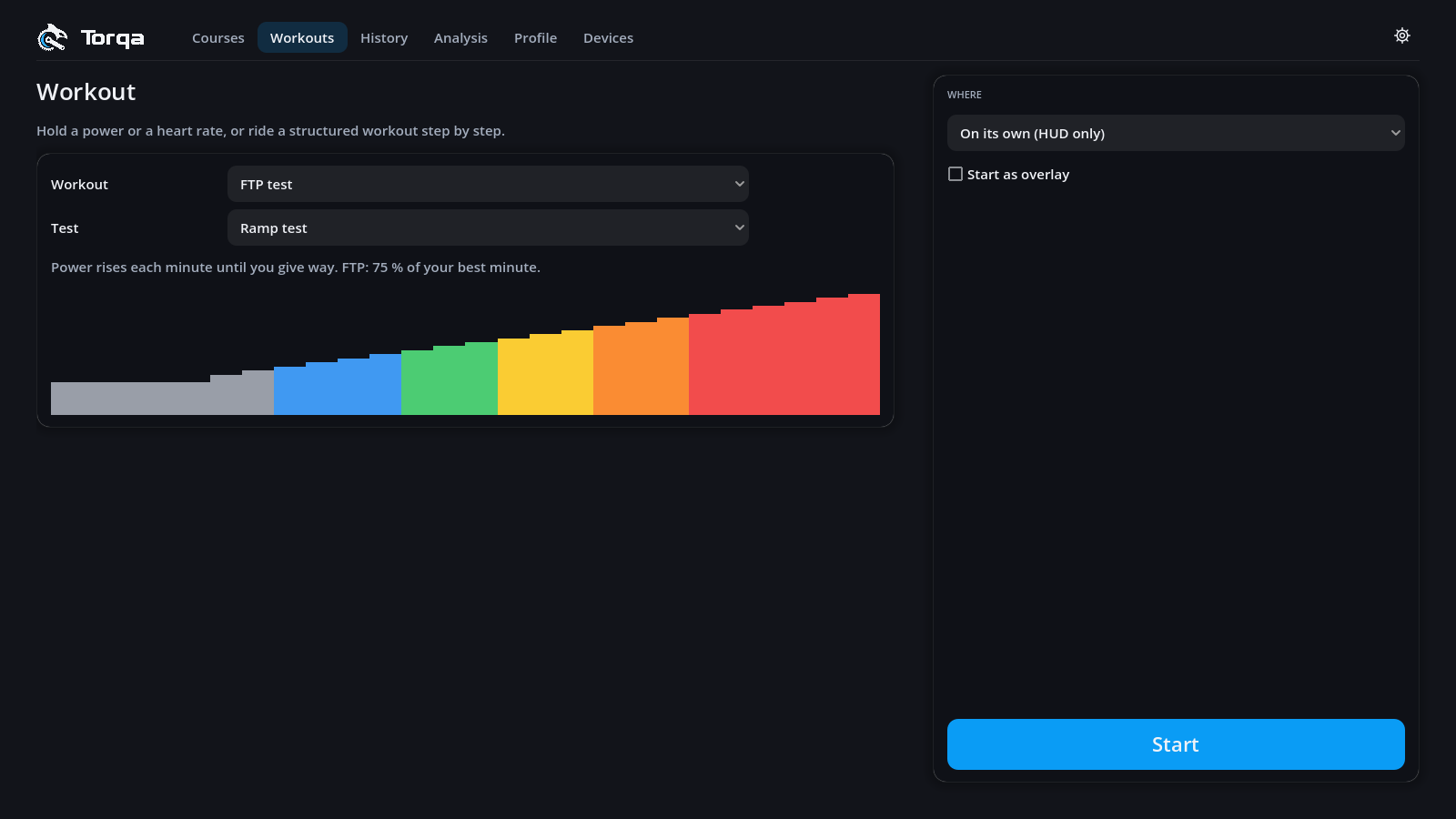
| FTP test | finds your FTP |
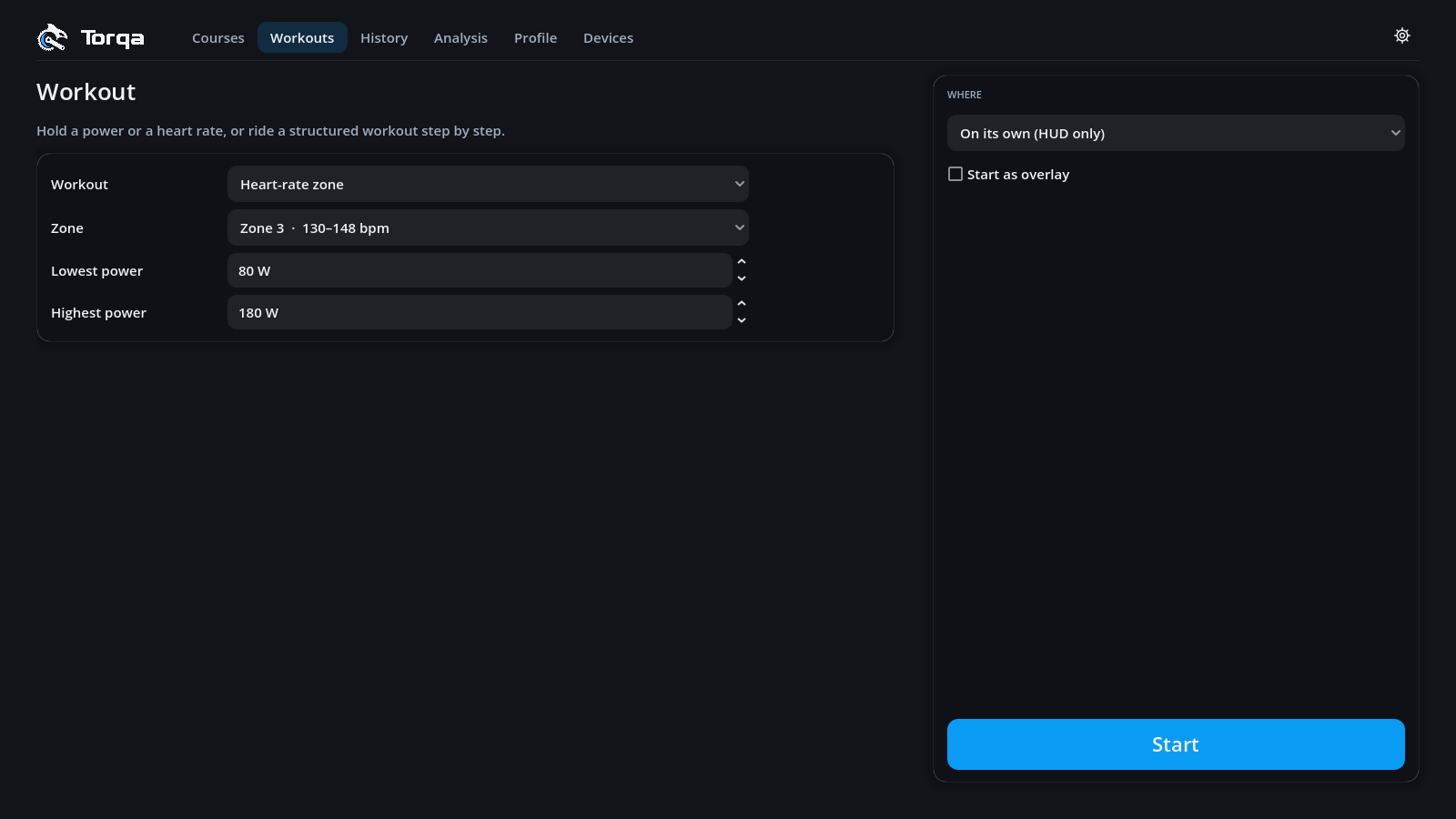
Ride it on its own (a flat road with a live chart) or on a course in its 3D world. Tick Start as overlay to ride with just your HUD on top of a video (Overlay). Change the workout during the ride under Settings → Workout.
Five come built in: Recovery 30, Endurance 60, Sweet spot 3 × 10, Threshold 2 × 15 and VO2max 5 × 3. Import… adds workout files:
| File | From |
|---|---|
.zwo |
Zwift, whatsonzwift.com, many coaches |
.erg, .mrc
|
TrainerRoad, Golden Cheetah |
.fit |
Garmin Connect, TrainingPeaks, intervals.icu |
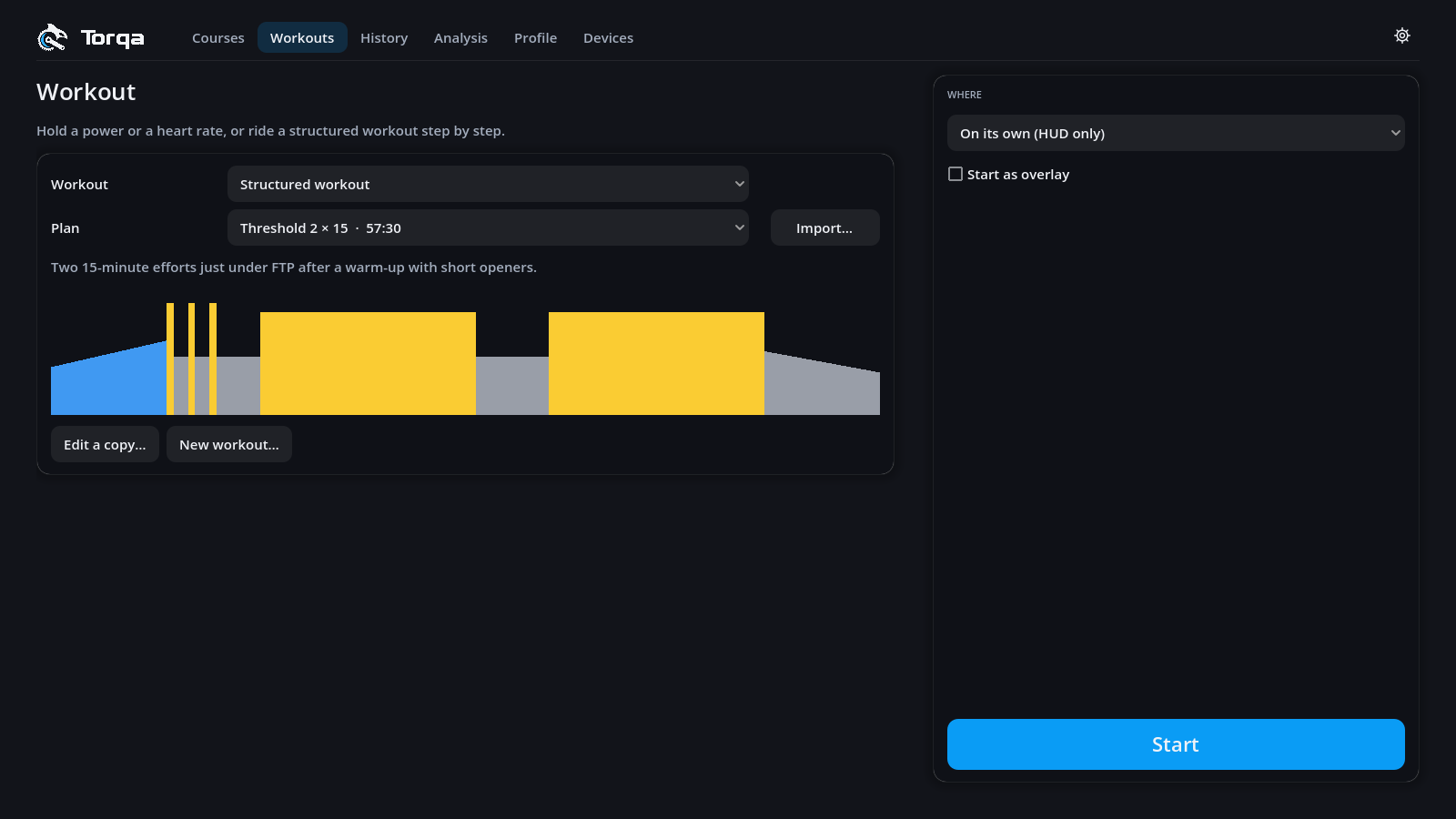
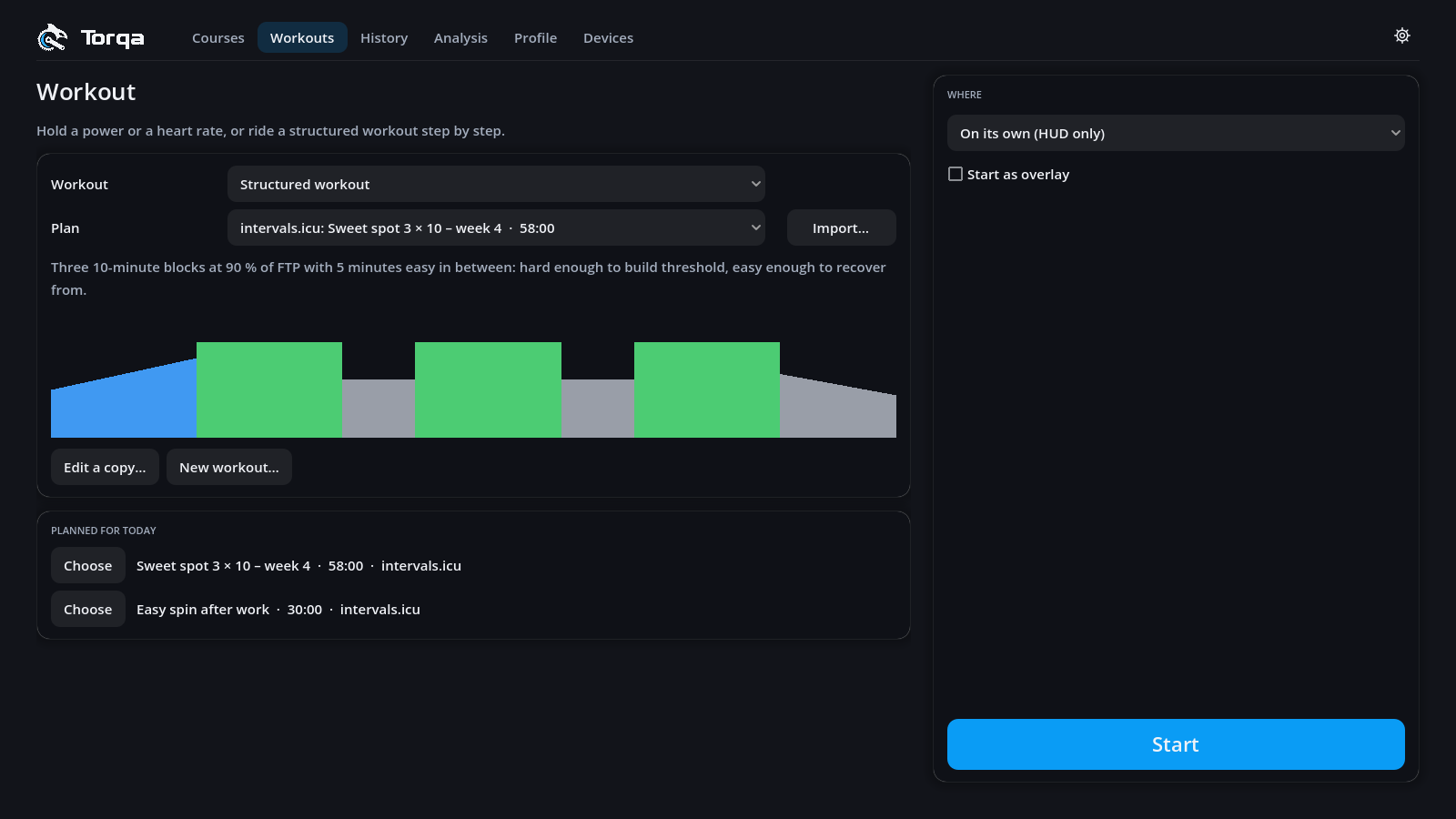
With an intervals.icu account connected (Uploading rides), the tab shows Planned for today: the workouts on your intervals.icu calendar for the day, read each time the tab opens. Choose puts one into the structured-workout chooser; Start rides it like any other. The plan stays on intervals.icu: Torqa keeps nothing of it and plans nothing itself. A planned ride without steps is not listed, and without internet the section says so while the library stays.
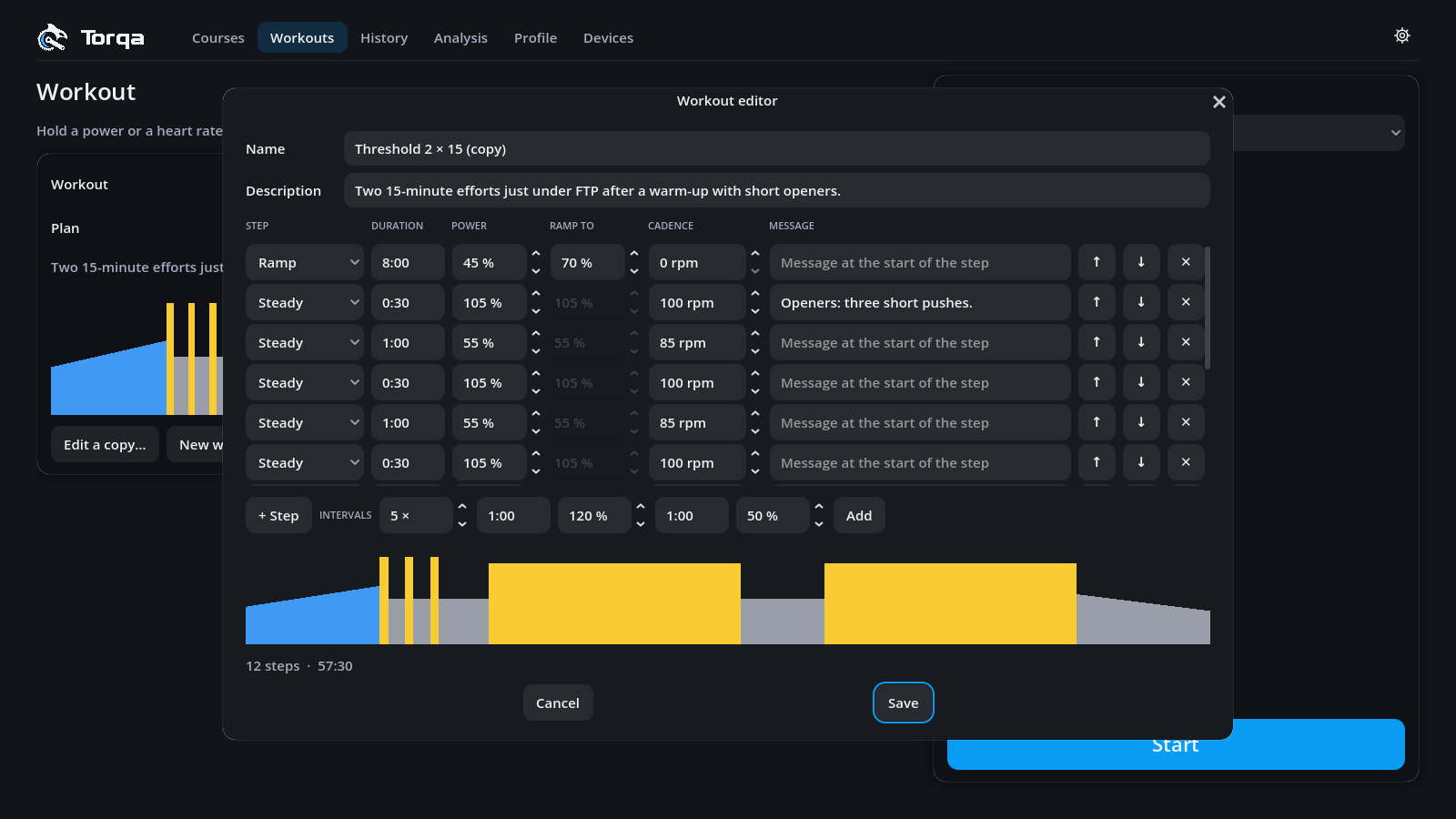
New workout… opens the editor (Edit a copy… for a built-in or planned one, which
saves your copy in the library). Each step is Steady, Ramp or Free ride, with a
duration (1:30), power in % of FTP and an optional cadence and message. Intervals adds a repeated block at once, e.g.
5 × 1:00 at 120 % / 1:00 at 50 %.
Press I / L for 5 % more or less intensity and N for the next step. With a Shimano Di2 or Zwift Click shifter, its buttons can do the same: Workout intensity +5 % / −5 % and Workout: skip step. Intensity scales every power of a structured or constant-power workout, from 50 to 150 %. Skipping goes straight to the next step; skipping the last one ends the workout. FTP tests and heart-rate holds keep their powers and steps.
| Test | How it goes | Your FTP | Takes |
|---|---|---|---|
| Ramp test | Power rises every minute until you give up | 75 % of your best minute | 15–25 min |
| 20-minute test | Warm-up, then 20 minutes all out | 95 % of the 20 minutes | 59 min |
| 2 × 8-minute test | Warm-up, two 8-minute efforts | 90 % of their average | 51 min |
The summary shows the FTP found, with a button to use it. During the all-out parts of the 20-minute and 2 × 8 tests the trainer rides like a flat road: you set the pace with your gears. The ramp test ends by itself when your cadence stays below 50 rpm for 10 s. It suits beginners.
Heart rate lags power by 30–60 s, so Torqa changes the power gently: it starts at your lowest power (your warm-up), rises by at most 30 W a minute and never exceeds your highest power. Expect to reach the target after 5–10 minutes.
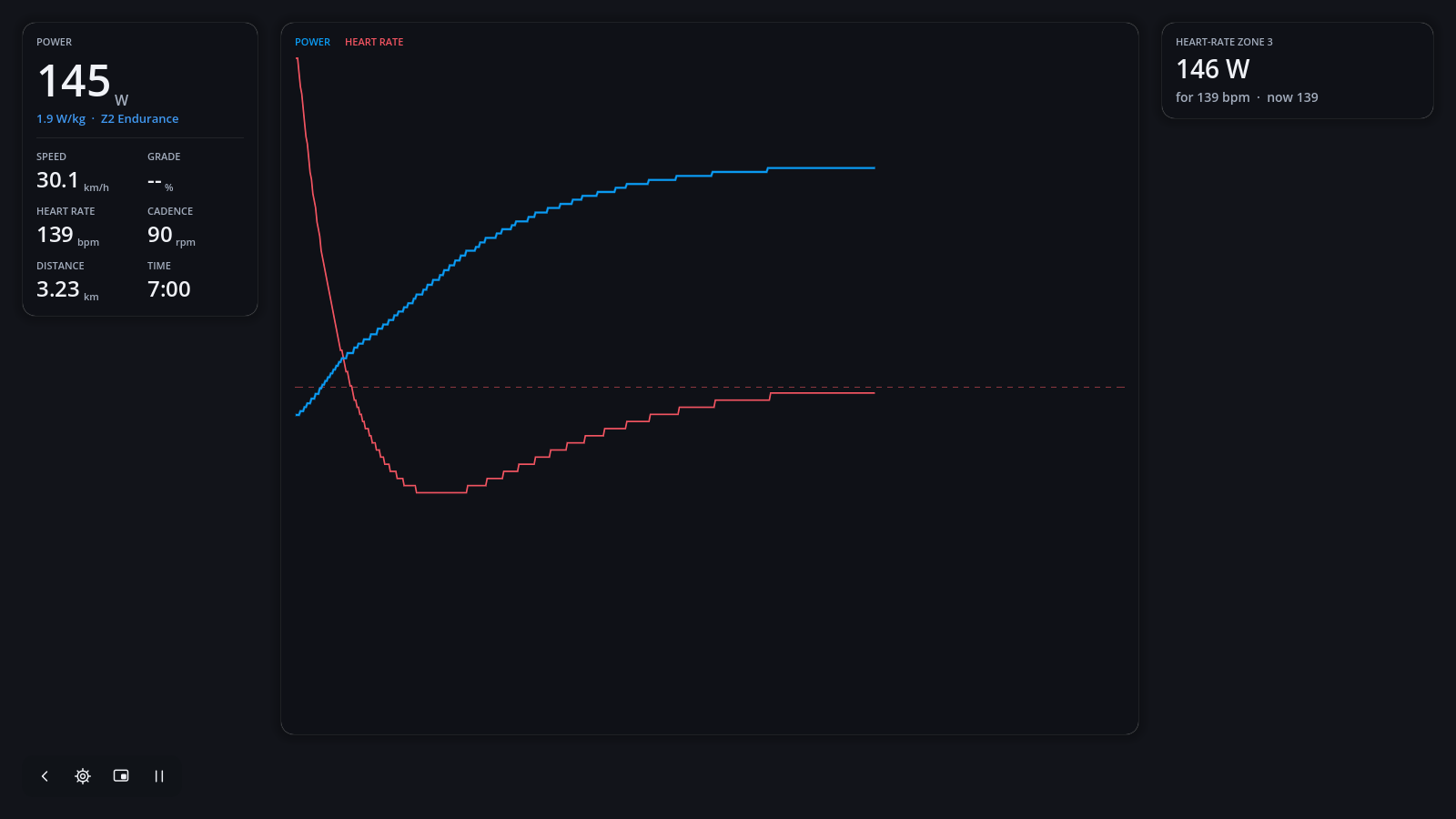
A heart-rate workout needs a strap, or the fake trainer's simulated heart rate.