Repository navigation
Home

Every software project produces a pile of knowledge: why we're building it, what it must do, how the pieces fit, what changed, and whether it actually works. Usually that knowledge is scattered across documents, tickets, whiteboard photos and people's heads. Six months later, nobody remembers why requirement 42 exists, which test proves it, or what broke when it changed.
Divengine Studio keeps all of that in one place, connected. Requirements, use cases, business rules, diagrams, decisions, plans, change requests and test results live side by side, and every connection between them is an explicit, visible trace. You can always follow the thread: from a business goal down to the test that proves it, and back.
Studio is free, open source and built on Drupal 11, so it runs on any ordinary PHP hosting and you own your data.
| If you want to… | Read this |
|---|---|
| Understand what Studio is and who it's for | What is Divengine Studio? |
| Install it on your machine or server | Installation |
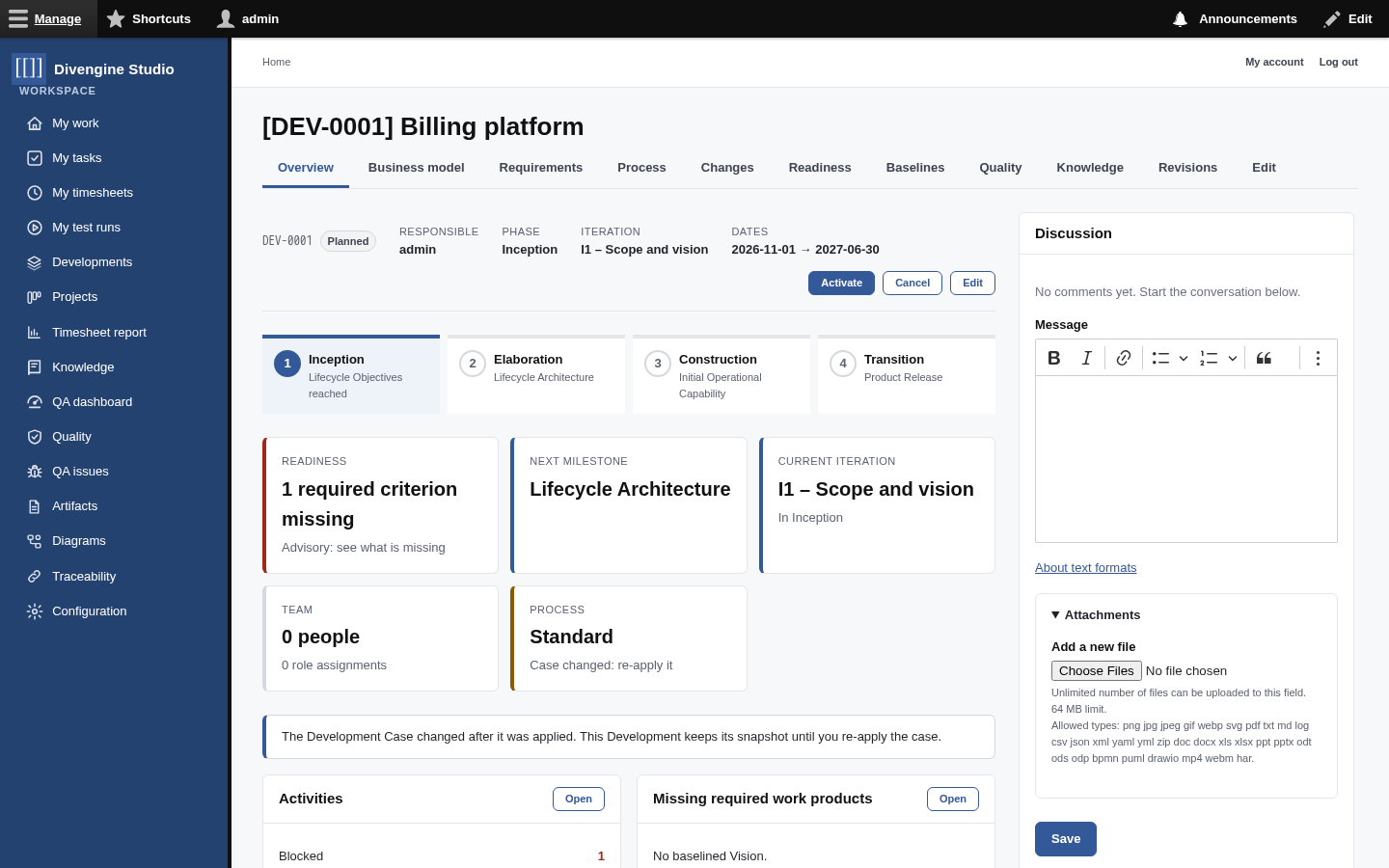
| Get a feel for the screens | A tour of the workspace |
Document a Development like a wiki, with [[CODE]] links |
Knowledge base |
| Capture requirements, rules and decisions | Artifacts |
| Connect things and see the impact of a change | Traceability |
| Discuss any record and attach files | Discussions & attachments |
| Browse a Development's Git repositories (and let agents read them) | Code Source |
| Read documentation extracted from PHP, TypeScript, Java or other code | Code docs |
| Explore database schemas and see how they change | Database schemas |
| Draw BPMN processes and UML diagrams | Diagrams |
| Organise work in projects, tasks and Kanban boards | Project management |
| Track the time spent on tasks and projects | Timesheets |
| Run a project with phases, iterations and milestones | The Unified Process |
| Plan and run tests, report bugs | Test management |
| Give people the right access | Users and roles |
| Let an AI assistant read your project | Connecting AI assistants (MCP) |
Most diagrams here are Mermaid, which GitHub draws for you. Some pages
also include PlantUML blocks. GitHub shows those as plain text, so we recommend installing the
PlantUML for GitHub
Chrome extension: it renders every plantuml block as a real diagram, right on the page. Really
handy, and also great for your own repositories. Pre-rendered SVGs of the main PlantUML diagrams
are included too, so nothing is lost without it.
flowchart LR
    subgraph Know["📚 Knowledge"]
        A[Artifacts<br/>requirements · use cases · rules · decisions]
        D[Diagrams<br/>BPMN · UML]
        SRC[Code<br/>Git repositories]
        DBS[Database schemas<br/>snapshots]
        KB["Knowledge base<br/>articles · #91;#91;CODE#93;#93; links"]
    end
    subgraph Plan["🗺️ Process"]
        P[Developments<br/>phases · iterations · milestones]
        C[Change requests]
        B[Baselines]
    end
    subgraph Work["🗂️ Work"]
        PR[Projects & subprojects]
        TK[Tasks & boards]
        TS[Timesheets]
    end
    subgraph Prove["✅ Quality"]
        T[Test plans & runs]
        Q[QA issues]
    end
    A <-->|traces| D
    KB -->|mentions| A
    SRC -->|belongs to| P
    DBS -->|belongs to| P
    A -->|belong to| P
    C -->|impacts| A
    B -->|freezes| A
    T -->|verifies| A
    T -->|finds| Q
    TK <-->|traces| D
    PR --> TK
    TS -->|time on| TK
💡 The one idea to remember: nothing in Studio is connected by guesswork. If two things are related, someone said so with a trace, and anybody can see it, question it, and follow it.

Getting started
Knowledge
- Knowledge base
- Artifacts
- Traceability
- Diagrams
- Discussions & attachments
- Code Source
- Code docs
- Database schemas
Work
Process
Quality
- Test management
- Running tests (for testers)
- QA issues
- Dashboard & reports
- Verifying requirements with tests
Administration
Under the hood