Repository navigation
Code Docs
Keep the technical documentation extracted from your code alongside the Development it describes. Code docs uses one common model for packages, modules, files, classes, functions, members, parameters, documentation tags and references across programming languages.
Java and TypeScript extractor output is supported through adapters. PHP, C#, C++, JavaScript and other extractors can send the same common JSON contract. There is no separate Drupal module for each language. OpenAPI specifications are a separate concern; this feature documents declarations and relationships in code.
flowchart LR
    C[Source code] --> E[Local extractor]
    E --> J[JSON documentation]
    J --> A[Adapter and common contract]
    A --> S[Immutable snapshot]
    S --> B[Browse symbols and references]
    S --> D[Compare snapshots]
    S --> M[Read through MCP]
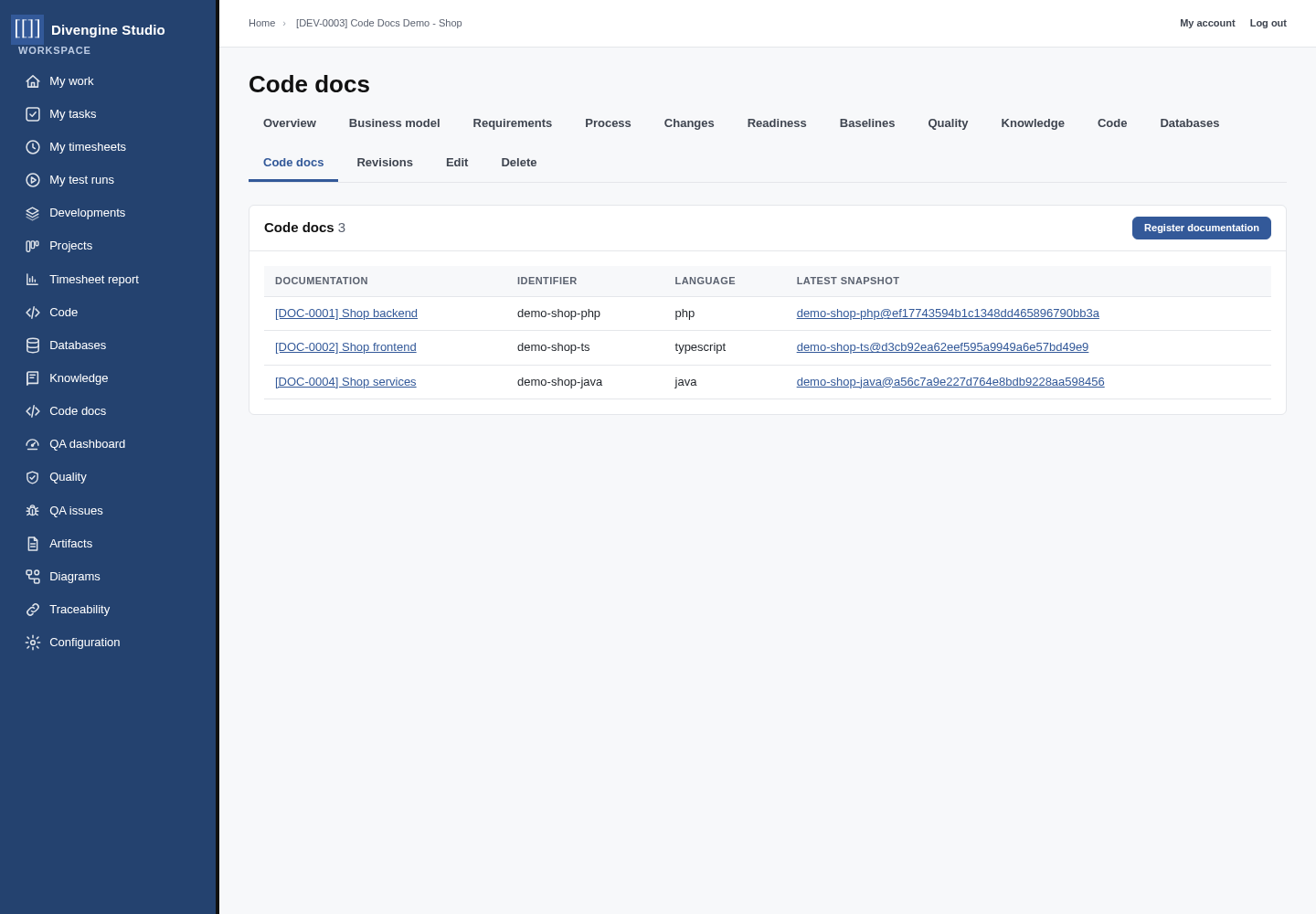
- Register a documentation set in the Development's Code docs tab.
- Give it a stable identifier, such as
shop-backend. The extractor sends that identifier as its JSONproject. - Run an extractor locally or in CI and publish its JSON through the HTTP API, or import a small file from the set's Import tab.
- Studio resolves references inside the snapshot, computes its content hash and coverage, and makes the completed snapshot available to people and agents.
Each set represents one codebase and language. It receives a code such as
DOC-0001, usable in [[DOC-0001]] links and traces. Its identifier and Development
stay fixed after the first snapshot.
The documentation set shows its history, branches, commits and documentation coverage. Open a snapshot to search declarations and browse extracted units.


The snapshot page includes:
- Units, top-level symbols, members, references and endpoint counts.
- Search by symbol name, qualified name or stable key.
- Signatures, summaries and the files or modules containing the declarations.
- Routes and HTTP calls discovered by the extractor.
- Added, removed and changed declarations compared with the preceding capture.
Coverage counts public or exported handwritten API declarations. Generated symbols and overrides that inherit documentation are excluded. Moving a declaration to another line does not make it a documentation change.
Open a symbol to read its signature, parameters, documentation tags, members, outgoing references and the declarations that reference it.

Link the set to a Code Source repository and, when needed, a folder inside it. View source at this commit appears when an indexed repository ref matches the documented commit, so the link opens the corresponding code.
Language-specific facts remain available in Extractor details. Imported documentation is displayed as text.
The existing CodeIntel Javadoc and TypeScript extractors can keep producing their current JSON. Replace the Odoo publishing step with Studio's Python publisher:
export STUDIO_URL=https://studio.example.com
export STUDIO_USER=docs_publisher
export STUDIO_PASSWORD=...  # inject this from your CI secret store
python3 web/modules/custom/divengine_codedocs/tools/publish.py extracted.json
Give the account the Code docs publisher role and membership in the Development it feeds. This role can publish documentation without receiving read or management access. Remote publishing requires HTTPS.
Large files are uploaded in chunks. Incomplete uploads remain hidden; finalization requires every declared chunk. Retrying the same chunk with identical content does not duplicate it. Ready snapshots are immutable.
The result is imported, idempotent or unchanged. Reusing a revision with
different content is refused. Use --force to keep unchanged documentation under
a new revision; --dry-run only describes the upload.
Custom extractors can emit the common JSON contract and API.
The repository contains a small shop backend and frontend, and scripts that create real projects in the server workspace:
cd /path/to/studio
bash scripts/codedocs-demo/refresh.sh
The script creates ~/workspace/codedocs-demo/php-shop and ts-shop, registers
their Git repositories and documentation sets, and imports real extractor output
into Code Docs Demo - Shop. Existing workspace projects are preserved. The
PHP example uses reflection over its three trusted classes; the TS example uses
the existing CodeIntel extractor and its own TypeScript compiler.
To capture a second version with documented checkout discounts:
python3 scripts/codedocs-demo/evolve.py
bash scripts/codedocs-demo/refresh.sh
For subsequent changes, edit the workspace projects, commit them, and run
refresh.sh again. The script refuses uncommitted changes so documentation
corresponds to the recorded Git revision.
Paths are configurable with CODEDOCS_DEMO_ROOT and CODEINTEL_TS_EXTRACTOR.
See the demo instructions
for requirements, generated files, MCP reads and screenshot capture.
The optional MCP integration exposes seven tools:
| Tool | Purpose |
|---|---|
codedocs_sets |
List visible documentation sets and latest snapshot IDs. Start here. |
codedocs_snapshots |
List ready snapshots of a project. |
codedocs_units |
Read packages, modules and files. |
codedocs_symbols |
Search declarations with project and optional q. |
codedocs_symbol |
Read a symbol by numeric symbol ID, including parameters and references. |
codedocs_endpoints |
Read routes and HTTP calls found in source. |
codedocs_diff |
Compare a from snapshot with another snapshot of the same project. |
All tools except codedocs_sets take the documentation set identifier as
project. Omit snapshot to use the latest ready capture. Lists support
offset; symbols return 100 records per page and units/endpoints 200.
For example, an assistant can use:
codedocs_sets({})
codedocs_symbols({"project":"demo-shop-php","q":"::total"})
codedocs_symbols({"project":"demo-shop-ts","q":"cartTotal"})
codedocs_endpoints({"project":"demo-shop-ts"})
The MCP recipe grants Read code docs to the MCP agent role and enables the plugin. Installing Code Docs into an existing MCP site also adds this integration; existing authentication and explicit plugin settings are preserved. Add the bot to each Development it should read. The example script adds it only to the demo Development. Agents cannot read incomplete uploads or publish through these tools.
| Permission | Allows |
|---|---|
| Read code docs | Browse documentation in visible Developments. |
| Manage code docs | Register documentation sets and import snapshots. |
| Publish code docs | Send snapshots into a Development where the account is a member, owner or responsible. |
| Administer code docs | Delete ready history in visible Developments. |
The Studio recipe grants read access to Content editors and Project Managers, management access to Studio Managers, and creates the publisher role for CI.

Getting started
Knowledge
- Knowledge base
- Artifacts
- Traceability
- Diagrams
- Discussions & attachments
- Code Source
- Code docs
- Database schemas
Work
Process
Quality
- Test management
- Running tests (for testers)
- QA issues
- Dashboard & reports
- Verifying requirements with tests
Administration
Under the hood