Repository navigation
Artifacts
An artifact is a single, named piece of engineering knowledge. "The system shall warn the clerk 10 days before a claim reaches its filing deadline" is an artifact. So is the decision to use PostgreSQL, the risk that the payer API changes, and the use case "Submit a claim".
Writing knowledge as artifacts instead of long documents has a big advantage: each piece gets its own identity, owner, lifecycle and history, and can be connected to the others.
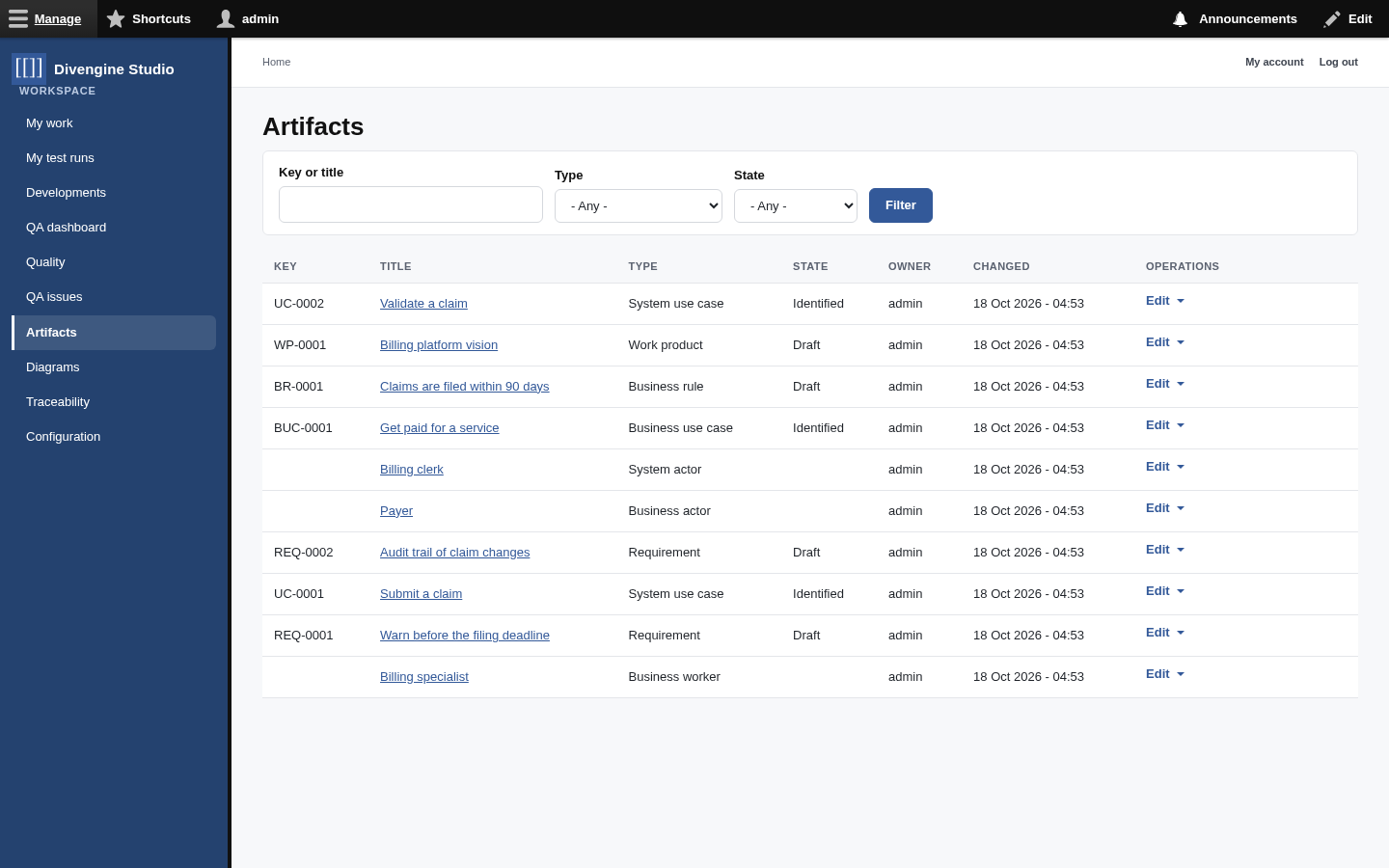
| Type | Code | What it's for |
|---|---|---|
| Requirement | REQ- |
Something the system must do or a quality it must have. |
| System use case | UC- |
How an actor uses the system to reach a goal: main flow, alternatives, exceptions. |
| Business use case | BUC- |
What the business does to deliver value, before any system is involved. |
| Business rule | BR- |
A policy or constraint of the business ("claims are filed within 90 days"). |
| Business actor / worker | — | Who interacts with the business, and who works inside it. |
| System actor | — | Who (or what) interacts with the system. |
| Work product | WP- |
A deliverable such as the Vision or the Architecture Description. |
| Decision | DEC- |
An architectural or design decision, with its context and consequences. |
| Risk | RSK- |
Something that could go wrong, with likelihood and impact. |
| Evidence | EVD- |
Proof that something happened or holds. |
| Test case | TC- |
A lightweight test description (for full test management, see Test management). |
| Knowledge reference | KR- |
A pointer to external knowledge: an article, a book, a talk. |
| Standard reference | STD- |
A clause of a standard you must comply with. |
| Method fragment | MF- |
A reusable piece of method or practice. |
Administrators can add types and fields like any Drupal entity type (see Configuration).

Every artifact has:
- a key (
REQ-0001), assigned automatically when it's created; - a title and its type-specific fields (statement, priority, risk, source…);
- a state in its lifecycle, shown in the status bar;
- an owner;
- revisions: every save is kept, with who changed what and why;
- traces to other records (see Traceability);
- if it belongs to a Development, the Development it belongs to.
Different kinds of knowledge mature differently, so they have different lifecycles. You move an artifact forward with the Change to box on its page.
stateDiagram-v2
    direction LR
    state "Requirements & business rules" as R {
        [*] --> Draft
        Draft --> Proposed
        Proposed --> Approved
        Approved --> Published: baseline
        Published --> Deprecated
    }
stateDiagram-v2
    direction LR
    state "Use cases" as U {
        [*] --> Identified
        Identified --> Outlined
        Outlined --> Detailed
        Detailed --> Reviewed
        Reviewed --> Published: baseline
        Published --> Deprecated
    }
Other artifacts (decisions, risks, references…) use a simple editorial lifecycle: Draft → In review → Published → Archived. Work products go Draft → In review → Published.
🧭 Why do states matter? Because Studio reads them. The readiness check knows that a requirement still in Draft isn't approved, and the verification criteria only look at requirements that are approved.
- From a Development, open the Business model or Requirements tab and use the Add button of the section you need. The artifact is created inside that Development.
- Or go to Artifacts in the sidebar and add one directly.
Forms come in two columns: the content on the left, the properties (priority, owner, iteration…) on the right.
- One idea per artifact. "The system shall do A and B" is two requirements. Splitting them lets you trace and test each one.
- Write the "why" somewhere. Use the source field, or trace the requirement to the business rule it derives from. Future you will be grateful.
- Don't delete, deprecate. Deprecated artifacts stay in the history and in old baselines, but stop counting in readiness.

Getting started
Knowledge
- Knowledge base
- Artifacts
- Traceability
- Diagrams
- Discussions & attachments
- Code Source
- Code docs
- Database schemas
Work
Process
Quality
- Test management
- Running tests (for testers)
- QA issues
- Dashboard & reports
- Verifying requirements with tests
Administration
Under the hood