Repository navigation
Code Source
Requirements say what to build, tasks say who builds it, tests say whether it works… and the code is where it actually happens. Code Source brings a Development's Git repositories into Studio, so people and AI agents can look at the code right next to everything else.
The important part: Studio never copies your code. Git keeps it. Studio keeps a small index (which files exist in which branch, and which version of each) and reads a file from Git at the moment you open it.

flowchart LR
    G[("Local Git clone<br/>/opt/repos/billing")] -- "ls-tree (index)" --> I["Studio index<br/>paths · blobs · per ref"]
    G -- "cat-file (on demand)" --> V["Viewer · MCP tools"]
    I --> V
    U((You)) -->|git pull / fetch| G
- Someone clones the repository on the server, inside an allowed folder (by default
/opt/repos), and keeps it up to date withgit fetch/pullas usual. - A Studio Manager registers the repository in a Development and adds the refs to follow:
main,develop,origin/release, a tagv1.2… -
Index now (or a scheduled
drush divengine:source-index) reads the commit each ref points to, straight from Git's object database, and updates the index. Studio never clones, fetches or checks anything out, and ignores the working copy, so local changes on the server don't matter. - Everybody who sees the Development can browse the code of indexed refs, and agents can read it through MCP.
On a Development, open the Code tab and click Register repository.
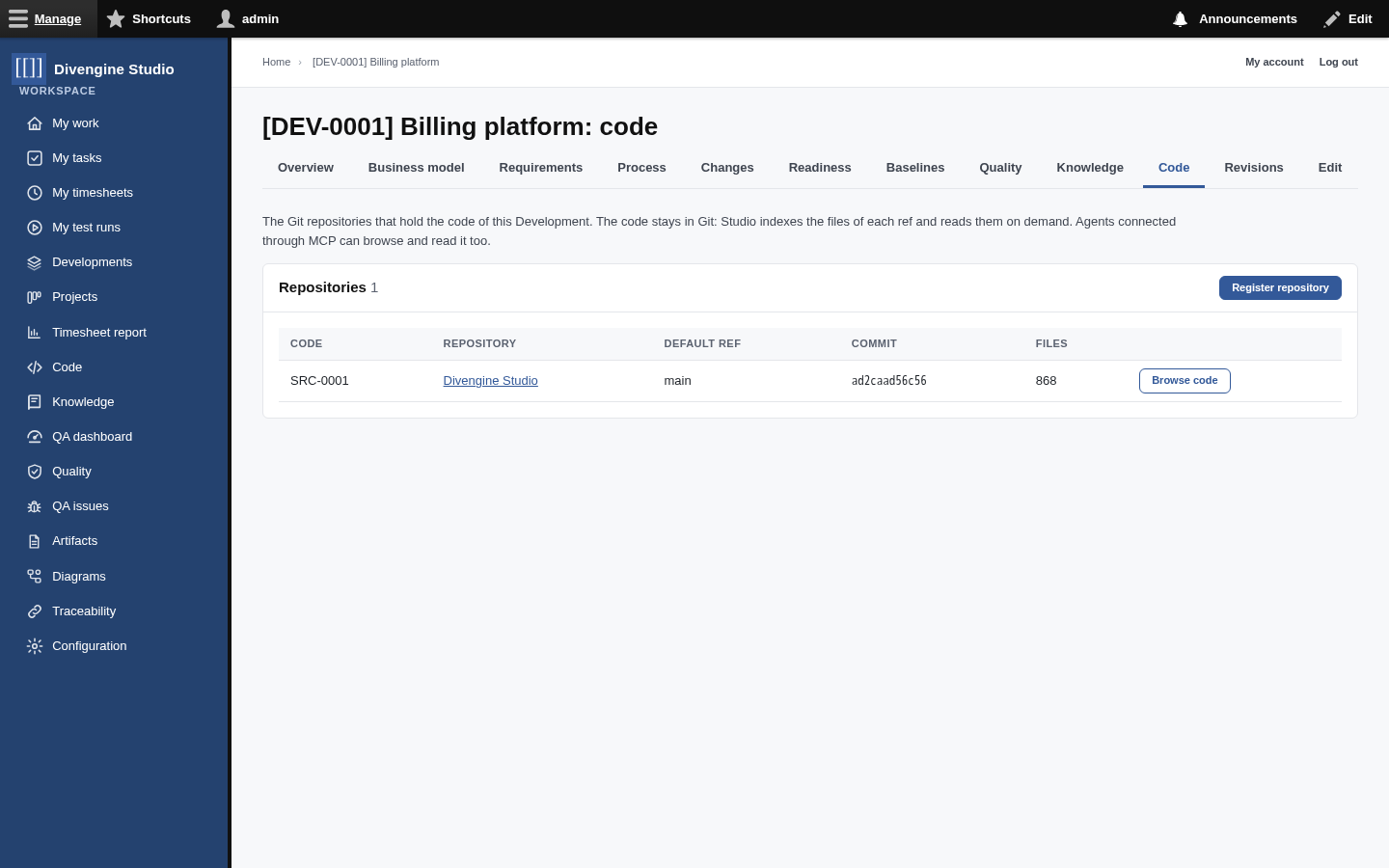
| Field | |
|---|---|
| Name | How people call it. It also gets a code like SRC-0001 for [[SRC-0001]] links. |
| Path of the local clone | Absolute path on the server, inside the allowed roots. Studio checks it's really there (and not escaping through .. or a symbolic link). |
| Remote URL | Where the repository lives (GitHub, GitLab…), just for people. |
| Development | Whose code this is. Only its members see the repository. |
Then Add ref for each branch or tag you care about, and Index now.
🔒 Once a repository has been indexed, its path is frozen: the history in Studio belongs to that clone. For another clone, register another repository.
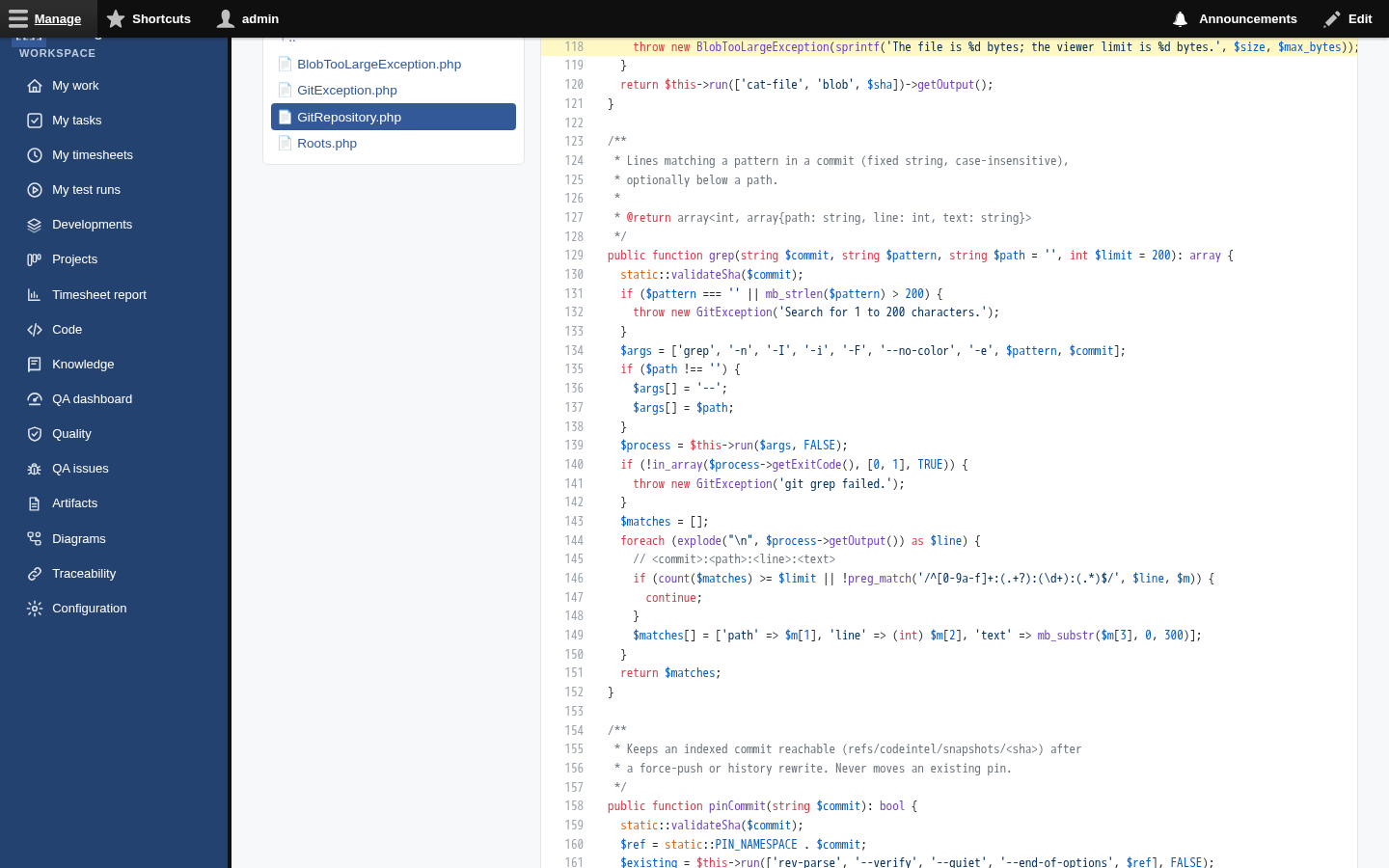
Browse code shows the repository like a Git host:

- Switch between indexed refs with the chips at the top; you stay on the same path when possible.
- Navigate folders on the left; a folder's
READMEis shown under its file list. - Files open with syntax highlighting and line numbers. Click a number to get a link to that line
(
…#L118) and share it: the line is highlighted when opened. - Raw downloads the file as it is; images are displayed.
- Very large files are listed but not read (512 KiB by default, configurable).
Each indexing creates a snapshot: the ref, the commit, how many files were added, changed,
came back or disappeared. The repository page shows this history. Snapshots never change, and the
indexed commits are pinned in the clone (refs/codeintel/snapshots/<sha>) so Git keeps them even
after a force-push.
Files and versions are shared between refs: indexing origin/main after main at the same commit
adds no new versions, only the "present in this ref" information.
With the MCP connection, agents get five tools, limited to what their account can see:
| Tool | Does |
|---|---|
code_repositories |
Lists the repositories (optionally of one Development, e.g. DEV-0001), their refs and indexed commits. |
code_tree |
Lists a folder of an indexed ref. |
code_find_files |
Finds files whose path contains a text. |
code_read |
Reads a file with line numbers; long files in ranges (start_line, end_line). |
code_search |
Searches text in the files of a ref, optionally below a path. |
So an agent can go from "requirement REQ-0001" to the task that implements it, to the code that does it, without anyone copying and pasting.
sequenceDiagram
    actor Dev as You
    participant AI as Agent
    participant S as Studio (MCP)
    Dev->>AI: "Where do we check the filing deadline?"
    AI->>S: code_repositories(DEV-0001)
    AI->>S: code_search(SRC-0001, "deadline")
    S-->>AI: src/Claims/Deadline.php:42 …
    AI->>S: code_read(SRC-0001, src/Claims/Deadline.php, 30-80)
    AI-->>Dev: explanation with the exact lines
Configuration → Code Source (site administrators):
| Setting | Default | |
|---|---|---|
| Allowed repository roots | /opt/repos |
One absolute path per line. Repositories can only live below them. Empty means none. |
| Largest file shown | 512 KiB | Up to 10 MiB. |
| Git executable | git |
The web server's user must be able to read the clones and write in their refs/ folder (for the
pins).
vendor/bin/drush divengine:source-index            # every active ref of every repository
vendor/bin/drush divengine:source-index SRC-0001   # one repository
Put it in cron after your git fetch, and Studio follows your branches automatically.
For signatures, documentation comments, parameters and relationships extracted from the source, use Code docs. Link a documentation set to this repository to open a symbol's source at its documented commit. The PHP/TypeScript demo scripts register both source repositories and documentation sets together.
| Permission | Allows |
|---|---|
| Browse source code | See the repositories of your Developments and read their code. Content editors, Project Managers and the MCP agent have it. |
| Manage source code | Register repositories and refs, index them. Studio Managers. |
| Administer source code | The settings above (site administrators). |

Getting started
Knowledge
- Knowledge base
- Artifacts
- Traceability
- Diagrams
- Discussions & attachments
- Code Source
- Code docs
- Database schemas
Work
Process
Quality
- Test management
- Running tests (for testers)
- QA issues
- Dashboard & reports
- Verifying requirements with tests
Administration
Under the hood