Repository navigation
Home
Ski is a file manager for Linux, written in Rust.
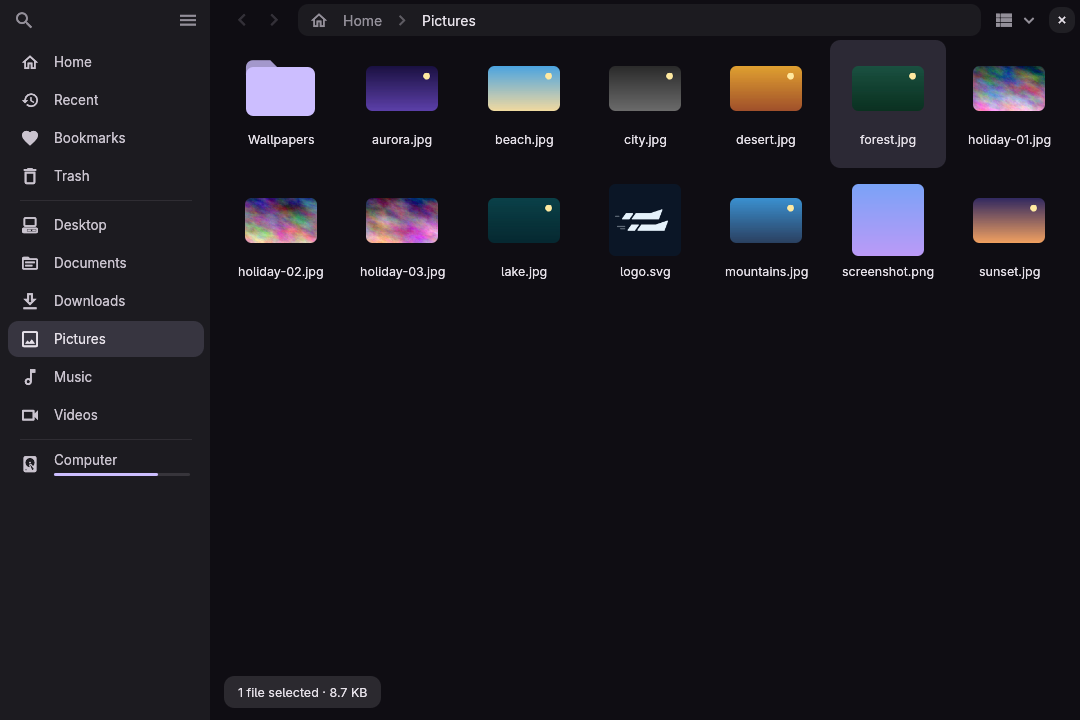
Start
- Installation: packages, Docker, Cargo, Nix and NixOS.
- Desktop Integration: Ski as the default file manager, the system file dialog, and the "Show in folder" service.
-
Command Line: arguments and modes of the
skiprogram.
Use
- The Window: what each part of the window does.
- Navigation: moving between folders, the path field, history, tabs and windows.
- Sidebar: places, pins, bookmarks, drives, servers and tags.
- Views and Sorting: list and grid, columns, sorting, thumbnails and folder sizes.
- Selecting Files: mouse, keyboard and pattern selection.
- File Operations: copy, move, drag and drop, conflicts, undo, the operations list.
- Creating Files and Folders: new folders, new files and templates.
- Renaming: renaming one item, and renaming many by template or find and replace.
- Trash and Deleting: the trash, restoring, permanent deletion.
- Opening Files: default applications, "Open with", terminals.
-
Search: name and content search, type filters,
tag:search. - Properties and Permissions: the Properties dialog and changing permissions.
- Archives: compressing and extracting.
- Servers: connecting to network shares and SSH servers.
- Drives and Devices: mounting, unmounting, ejecting, phones and cameras.
- Administrator Mode: browsing and editing system files as root.
- Custom Folder Icons: pictures and glyphs as folder icons.
Plugins
- Plugins: what a plugin is and how to switch one on.
- Git, Checksums, Tags, Duplicate Finder, Compare Folders, Quick Look, Custom Actions.
Configure
-
Settings: every option in the Settings window and its key in
settings.json. - Keyboard Shortcuts: every action, its default keys, and how to change them.
- Themes and Appearance: built-in themes, custom themes, accent color, icon styles, fonts.
- Files Ski Uses: where Ski keeps its settings and state.
Help